Defining Business Hours
Business Hours define when your team is actively working and available to respond to customers. Setting them up in Hiver Omni ensures your SLAs and performance reports reflect actual working time, not full calendar hours.
Why create Business Hours
With Business Hour Templates, you can set working hours and holidays for your Shared Inboxes. Setting up Business Hours helps you:
- Track SLAs accurately: Response and resolution timers run only during working hours, preventing false overdue alerts.
- Generate realistic performance reports: Measure team performance based on working hours instead of full calendar hours.
Prerequisites
- Business Hour Templates are available on the Pro and Elite plans.
- Only Admins and Shared Inbox Admins can create and manage Business Hour Templates.
Creating a Business Hour Template
- Go to Admin Panel → Business Hours, and click Create New Template.
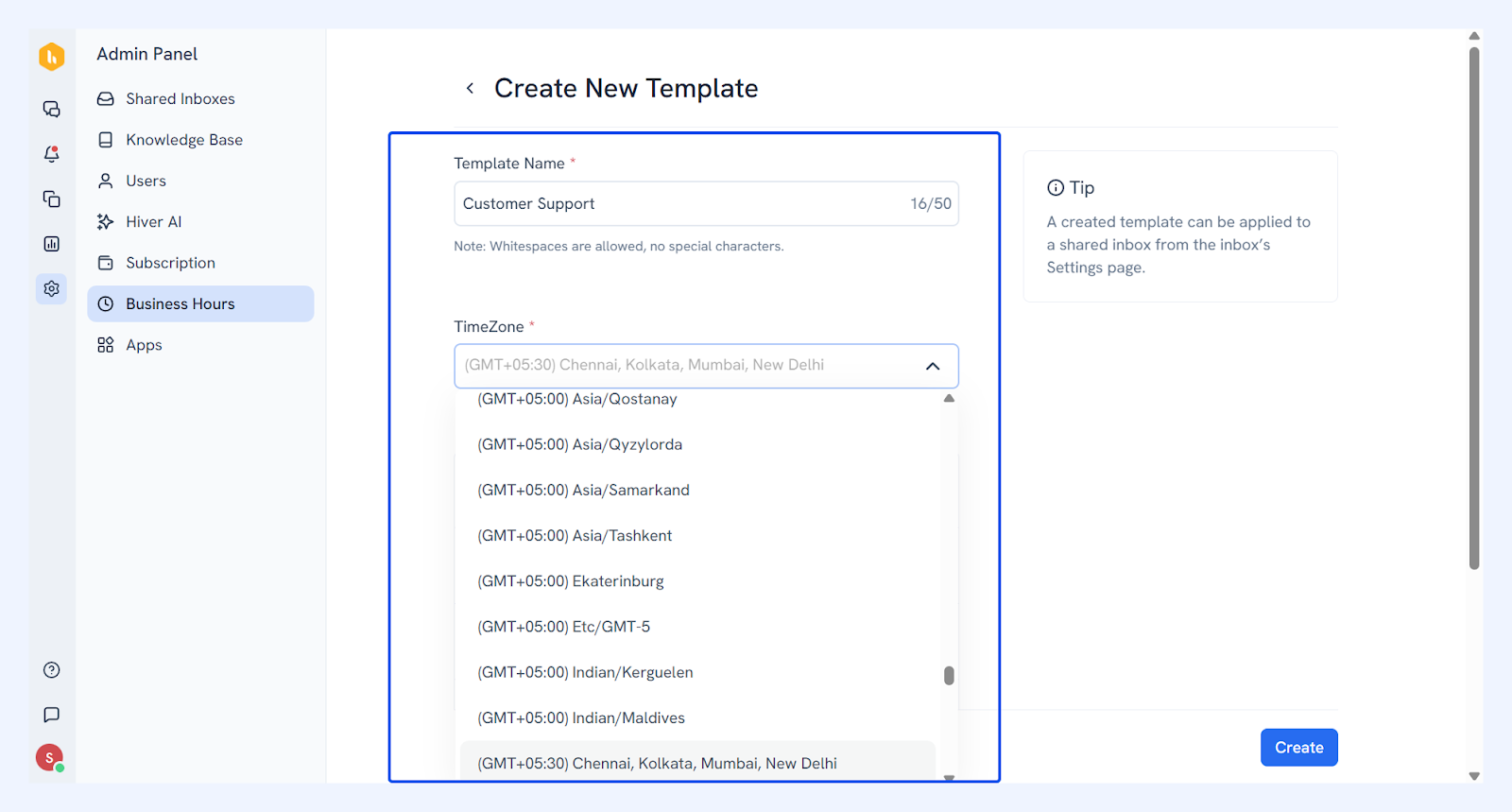
- Enter a template name and select the timezone.
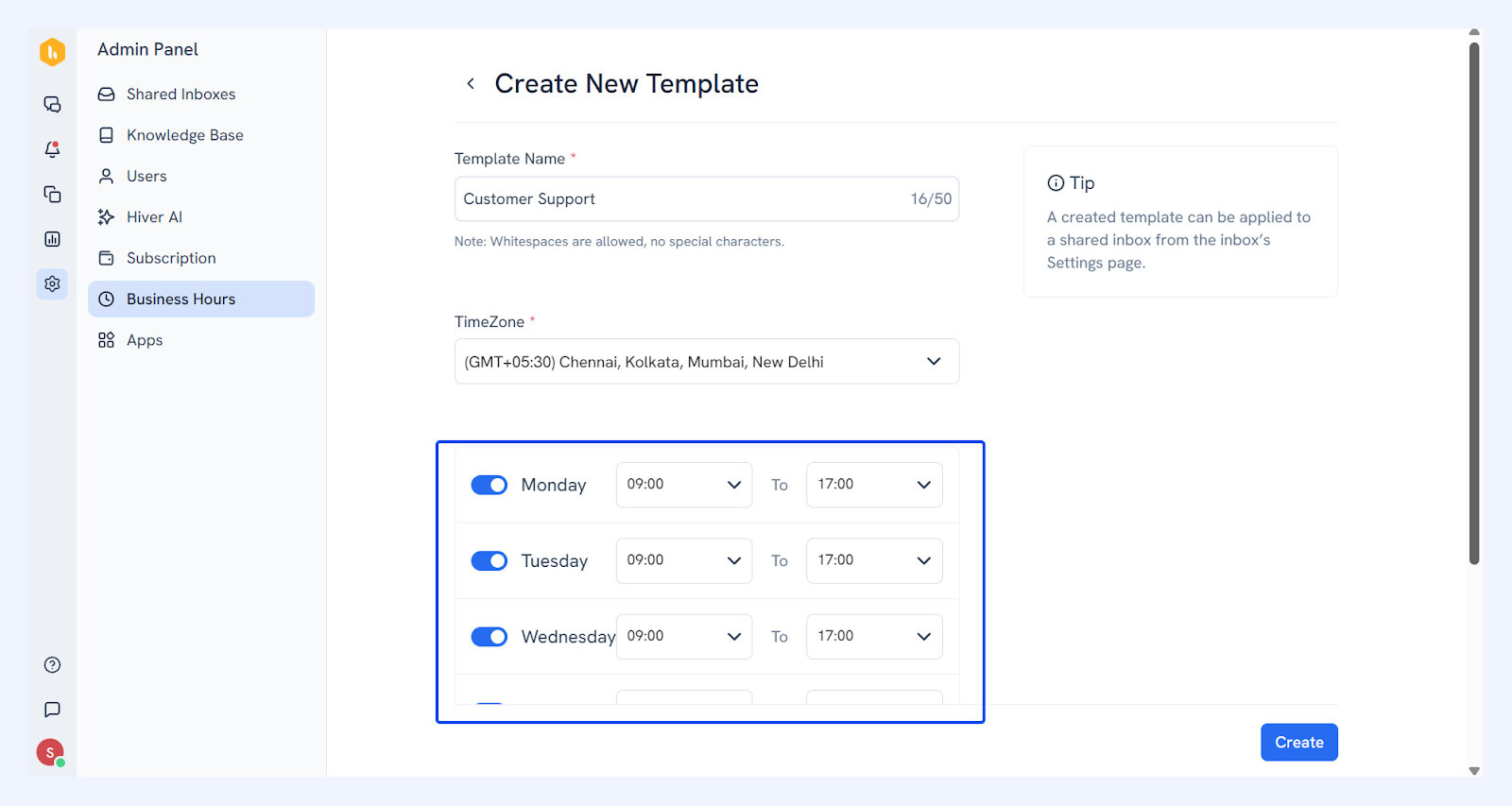
- Use the toggle to turn on days when your team is available to work.
- Set start and end times for each working day.
- Click Save.
Your Business Hour Template is now created. You can map it to one or more Shared Inboxes based on your team’s schedule.
Note: You can create different templates for inboxes with different working hours. If multiple inboxes follow the same schedule, you can assign the same template to all of them.
Mapping the Business Hour Template to a Shared Inbox
- Go to Admin Panel → Shared Inboxes, and select an inbox.
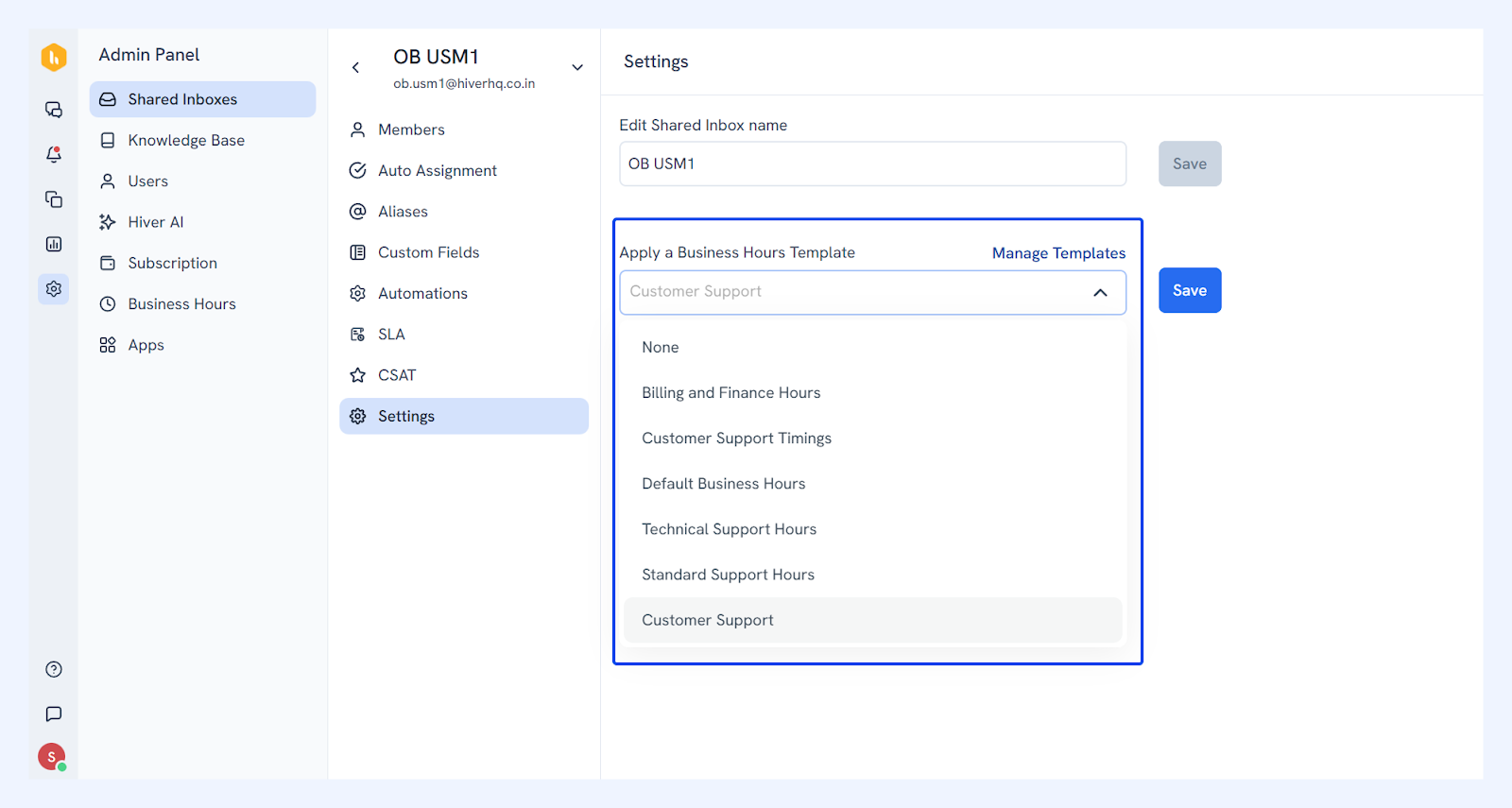
- Click Settings, and under Apply a Business Hours Template, select your template from the dropdown.
- Click Save.
Removing a Business Hour Template
- To edit a Business Hour Template, hover over it and click the Edit icon. Make changes and click Save.
- To delete a template, hover over it and click the Delete icon. Confirm by clicking Delete.
Note: When you delete a template, any SLA policies that are mapped to it will switch to full calendar hours. This may affect the first response and resolution SLAs and cause inaccurate due soon or overdue alerts.