Getting started with AI QA
Hiver's AI QA (artificial intelligence-powered quality assurance) automatically reviews your team's replies and flags where they can improve, so customers get consistent, high-quality responses.
AI QA lets you:
- Score every reply automatically against the aspects you care about, like tone, clarity, and completeness.
- Follow response quality over time and catch recurring issues in the AI QA report.
- See a weekly rundown of what shifted across your team.
- Show each team member a personalized view of their own quality scores.
- Keep specific domains, such as internal or vendor emails, out of review.
Prerequisites
Before you begin, make sure you have admin access in Hiver.
Setting up AI QA
1. Go to Admin Panel → Hiver AI → AI Tools.
2. Select the Shared Inbox you want to enable AI QA for.
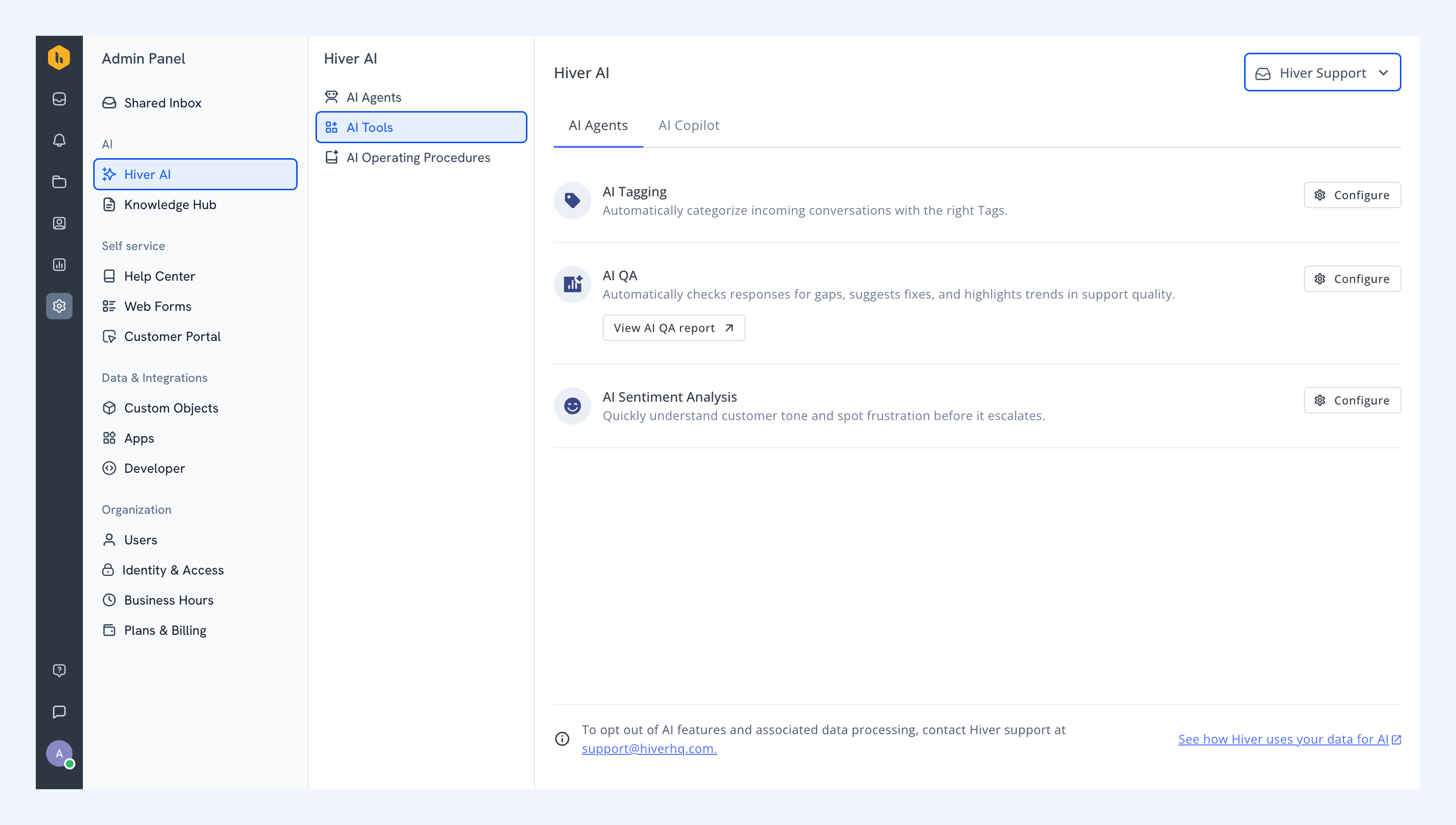
3. Find AI QA and click Configure.
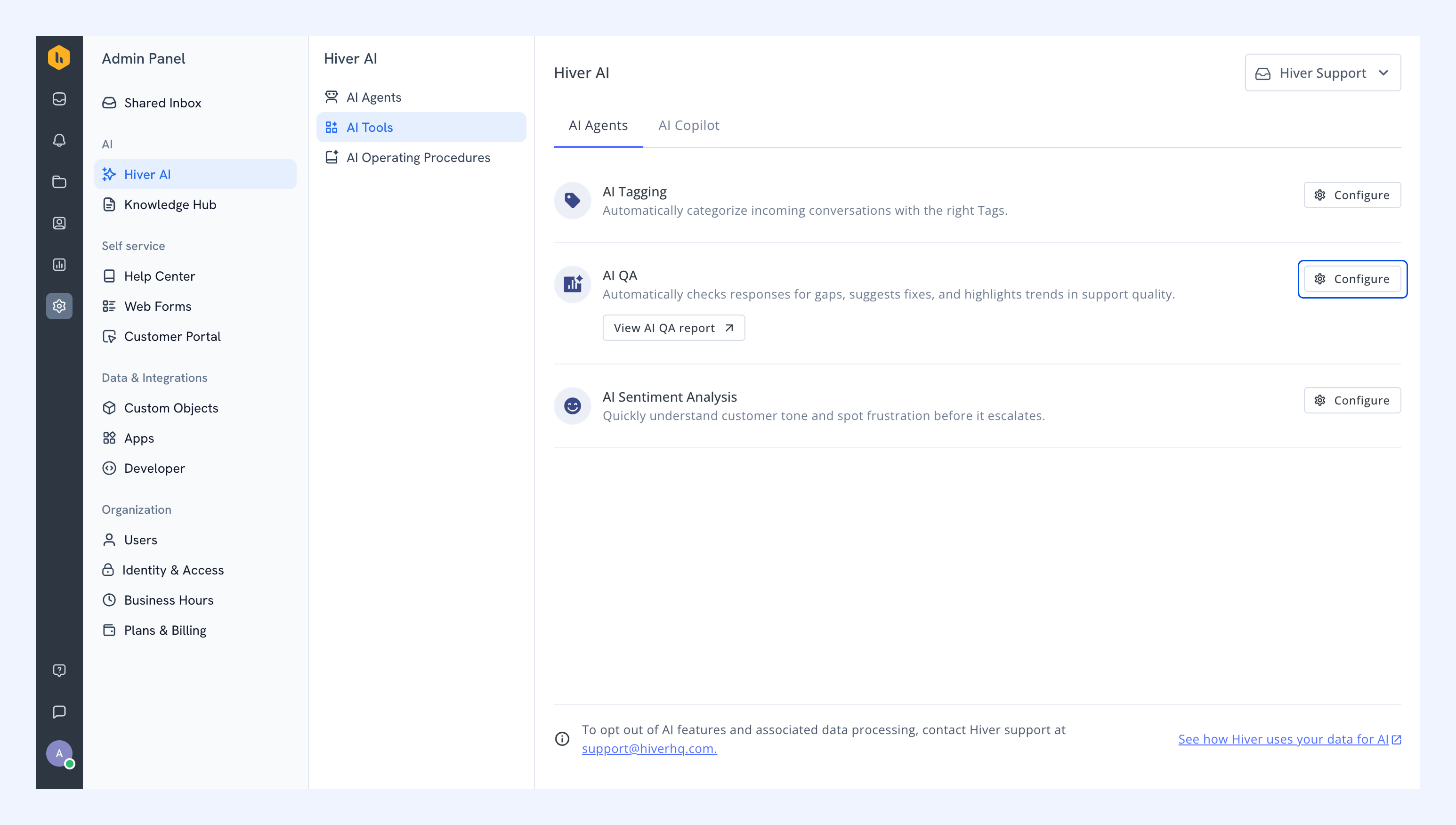
4. Turn on the toggle to enable the feature.
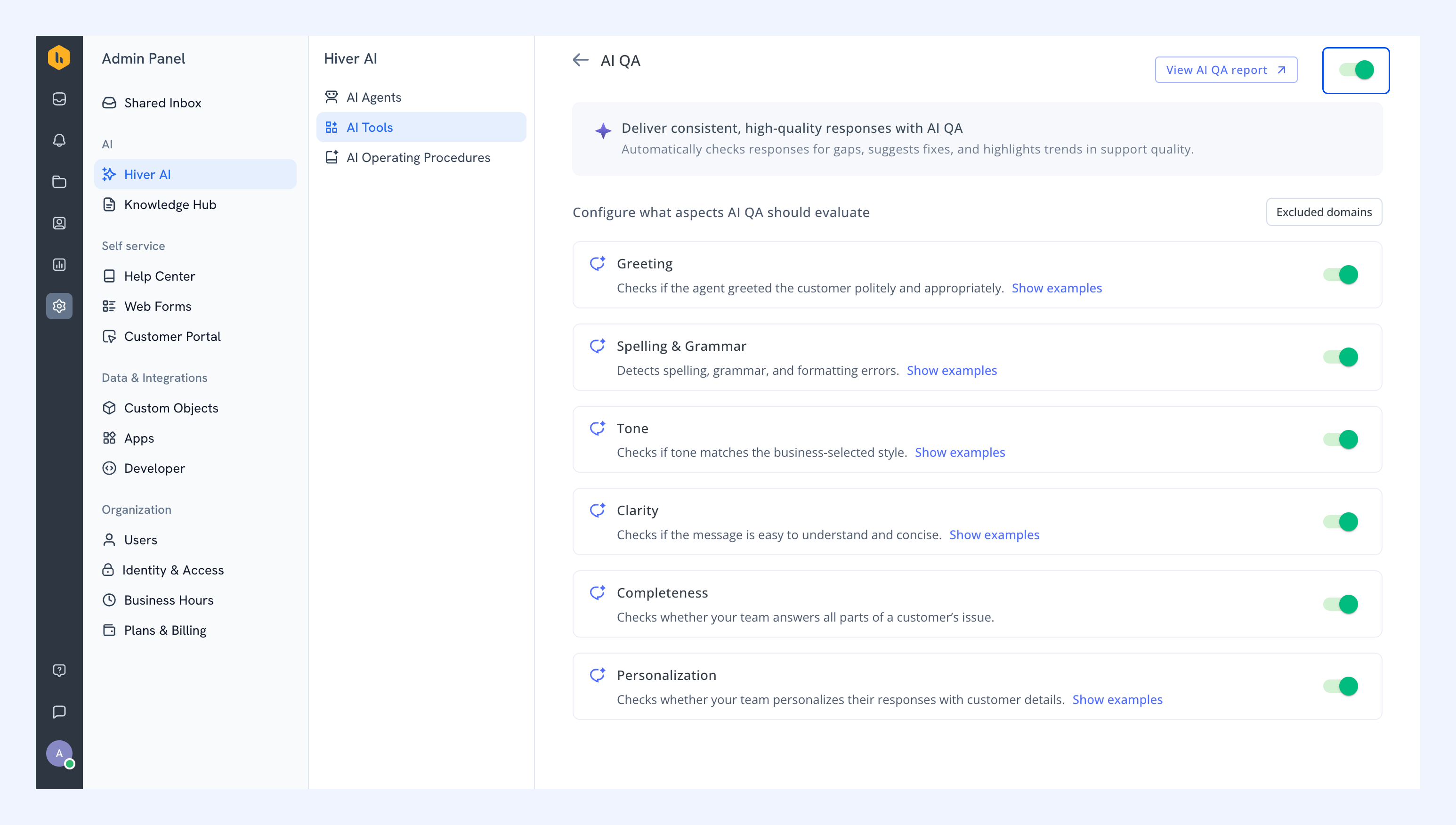
5. Choose the aspects you want AI QA to evaluate.
- Greeting: Checks if your team is greeting customers politely and appropriately.
- Spelling and grammar: Detects spelling, grammar, and formatting errors.
- Tone: Checks whether your team's tone matches your preferred style. You can customize the tone to match your brand.
- Clarity: Checks if your team's responses are easy to understand and concise.
- Completeness: Checks whether your team answers all parts of a customer's issue.
- Personalization: Checks whether your team personalizes their responses with customer details.
6. To configure these aspects:
- Hover over an aspect and click the Configure icon to understand how AI QA scores it.
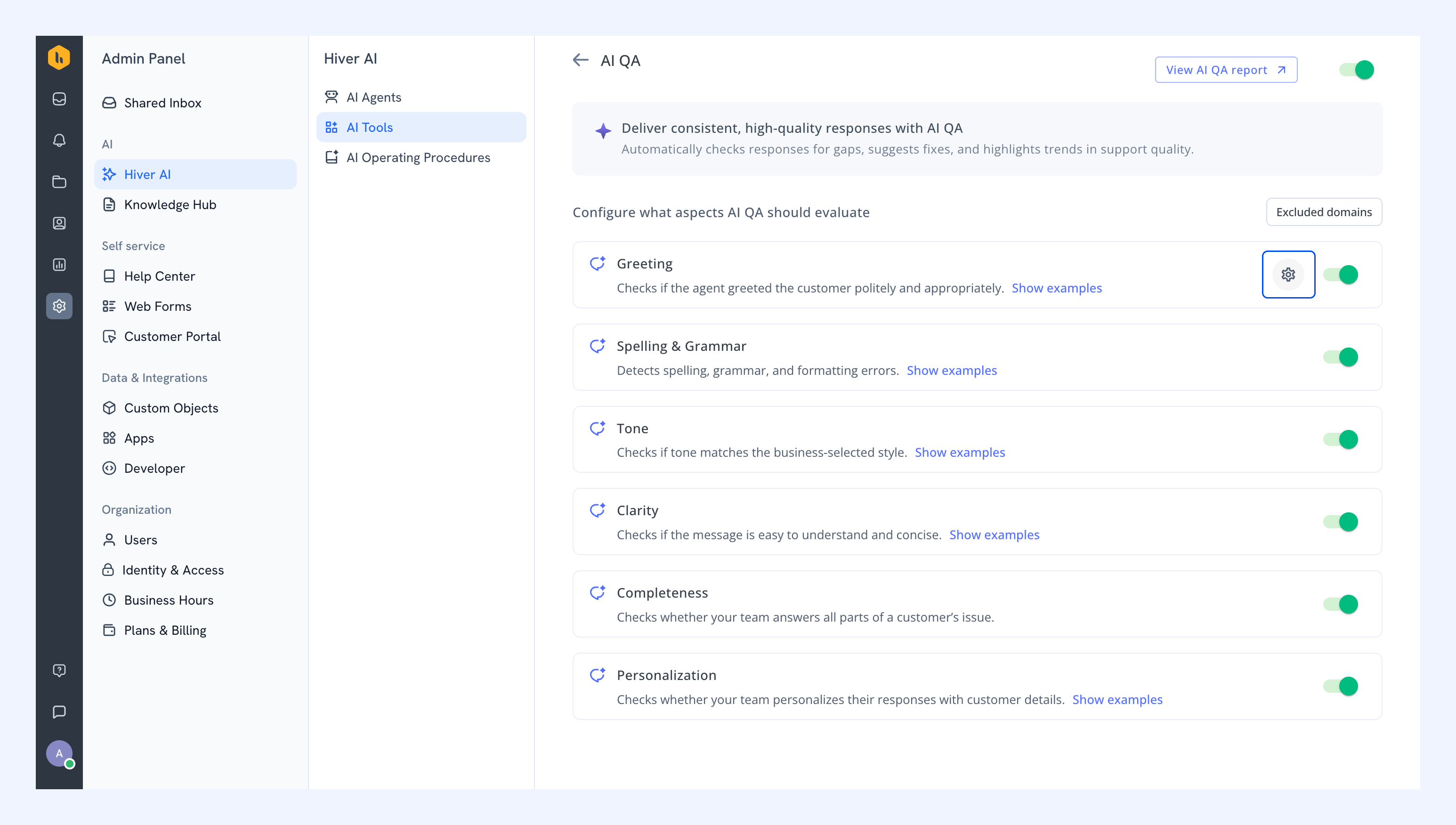
- Click Show examples to see sample responses and how AI QA interprets them.
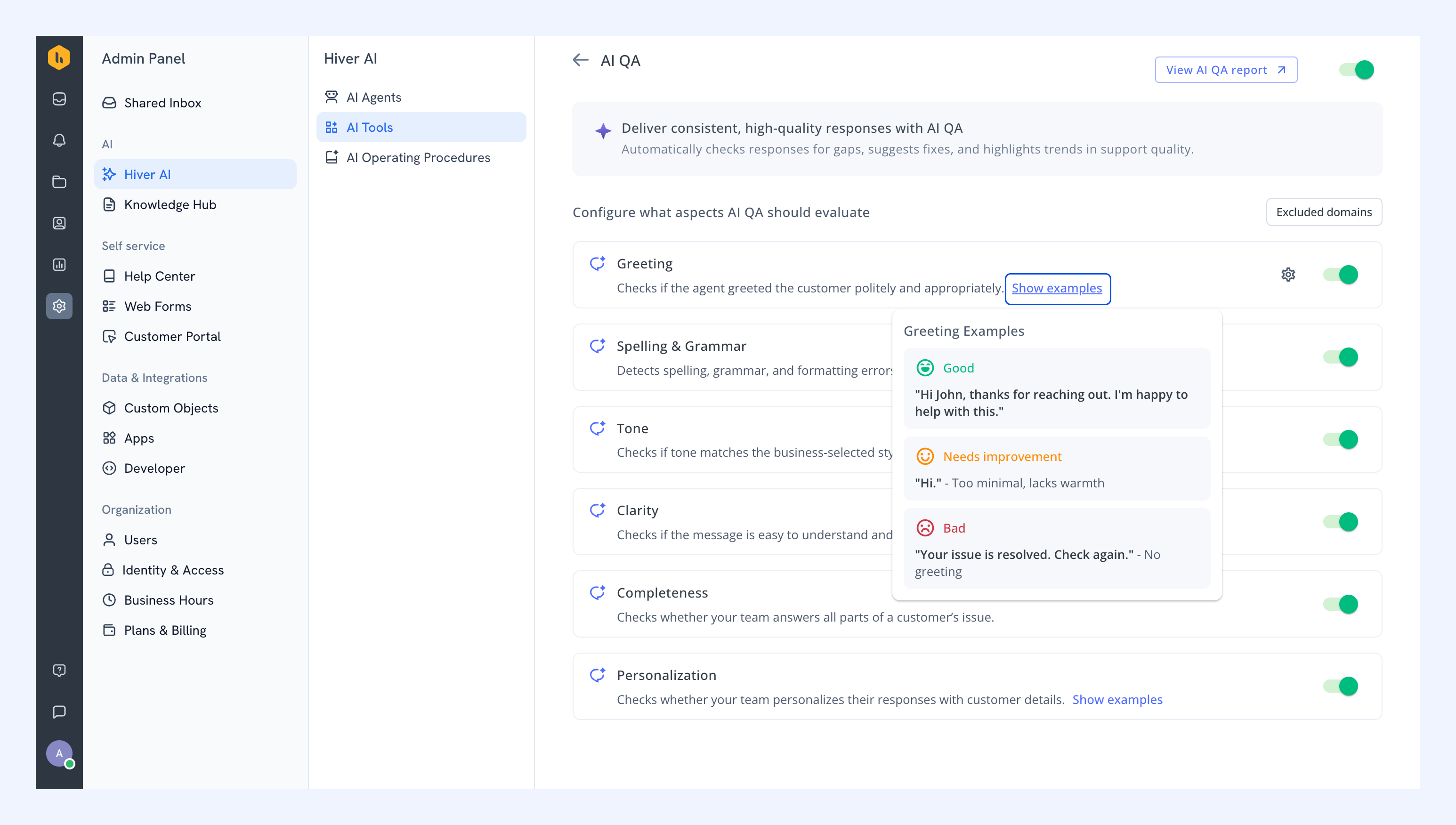
- Turn on the toggles for the aspects you want AI QA to evaluate.
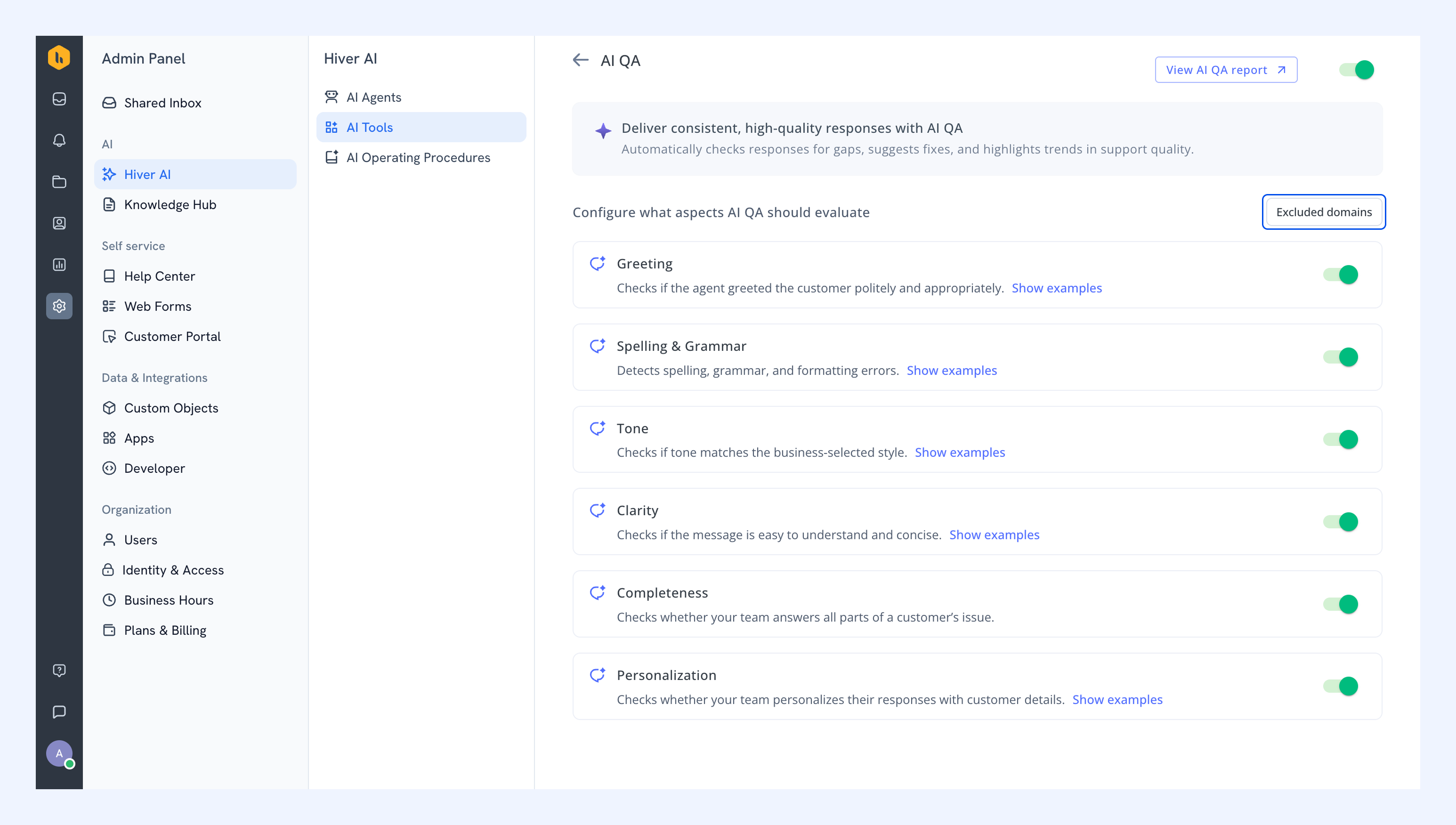
7. To exclude emails from certain domains from being reviewed by AI QA (for example, internal domains or third-party vendors):
- Click Excluded domains.
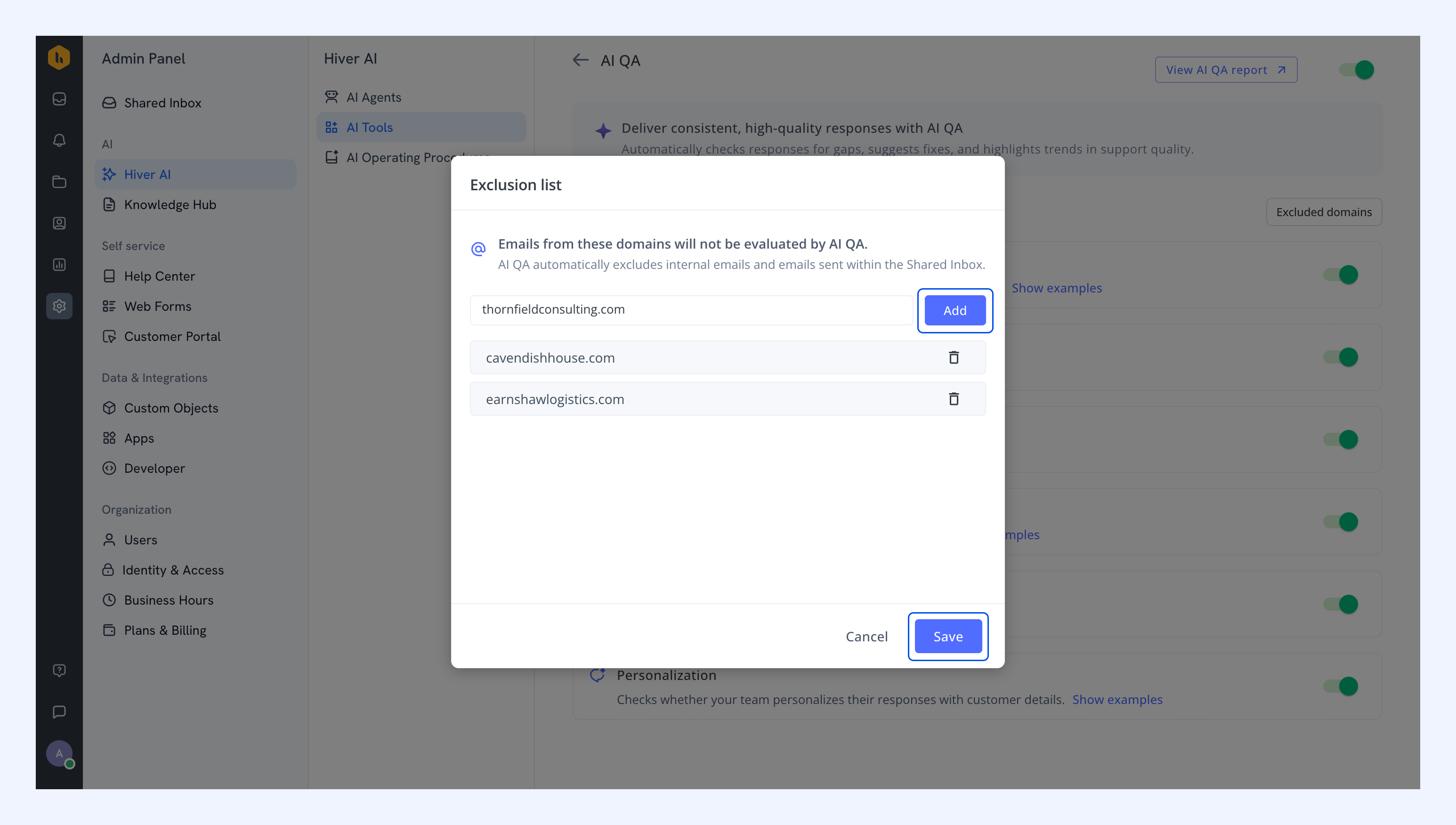
- Enter the domain you want to exclude and click Add.
- Repeat this for other domains, and once you're done, click Save.
Scoring logic
Aspect | Evaluation criteria | Scoring criteria |
| Greeting | Marks 'Yes' or 'No' based on whether a greeting is present. | 1 if greeting is present |
| Spelling and grammar | Marks 'Yes' or 'No' based on whether any issues are detected. | 1 if no errors |
| Tone | Preset tones are rated on a 3-point scale: Bad, Needs Improvement, or Good. Custom tone is rated 'Yes' or 'No' based on how well it aligns with your description. | 3-point scale for preset tones (Bad, Needs Improvement, Good). Yes or No for a custom tone |
| Clarity | Marks 'Yes' or 'No' based on whether any clarity issues are detected. | 1 if clear |
| Completeness | Marks 'Yes' when the response covers all parts of the customer's issue, and 'No' when something is missing. | 1 if complete |
| Personalization | Marks 'Yes' or 'No' based on whether any personalization is present. | 1 if personalized |
Response quality score = (Sum of scores for selected aspects) / (Number of aspects enabled)
Average response quality score = (Total of all response quality scores) / (Number of reviewed conversations)
Note: Scores are weighted based on the parameters you select in the Admin Panel.
AI QA report
AI QA reports give you an overview of how your team is performing over a selected date range. You can view:
- Total number of conversations reviewed by AI QA
- Number of team members whose responses were reviewed by AI QA
- Overall response quality score
- Daily trend graph showing changes in response quality
- Scores by team member, including tone, completeness, clarity, and more
Note: AI QA report data is refreshed every 12 hours.
To access the AI QA report:
1. Open Analytics.
2. Select a Shared Inbox that has AI QA enabled.
3. You can find the AI QA report under the Reports section.
4. Use the date picker to adjust the time period you want to analyze.
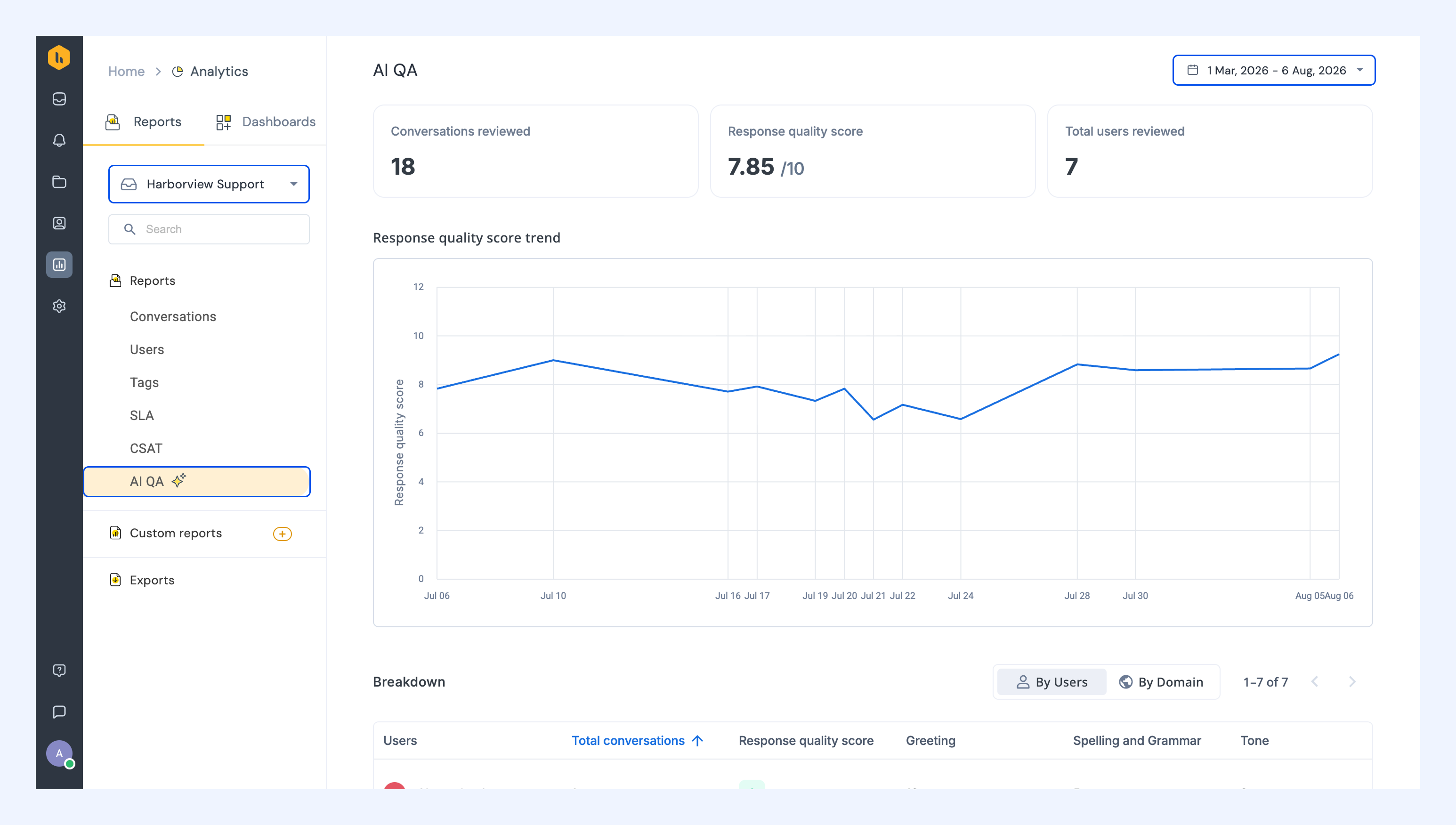
5. Group conversations By Users to see scores for individual team members, or By Domain to see how response quality varies across customer accounts.
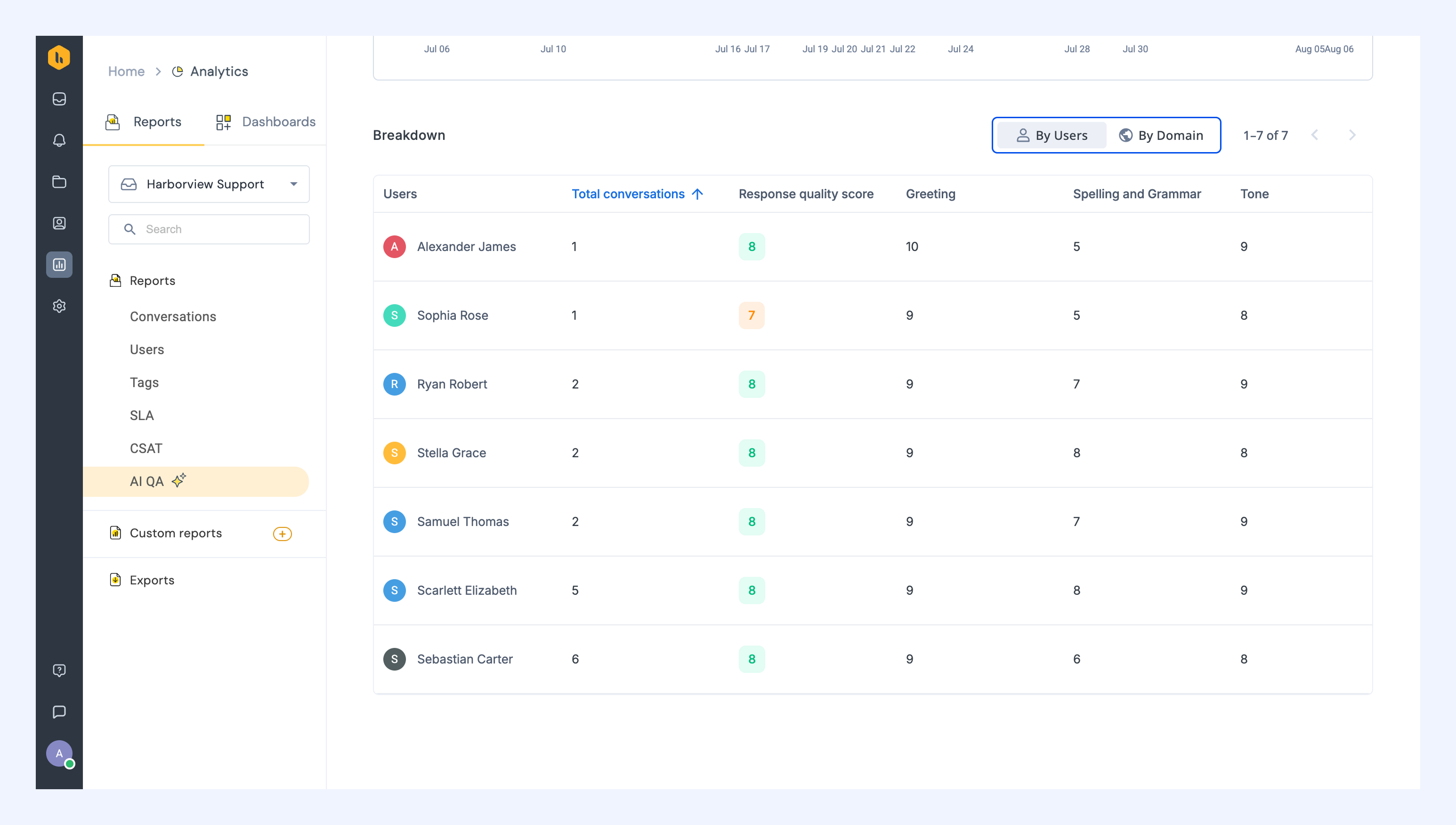
6. Click a user or domain to see the conversations related to them.
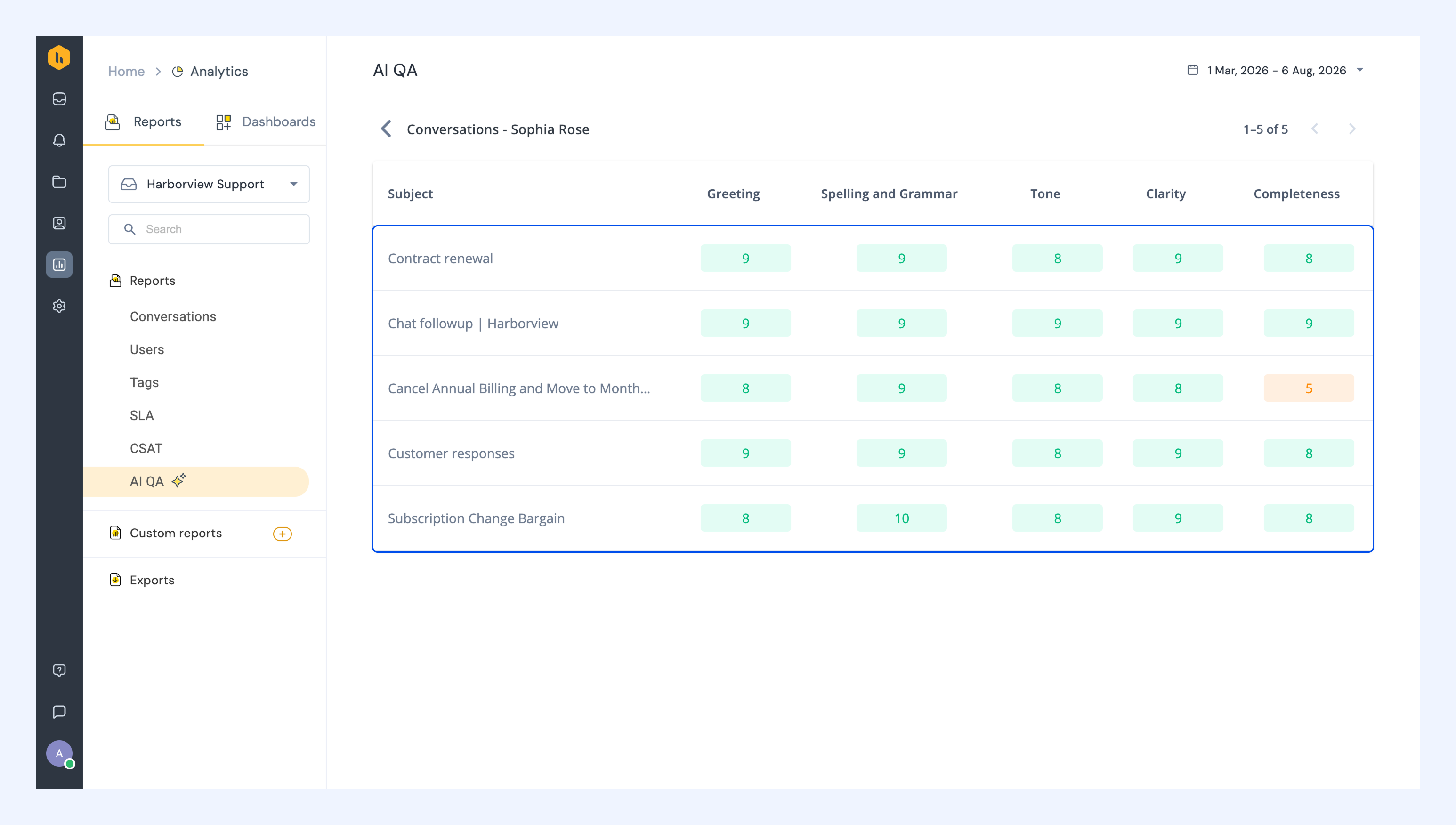
How scores map to team members
If multiple team members have replied in a conversation:
- The score is assigned to the person who closed the conversation, if they sent at least one response.
- If that person did not reply, the score is mapped to the last person who responded.
FAQs
Does AI QA evaluate internal emails or notes?
No. AI QA evaluates only outgoing replies. Shared notes, attachments, or internal emails (sent within the same domain) are not reviewed.
Does changing settings affect past scores?
No. New configuration applies only to future responses.
How does AI QA assign scores when multiple agents reply to the same conversation?
AI QA assigns the score to the agent who closes the conversation, as long as they sent at least one reply. If the agent who closed the conversation didn't reply, the score goes to the last agent who responded.
What is the response quality score? How does it help?
The response quality score is a measure of how well an agent's reply meets the evaluation aspects you've selected, such as clarity, completeness, tone, or personalization.
It helps you quickly understand the quality of responses across conversations and identify where improvements may be needed.
What does 'Total users reviewed' mean? Why are some agents not included?
Total users reviewed reflects the number of agents whose responses were reviewed by AI QA during the selected date range.
Agents who did not send any replies, or whose replies were not eligible for review, will not appear in this count.
Are historical response quality trends available?
Yes. AI QA reports include historical trends and allow you to compare performance across preset date ranges (7, 30, or 90 days).
Can the admins view and coach their Agents on the scores?
Not yet. Agent-level AI QA performance reports will be introduced soon to help admins identify patterns and coach agents more effectively.
Can AI QA scores be modified?
No. Scores are fully system-generated based on the evaluation aspects you've configured and cannot be manually edited or overridden.