AI Topics report
The AI Topics report helps you understand what your customers are asking about, which issues are driving support volume, and how those trends impact customer experience over time.
Hiver AI analyzes customer conversations, identifies the intent behind each request, and groups similar conversations into topics and subtopics. For example, if your team receives several billing-related conversations, Hiver AI may group them under a broader topic like Billing issues, with subtopics such as:
- Refund requests
- Failed payments
- Invoice confusion
- Subscription cancellations
Instead of manually reviewing hundreds of conversations, you can use the AI Topics to get visibility into how different topics trend across volume, CSAT, sentiment, and resolution time.
This helps you identify what customers struggle with most, which issues impact customer experience, and where your team can improve workflows, automation, or product experience.
Prerequisites
- You need an Admin role to view the AI Topics report.
- AI Topics requires at least 500 conversations in the selected Shared Inbox to generate meaningful insights.
- To view CSAT insights, CSAT must be enabled and your selected date range must include conversations with CSAT responses.
- To view Sentiment insights, AI Sentiment Analysis must be enabled and your selected date range must include conversations with sentiment data.
How to use the AI Topics report
1. From Gmail, go to Analytics → Topics and select the Shared Inbox you want to analyze.
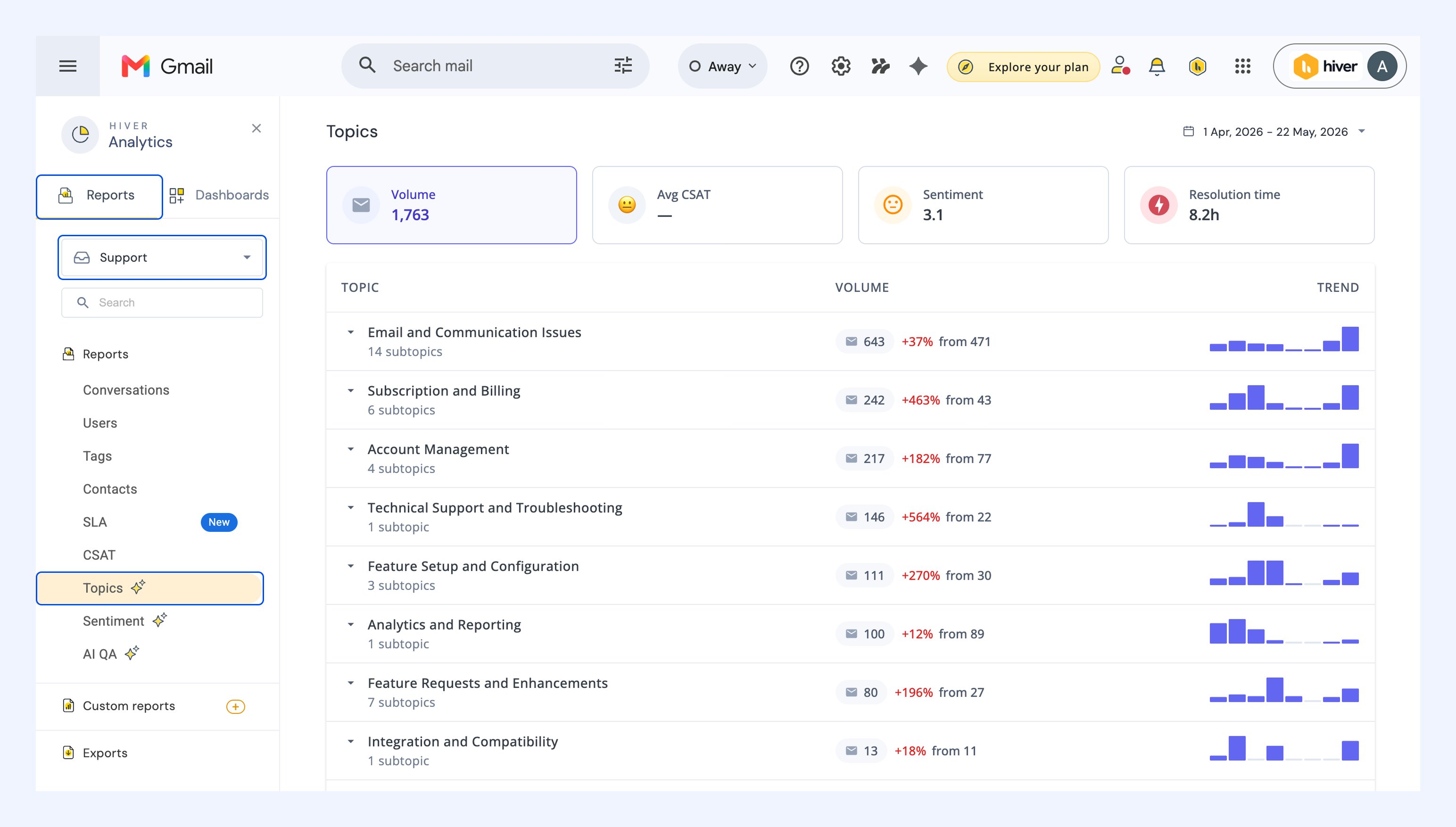
2. Choose the metric you want to analyze conversations by.
- Volume: Understand which issues generate the most support workload
- Avg CSAT: Identify topics affecting customer satisfaction
- Sentiment: Understand the emotional tone behind customer conversations in each topic
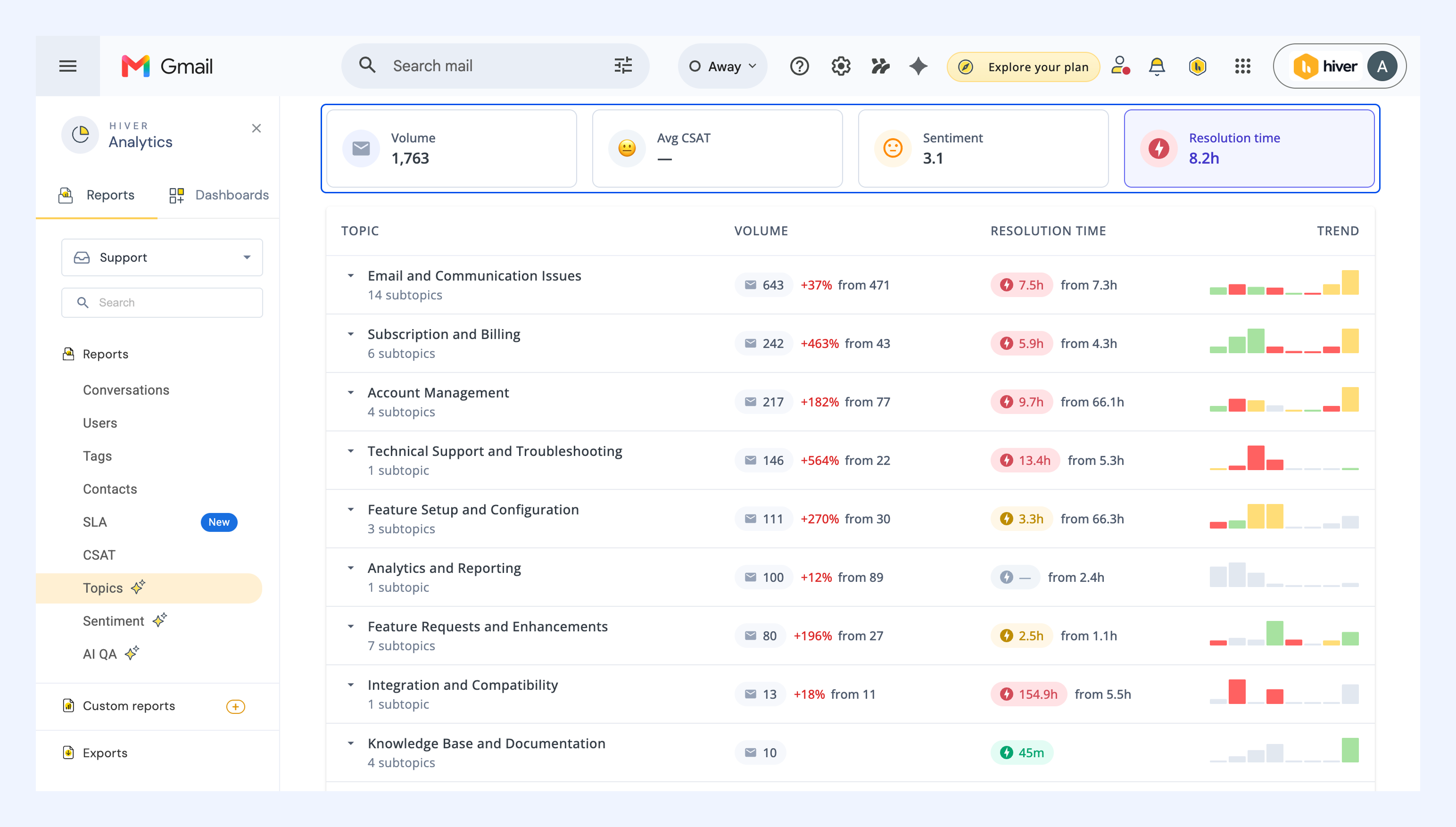
- Resolution time: See which issues take the longest for your team to resolve
The report automatically organizes topics based on the metric you select, helping you focus on different aspects of support performance.
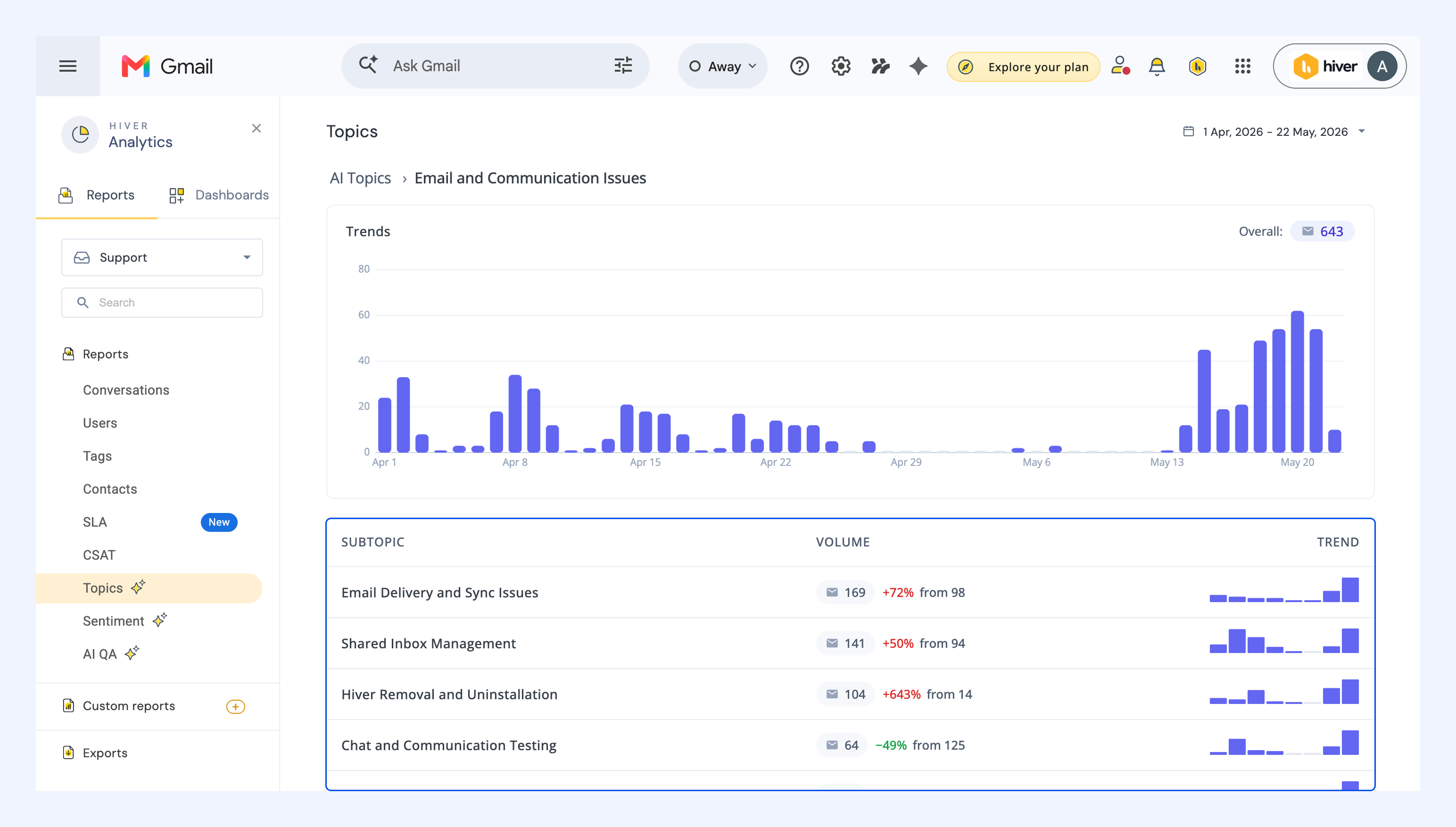
3. Click any topic to view its subtopics and explore the conversations grouped under each one.
4. Change the date range to compare trends across different time periods.
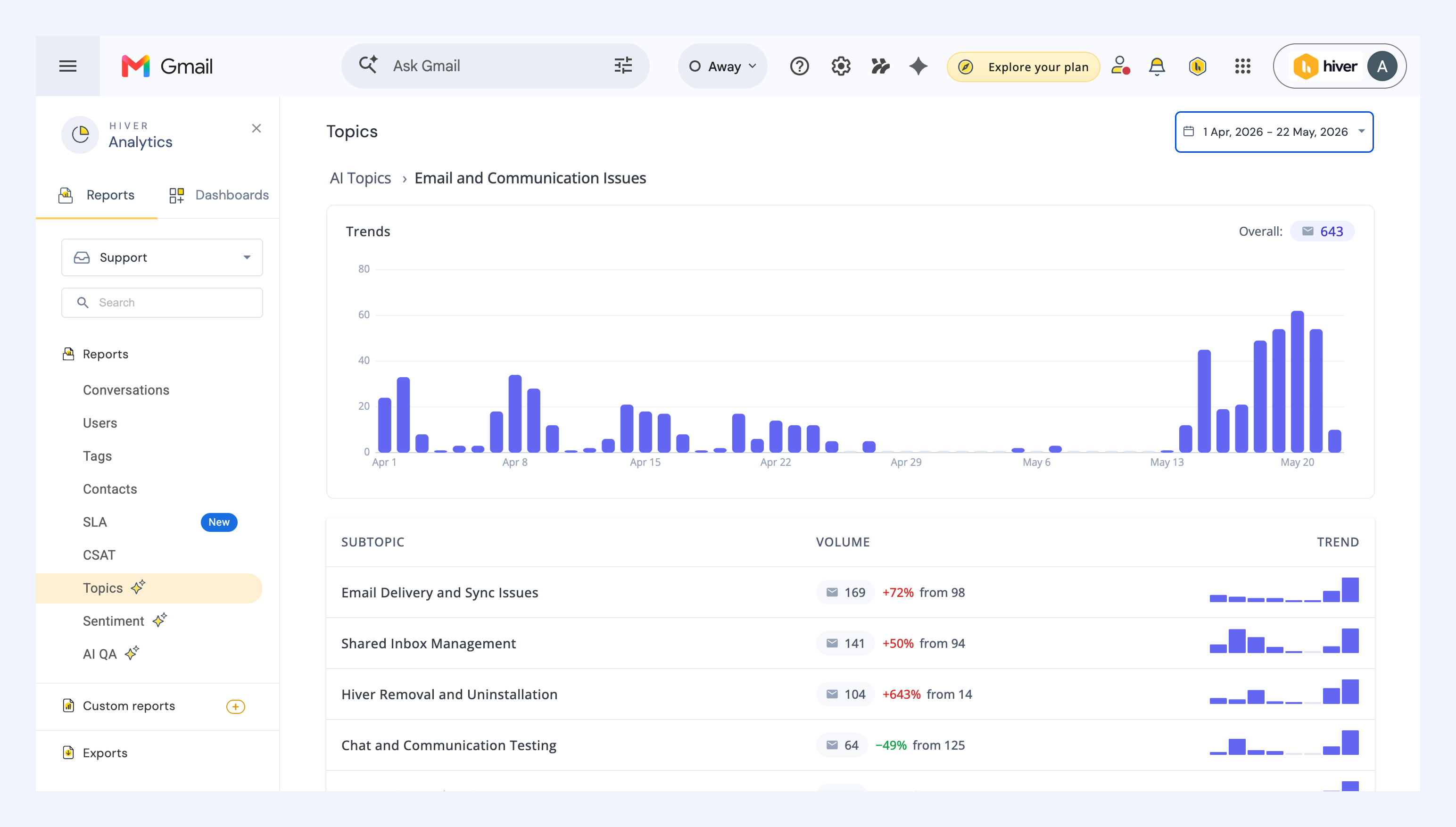
Tip: Hover over the trend line to view weekly changes and identify sudden spikes or unusual patterns.
How to interpret the AI Topics report
Each metric helps answer a different question about your support operations.
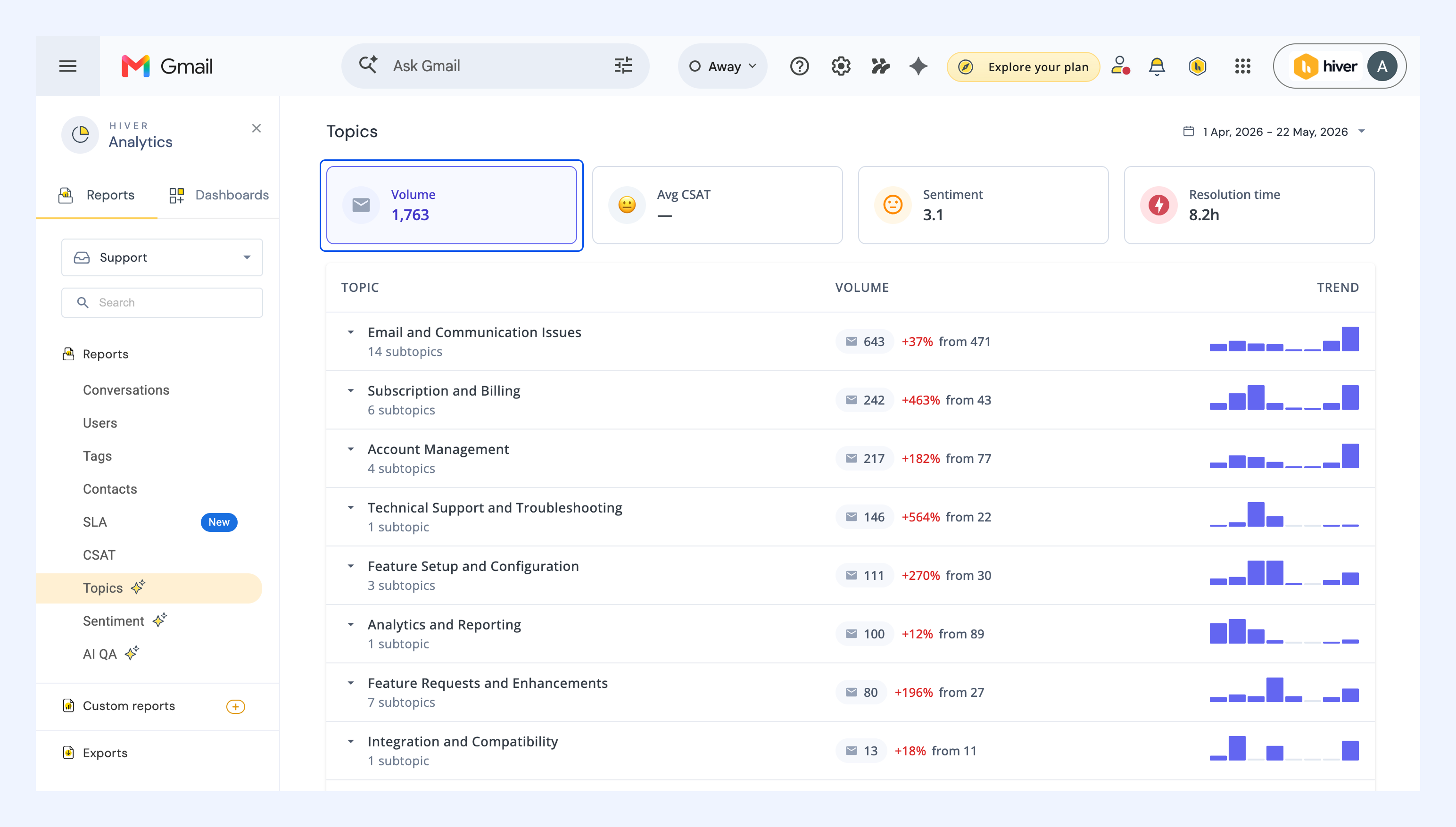
1. Volume: What are customers asking about most?
Volume shows how many conversations are grouped under each topic. This helps you identify which issues are creating the highest support workload for your team.
How to use this
- Identify recurring customer problems such as password reset requests, delayed shipping updates, failed integrations, or billing confusion
- Share recurring pain points with Product and Engineering teams to improve product experience
- Spot product or workflow issues after releases based on sudden spikes in conversations
- Create Help Center articles for repetitive questions to reduce incoming ticket volume
- Automatically tag and route high-volume topics using AI Tagging and Automations
2. Avg CSAT: Which topics are customers least satisfied with?
This tab shows the average CSAT score across conversations in each topic. Use this to identify which issues are working well and which ones are hurting customer experience.
How to use this
- Identify topics with low CSAT and high volume, since these usually have the biggest impact on customer experience
- Prioritize fixes for topics where customers are consistently unhappy, such as billing confusion, account access issues, or delayed responses
- Find broken workflows, unclear processes, or handoff gaps that may be affecting customer satisfaction
- Share low-CSAT topics with Product, Operations, or Success teams to prioritize customer experience improvements
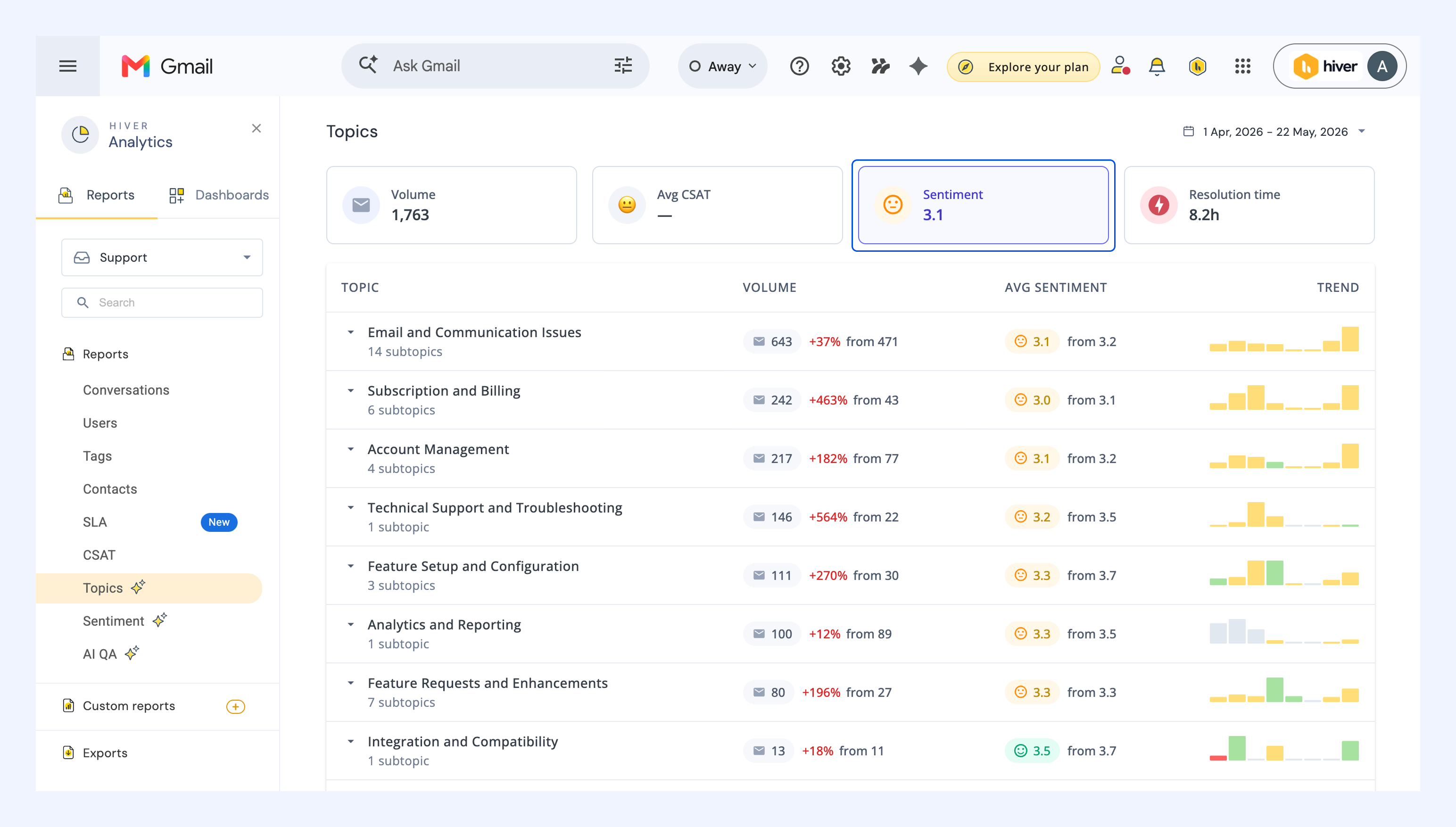
3. Sentiment: What emotions are customers expressing?
Sentiment shows the underlying customer tone across conversations, including conversations where customers did not submit a CSAT rating.
How to use this
- Identify topics with consistently negative sentiment
- Spot emotionally sensitive issues that may need faster handling, clearer communication, or specialized workflows
- Identify coaching opportunities where your team may need stronger troubleshooting resources, empathy guidance, or clearer response templates
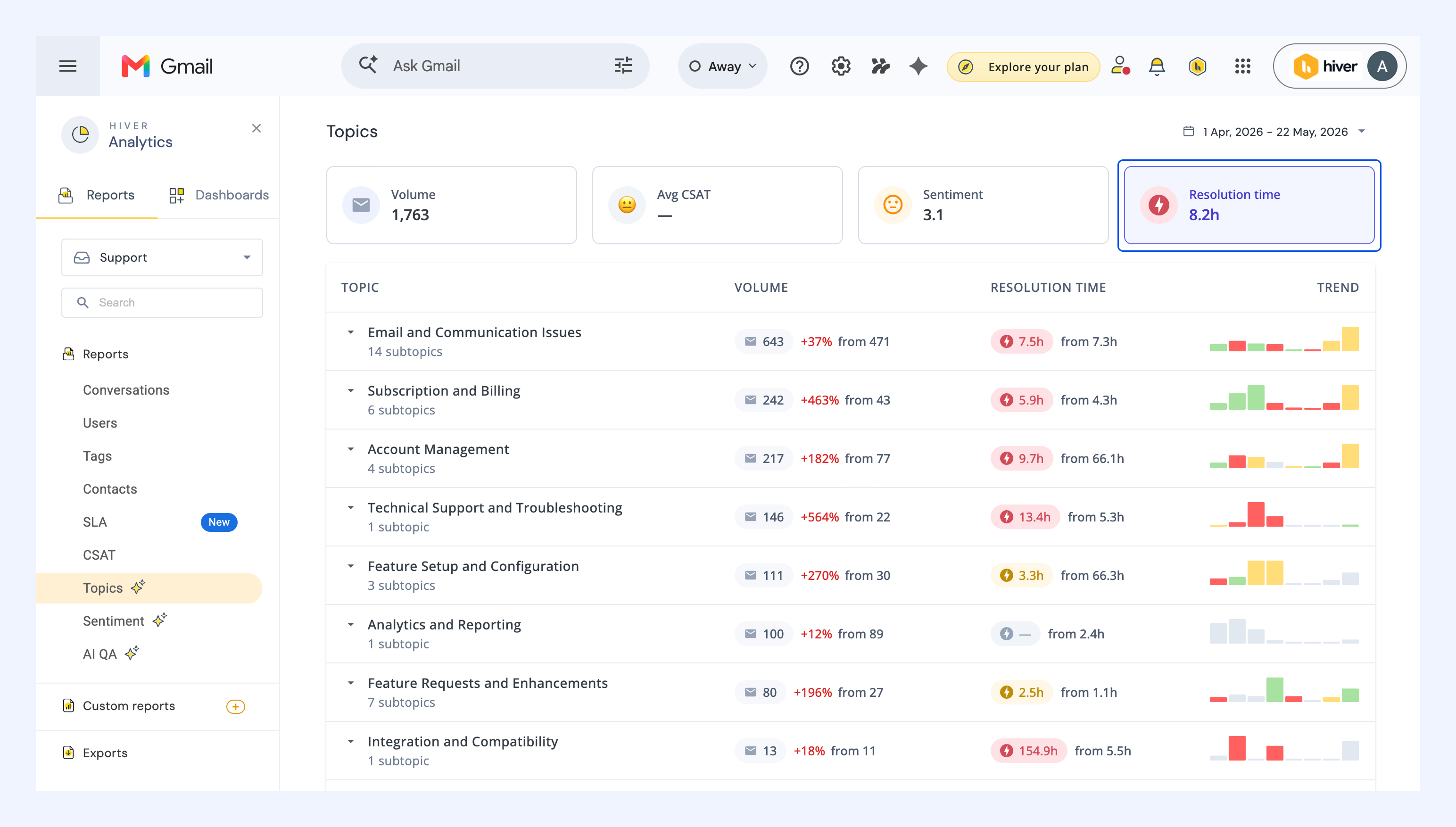
4. Resolution time: Which topics take the longest to resolve?
Resolution time shows how quickly your team closes conversations in each topic. This helps you identify topics that require more effort, coordination, or back-and-forth.
How support teams use this
- Spot topics that take longer to resolve than others, such as technical troubleshooting, refunds, account access, or integration issues
- Investigate whether delays are caused by missing information, manual approvals, team handoffs, or dependencies on Engineering
- Use AI Tasks to give your team access to key details like order IDs, account details, plan names, issue types, and error messages, so agents can resolve conversations faster
- Identify gaps in routing logic and set up Automations to assign complex topics to dedicated specialists in your team
- Identify topics where agents may lack the right documentation or guidance, and improve Ask AI knowledge sources to speed up resolutions
FAQs
How are topics created?
Hiver AI analyzes the first email in every conversation to understand customer intent and groups related, recurring issues into topics and subtopics.
Does the AI Topics report include new conversations automatically?
Yes. The report continuously analyzes incoming conversations and automatically classifies them into relevant topics as new conversations arrive.
Can I manually edit or rename AI-generated topics?
No. Hiver AI automatically generates and manages topics to maintain consistency across conversations.
How is CSAT linked to topics?
Hiver calculates average CSAT scores for each topic based on the conversations grouped under it. This helps you identify which issues are impacting customer satisfaction most.