Getting help from Hiver
Our support team is here to help you get the most out of Hiver. Based on your subscription plan, you can email us, chat with us, schedule a one-on-one call with an expert, or connect with the community on our Slack channel.
Email support
You can reach our support team anytime by writing to us at support@hiverhq.com.
Chat support
Here's how to reach us:
1. Open your Gmail account associated with Hiver.
2. Look for the Hiver settings icon.
3. Click the icon and select Instant Chat Support.
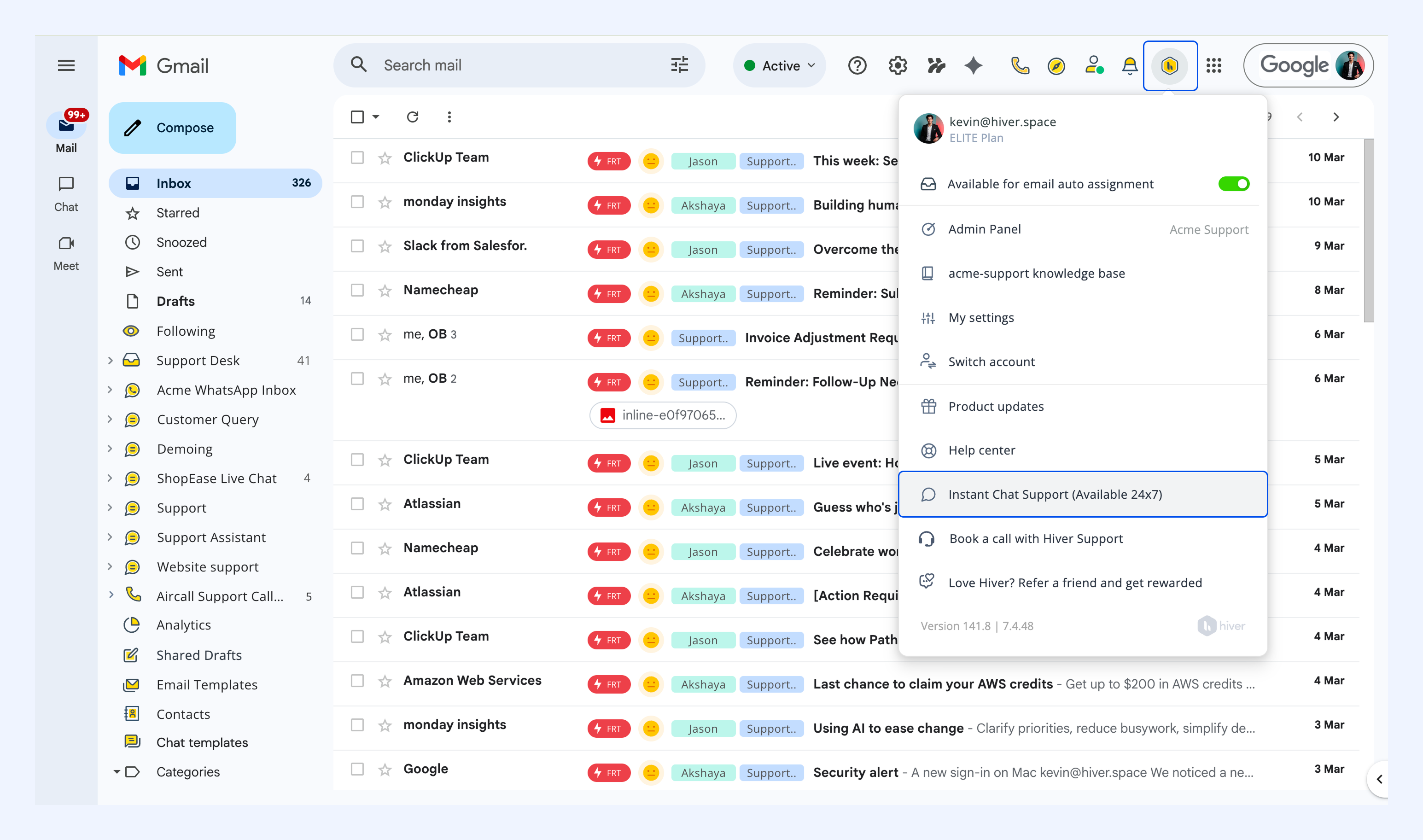
You can also initiate a chat by clicking here.
Schedule a call
If you're on the Hiver Elite plan, you can schedule a 30-minute one-on-one call with a Hiver expert:
1. Click the Hiver settings icon.
2. Select Book a call with Hiver Support.
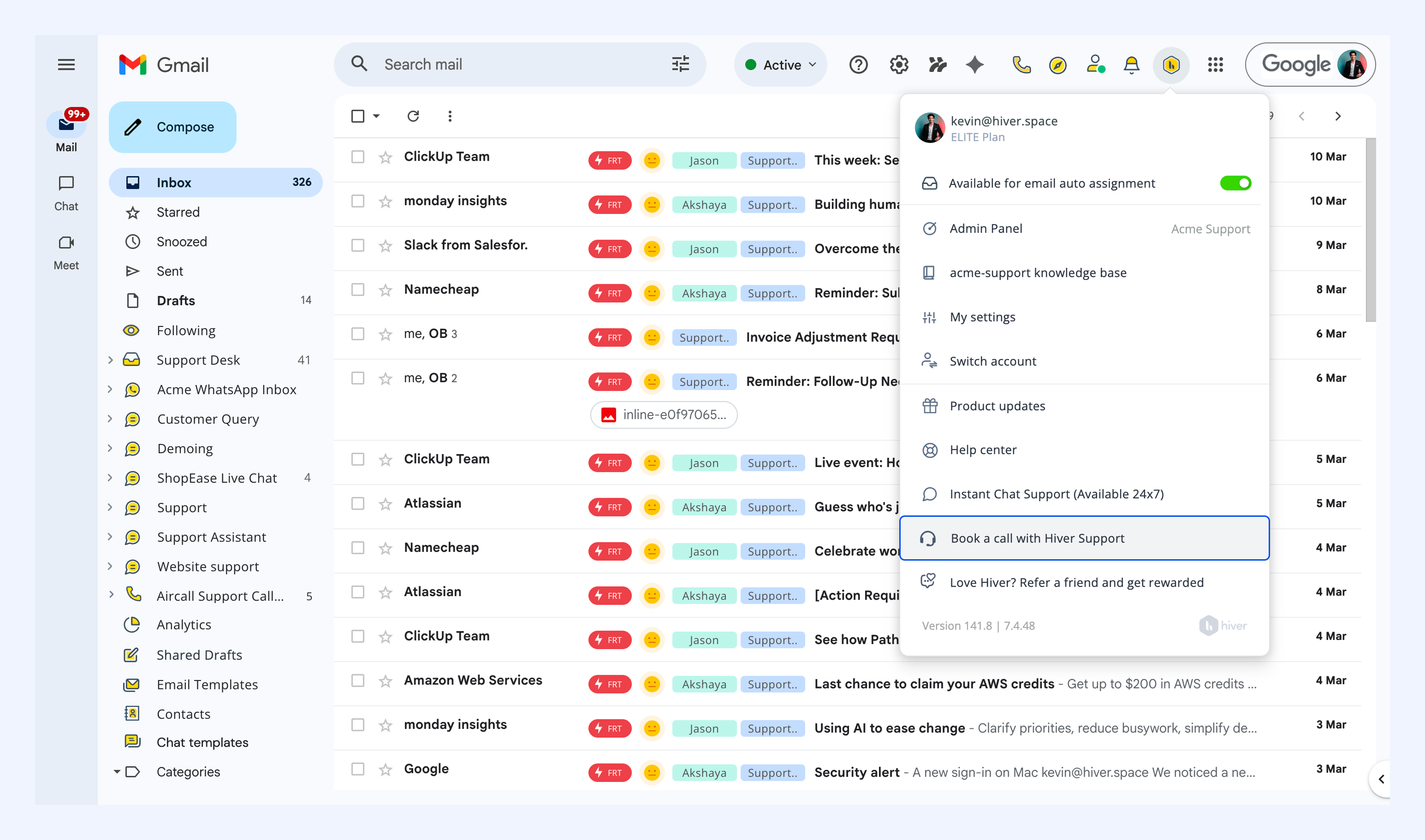
3. Choose your date and time in the Calendly link that opens.
You'll receive an email and calendar invite confirming your call.
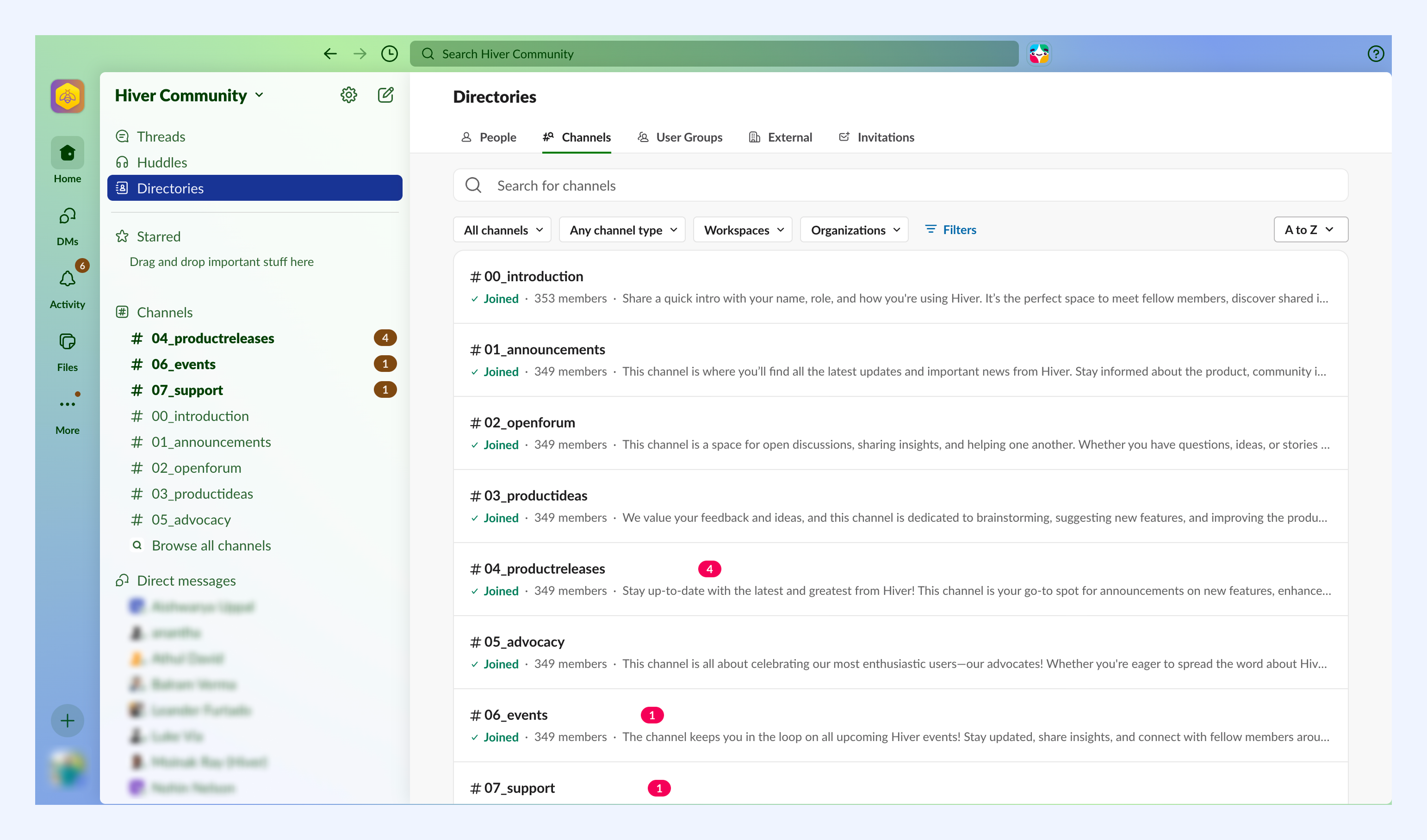
Hiver Community Slack
Join the Hiver Community Slack channel to connect with fellow users, share tips, and get peer support.
Need more help
If you need additional assistance beyond what's covered here, reach out to us at support@hiverhq.com or start a chat here.