Auto-Assign to Responder
When agents reply to a customer's email, they often need to assign the conversation to themselves afterwards manually. Over time, this manual step can be easy to forget or can simply slow down your team’s workflow.
To save time and ensure every conversation has a clear owner, Hiver offers a setting called Auto-assign unassigned conversations to responder. When enabled, Hiver automatically assigns an unassigned conversation to the person who replies to it.
For example, let’s say a customer email arrives unassigned in your Support inbox.
When Alex sends the first reply using Hiver, the conversation is automatically assigned to Alex. It stays assigned to Alex until someone manually unassigns or reassigns it.
Note:
- This setting is available for each Shared Inbox.
- You need to have Admin access to enable it.
Enabling Auto-Assign to the responder
1. Go to Hiver settings → Admin Panel → Shared Inboxes → select an inbox → Settings.
2. Scroll down to the Auto-assign unassigned conversations to responder setting.
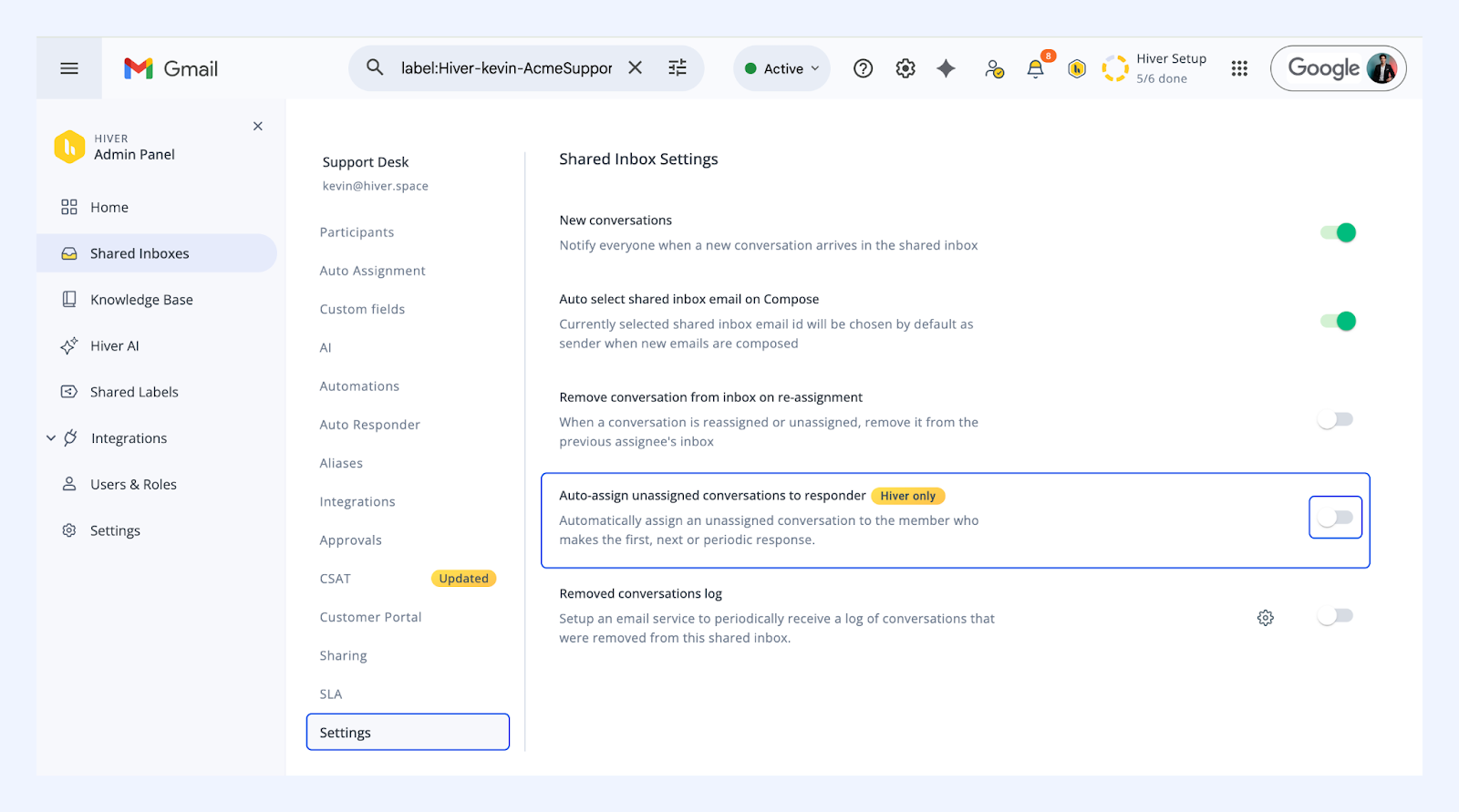
3. Turn the toggle on to enable this setting.
How it works
Once enabled:
- Any unassigned conversation in the selected Shared Inbox will be automatically assigned to the agent who replies to it.
- This applies whether it’s the first reply to a new conversation, a follow-up in a reopened thread, or a case that was unassigned again.
- A message will appear in the Activity panel, for example:
“Hiver assigned to John based on response.”
Note:
- Auto-assignment triggers only for replies sent through the Hiver Gmail extension or the Hiver mobile app. Replies sent via Gmail’s native compose window won’t trigger auto-assignment.