Managing your settings in Hiver
My Settings is your personal space in Hiver to manage your personal details, preferences, and how Hiver behaves for you. Using My Settings, you can:
- Stay in control of notifications across channels.
- Configure sender settings, aliases, and signatures
- Review shared labels you’re part of
- Troubleshoot access or authentication issues when needed
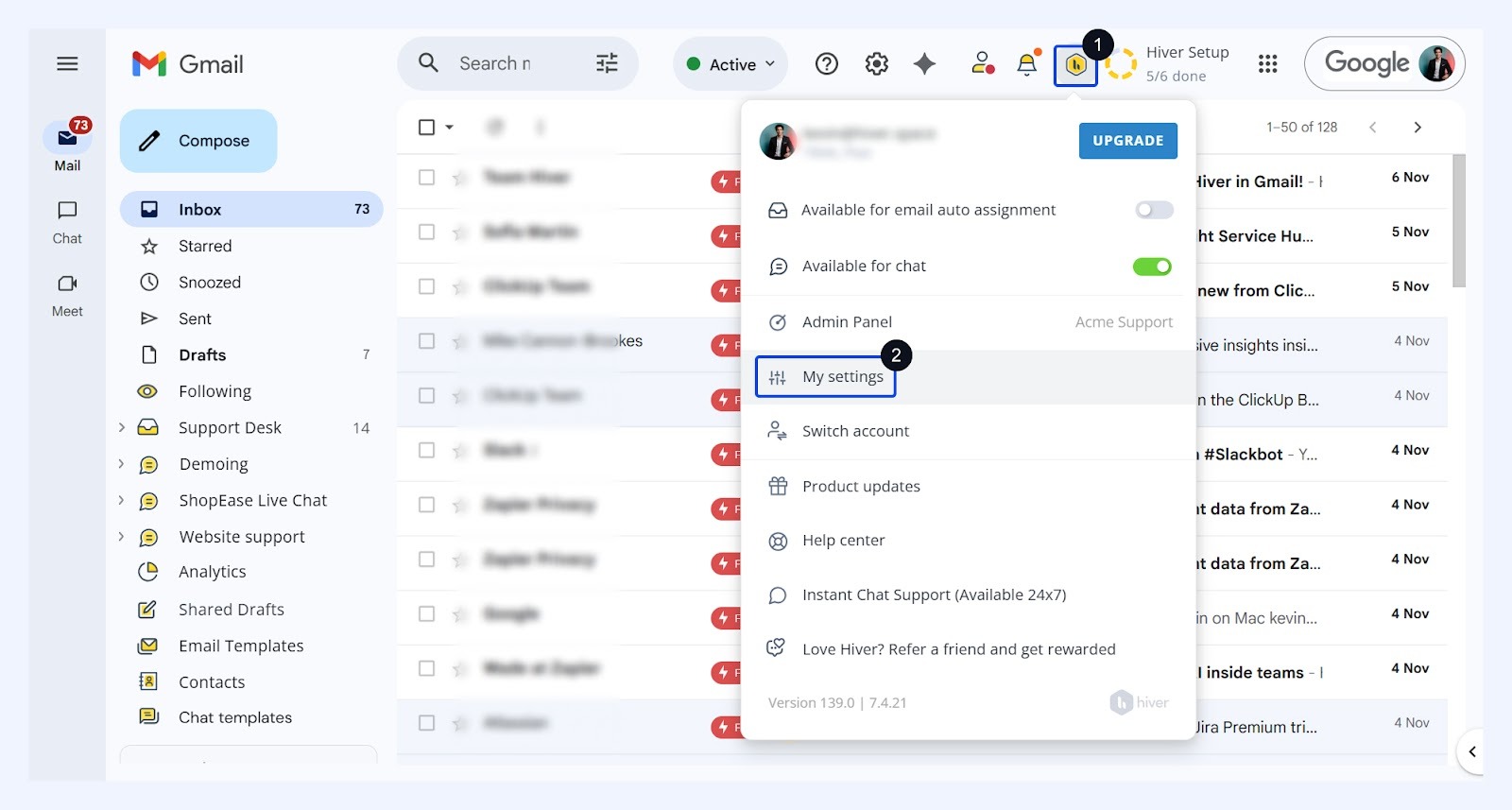
You can access My settings from the Hiver settings dropdown.
Basic settings
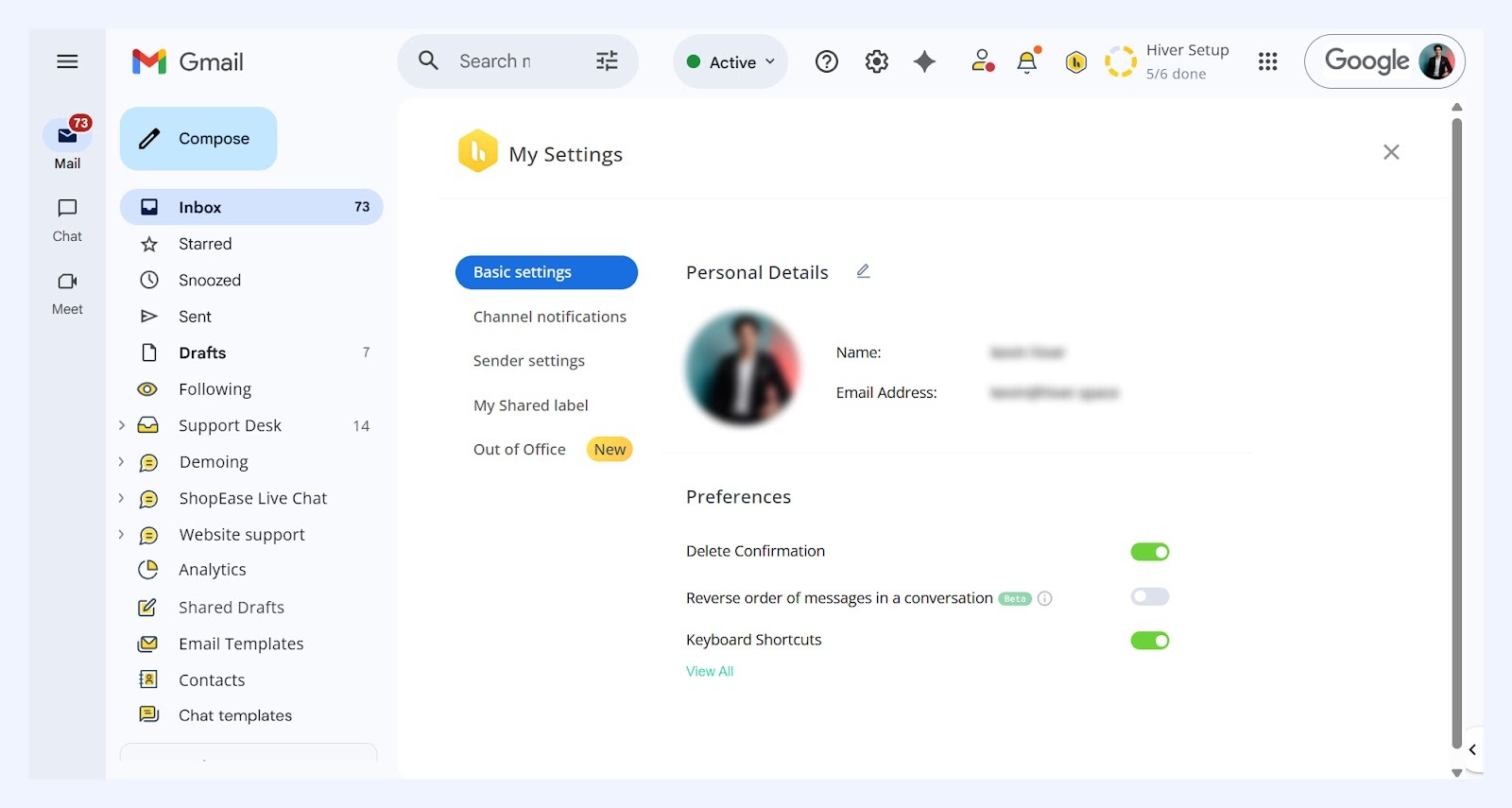
Personal details
This section displays your name, email address, and profile picture from your Google account. You can use the edit icon to change your display name in Hiver, e.g. from Jhon Smith to Jhon S, and display picture.
Preferences
Use Preferences to control how conversations and actions appear in Hiver:
- Delete confirmation (Admins only)
When enabled, users are asked to confirm before deleting any email added to Hiver to help prevent accidental deletions. - Reverse order of messages in a conversation
By default, the oldest email appears on top. Turn this on to show the newest message first. - Keyboard shortcuts
Speed up actions such as assigning conversations, changing status, or adding notes. Enable shortcuts and select View all to see the full list.
Channel notifications
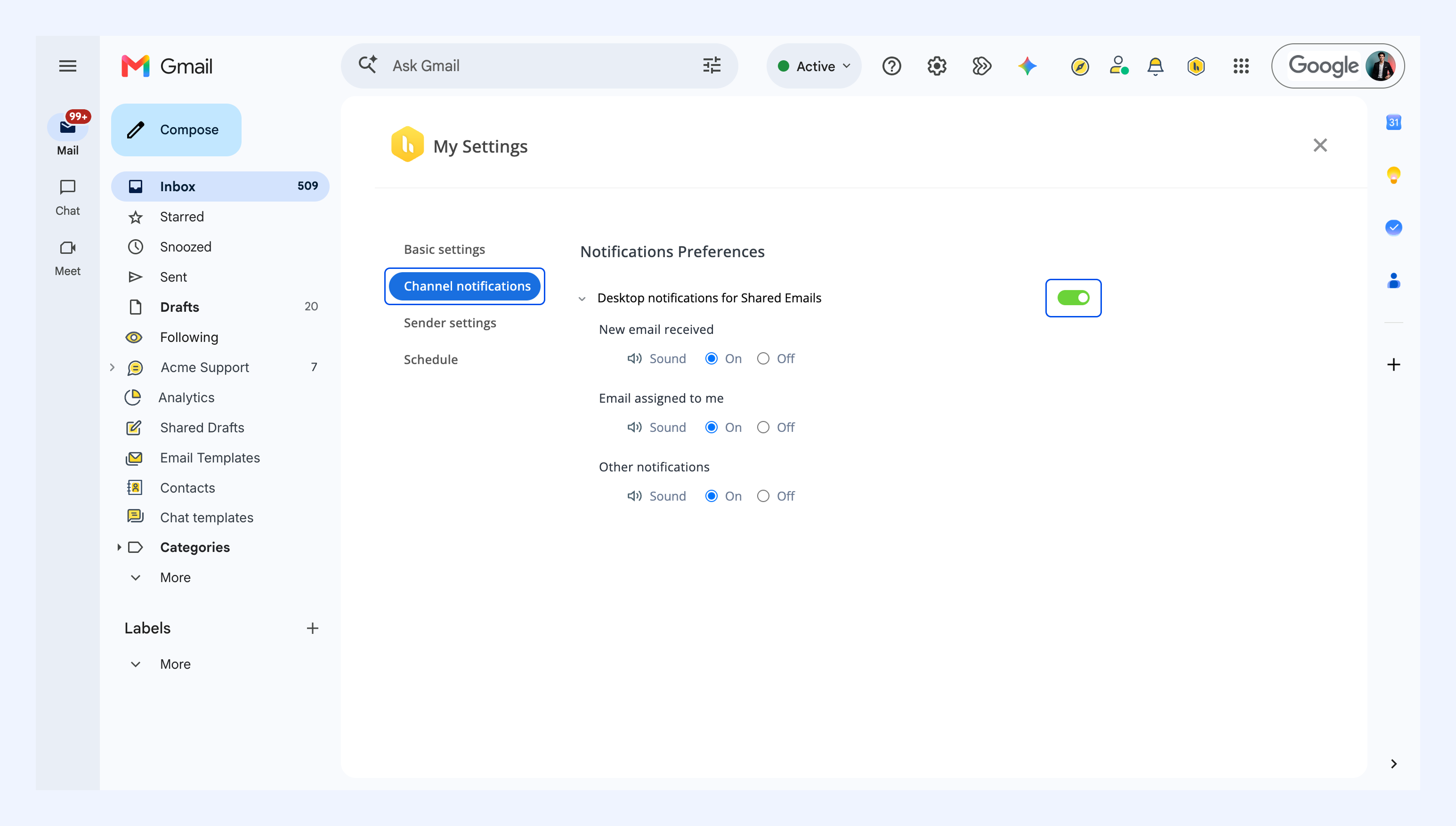
Desktop notifications tell you about activity in your Shared Inboxes, including new emails and conversations assigned to you, without you having to check Gmail.
Enable Desktop notifications for Shared Emails, then set Sound to On or Off for each:
- New email received: A new email arrives in a Shared Inbox you’re a member of.
- Email assigned to me: A conversation is assigned to you.
- Other notifications: Everything else Hiver notifies you about, such as mentions, CSAT feedback, and SLA breaches.
Sender settings
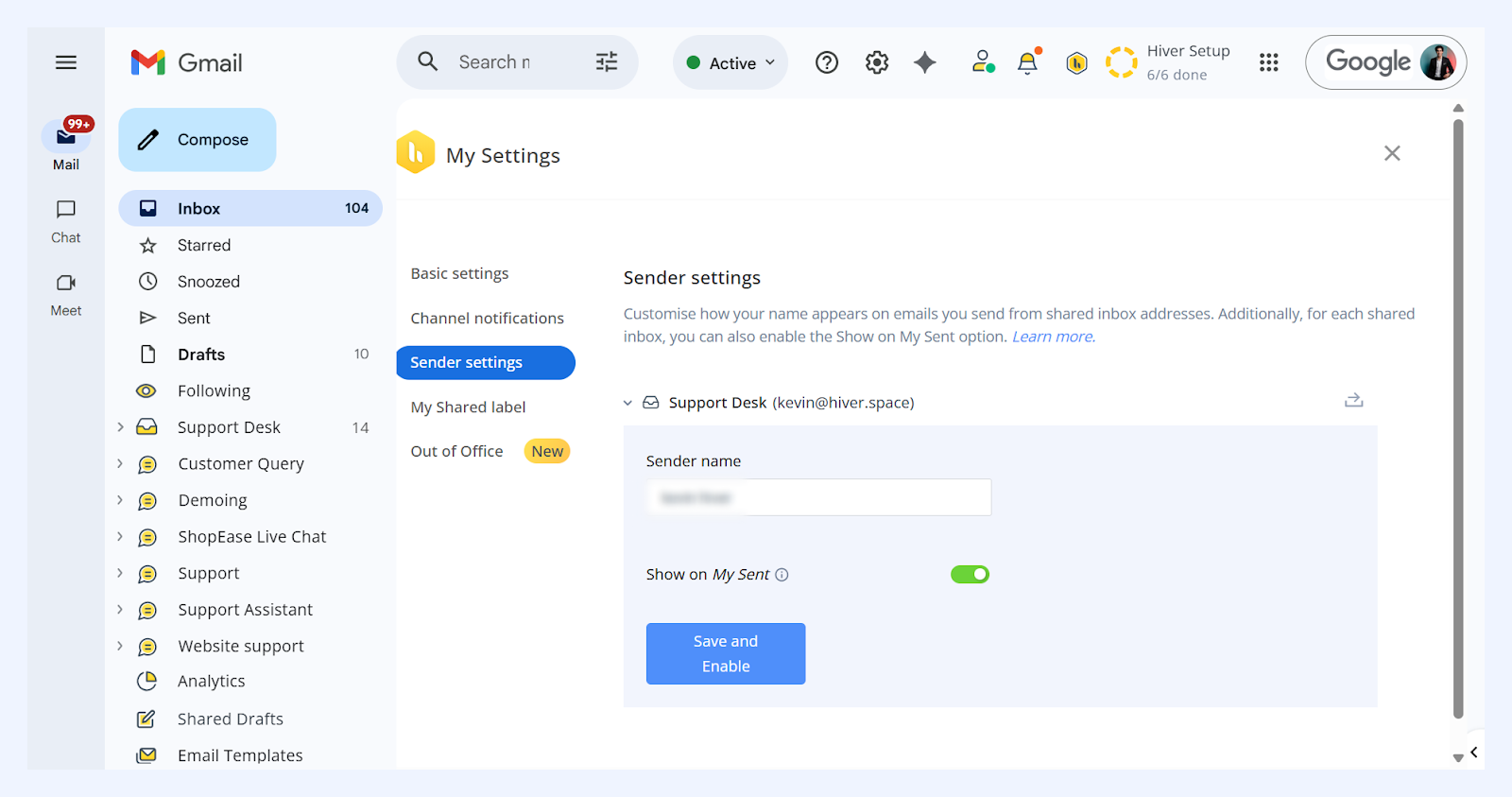
In Sender settings, you can update how your name appears on emails sent from Shared Inbox addresses. You can configure this for each inbox you’re a part of.
To add your sender name, choose the inbox, update the sender name and click Save.
You can also enable Show on My Sent to view emails sent from your Shared Inbox in your personal Sent folder. To do this, turn on the toggle and click Save and Enable.
My Shared Labels
This tab gives you a complete list of all the Shared Labels you’re part of, along with the teammates who have access to each one.
You can view label details here, but only admins can add or remove members from Shared Labels from the Admin Panel.
Out of office
Out of Office settings let you schedule planned time away. Once you set your start and end date/time, Hiver automatically prevents new conversations from being assigned to you until you’re back.
Learn more about configuring Out of Office settings.
Frequently asked questions
Can I change my display name across Shared Inboxes?
Yes, you can change your display user name from My settings → Basic settings → Personal details. This will update your display name across Shared Inboxes in Hiver.
Can admins change display names for their team members?
No, Admins cannot edit another Hiver user’s name. This can only be done by an individual from their My settings page.
How do I get notified every time a new email arrives in a Shared Inbox?
To receive desktop alerts, go to My Settings → Channel notifications and enable Desktop notifications for Shared Emails.
If you want Shared Inbox emails and follow-up replies to appear in your personal Gmail inbox, check whether a Gmail filter is set to Skip the Inbox (Archive it). To remove this action:
1. In Gmail, go to Settings → See all settings → Filters and Blocked Addresses.
2. Find the filter that applies to the Shared Inbox emails and click Edit.
3. Click Continue.
4. Clear Skip the Inbox (Archive it), leaving the other actions unchanged.
5. Click Update filter.
New emails and replies matching this filter can now appear in your personal Gmail inbox.