How Hiver Voice billing works
The Hiver Voice add-on costs $30 per voice seat per month. Every member of a Voice Inbox that uses Hiver as the provider needs a voice seat. The same seat can be used across multiple Voice Inboxes.
Each member added to a Voice Inbox with a Hiver-provisioned number needs a voice seat. Each seat includes 1,000 call minutes per month. Minutes from all your voice seats are combined and shared across your Voice Inboxes.
Note: Voice Inboxes connected to third-party providers, such as Dialpad or RingCentral, don’t require Hiver voice seats.
Purchasing voice seats
You can purchase voice seats when you add members while creating or managing a Voice Inbox. You can’t purchase them separately when setting up your Hiver subscription.
Hiver shows the cost of any new seats before you confirm. If you add a seat during a billing cycle, both the charge and included minutes are adjusted for the remaining days in that cycle.
How call minutes work
Your Voice add-on follows the same billing cycle as your Hiver subscription.
| Billing cycle | Included minutes |
|---|---|
| Monthly | 1,000 minutes per voice seat per month. |
| Annual | 12,000 minutes per voice seat per year, available from the start of the annual billing cycle. |
For example, five voice seats on a monthly plan include 5,000 minutes per month. These minutes are shared across all five seats and can be used in any of your Voice Inboxes.
- Unused minutes: Any minutes you don’t use carry over and are added to your available balance.
- Call usage: Hiver measures usage in seconds. This includes time spent on calls and ringing time, even if a call goes unanswered. Time spent in the automated greeting or phone menu before the call connects doesn’t use your minutes.
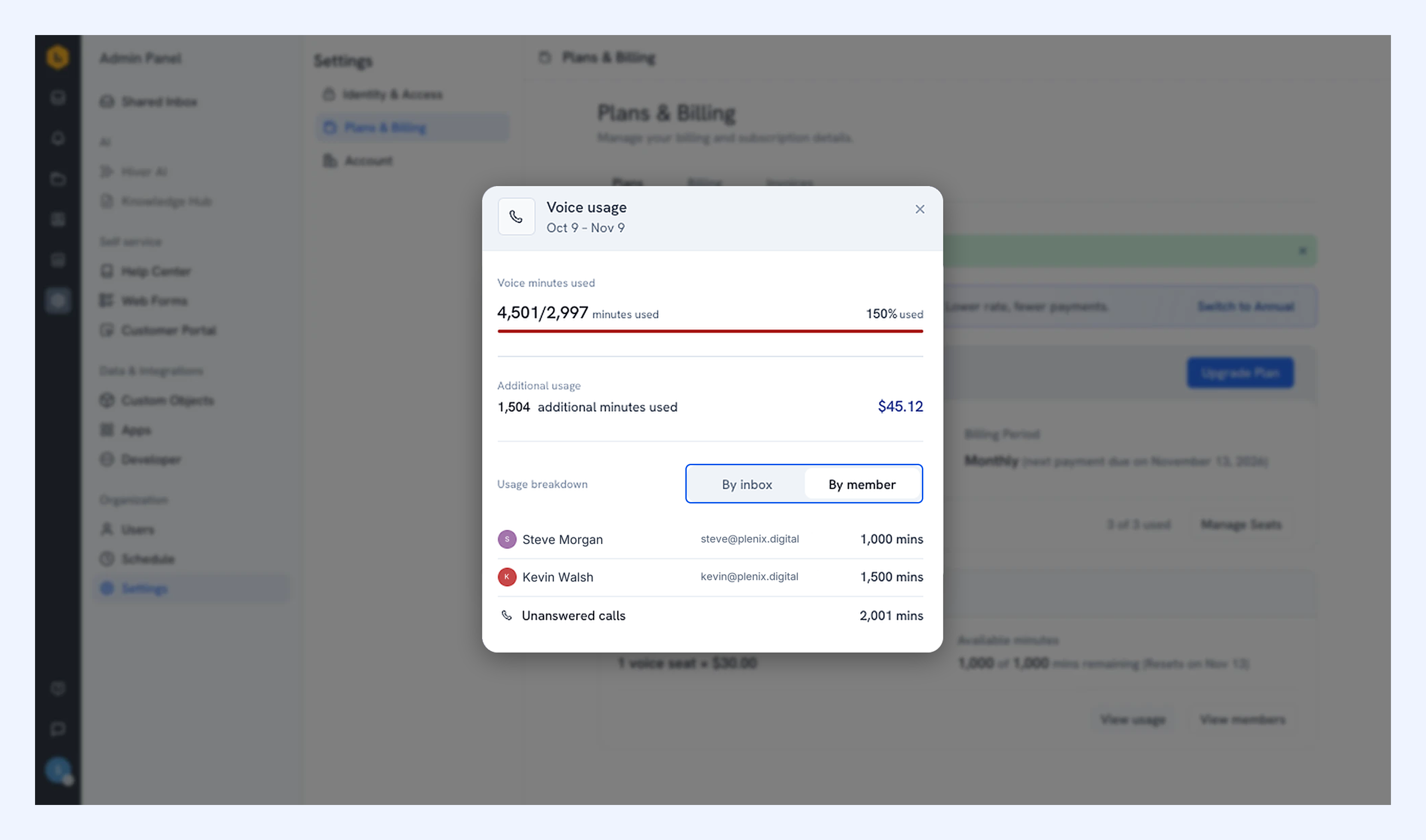
- Additional minutes: Once your team uses all its available minutes, calls continue at $0.03 per minute. The total additional usage is rounded up to the next whole minute when billed.
- Usage notifications: Hiver sends all admins an email and an in-product notification when your team has used 80% and 100% of the included minutes.
On monthly plans, charges for additional minutes appear on your next regular invoice. On annual plans, these charges are billed monthly on a separate invoice.
Checking your voice seats and usage
1. Go to Admin Panel → Settings → Plans & Billing → Plan.
2. In the Voice add-on section, you can see your seat count, pricing, and shared-minute usage.
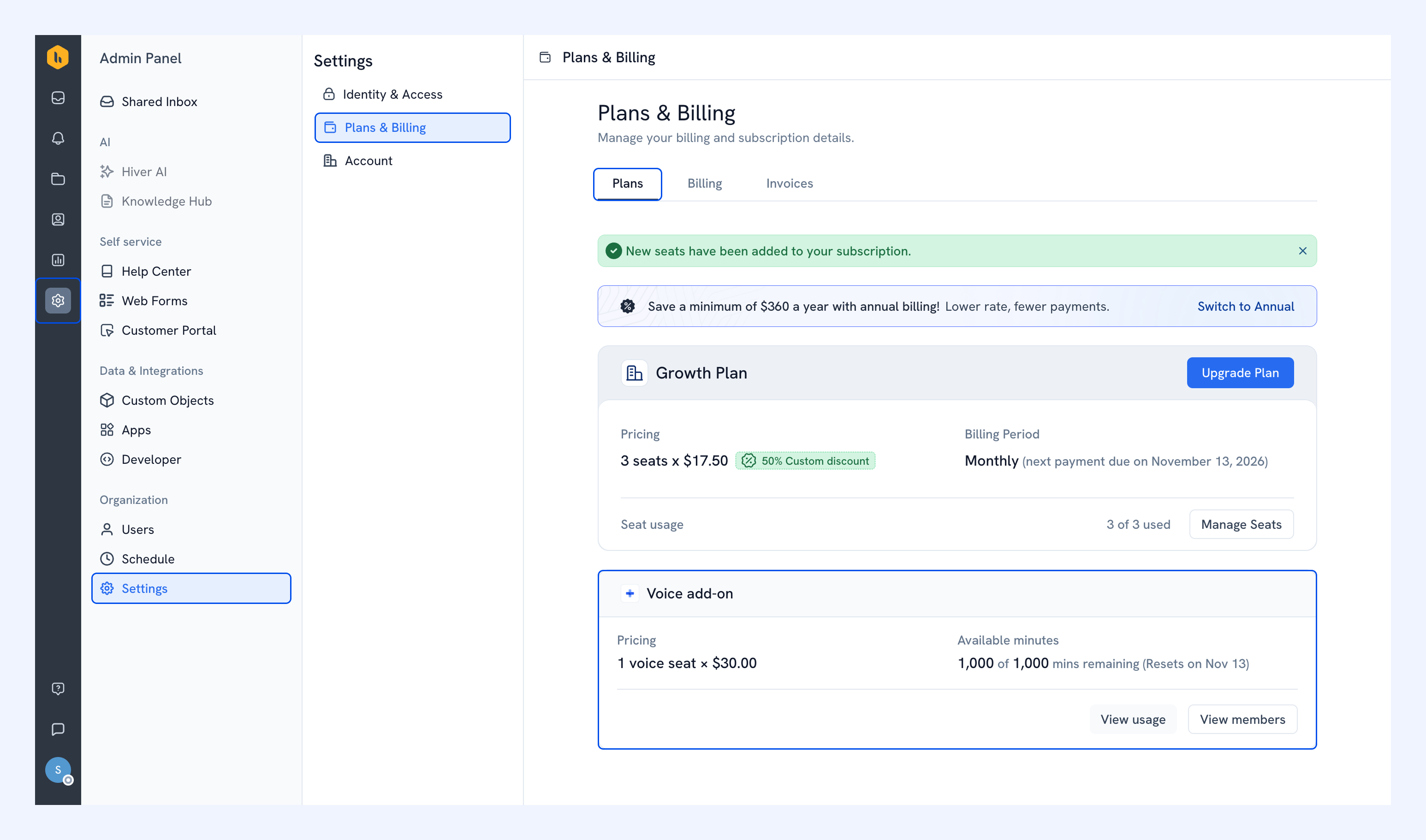
3. Click View usage to see how many minutes your team has used in the current billing cycle. Switch between By inbox and By member for a breakdown. If your team has used additional minutes, you’ll also see those minutes and their cost.
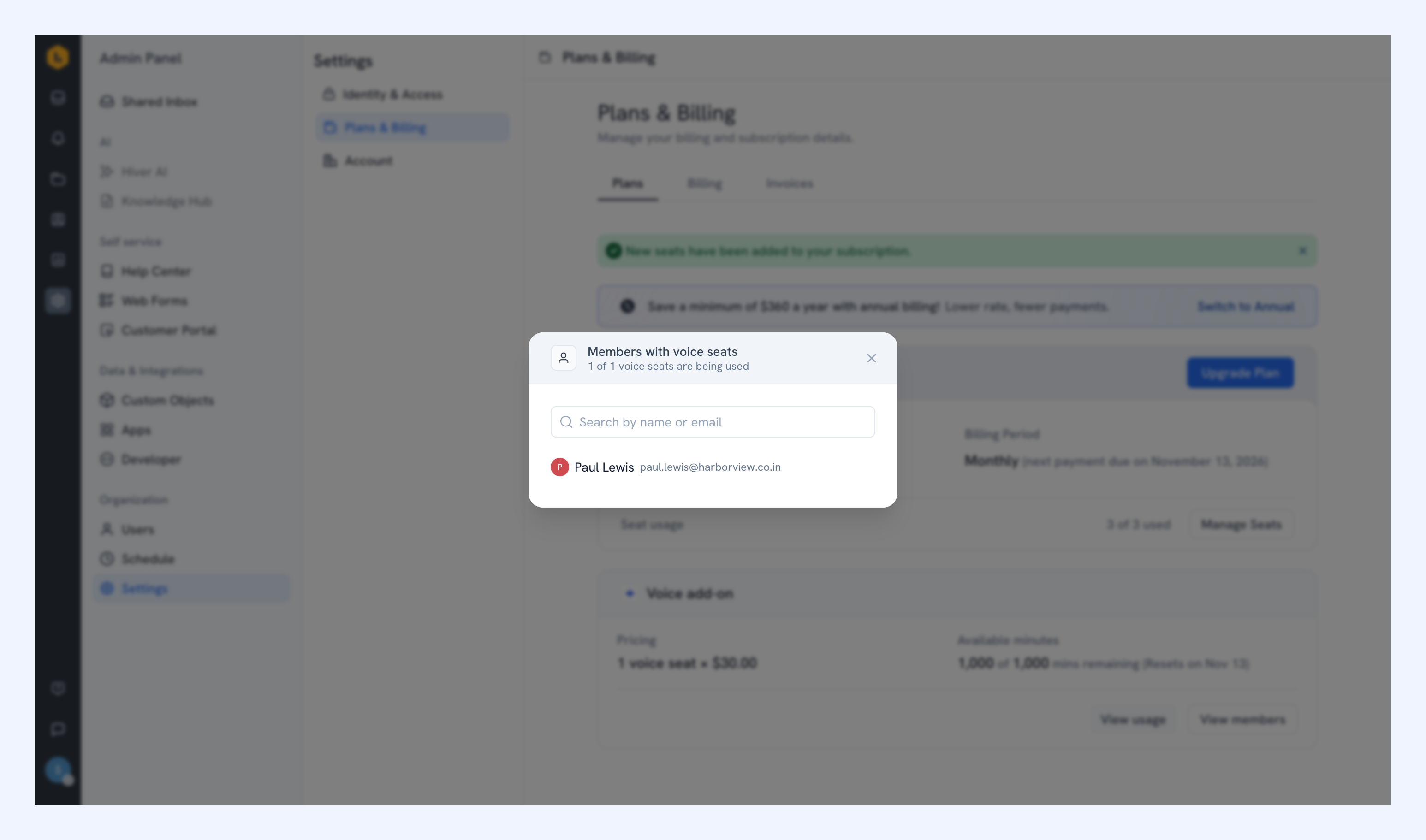
4. Click View members to see which members have voice seats.
Removing members and reassigning seats
If you remove a member from all Voice Inboxes that use Hiver as the provider, their voice seat remains available for the rest of the period you’ve paid for. During this time, you can reuse it when adding another member, without purchasing a new seat.
If the seat stays unassigned, it is automatically removed from your subscription on your next renewal date.
Frequently asked questions
Can I use Voice during my Hiver trial?
Your Hiver trial includes one Voice Inbox and 60 call minutes shared across your account. Once those minutes run out, you won’t be able to make or receive calls. To continue using Voice, you’ll need to upgrade your Hiver subscription and purchase voice seats.
What if I want to add someone who isn’t already a Hiver user?
The member needs both a Hiver seat and a voice seat. Hiver shows any additional charges for both before you confirm.
What happens to charges for additional minutes if I change my billing cycle or cancel?
If you switch between monthly and annual billing, any charges for additional minutes that haven’t been billed yet are collected on a separate invoice.
If you cancel your subscription, any remaining charges for additional minutes are collected on a final invoice.