Requesting deletion of your Hiver Omni account
If your organization no longer plans to use Hiver, an admin can request deletion of your Hiver account from the Admin Panel. Once the account is deleted, all team members and your team's Hiver data are permanently removed.
Submitting a request doesn't delete the account right away. Your account remains active while our support team works with you to complete the deletion.
This article explains how to submit the request and what happens after you submit it.
Prerequisites
Before you begin, make sure you have admin access in Hiver.
What gets deleted
When your Hiver account is deleted, the following is permanently removed for everyone on your team:
- Every user in your account.
- Every Shared Inbox.
- All Hiver data, including reports, notes, Shared Drafts, and Email Templates.
- Your Help Center and every article published on it.
Submitting a deletion request
1. Go to Admin Panel → Settings → Account.
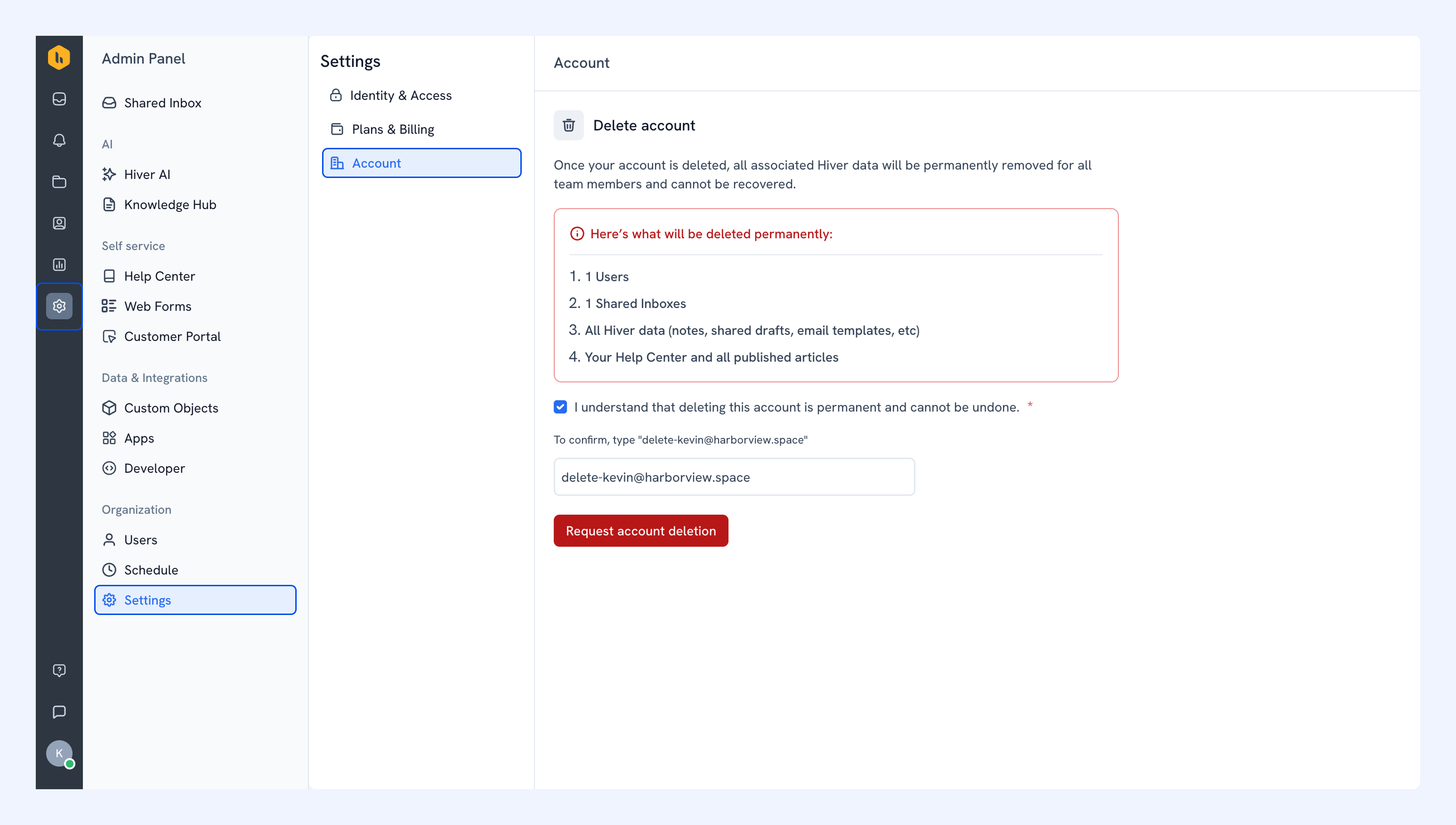
2. Under Delete account, review what will be removed, then select I understand that deleting this account is permanent and cannot be undone.
3. Type the confirmation text and click Request account deletion.
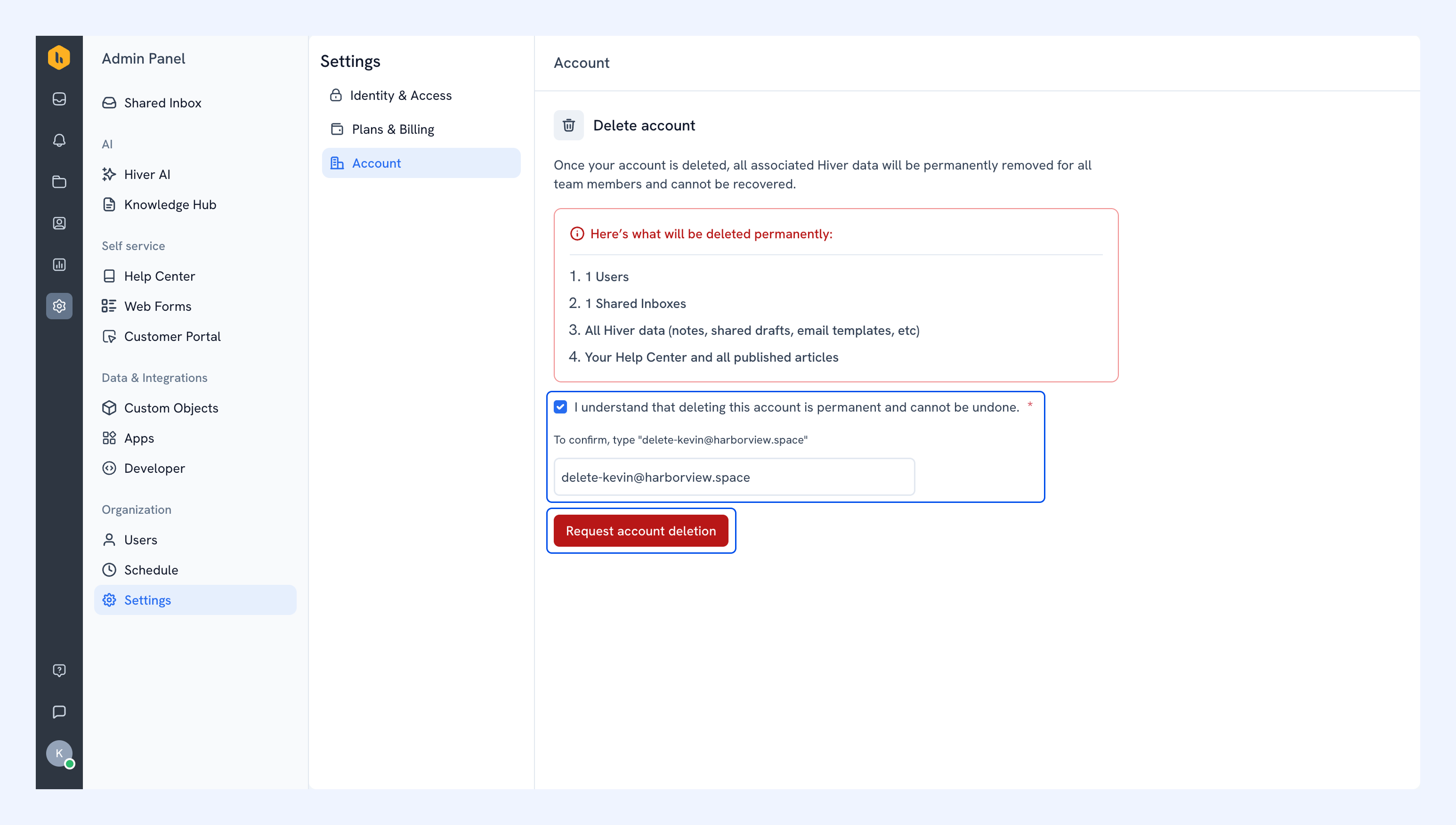
4. Select the reasons why you're leaving. You can add anything else you'd like us to know in the text box. Then click Submit.
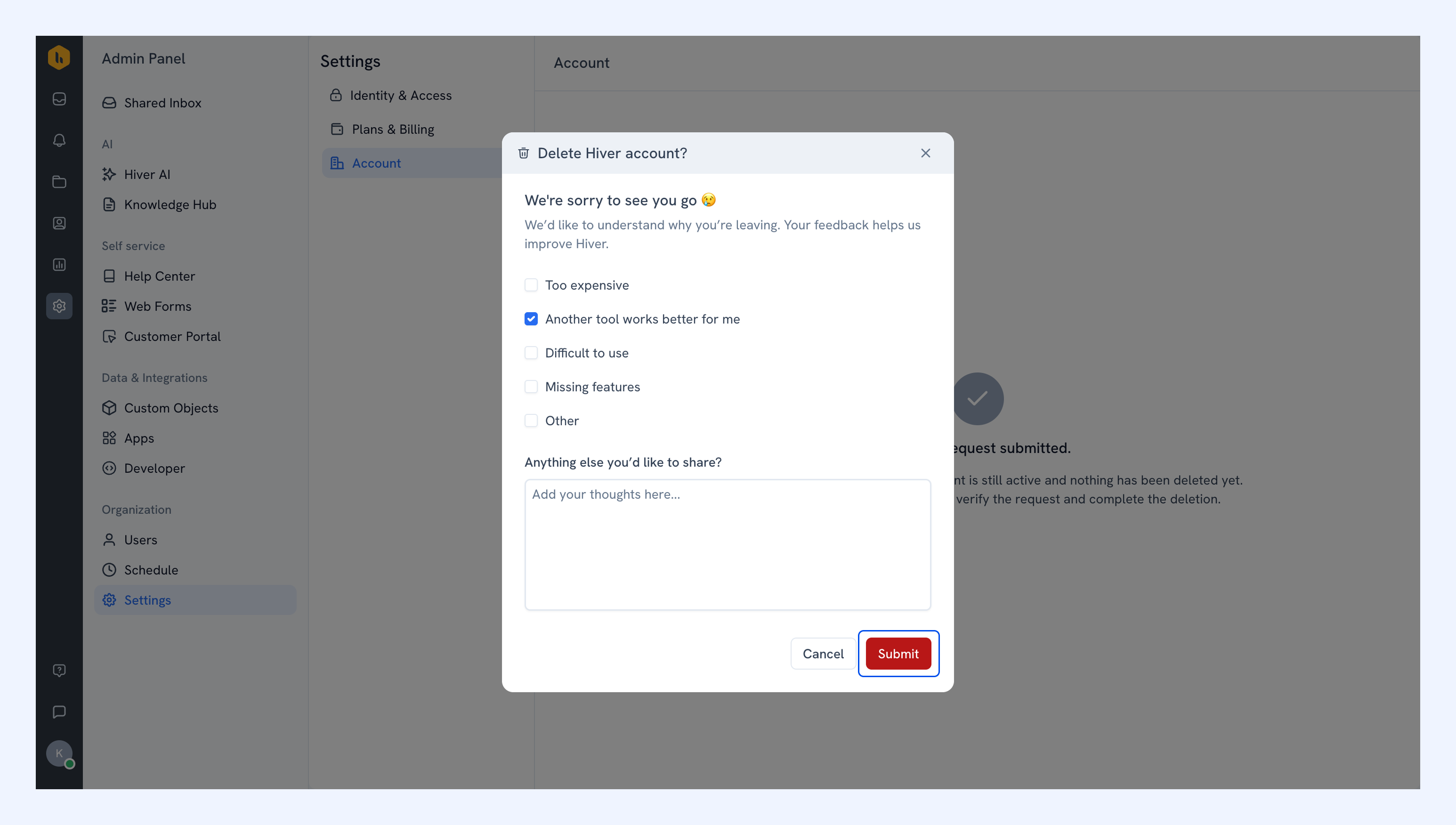
Once your request is submitted, our support team will reach out to you about the next steps.
What happens next
Our support team will contact you to complete the deletion. Until that's completed, your account remains active, your team can continue using Hiver, and your billing continues.
To cancel a request, write to support@hiverhq.com before your account is deleted.
FAQs
Does my team lose access as soon as I submit the request?
No. Your account stays active and your team can keep working in Hiver until our support team completes the deletion with you.
Does submitting the request cancel my subscription?
No. Your subscription and billing carry on as they are. Our support team will cover what happens to your subscription when they contact you.
Can another admin submit a request while mine is pending?
No. Once a request is in, no further requests can be submitted.
Can I cancel a deletion request?
Yes. Write to support@hiverhq.com before the deletion is carried out and let our team know.