AI Summarizer
Hiver’s AI Summarizer helps you quickly understand long or complex conversations by generating a short summary of the email thread. This gives you essential context without having to every message.
Prerequisites
- AI Summarizer is included in the Growth, Scale, Pro, and Elite plans.
- You need to have Admin access to enable the feature.
How to enable AI Summarizer
1. Go to Admin Panel → Hiver AI → AI Tools.
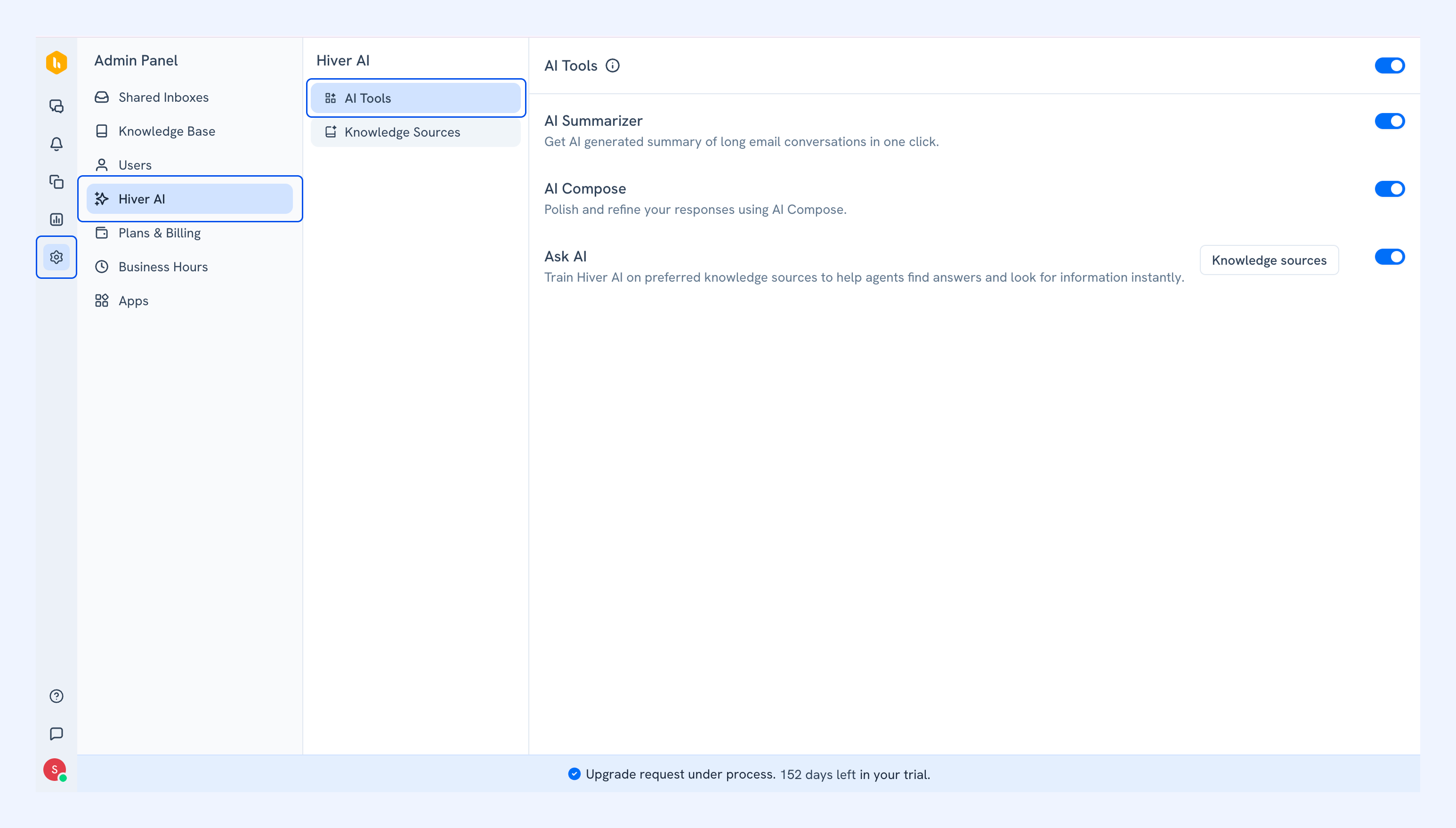
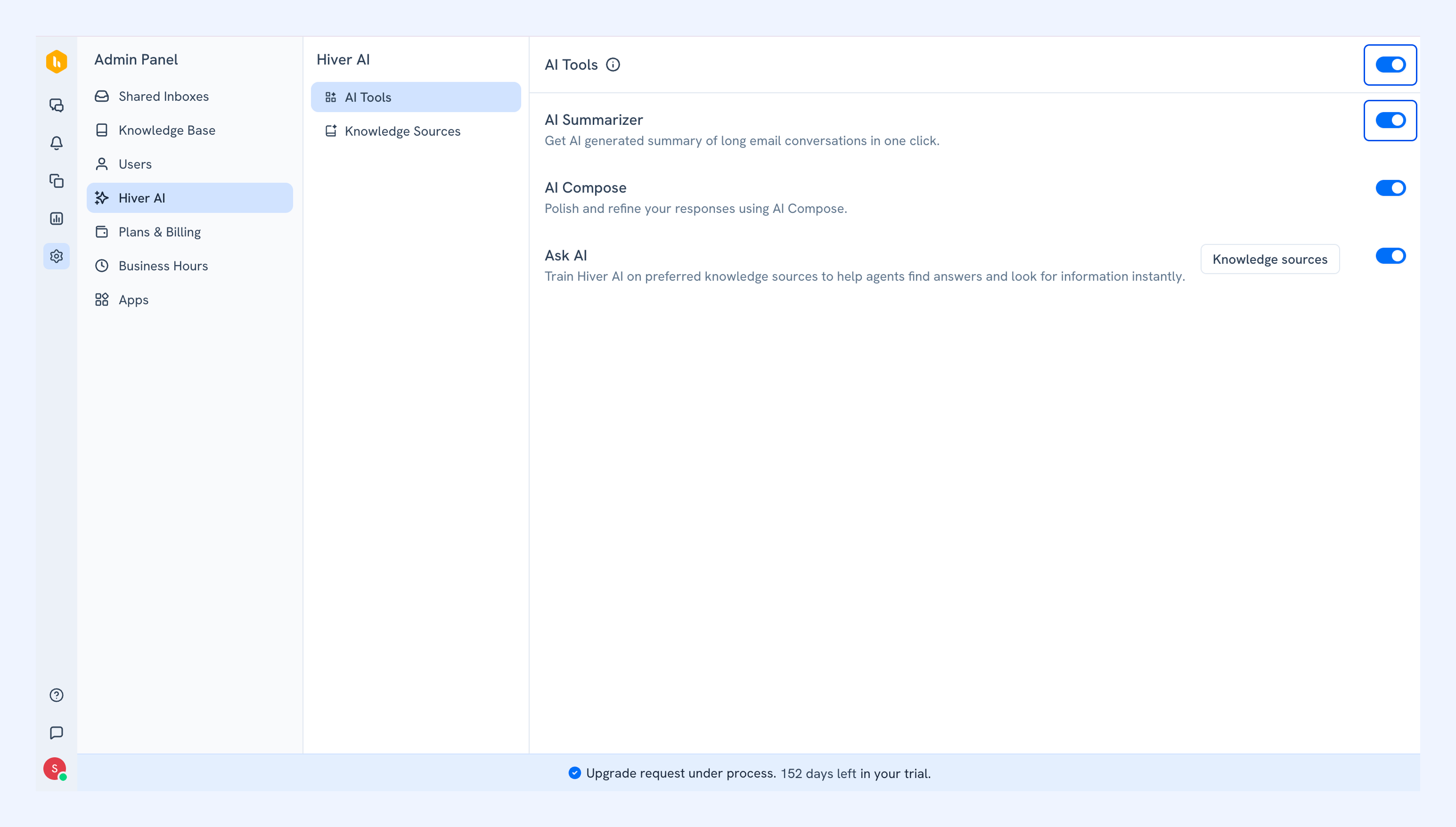
2. Turn on the AI Tools toggle, then turn on the AI Summarizer toggle.
How to use AI Summarizer
Once enabled, agents can summarize conversations directly inside Hiver Omni.
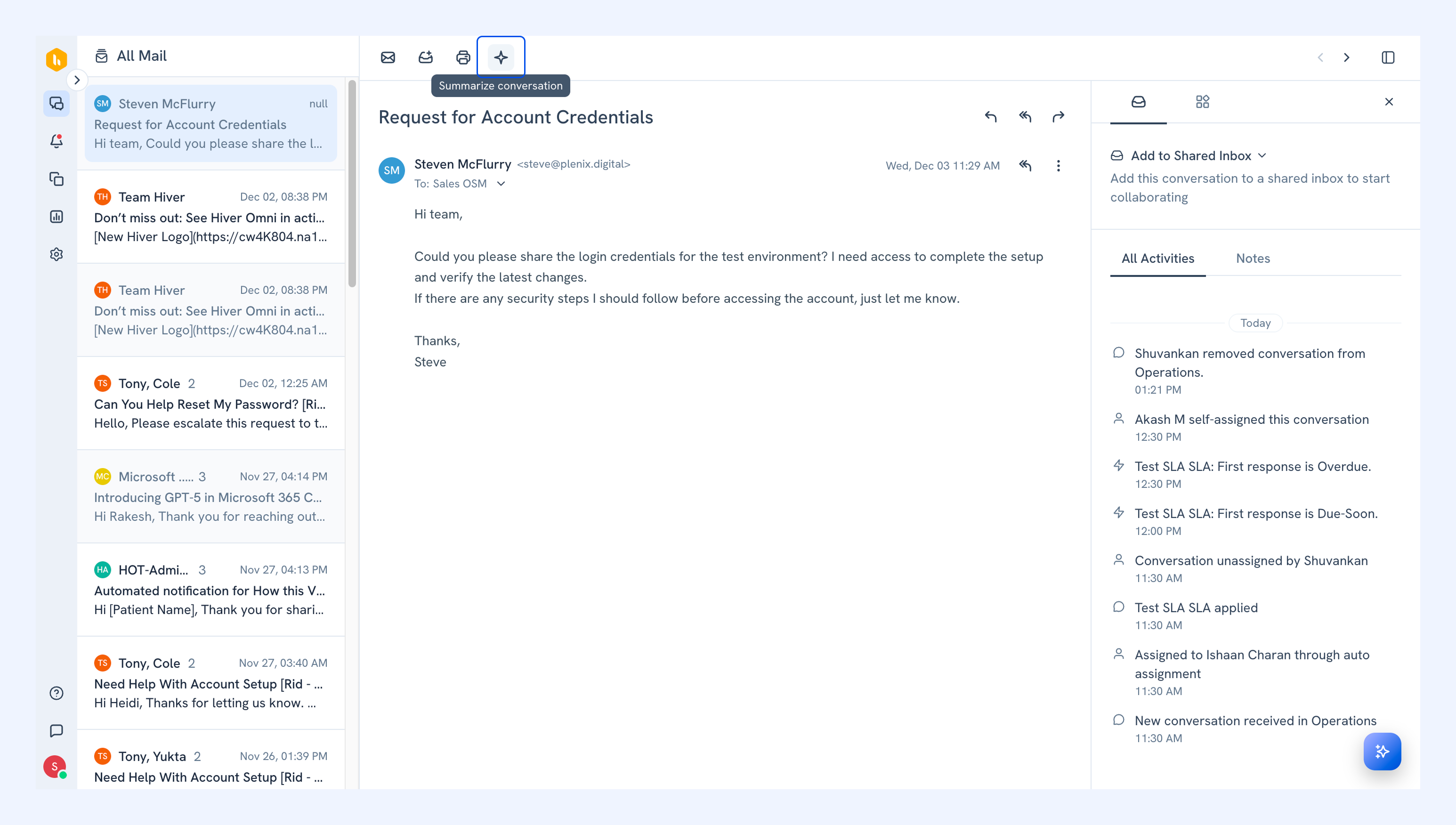
1. Open any email conversation in your Shared Inbox.
2. Click AI Summarizer.
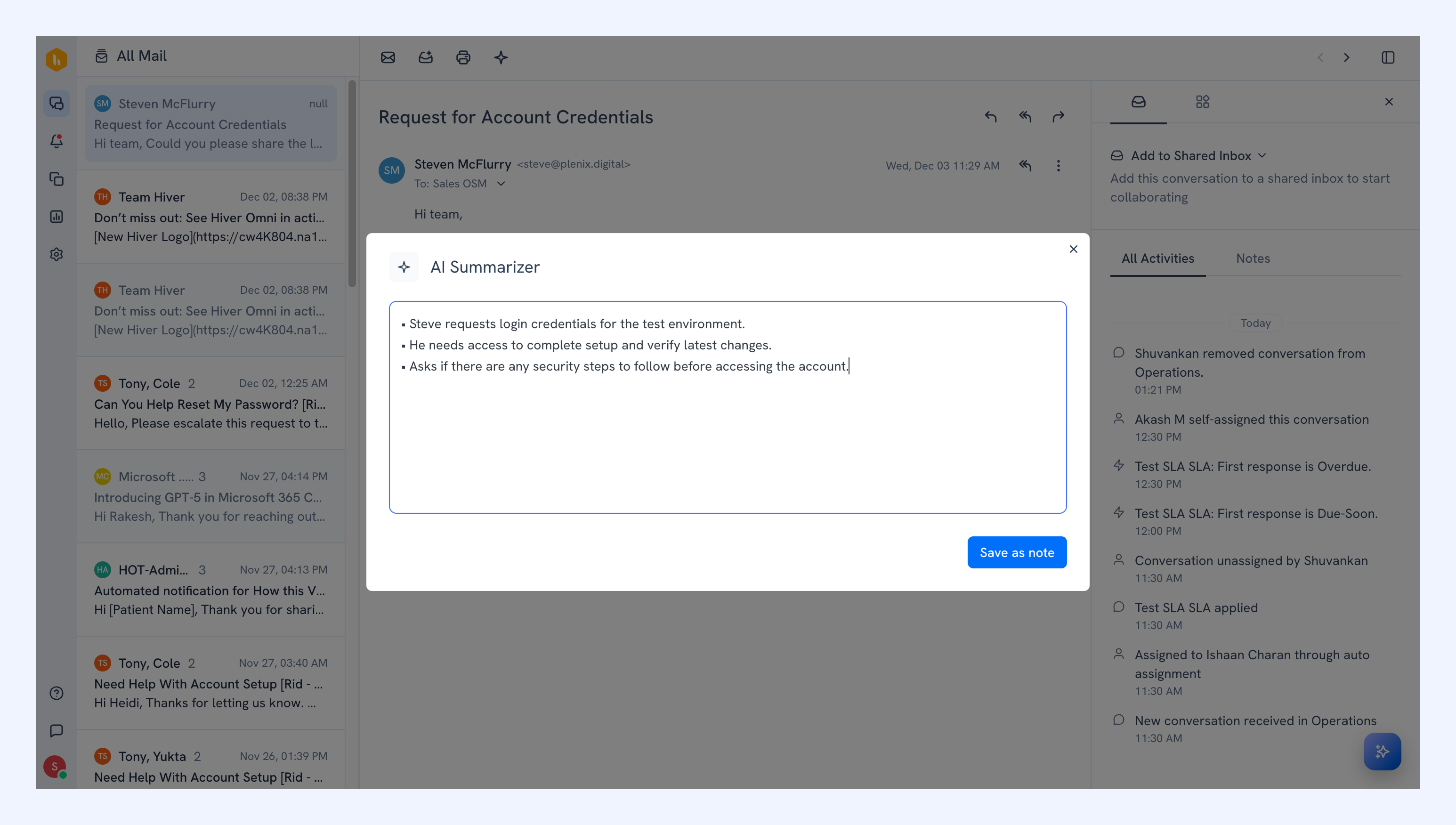
3. A summary window appears with an overview of the thread. You can edit the summary, copy it, or save it as a note.
Tip: You can also use Ask AI to summarize conversations. Learn more about Ask AI.
FAQs
Does the AI Summarizer use attachments or comments?
No. AI Summarizer only summarizes the written content of email messages within the thread.
Is my data used for model training?
No. Your data is not used for model training or any unrelated purpose.