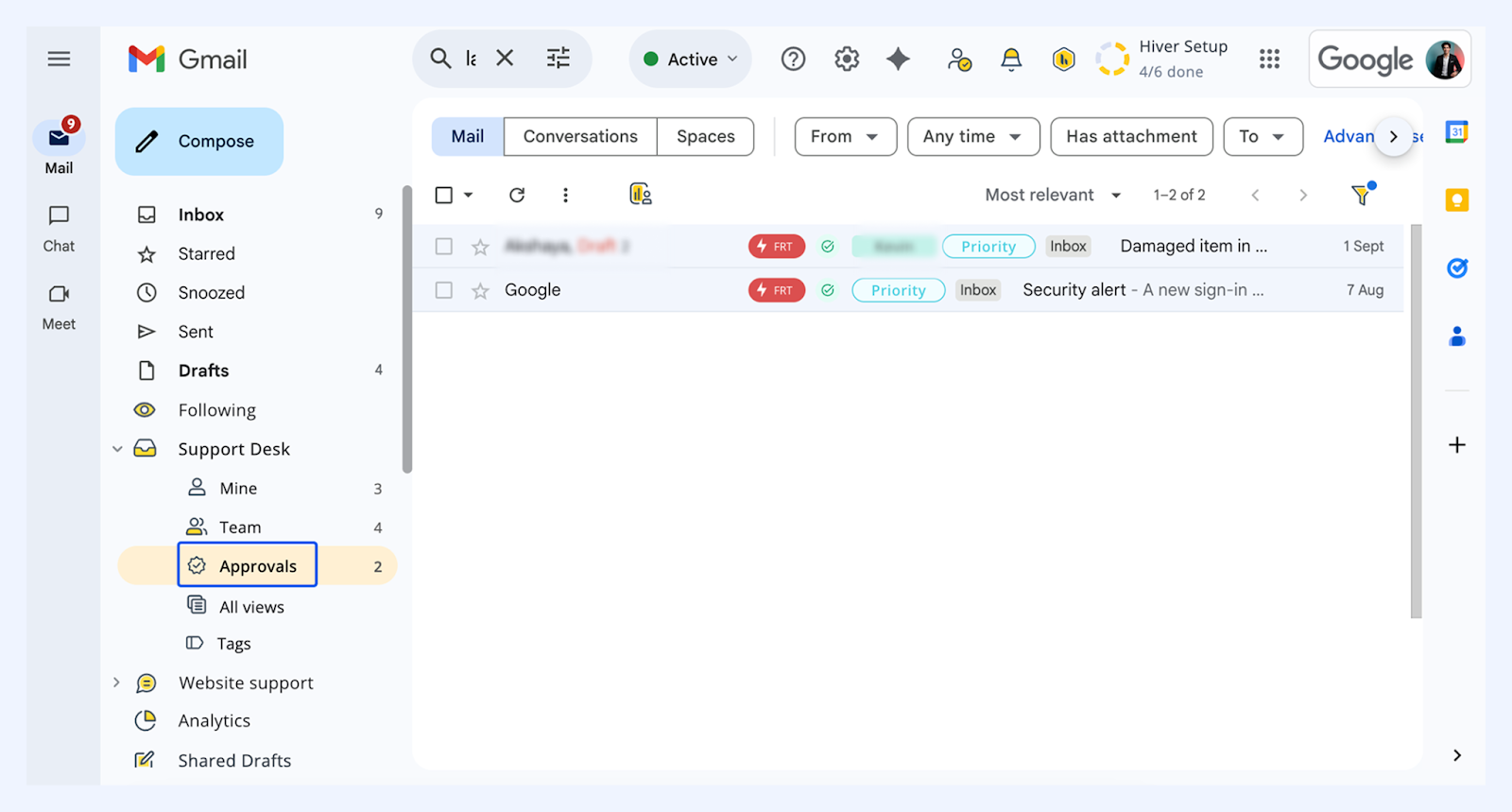
Requesting and obtaining approvals
Getting sign-offs on discounts, refunds, exceptions and other requests shouldn’t involve chasing people across endless emails or chat threads. With Hiver’s Approvals, you can request approvals directly on a conversation, so everything stays tied to the customer context. Approvals can help your entire team, including:
- Requesters: Start and track approvals right where the work happens.
- Approvers: Review and respond securely without extra tools.
- The team: Everyone stays aligned with real-time updates inside Gmail.
Steps to request and obtain approvals
Once Approval Flows are created by your Admin, you can start requesting approvals on email conversations directly from the Approvals widget in the Hiver right panel.
1. Open the email conversation where approval is required.
2. Click the right panel (Shared Inbox icon)
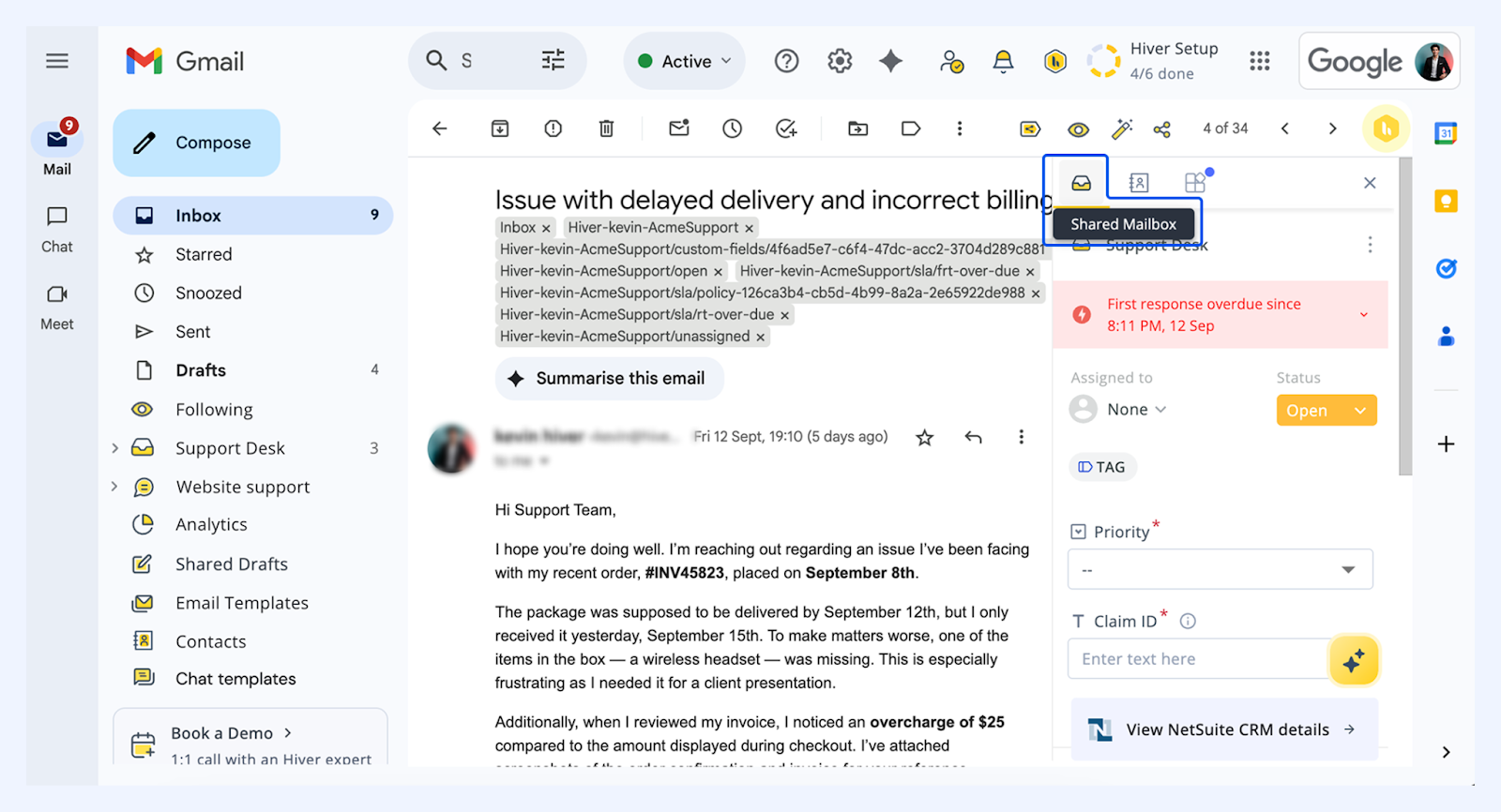
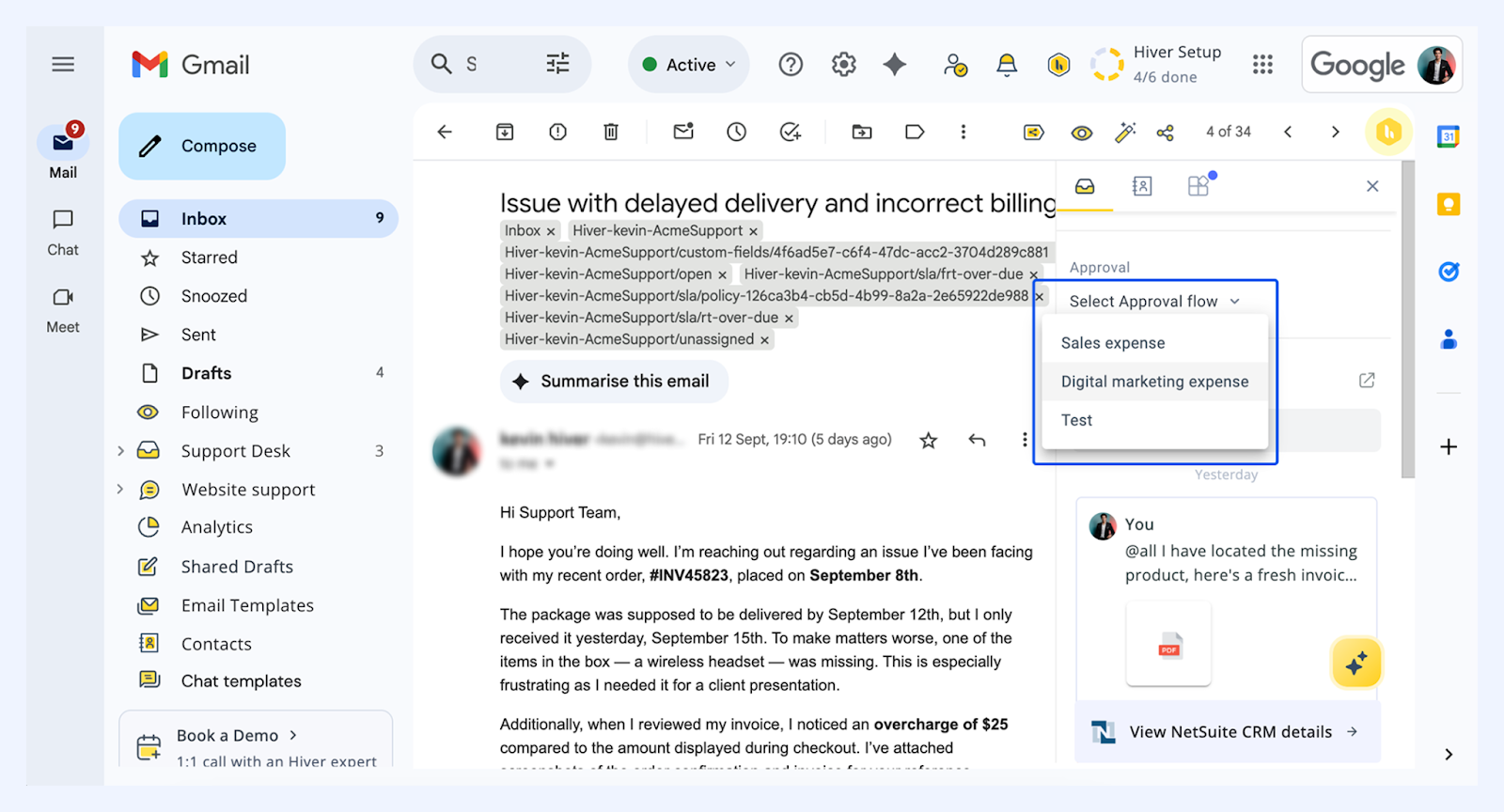
3. Scroll down on the right panel and click Select Approval Flow.
4. Choose the relevant flow.
What happens next?
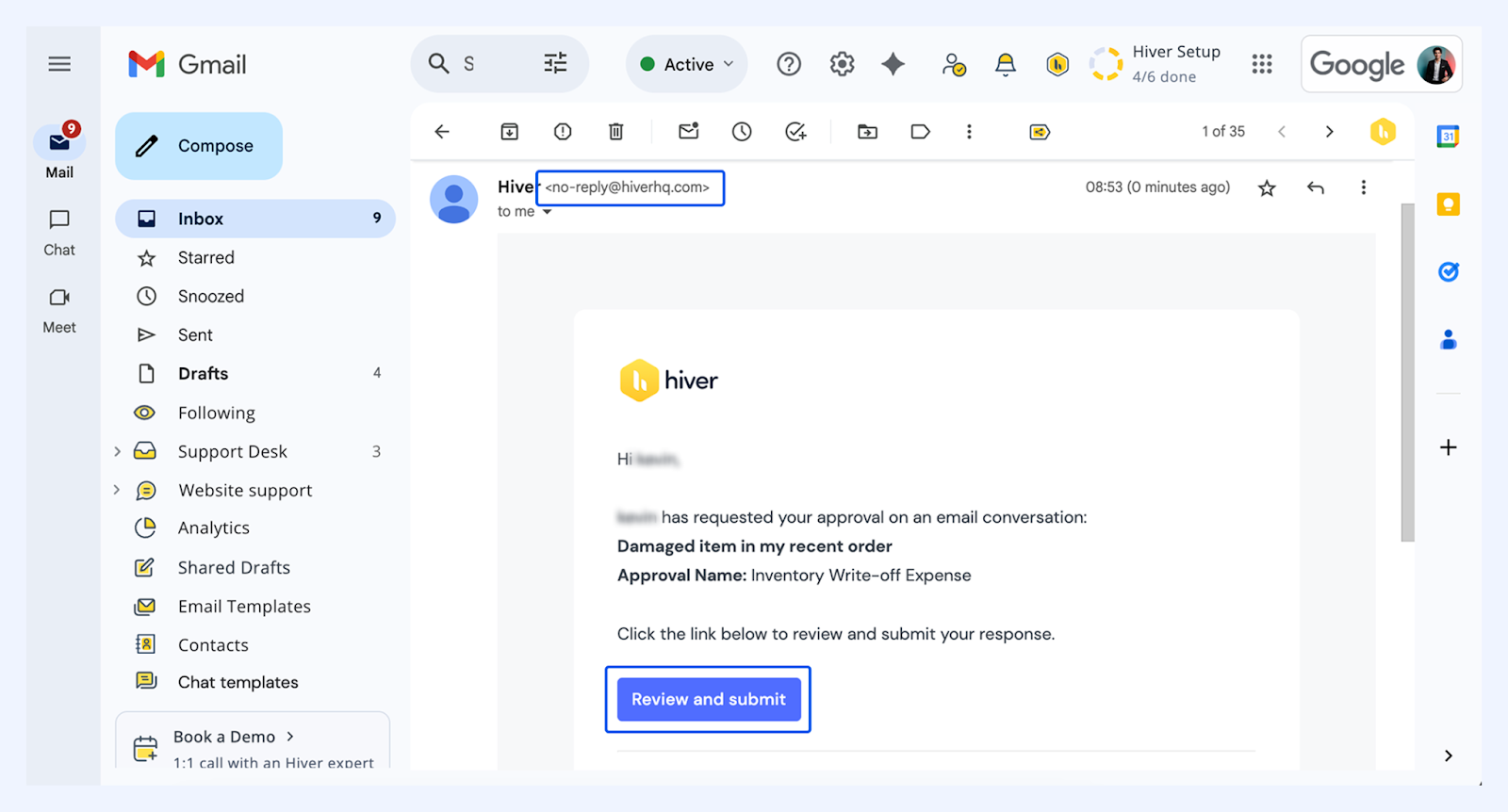
- A notification is sent to approvers: Approvers receive an email notification from no-reply@hiverhq.com. This includes the requester’s details and a ‘Review and submit’ button, which links directly to the email conversation that requires approval.
- Approvers make a decision: Approvers can then choose to either Approve or Reject the request.
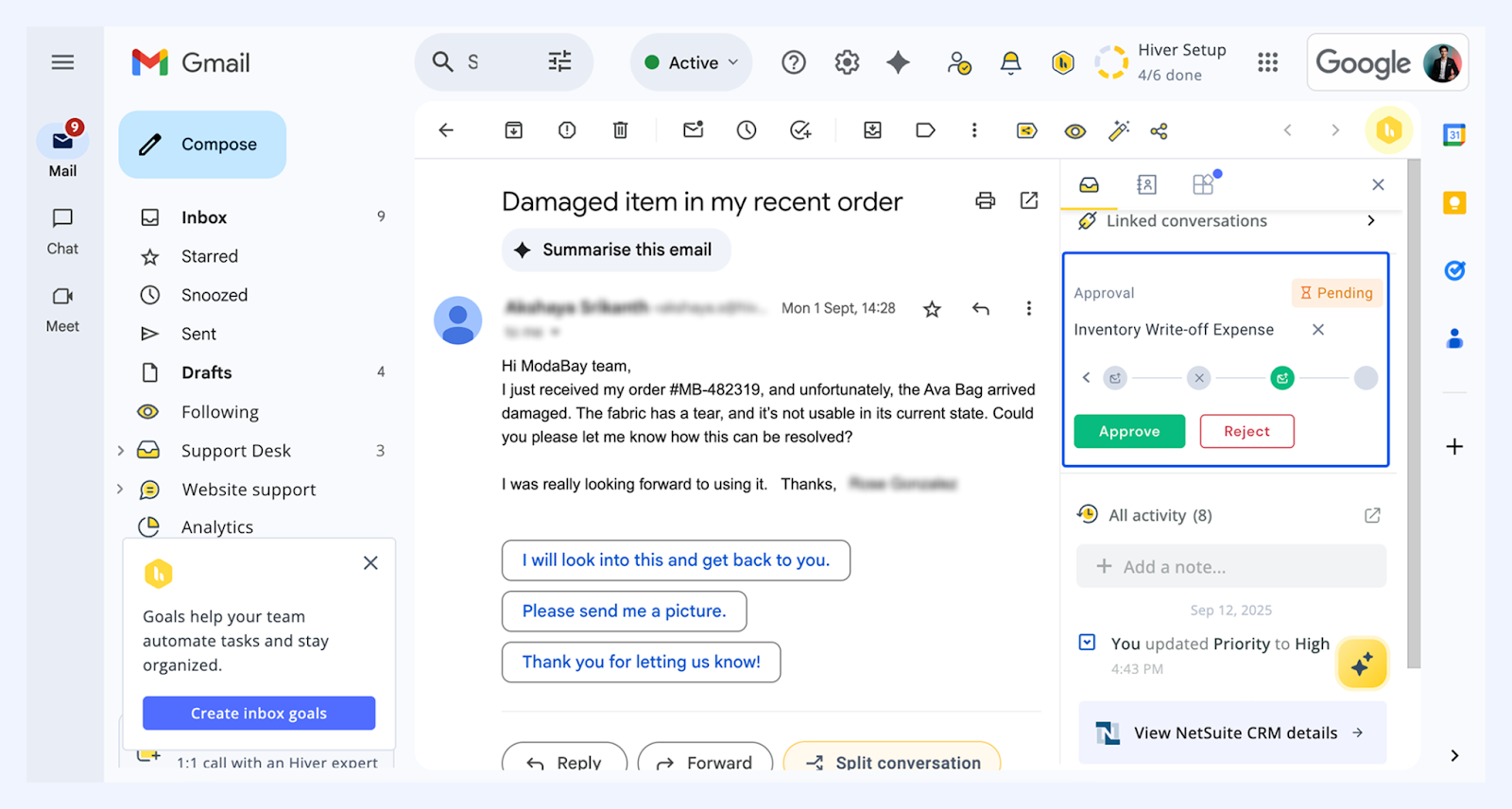 If rejected, they’ll need to provide a reason before submitting their response.
Note: To ensure security, approvers must sign in with the same email address before accessing the conversation.
Tracking approval status
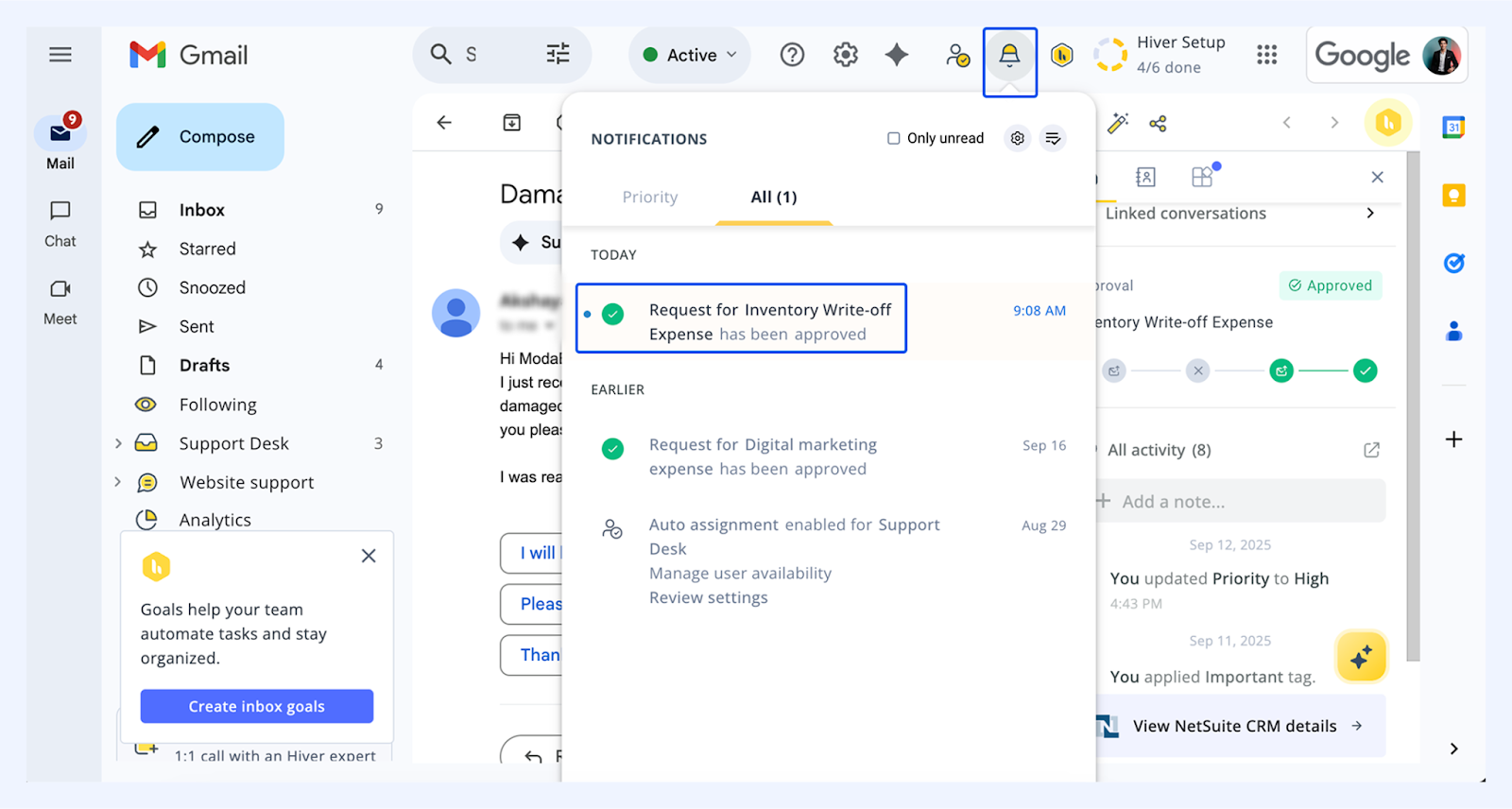
- When the approver takes action, you’ll receive an alert in your Hiver notifications.
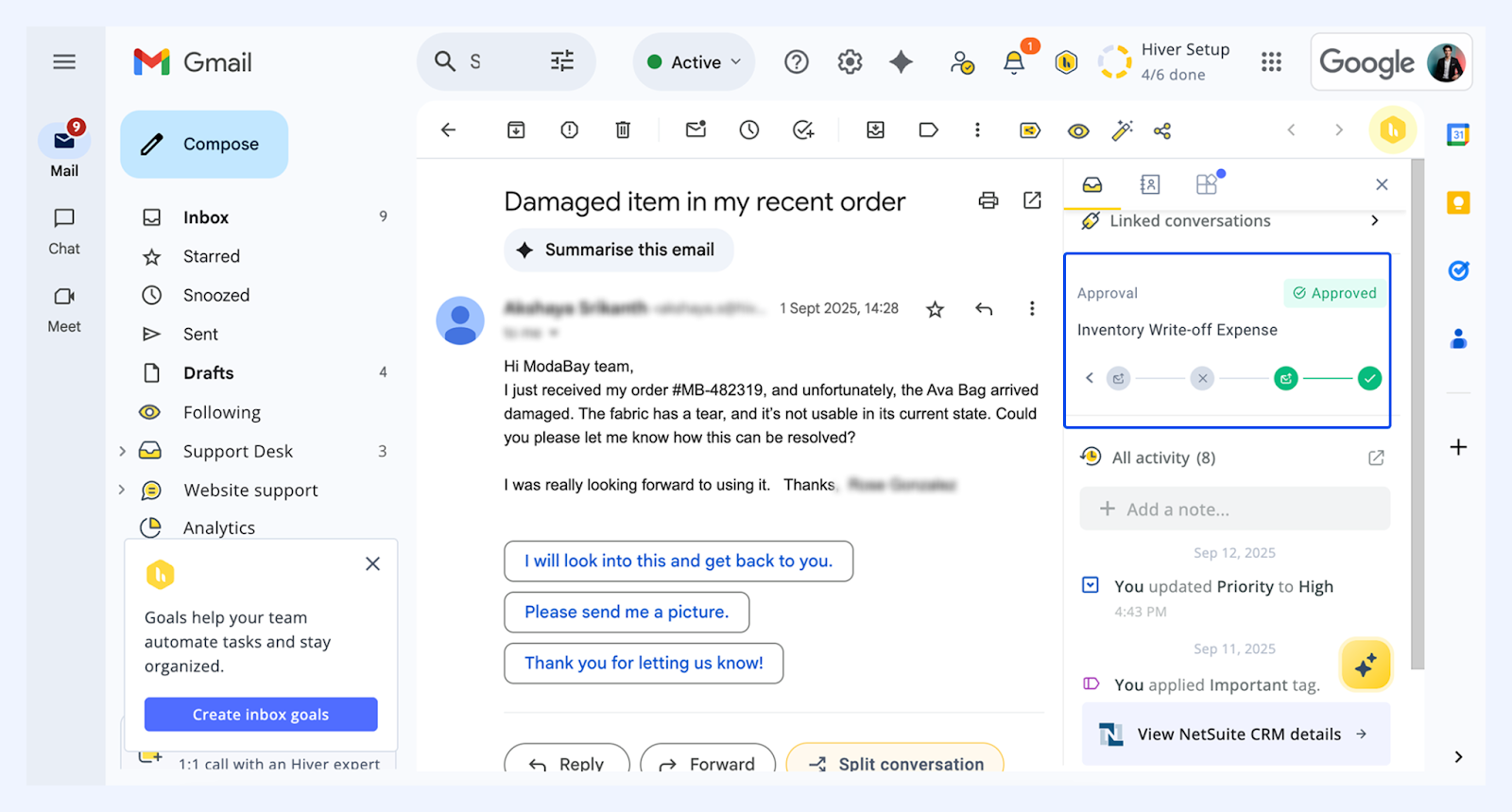
- You can also view the approval status anytime in the Activity panel attached to each conversation thread.
- Additionally, you can use the Approvals email view which filters out emails with active approval processes.