Auto-assigning incoming conversations
You can automate how incoming conversations are assigned so the right conversations reach the right people and nothing slips through the cracks.
Hiver offers two ways to assign conversations automatically:
- Round Robin assignment: Distribute all incoming conversations in a Shared Inbox among available team members evenly across your team.
- Automations: Assign conversations based on conditions you set. You can route them to a specific team or team member, or distribute them among selected members using round robin or load balancing.
Tip: Use Auto-assignment when all incoming conversations can be handled by the same group of team members. Use Automations when assignment should depend on details such as the sender, recipient address, or subject.
Prerequisites
To automatically assign conversations, you need:
- Admin access in Hiver.
- A Shared Inbox with team members added.
Using Auto-assignment
Auto-assignment distributes incoming conversations among available team members using round robin. Each new conversation is assigned to the next eligible member in rotation.
Learn more about setting up round robin assignment.
Assigning conversations using Automations
Automations let you control which conversations are assigned and who receives them. For example, you can assign conversations based on:
- The sender’s email address
- Words in the subject
- The recipient address
- A combination of conditions
You can assign matching conversations to a specific team or team member. You can also distribute them among selected members using round robin or load balancing.
To create one:
1. Go to Admin Panel → Shared Inboxes, and select an inbox.
2. Click Automations → Create Automation, and give it a name.
3. Choose when the automation should run.
4. Add the conditions that conversations must meet.
5. Choose an assignment action:
- Select Assign to to send the conversation to a specific team or team member.
- Select Assign among to distribute conversations among selected team members using:
- Round robin: Assign conversations to members in rotation.
- Load balancing: Assign conversations based on each member’s current workload.
6. Save and activate the automation.
Here are some common ways to auto-assign conversations, you can customize these to suit your workflow.
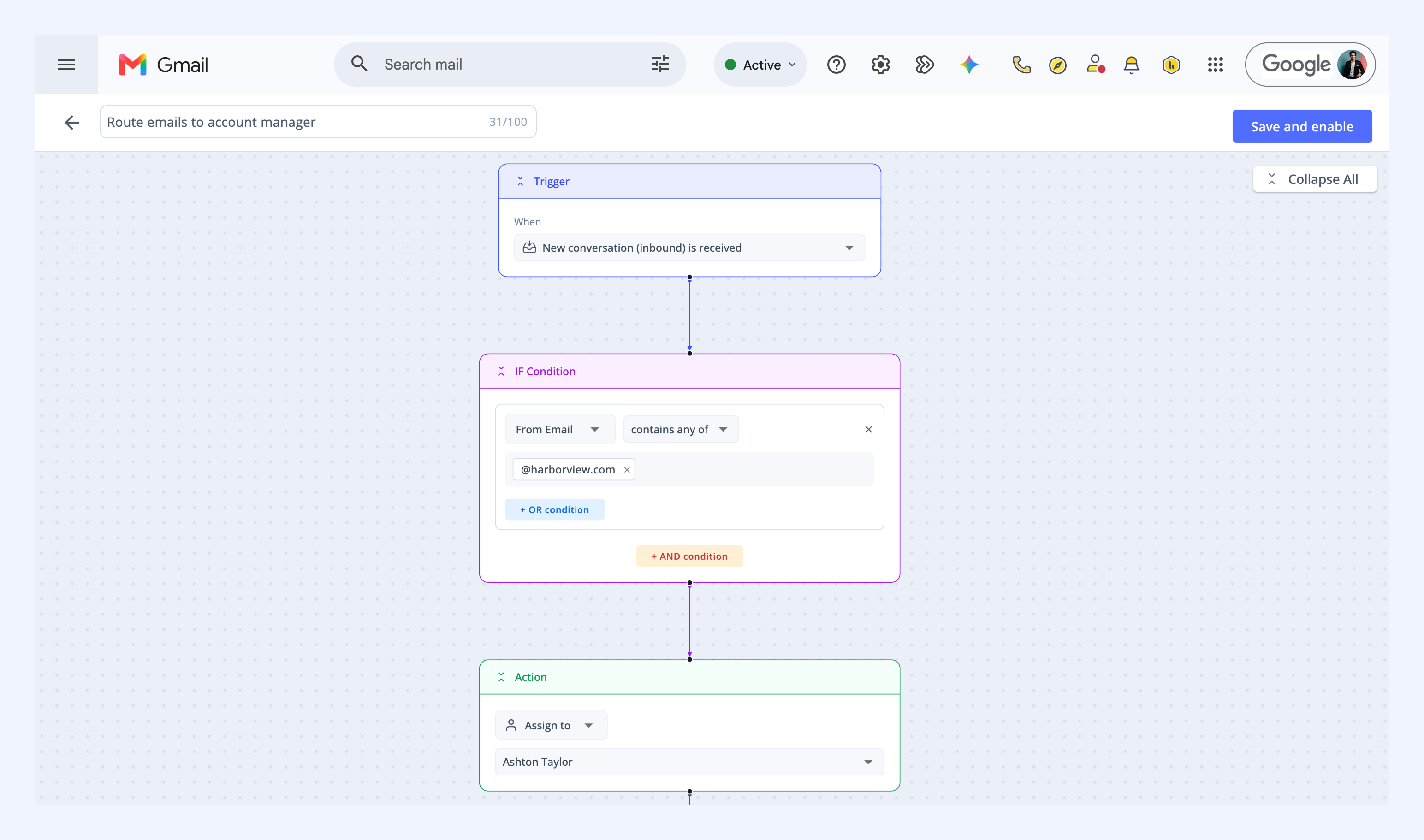
Assign by sender
Route conversations from specific customers or partners to dedicated team members. This makes sure messages from known contacts always reach the right person.
For example:
- When a new conversation is received
- If the sender's email address contains @customer.com
- Then assign it to the relevant account manager
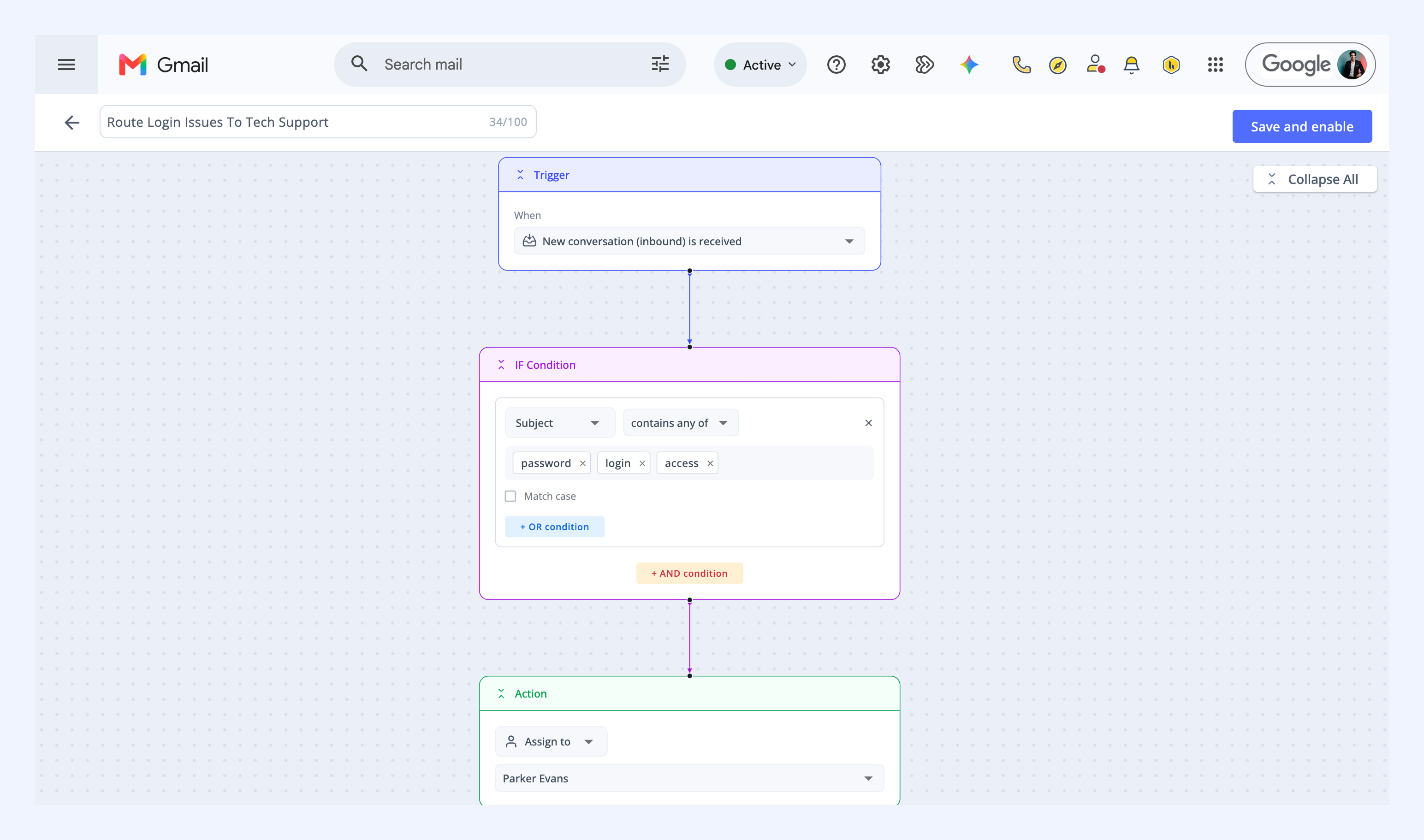
Assign by keywords
Send conversations to the team best equipped to handle the customer’s request.
For example:
- When a new conversation is received
- If the subject contains password, login, or access
- Then assign it to the Tech Support team
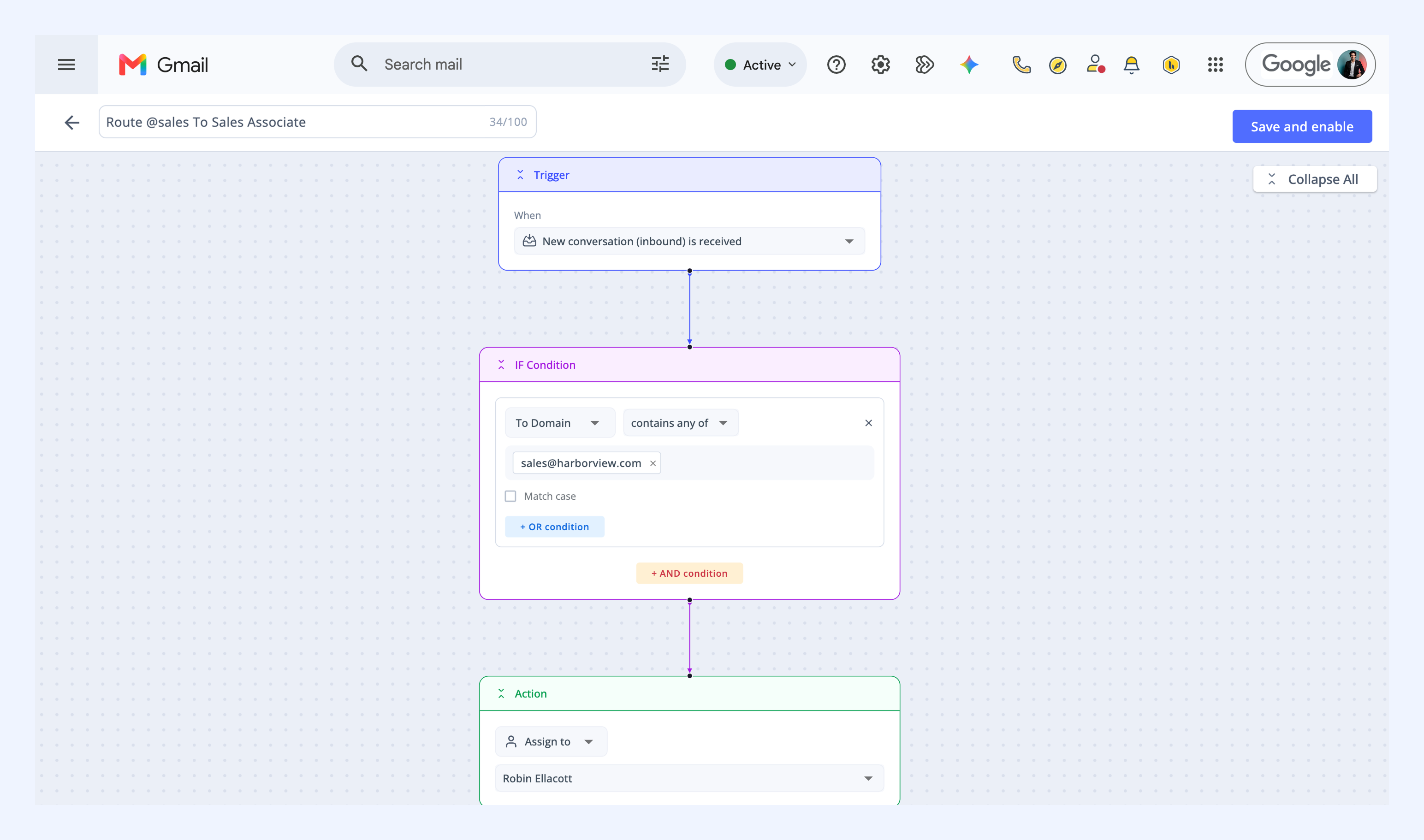
Assign by recipient address
When your team manages multiple aliases (like support@, sales@, or billing@), you can make sure each one goes to the right team.
For example:
- When a new conversation is received
- If the recipient's address contains sales@company.com
- Then assign it to the Sales team
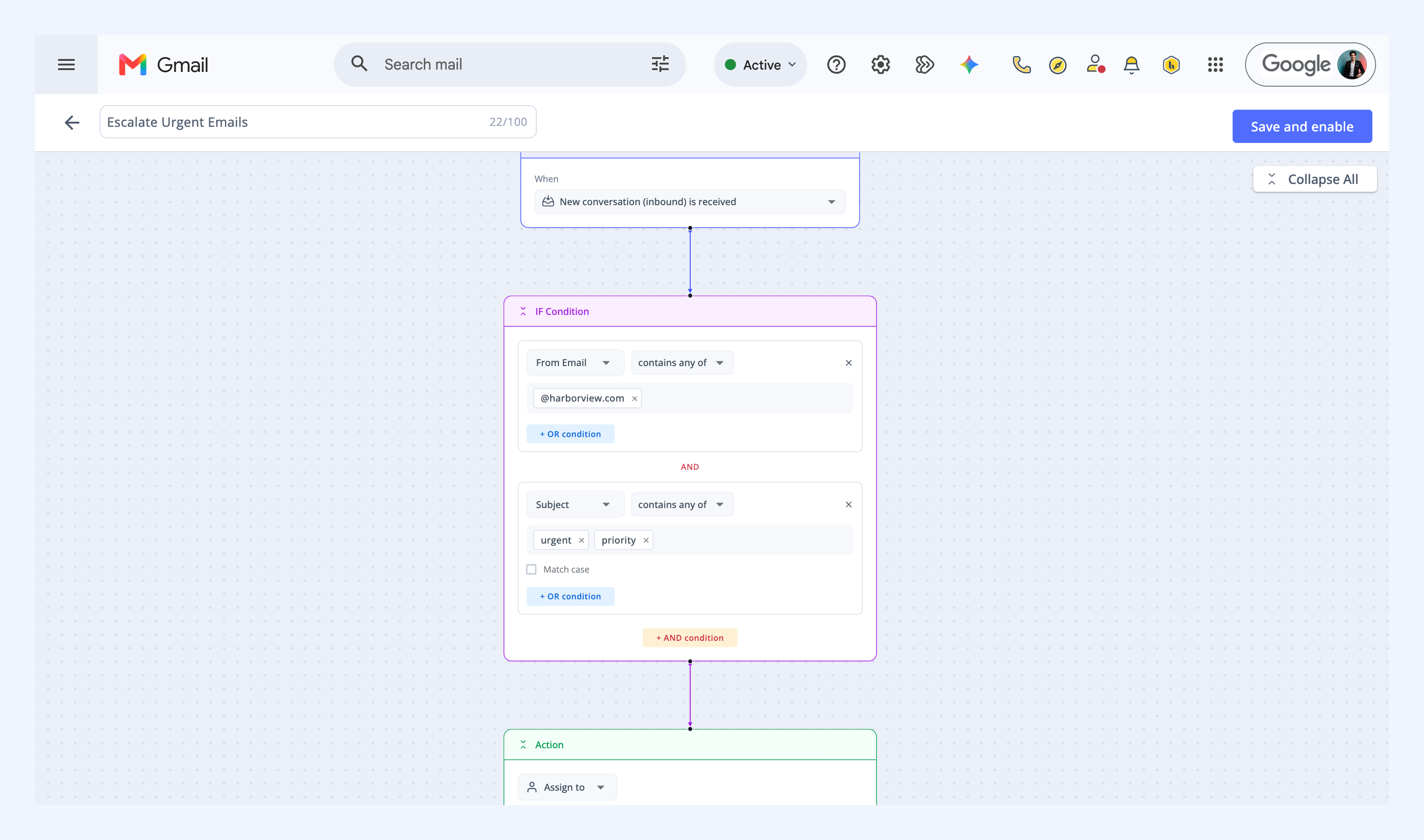
Assign based on multiple conditions
You can combine conditions to manage priority or more complex routing, such as urgent requests from customers.
For example:
- When a new conversation is received
- If the sender's email address contains @customer.com
- And the subject contains urgent or priority
- Then assign it to the priority support lead
Related articles
Setting up Round Robin Assignment
Automate end-to-end workflows using Automations