Following conversations in Hiver
In a busy Shared Inbox, it’s easy to lose track of progress on critical conversations. Hiver’s Conversation Following feature helps you stay on top of key email threads without manually checking for updates. You’ll receive notifications whenever there’s a change, such as:
- Status updates
- New notes added
- SLA progress
Following conversations can be useful for everyone on your team:
- Supervisors can track high-priority customer issues.
- Team leads can monitor responses and guide teammates.
- Admins can set up automation rules to automatically add followers to important threads.
- Agents can stay informed about the conversations they’re involved in.
How to follow a conversation in Hiver
1. Open the email in your Shared Inbox.
2. In the tool bar, click Start following (eye icon). Once you do, you’ll see a slash on the icon, indicating that the conversation is being followed.
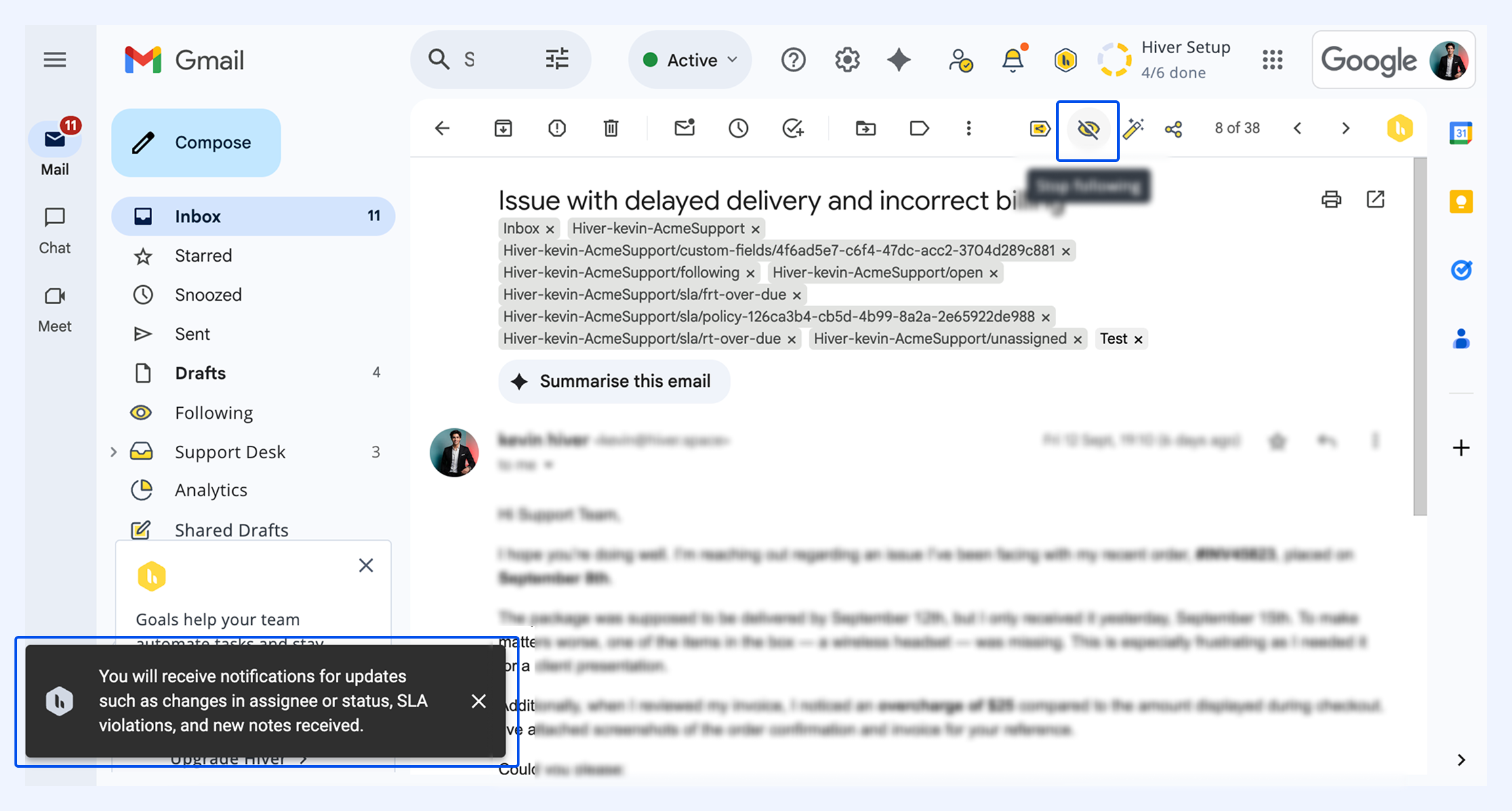
3. To stop following the conversation, click the same icon again.
Managing followed conversations
When you follow a conversation, a new email view called Following gets created. With this view, you can:
- View all conversations you’re tracking.
- Unfollow conversations you no longer need to monitor.
- Keep all followed threads accessible in one centralized view.
.jpeg)
On Hiver mobile
You can follow or unfollow conversations from within the Hiver mobile app.
- Tap the eye icon to start or stop following.
- Access a dedicated Following view for tracked threads.
- Enable push notifications to stay updated on the go.