How to collaborate on a conversation in Hiver
Hiver makes it easy for teams to work together on email conversations, whether you’re coordinating within your support team or bringing in colleagues from other departments to address customer concerns.
This guide gives you a brief overview of the different ways you can collaborate in Hiver.
Collaborating with internal stakeholders
Hiver offers built-in features that keep your team connected and on the same page, without endless forwards or CCs.
Shared notes
Think of Shared notes as digital sticky notes inside your email threads. You can add notes to capture context, share updates, or discuss next steps right within the conversation. This helps your team collaborate privately without cluttering customer-facing threads or losing context across long email chains.
Pro tip: Use @mentions to tag a teammate. They’ll receive a real-time notification and can jump straight into the conversation.
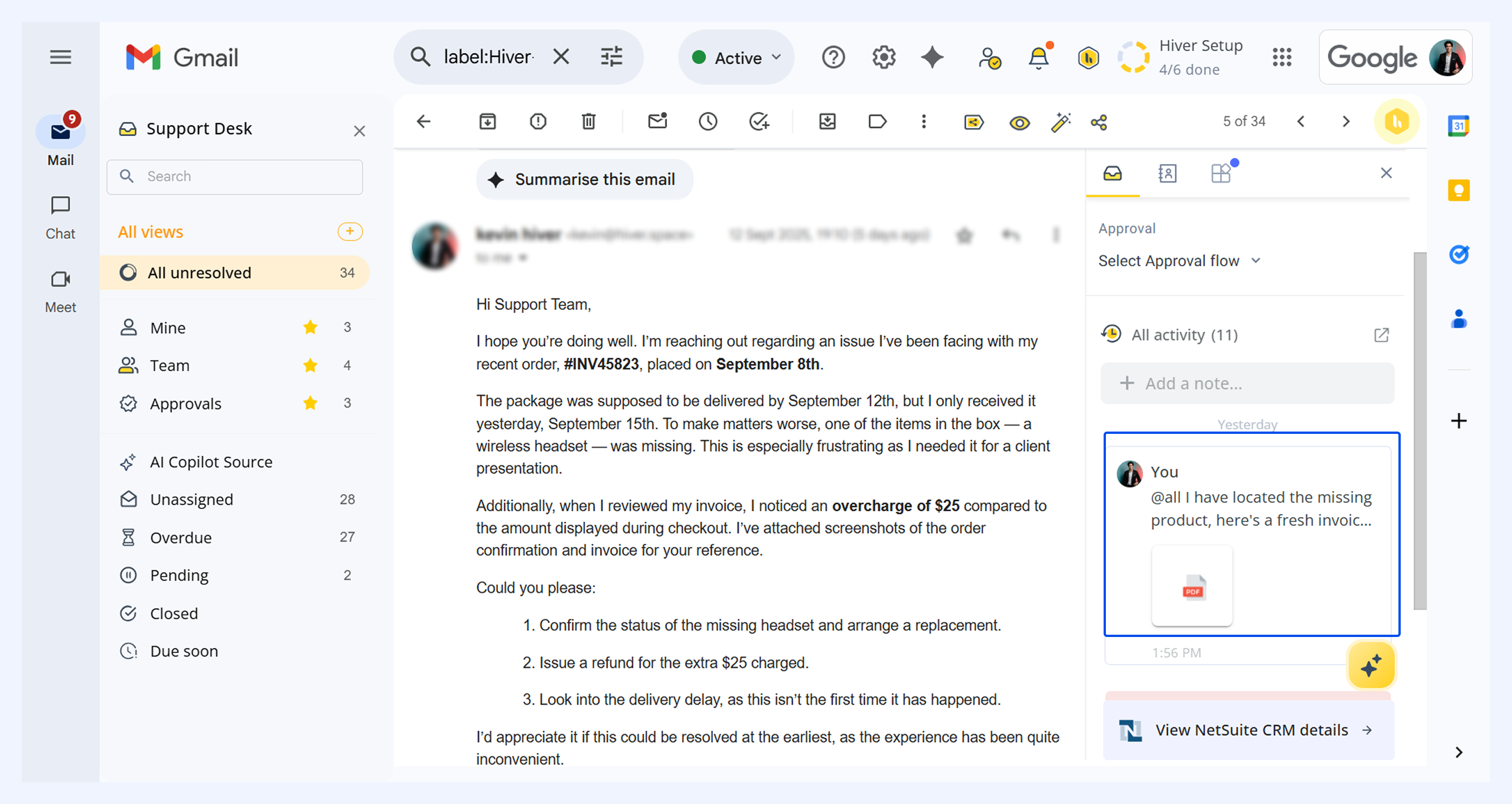
Learn more about Shared notes.
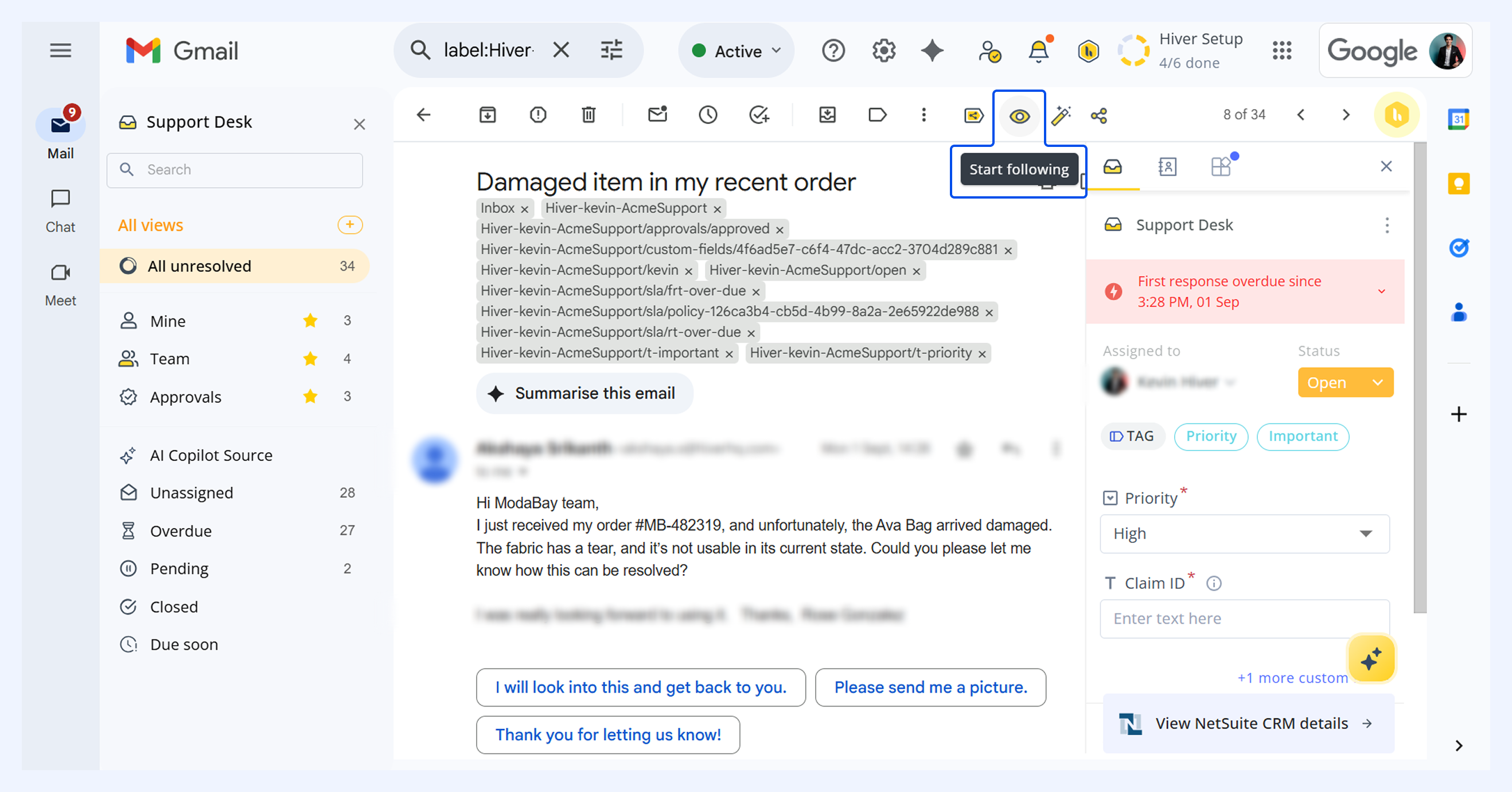
Conversation Followers
Follow conversations that matter to you and stay updated on every change, without having to be directly assigned. With Conversation Follower:
- Team supervisors can monitor progress on critical issues reported by (crucial) customers.
- Team leads can monitor the team's responses in an email conversation of interest, or to train junior team members, etc.
Pro tip: If you’re an Admin, you can easily add followers to a conversation using Automations.
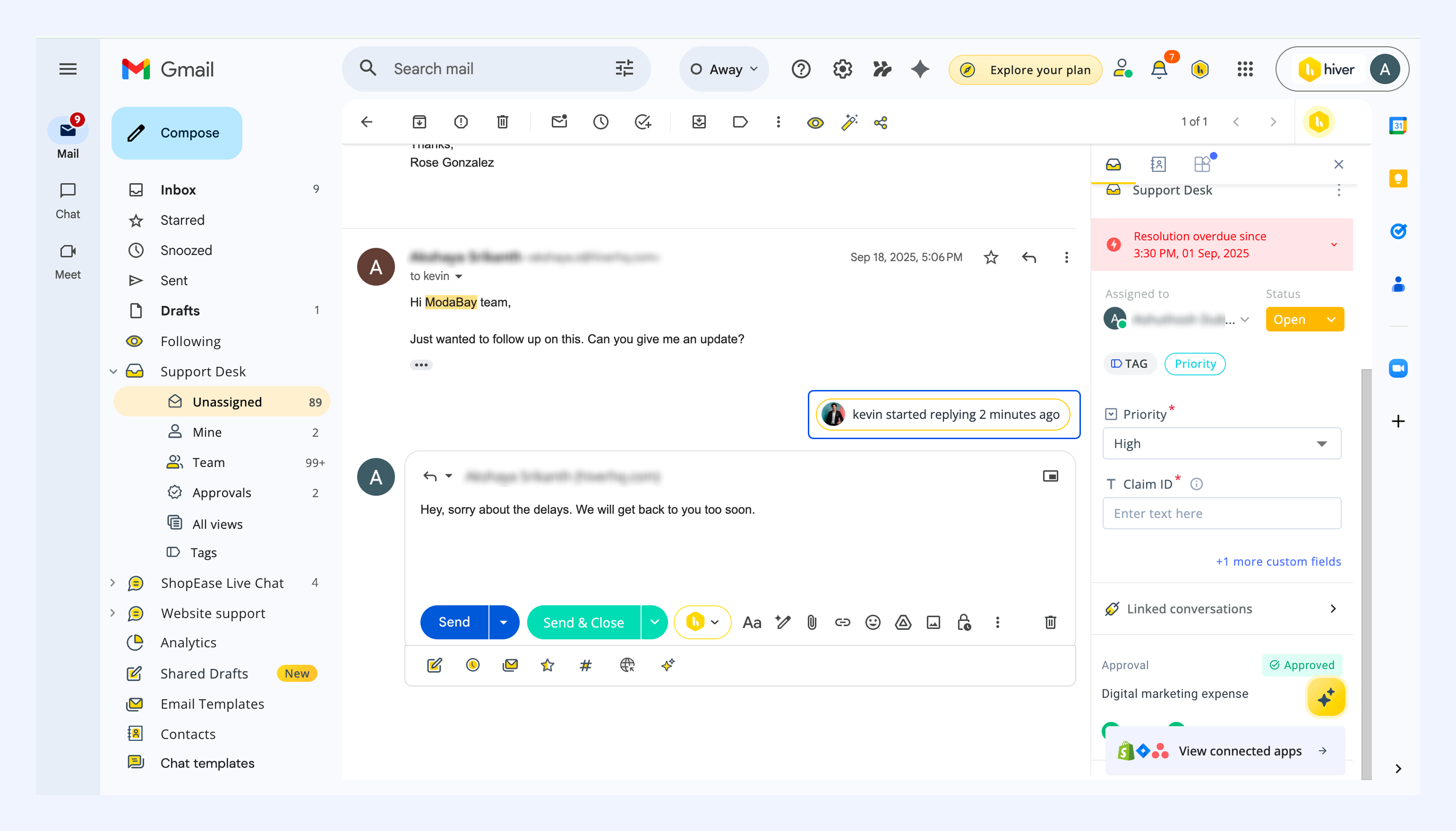
Collision detection
When multiple team members are working on the same conversation, Hiver alerts you if someone else starts typing a reply.
You'll see a banner above the reply box showing who's currently drafting a response. This helps prevent duplicate responses and lets you coordinate with your teammate before sending replies.
Collaborating with external stakeholders
Sometimes you need to bring in people outside the Shared Inbox, such as Finance, Sales, or Billing teams to resolve customer issues. Hiver makes that simple with conversation collaboration.
Invite external collaborators with private sharing
You can invite any coworker who isn’t a part of your Shared Inbox as a collaborator to the conversation by adding their email address to a Hiver note. This keeps sharing secure, since only the specified collaborators get access.
See how to invite external collaborators.
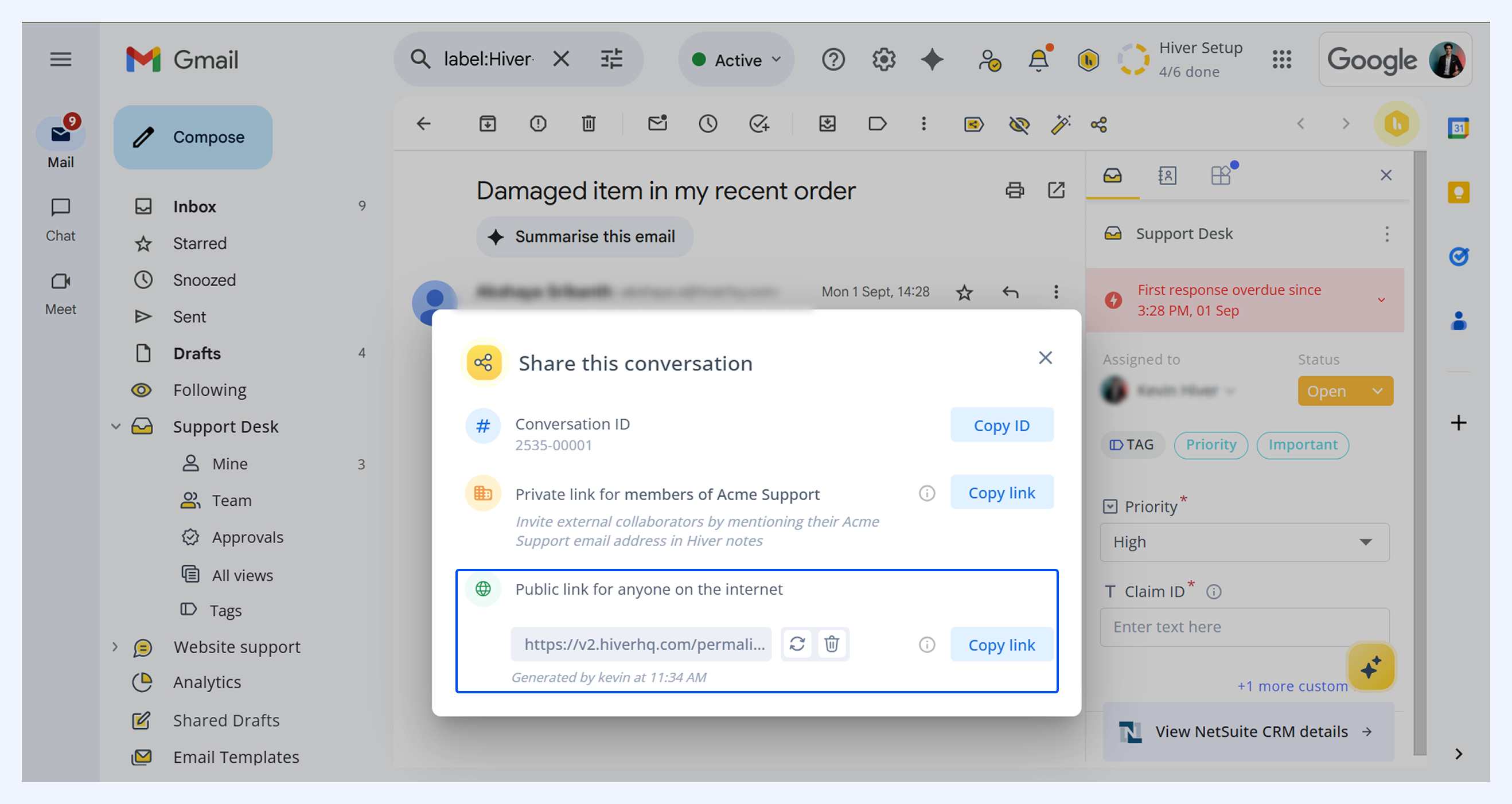
Public link sharing
Share a direct, read-only link to a specific conversation with anyone (even people outside your organization) for quick context sharing without long email chains.
Other collaboration tools in Hiver
Hiver offers several features that enhance collaboration and help maintain consistent quality:
- Email templates: Save and share pre-approved replies to keep responses consistent.
- Shared drafts: Co-write responses in real time before sending.
- Shared labels: Categorize and track conversations together.
- Approvals: Request sign-off from managers before sending sensitive replies.