Overview of DNS records to send Emails from Hiver Omni
After setting up your Shared Inbox in Hiver Omni, you need to update your DNS records so emails sent from Hiver don't land in spam. This process authenticates Hiver to send emails on behalf of your domain.
Note: This is part of the setup process outlined in setting up Hiver Omni with your email provider. Complete email forwarding setup before proceeding with DNS configuration.
What are DNS records and why update them?
DNS records tell receiving email servers that Hiver is authorized to send emails from your domain. Without these records, emails from Hiver may be flagged as spam or rejected.
You'll be adding two types of DNS records:
- SPF (Sender Policy Framework): Lists which mail servers can send emails for your domain.
- DKIM (DomainKeys Identified Mail): Adds a digital signature to verify emails haven't been tampered with.
Together, these records prove to receiving email servers that your emails are legitimate.
Before you begin
- You need access to your domain's DNS settings (usually through your domain provider like AWS, GoDaddy, Namecheap, Cloudflare, etc.)
- If you don't manage DNS for your domain, contact your IT team or domain administrator.
- DNS changes can take up to 48 hours to fully propagate, although most complete within a few hours.
Get your DNS records from Hiver
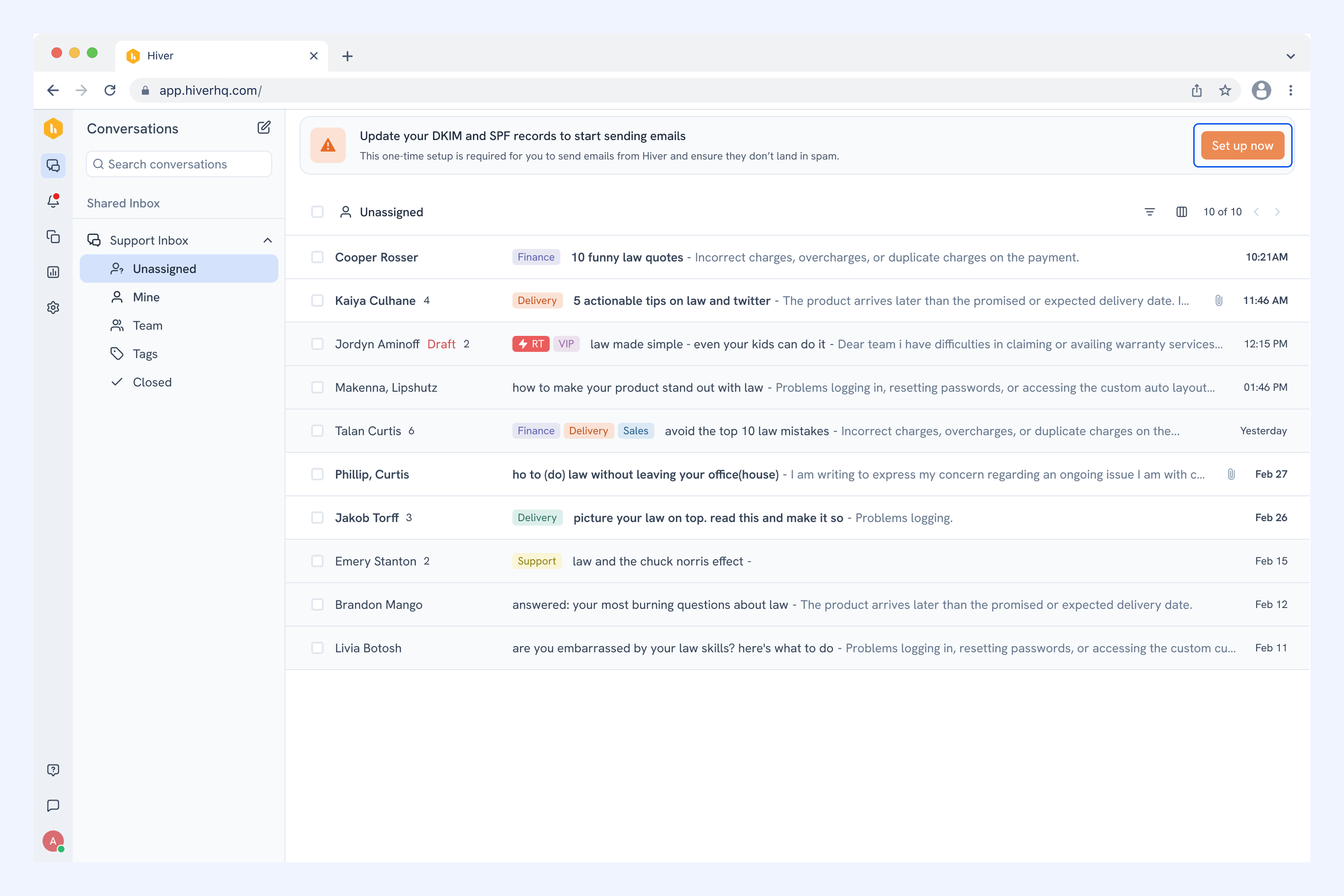
1. After creating your Shared Inbox, you'll see a banner at the top of Hiver prompting you to set up DNS records. Click Set up now.
2. Under Choose your DNS provider, select your DNS provider from the dropdown.
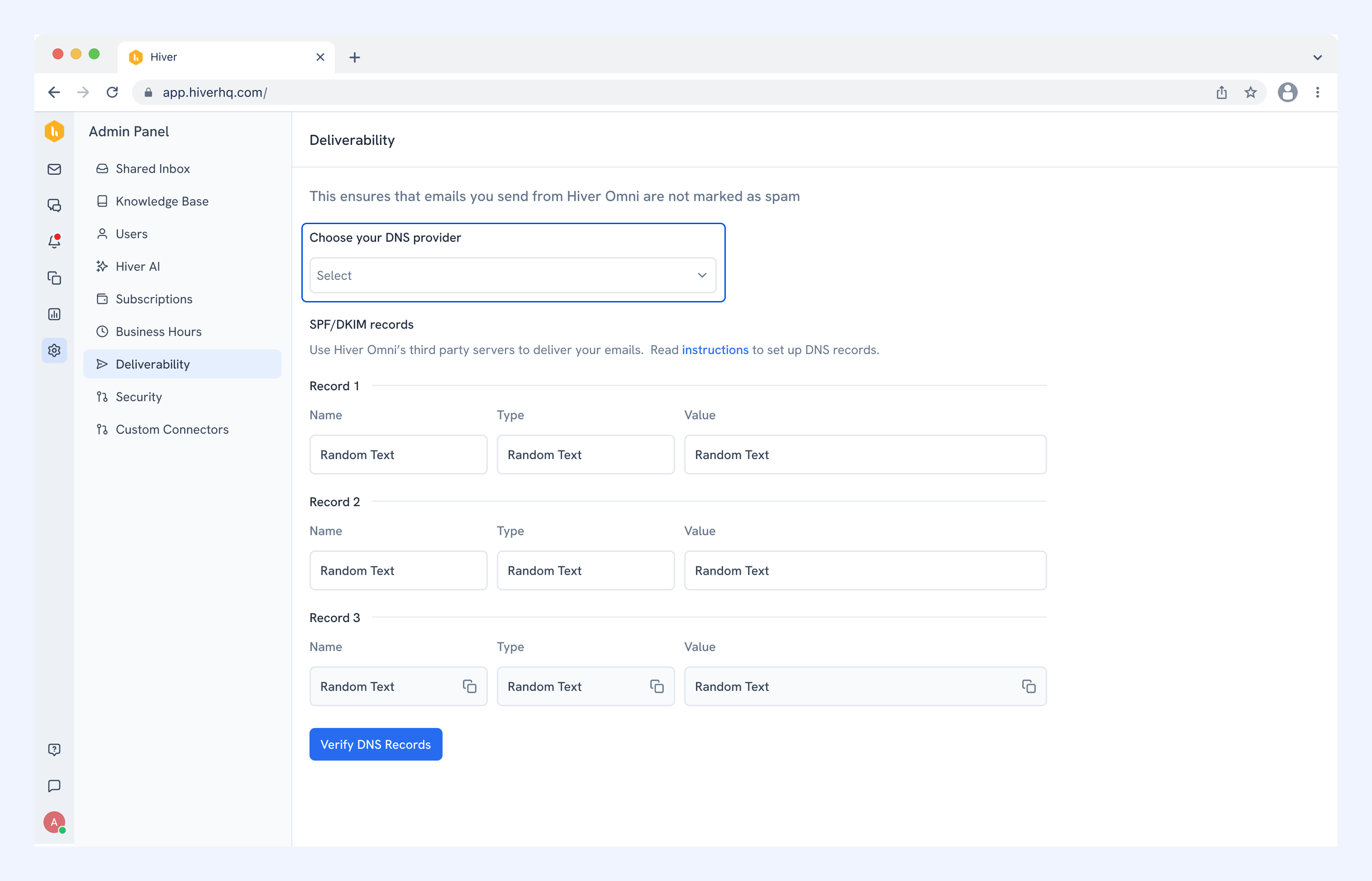
3. You'll see your SPF/DKIM records listed as Record 1, Record 2, and Record 3. Each record shows:
- Name: The host/subdomain where the record should be added.
- Type: The DNS record type (TXT, CNAME, or MX).
- Value: The data to paste into your DNS provider.
4. Click the copy icon next to each value to copy it, you'll need these when adding records to your DNS provider.
DNS setup guide by provider
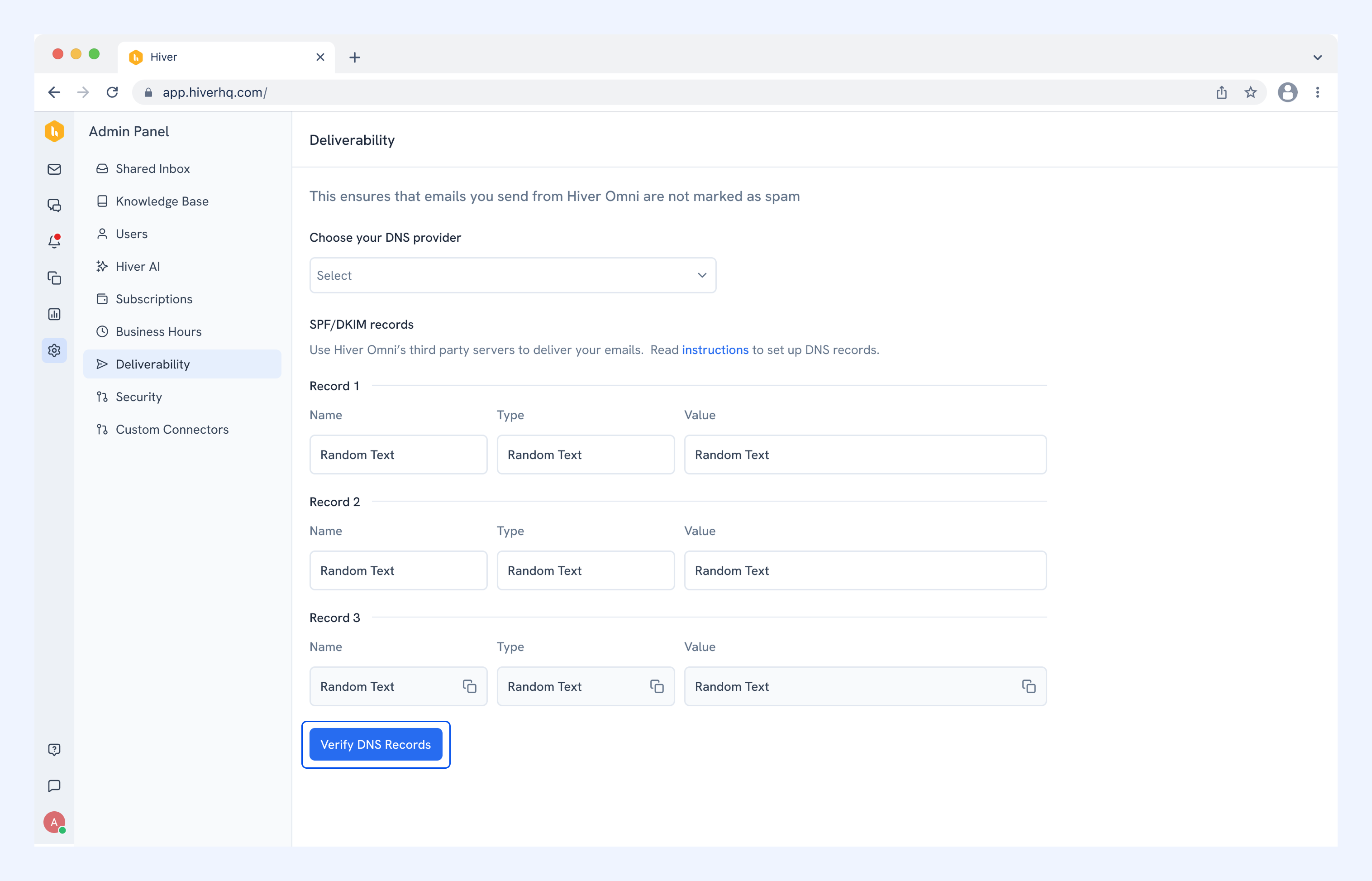
5. After setting up DNS in your domain provider, click Verify DNS Records.
FAQs
How long do DNS changes take?
Most DNS changes propagate within 15 minutes to a few hours, but can take up to 48 hours in rare cases.
Will this affect my existing email setup?
No. Adding these DNS records only authorizes Hiver to send emails on your behalf. Your existing email setup remains unchanged.
What if I skip this step?
Without proper DNS authentication, emails sent from Hiver are likely to be marked as spam or rejected by receiving email servers. This significantly impacts your ability to communicate with customers.
Do I need to do this for each Shared Inbox?
No. DNS records are set at the domain level, so you only need to configure them once per domain, regardless of how many Shared Inboxes you create.
Can I undo these changes?
Yes. You can remove the DNS records from your DNS provider at any time. However, removing them will cause emails sent from Hiver to be treated as spam.