Managing your availability
Your availability determines whether Hiver can assign you new conversations or calls. You can manage your availability separately for Email, Chat, Slack, and Voice Inboxes. Admins can also update availability for other team members.
Setting your availability
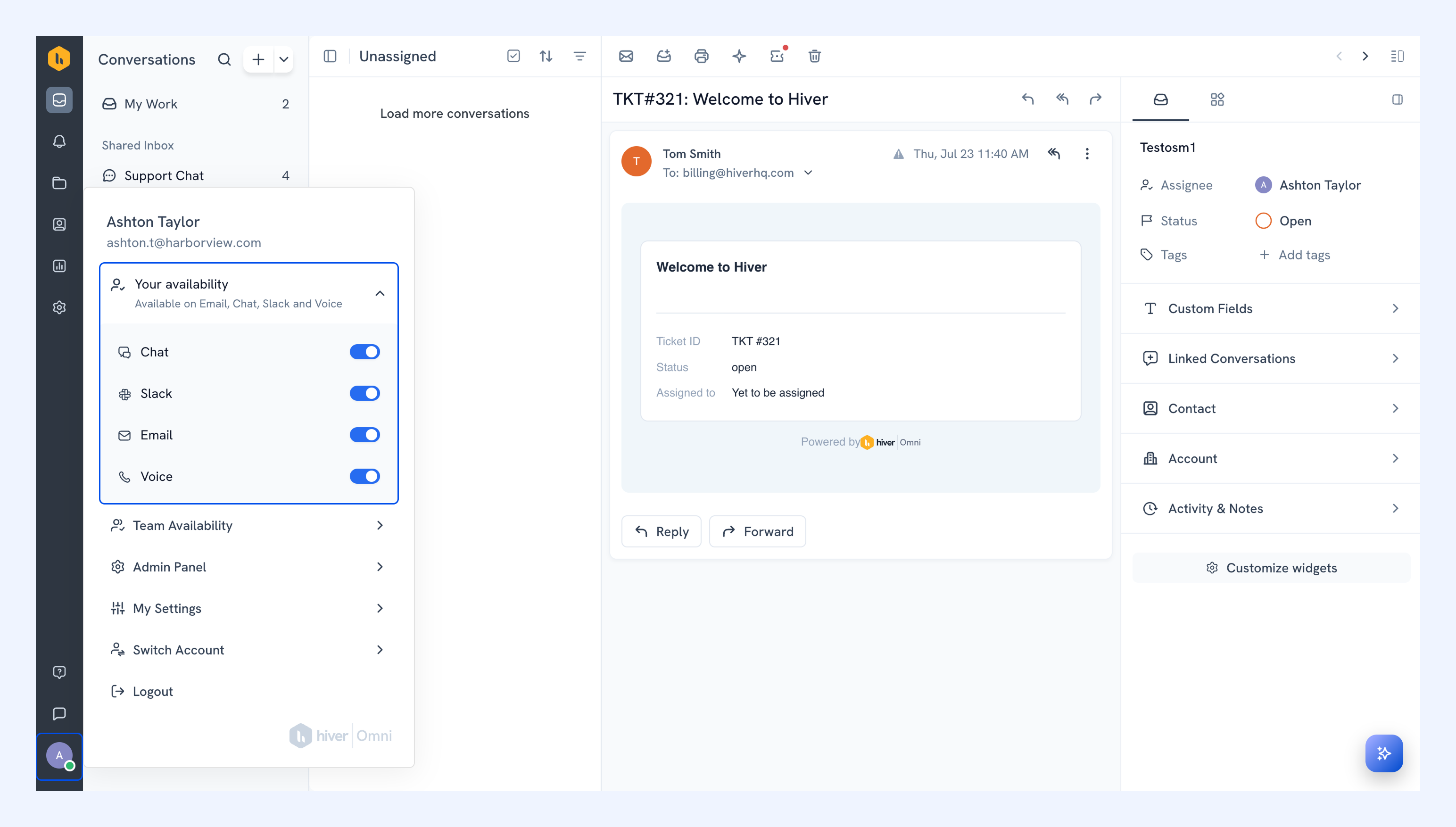
1. Click your profile icon, and select Your availability.
2. Turn availability on or off for each channel:
- Email, Chat, and Slack: When availability is off, conversations from those Inboxes won’t be automatically assigned to you.
- Voice: You’ll receive incoming calls only when availability is on.
Managing your team’s availability
As an admin, you can update the availability of individual team members.
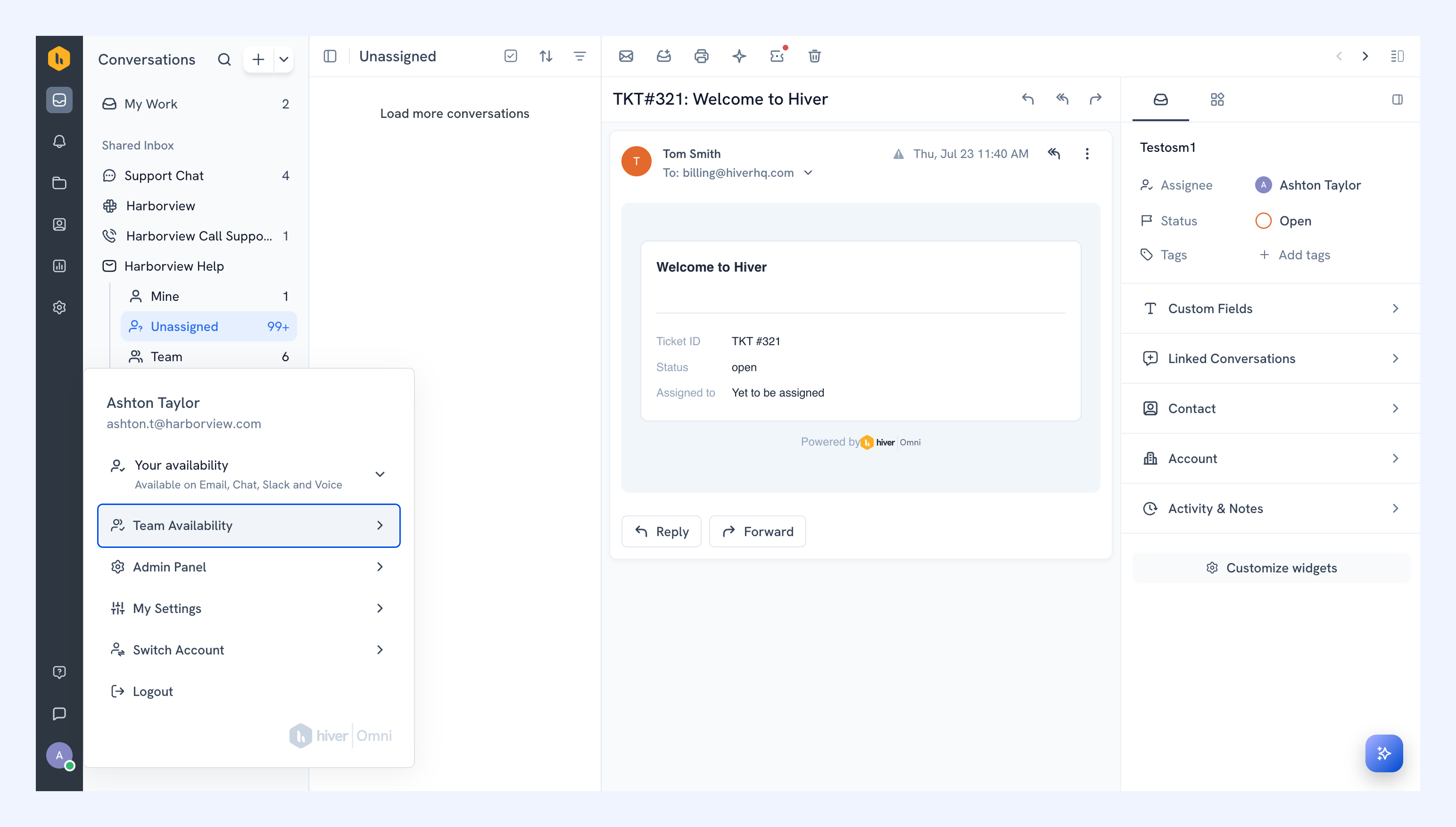
1. Click your profile icon and select Team availability.
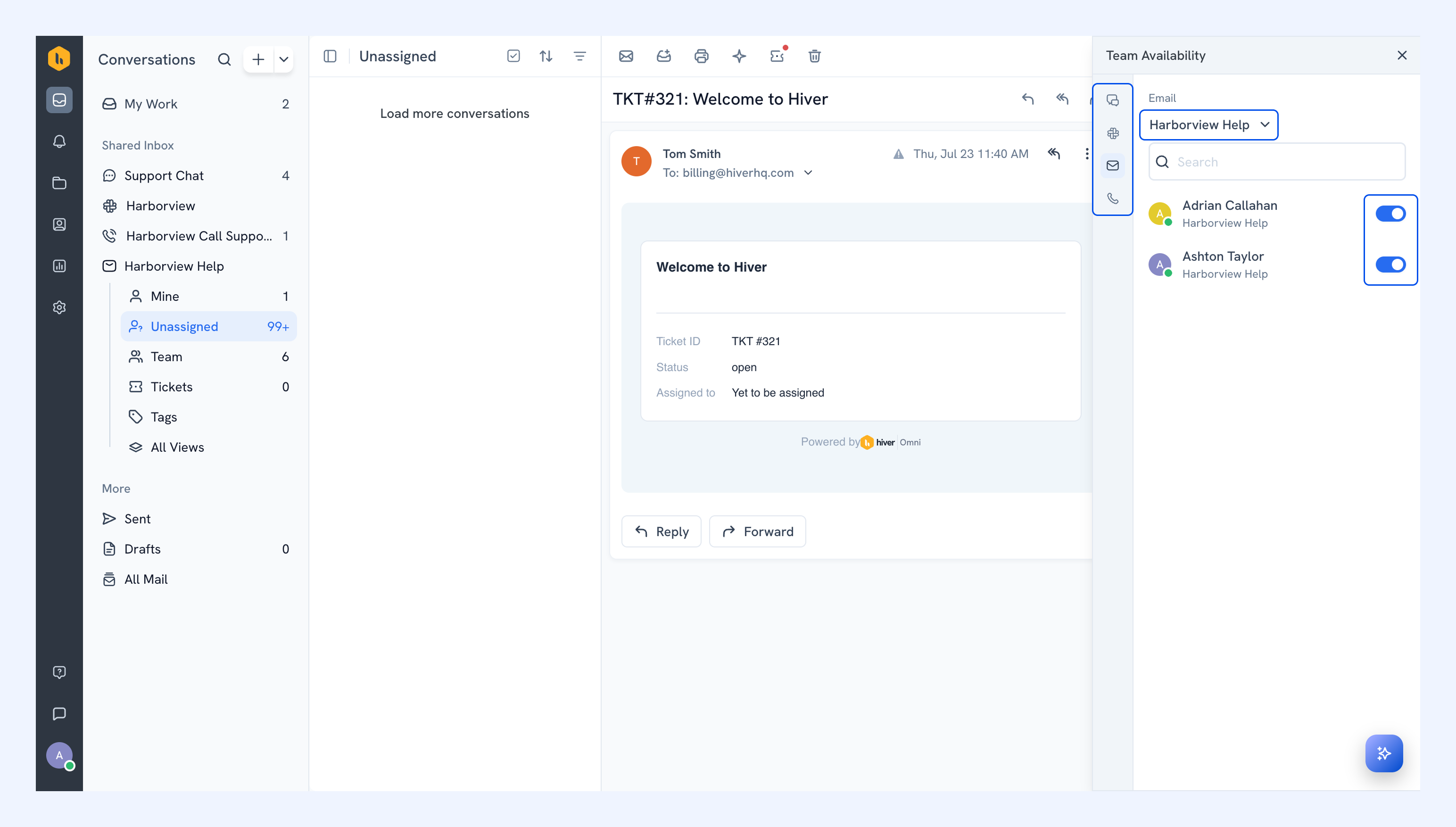
2. Select a Shared Inbox. Turn availability on or off for each member.
Next steps
Auto-assigning incoming conversations