Using AI-powered search
Hiver's AI-powered search allows customers to ask questions in natural language and receive a summarized answer generated from your Help Center articles.
Instead of relying only on keyword matches, AI-powered search analyzes the intent behind a customer’s query, retrieves relevant information from across your Help Center, and generates an AI Summary along with links to the source articles.
This article explains how AI search works and what experience customers can expect when searching your Help Center.
How AI search improves the self-serve experience
Most customers search using natural-language questions similar to how they would talk to a support agent, for instance, “How do I add a user?” or “Why are emails appearing in my personal inbox?”.
These questions can vary widely in wording and customers often may:
- Use conversational language
- Describe a problem instead of naming a feature
- Omit product terminology used in documentation
Traditional keyword search relies on exact or partial word matches between the search query and article content. When the wording does not closely match the article, customers may see irrelevant results, multiple articles to scan, or no clear answer to their question.
AI search improves this experience by understanding the intent behind the question, surfacing relevant information even when the wording differs from the article.
This helps customers find answers faster and reduces the need to contact support.
Prerequisites
To start using AI-powered search, you need to have a published internal or external Help Center.
How to use AI Search on your Help Center
1. Start by asking a question. For instance, “What is a Custom Object”? As you type, you’ll see suggestions from articles.
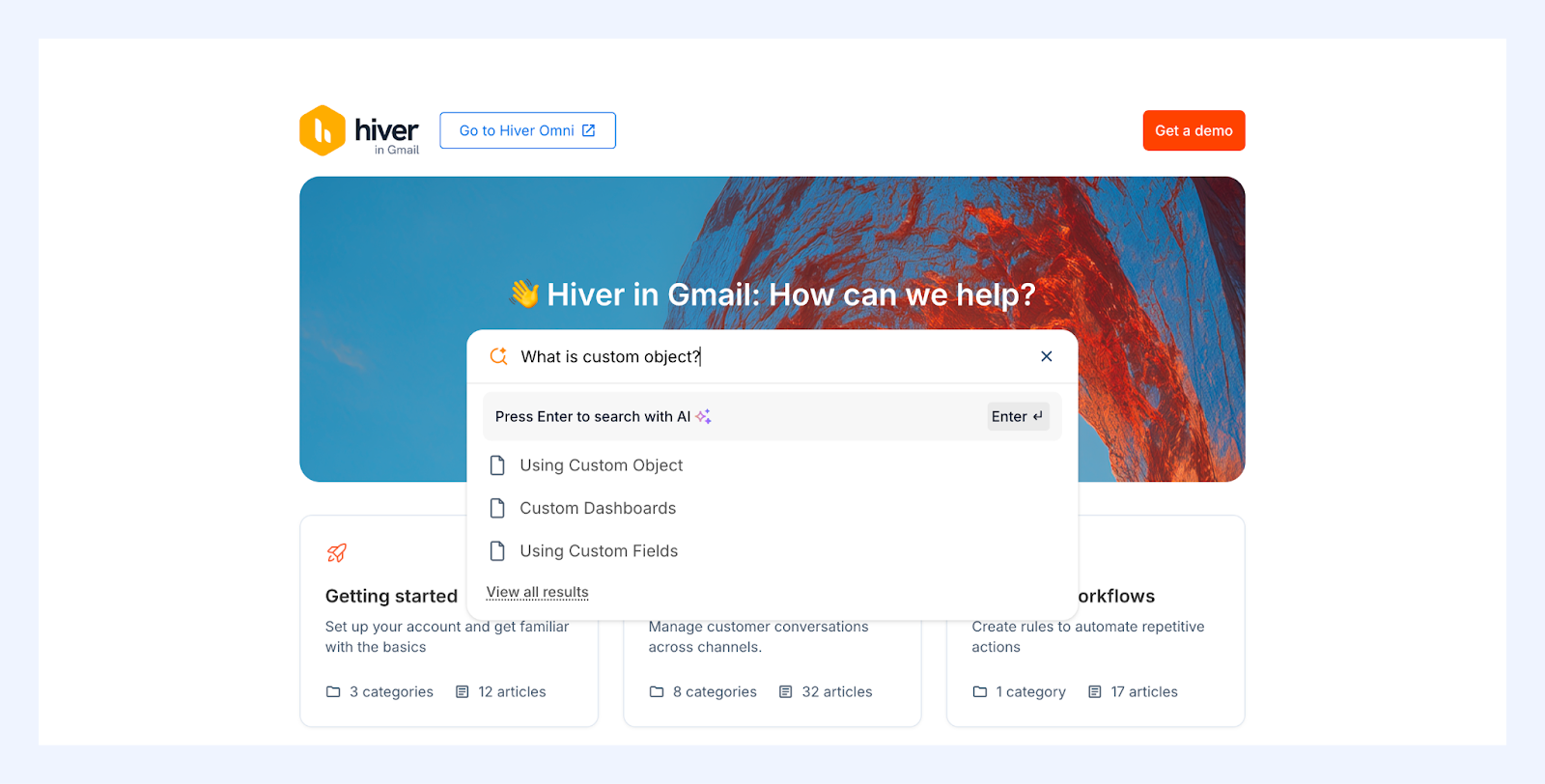
2. Hit Enter to search with AI. Once the question is submitted, AI search analyzes the query and retrieves relevant information from across your Help Center.
You’ll get a detailed AI Summary that has been synthesized from information across articles. Additionally, you’ll also see a list of articles that have information on Custom Object.
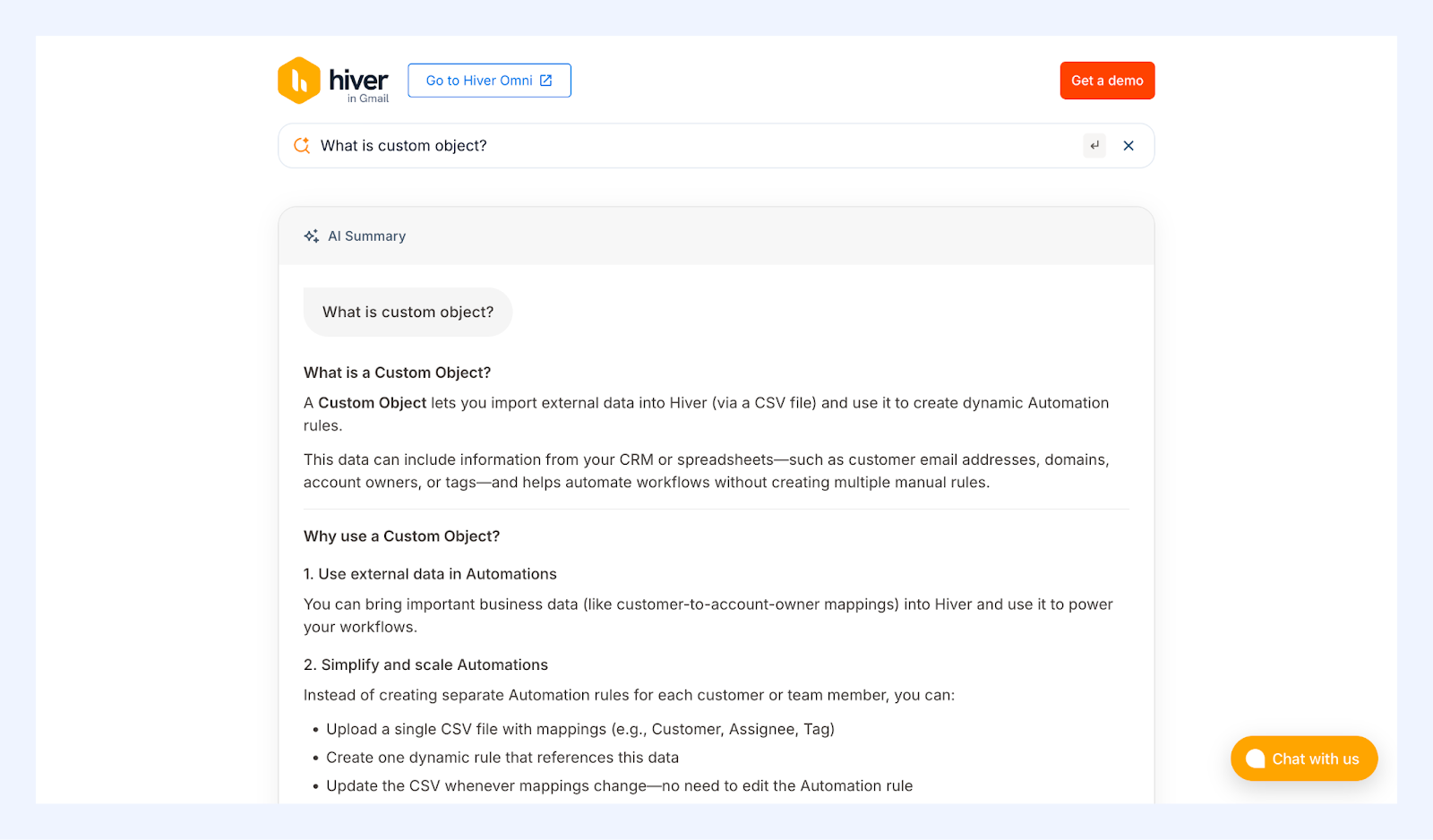
3. After viewing the AI Summary, you can:
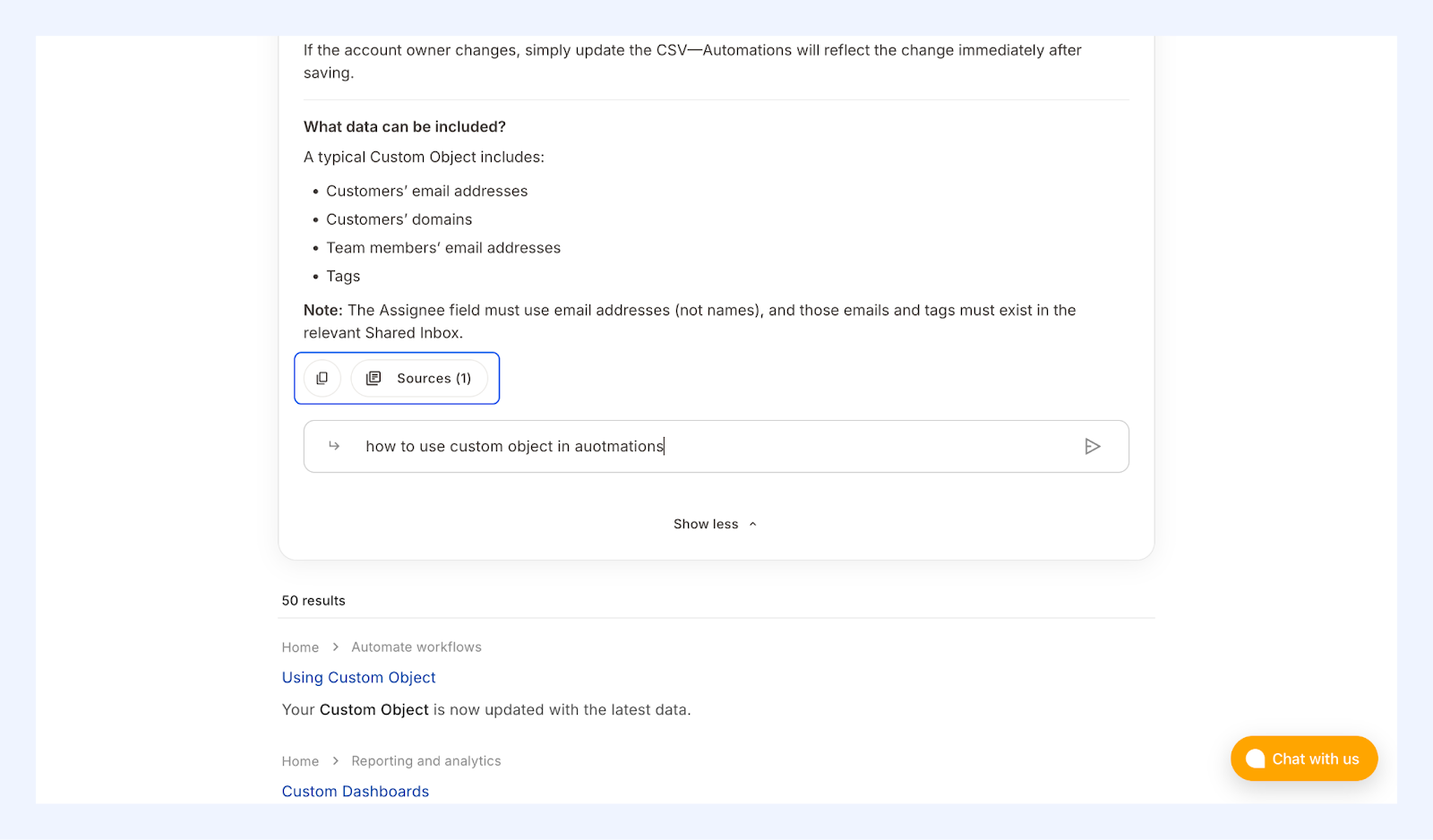
- Ask follow-up questions to continue the conversation
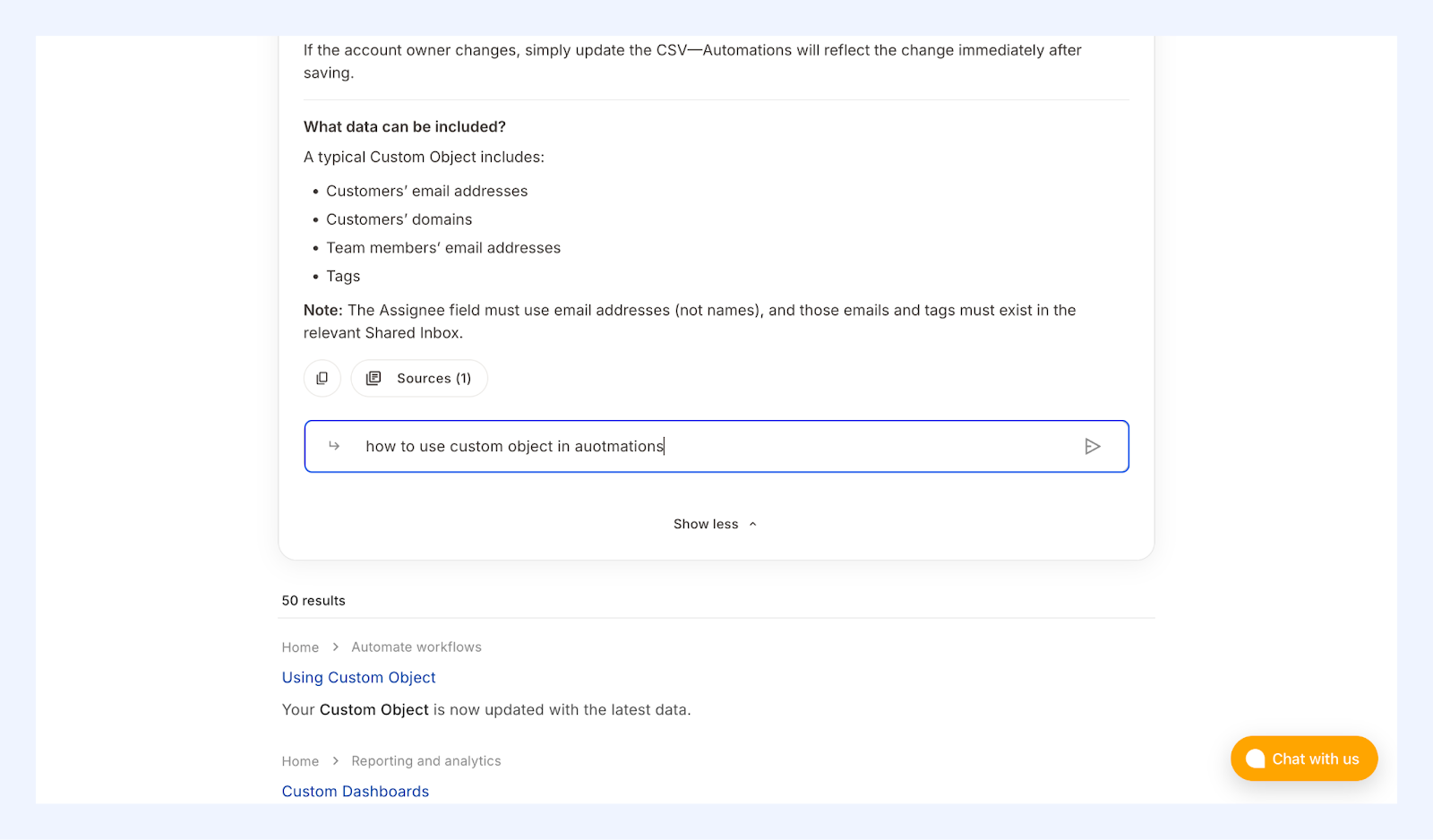
- Click Sources to open the articles used to generate the summary
- Copy the answer and share it with others
Best practices for improving AI search results
AI-powered search works best when your Help Center articles are clear and well-structured. To improve answer quality:
- Write articles that clearly explain what a feature does and how it works
- Use headings that reflect common customer questions
- Include step-by-step instructions where relevant
- Keep articles updated with the latest information
Clear and structured documentation helps Hiver AI identify relevant information and generate more accurate summaries.
Frequently asked questions
1. I just updated an article. Will the AI Summary reflect the change?
Updates to Help Center articles may take up to five minutes to appear in AI Summaries.
2. Can AI search answer questions not covered in the Help Center?
No. AI search generates answers only from the content available in your Help Center. If the information does not exist in your articles, the AI Summary may not fully answer the question.
3. Why does the AI Summary include links to articles?
The AI Summary includes links to the source articles so customers can:
- Verify the information
- Read more details about the topic
- Access the full documentation
Related resources
Learn how to set up a custom domain