Managing contact settings
Every customer interaction begins with a contact. Hiver automatically identifies a contact’s company from their email domain. For example, if the email is bob@stark.com, Hiver recognizes stark.com as the company.
However, not all domains represent real organizations.
Addresses like gmail.com or yahoo.com belong to common email providers, and the related recent conversations may not always be relevant for your team.
Default excluded domains
By default, Hiver ignores the following domains when associating contacts with companies:
These defaults can vary by region, so you can easily customize them to match your team’s needs.
How to manage contact settings
You can add or remove common email providers anytime from the Admin Panel:
- Go to Admin Panel → Settings → Contact settings.
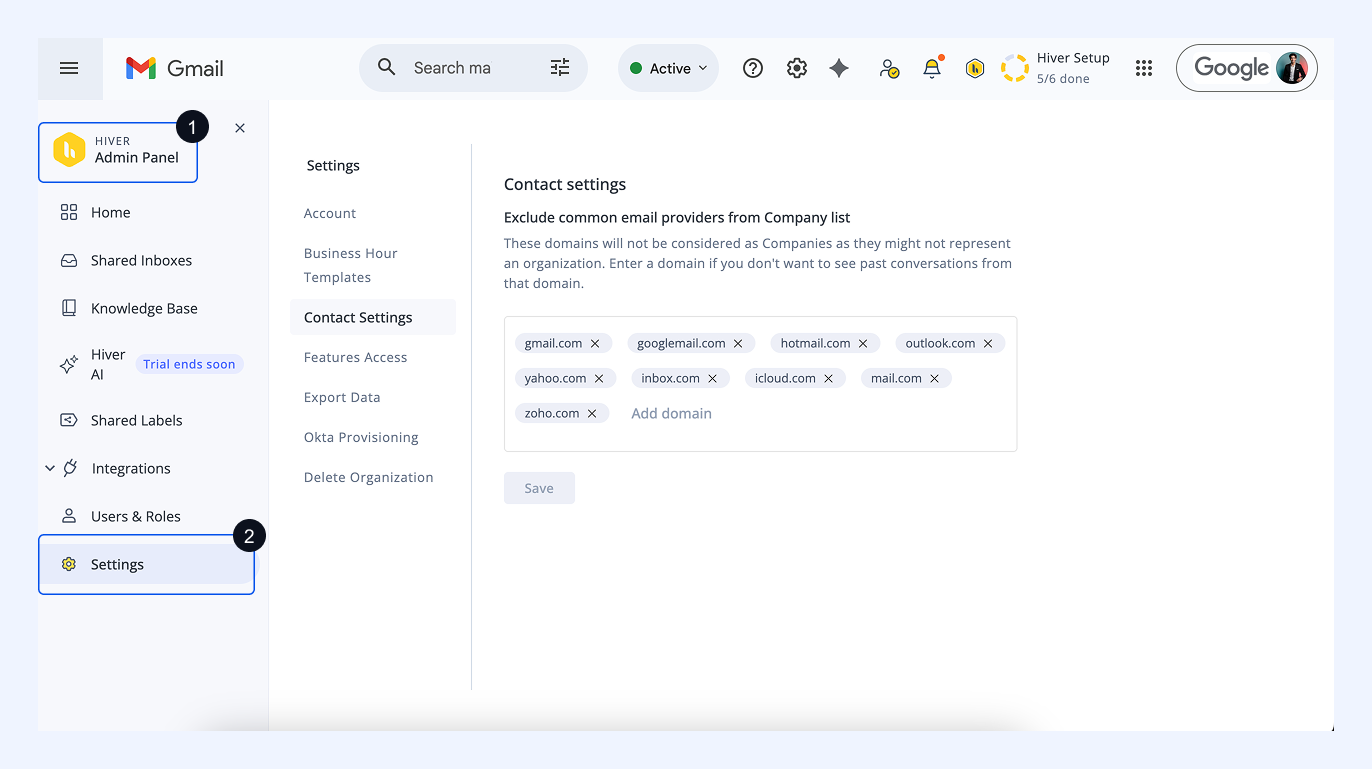
- Click Add Domain to add any domain you want to exclude and click Save.
.png)
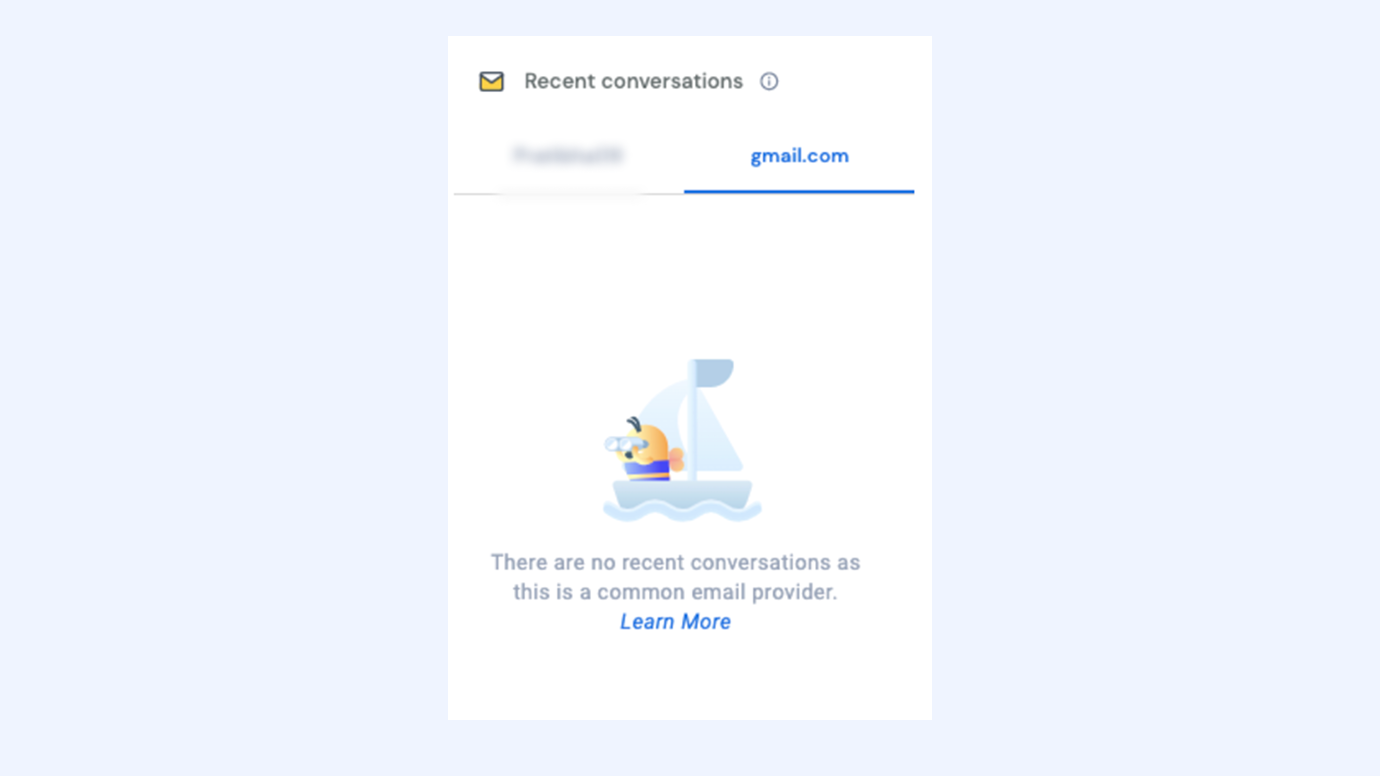
- Once added, Recent conversations from that domain will be hidden for all users. You can revisit contact settings at any time to modify or remove domains as needed.
For example, if you add gmail.com as a common provider, conversations from Gmail addresses will appear as shown below in your Hiver view.
Why customize contact settings
- Keep company views clean: Avoid clutter from unrelated personal email threads.
- Focus on business-relevant contacts: Ensure company timelines only reflect actual customer or client interactions.
- Adapt to your region: Add or remove local providers that Hiver might not detect by default.
- Maintain consistency across teams: Every teammate sees the same, organized contact list.
Next steps
Viewing contacts in conversations