Monitoring workload distribution across your team
The Workload distribution feature provides you with a quick overview of how conversations are spread across your Shared Inbox. It helps you ensure that no one on your team is overloaded and that conversations are assigned fairly for maximum efficiency.
When you switch any View into Workload distribution mode, you’ll be able to:
- Get a bird’s-eye view of all unresolved conversations.
- Spot uneven distribution and reassign conversations if needed.
- Find and assign any unassigned conversations.
- Track conversations with SLA violations for each assignee so you can take timely action.
How to use Workload distribution
Go to any Email View in a Shared Inbox and click the Hiver workload distribution icon.
- You’ll see all unresolved conversations grouped by team members.
- Each member’s count is broken down into Open conversations, Pending conversations, and the total number of Unresolved conversations.
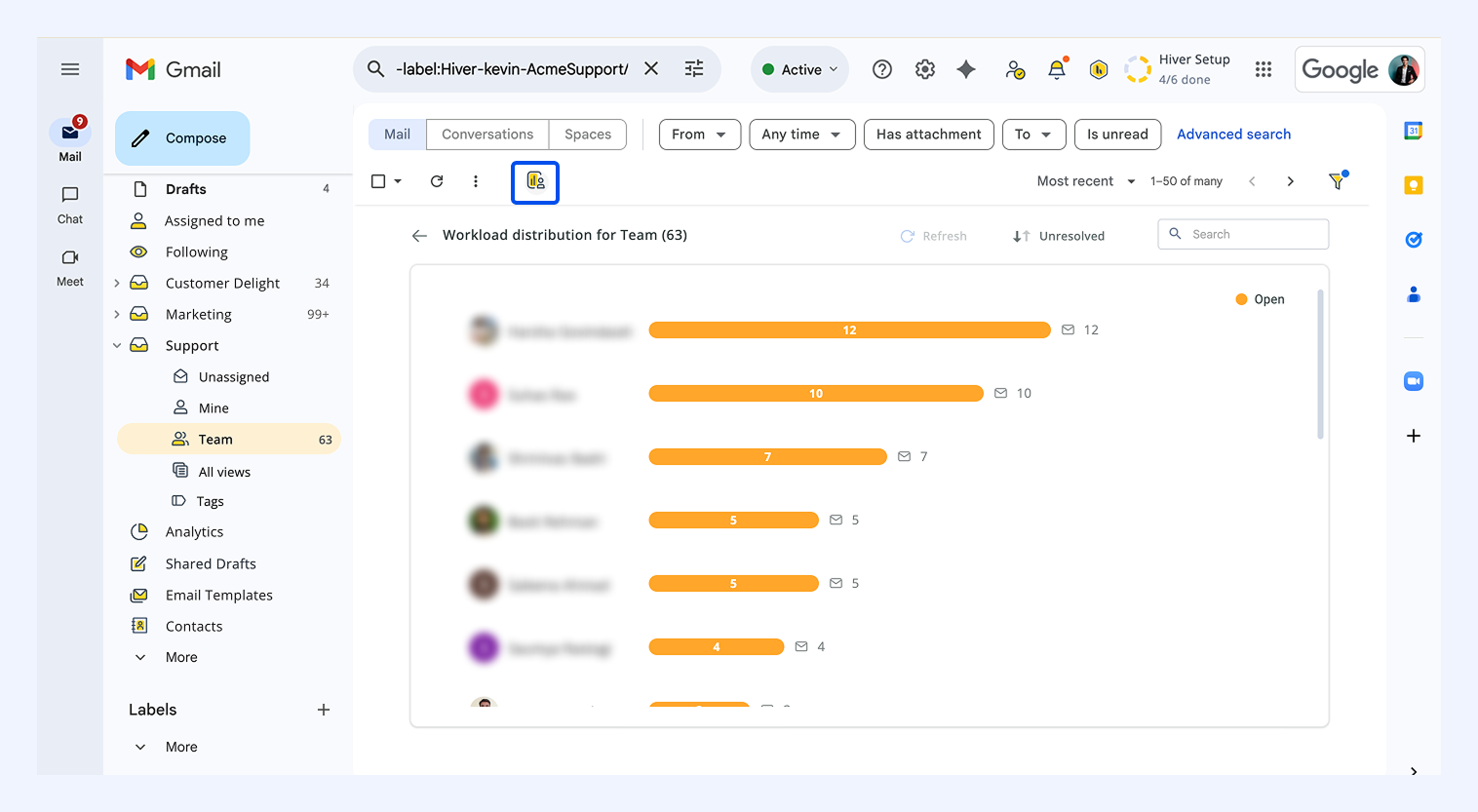
Note: Workload distribution is applicable only to unresolved conversations and conversations that are marked closed will not be visible. You can check the workload in Views with at least one unresolved conversation.
Default view vs custom view
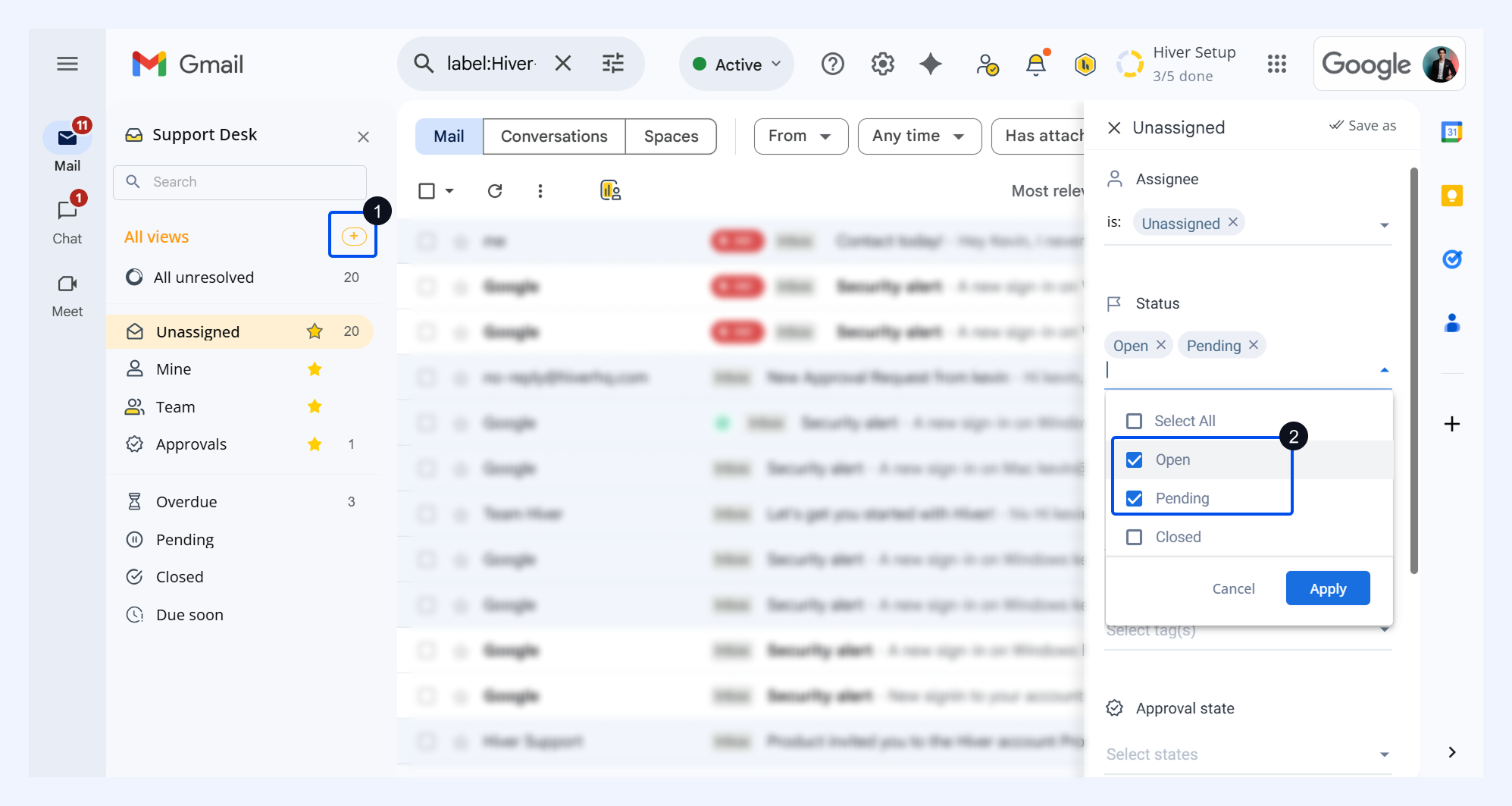
In default views like Mine, Unassigned, or Team, the workload only reflects Open conversations. Pending conversations are not shown.
If you want to view both Open and Pending conversations, create a custom view with the filter Status = Open, Pending.
Additional ways to use Workload distribution
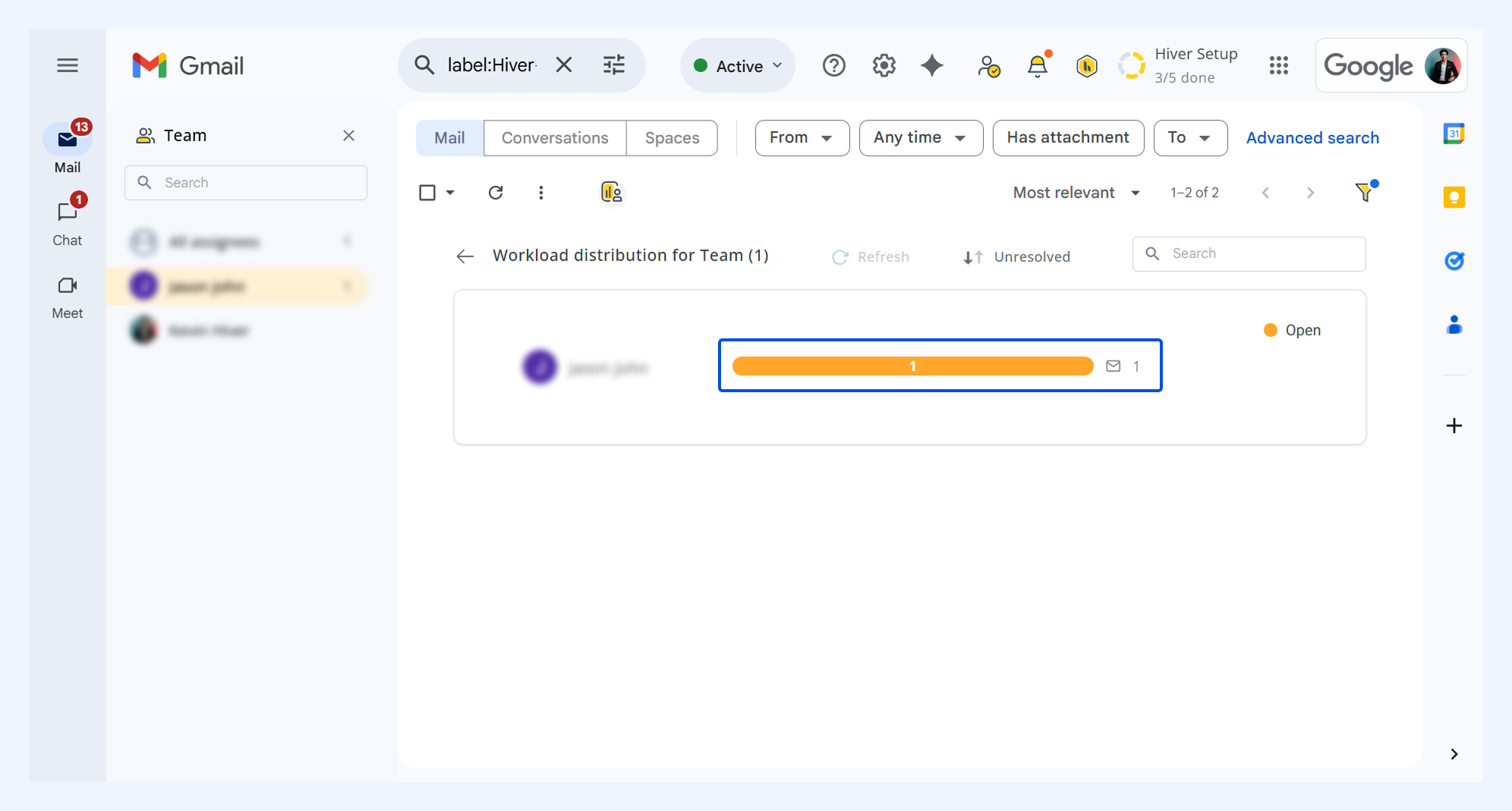
1. Check a teammate’s conversations: Click the count of Open, Pending, or Unresolved conversations next to the member’s name to see conversations with that status.
2. Sort the list: By default, team members are sorted in descending order of unresolved conversations. You can switch to ascending order if preferred.
3. Search by team member: Use the search bar to quickly view your teammate’s workload.
4. Refresh for updates: If assignments or statuses change while you’re viewing, the Refresh button will appear. Click it to load the latest data.