AI Compose
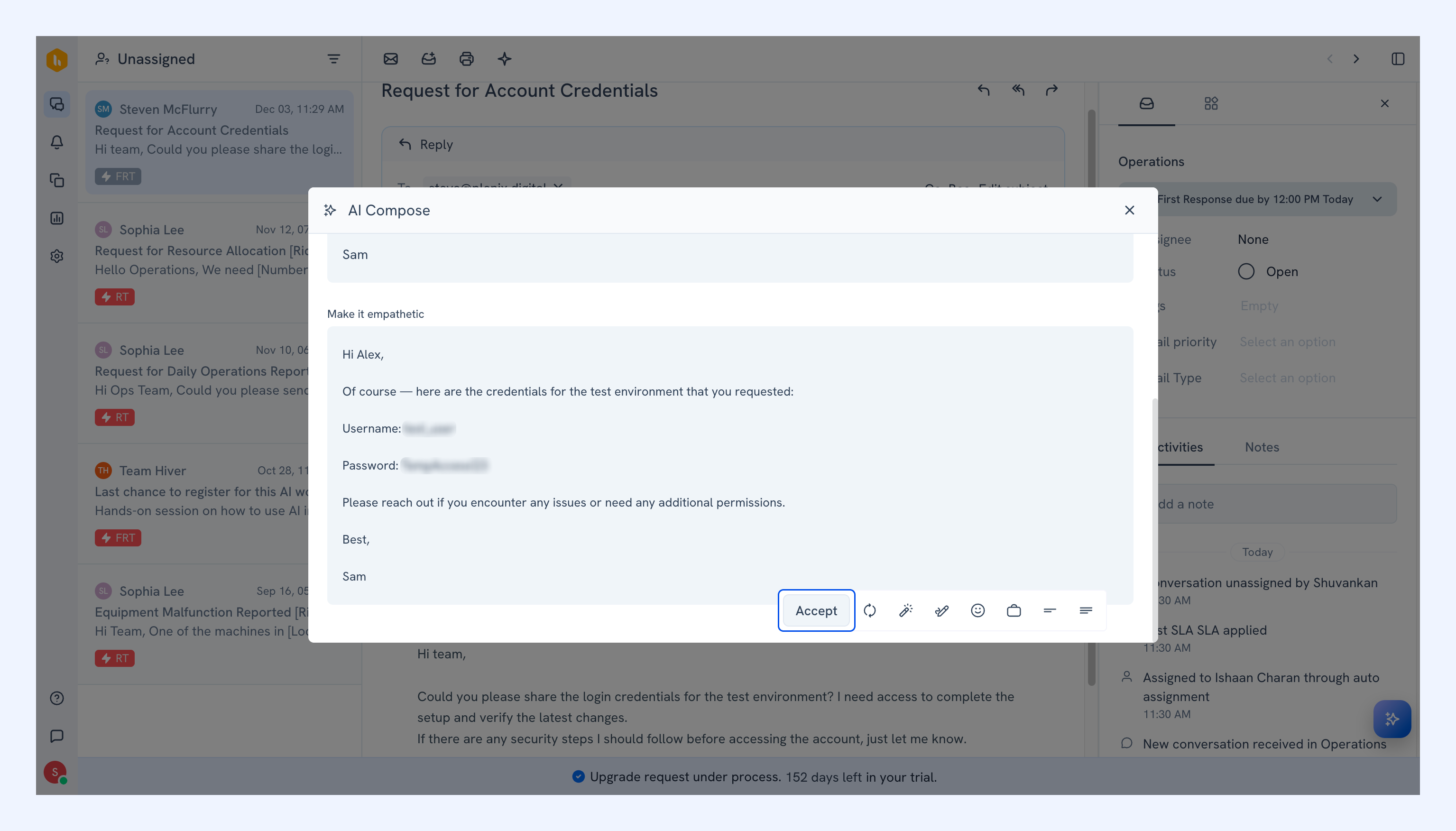
AI Compose helps you refine and improve responses directly inside Hiver Omni. It enhances clarity, fixes grammar, adjusts tone, and helps you write polished replies without switching tools.
Note: Hiver does not store your data while enhancing text. AI Compose utilizes the Azure OpenAI Service as a sub-processor to analyze and improve your content securely. Learn more.
Prerequisites
- AI Compose is available on Growth, Scale, Pro, and Elite plans.
- You need to have Admin access to enable AI Compose.
What AI Compose can do
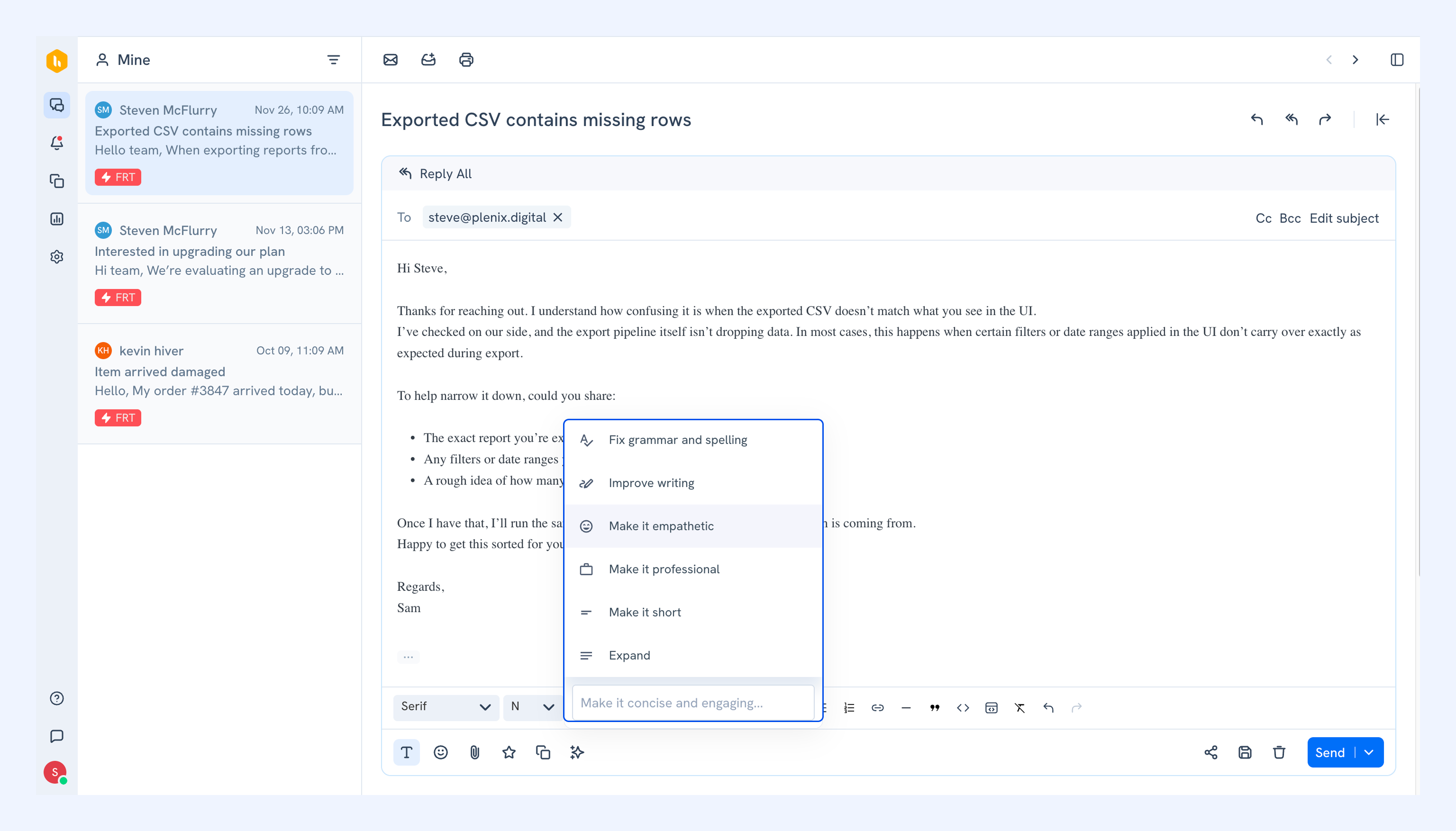
AI Compose offers six ways to refine your response:
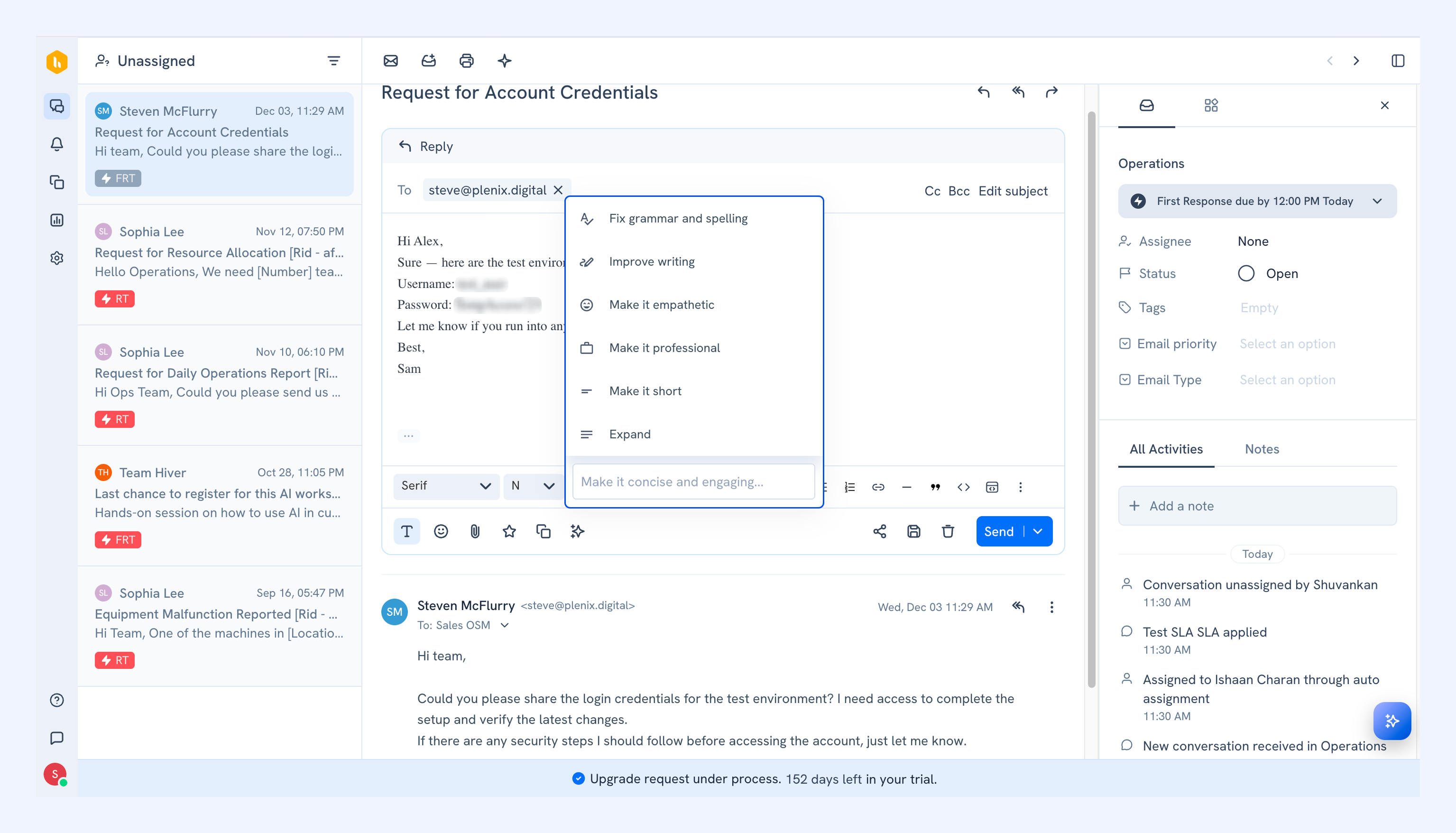
- Fix grammar and spelling: Corrects errors while keeping your message clear and accurate.
- Improve writing: Polishes sentence flow for a smoother, more readable response.
- Make it empathetic: Makes the tone of your response warm and reassuring.
- Make it professional: Adjusts your wording to sound more formal and business-appropriate.
- Make it short: Condenses your message into a concise version.
- Expand: Adds detail to make your response more complete and informative.
How to enable AI Compose
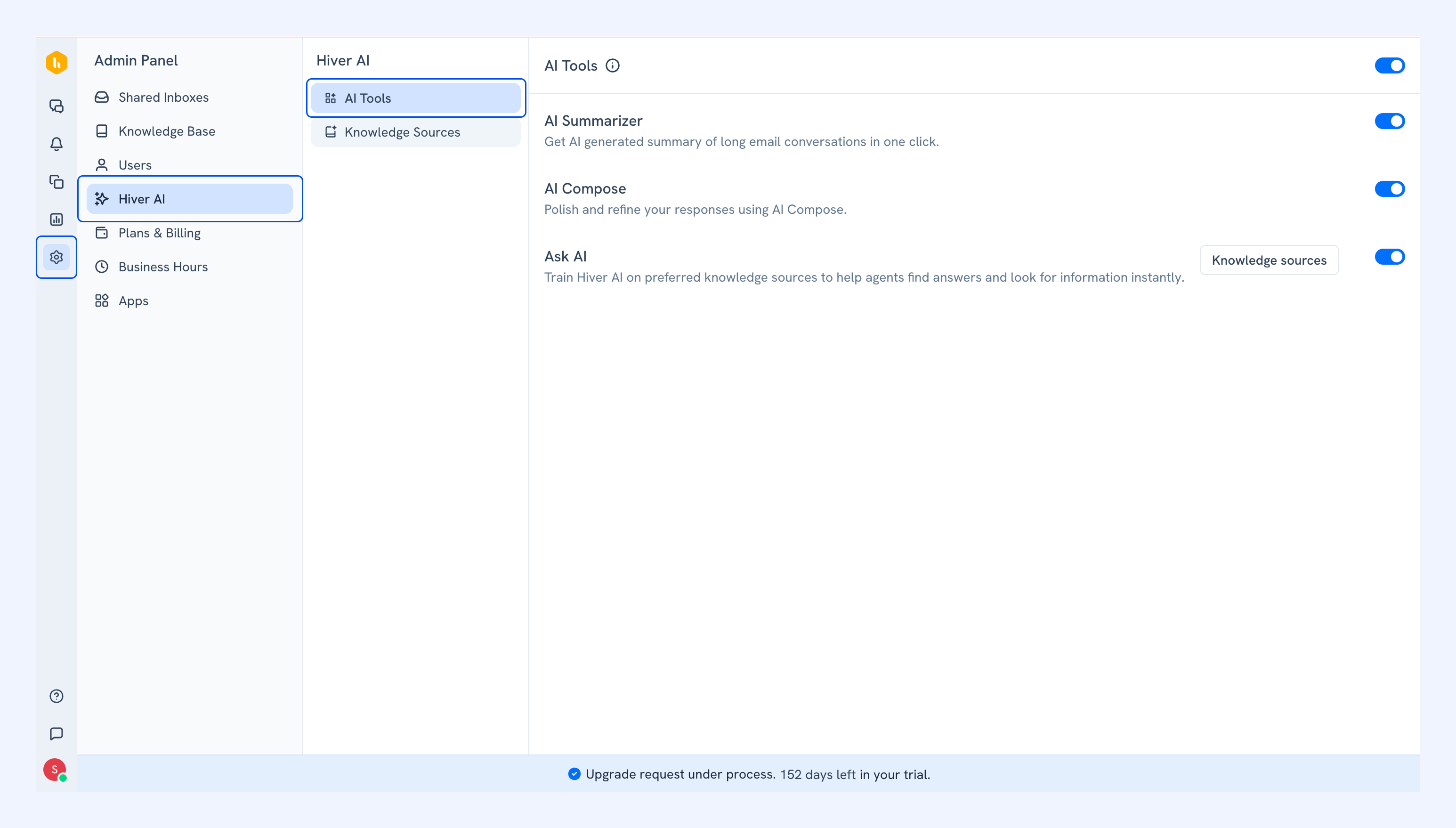
1. Open the Admin Panel, and go to Hiver AI → AI Tools.
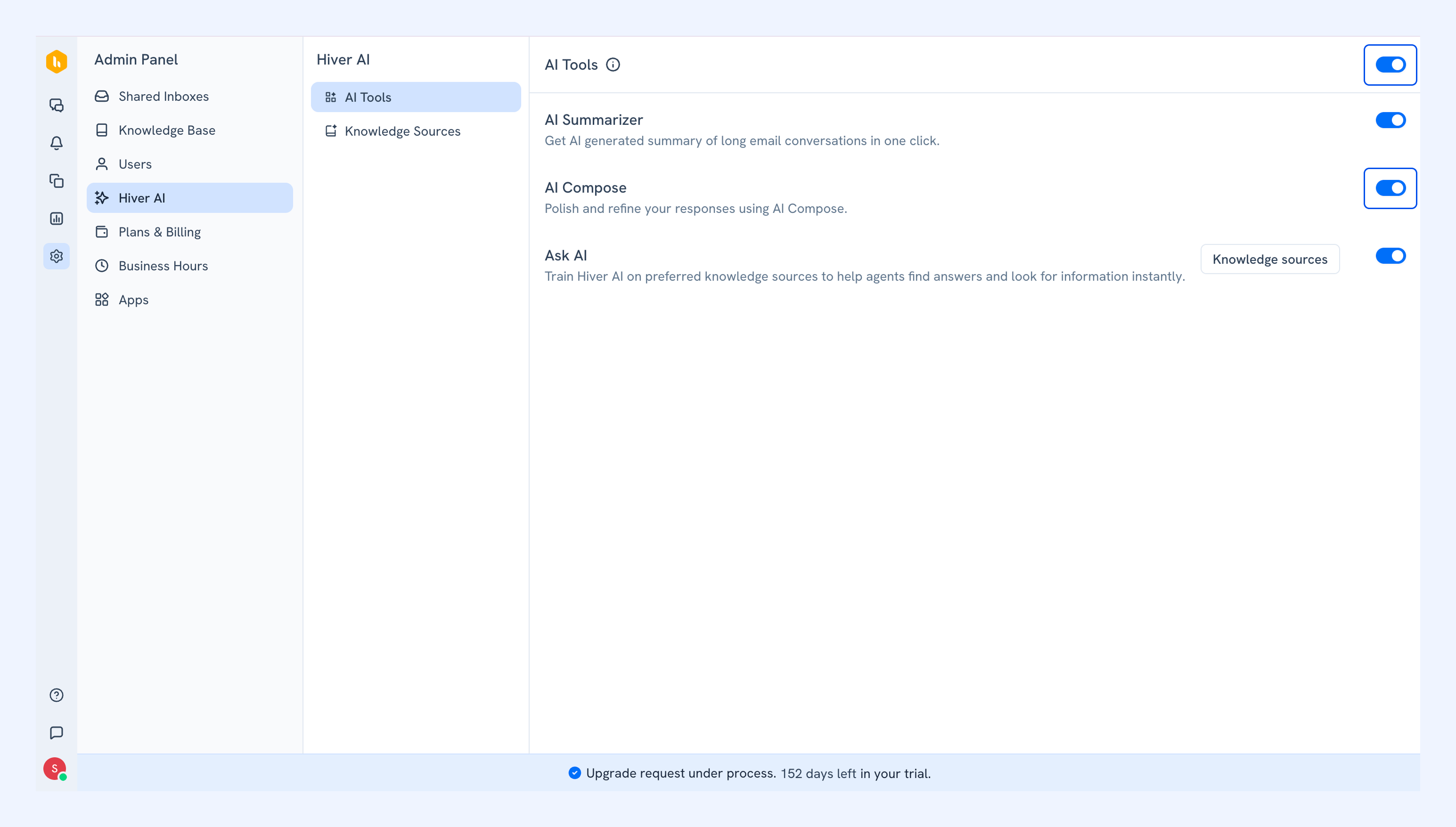
2. Toggle AI Tools on, then toggle AI Compose on.
How to use AI Compose in Hiver Omni
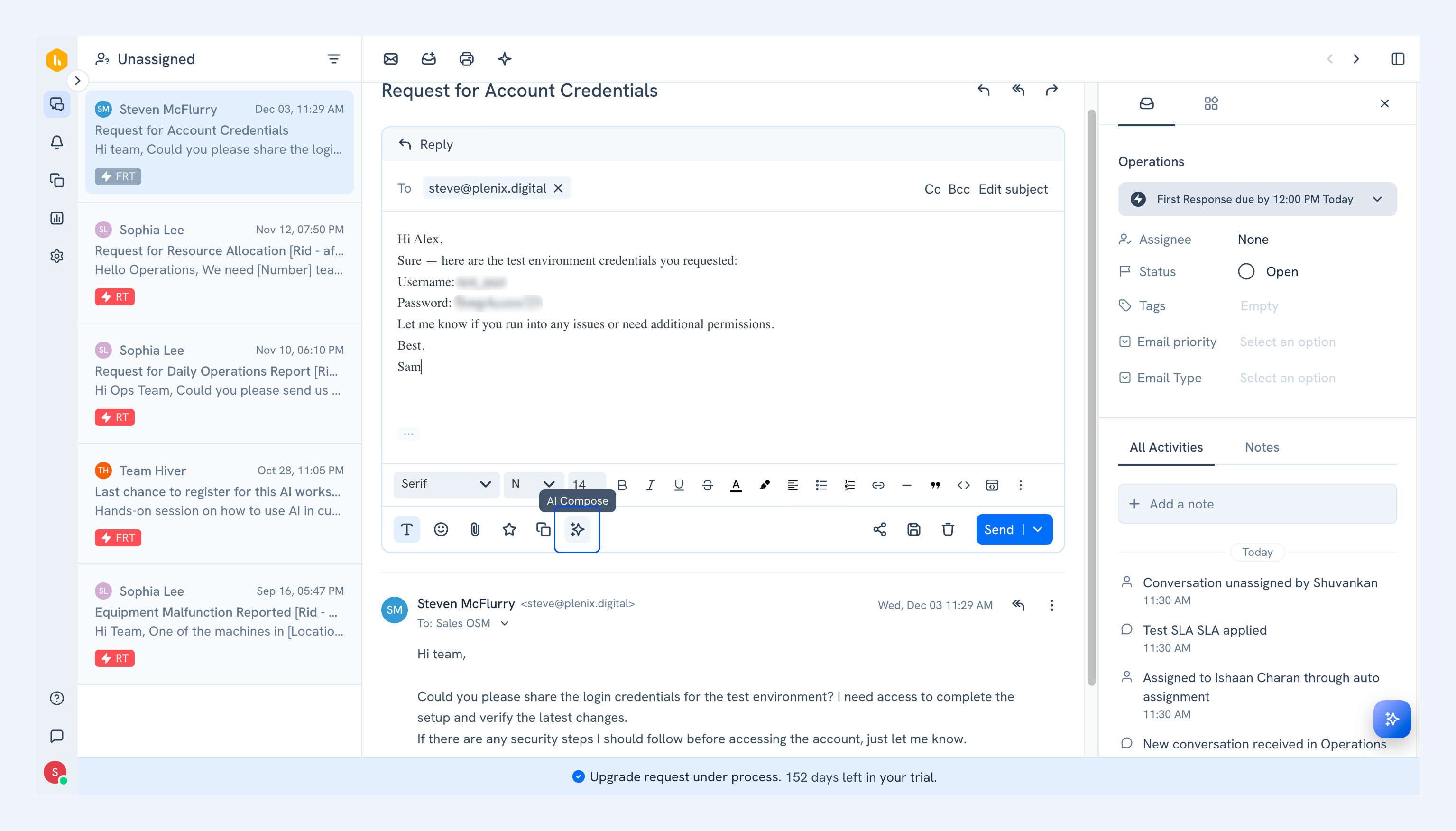
1. Once you’re done drafting your response, click the AI Compose icon in the toolbar.
2. Select an option such as Fix grammar and spelling, Make it empathetic, or Expand based on your need. You can also type out any custom enhancement in the text box.
3. AI Compose will generate an improved version of your response.
Note: You can regenerate if you want another variation, or apply a different option on top of the result to adjust the tone further.
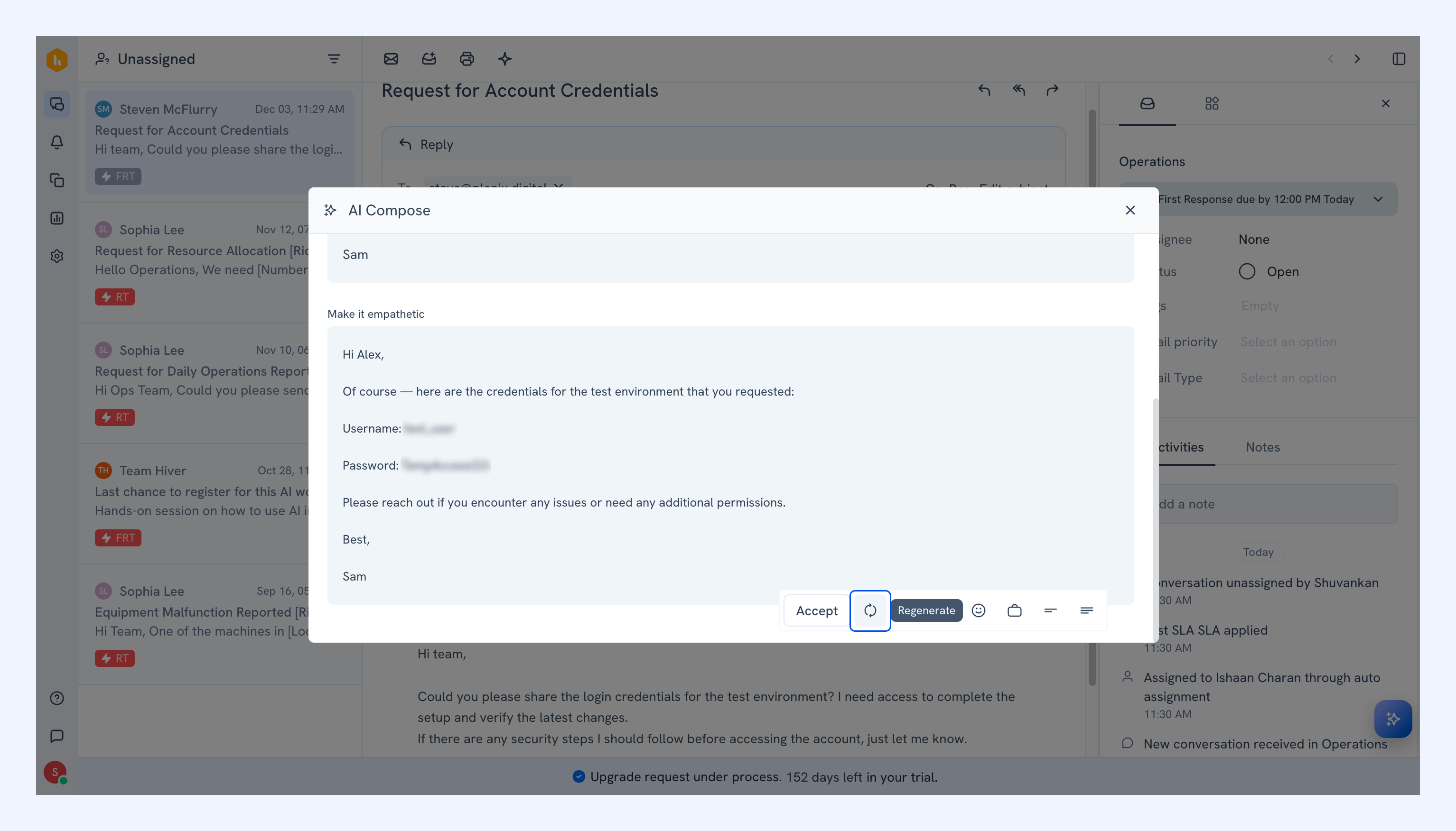
4. Click Accept to insert the final version into your reply editor.