Collaborating on conversations in Hiver Omni
Hiver Omni helps teams collaborate on customer conversations without switching between tools or forwarding messages back and forth. Whether you're working with teammates in your support team or looping in colleagues from other departments, Hiver provides built-in features that keep everyone aligned within the same conversation.
This guide gives you a quick overview of how collaboration works in Hiver Omni.
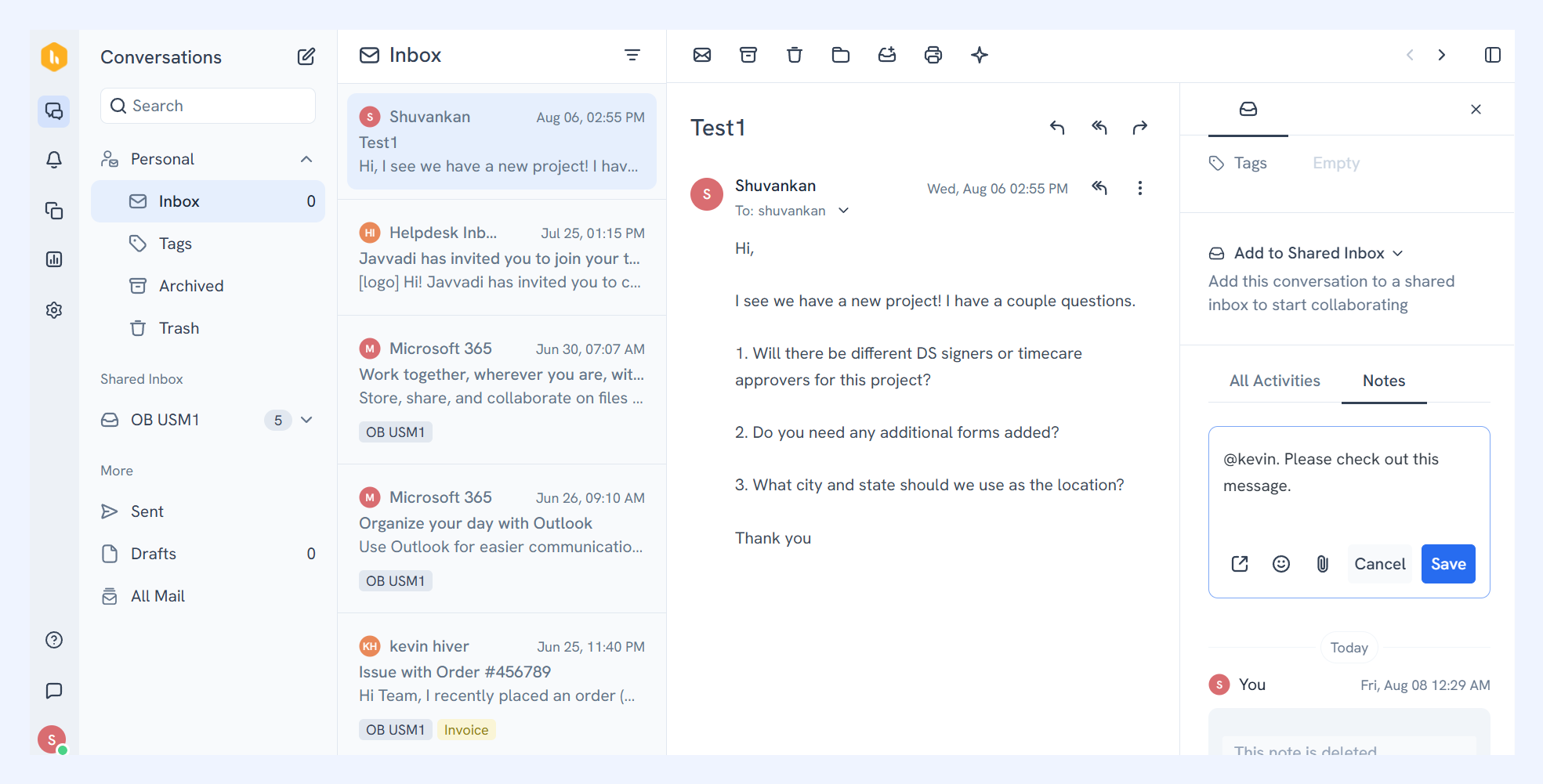
Shared Notes
You can add notes inside a conversation to capture context, share updates, or discuss next steps with your team without exposing those messages to the customer.
This makes it easier to keep important details in one place and maintain context across longer conversations. Learn more about using Shared Notes.
Pro tip: Use @mentions to notify a teammate. They’ll receive an instant notification and can jump directly into the conversation.
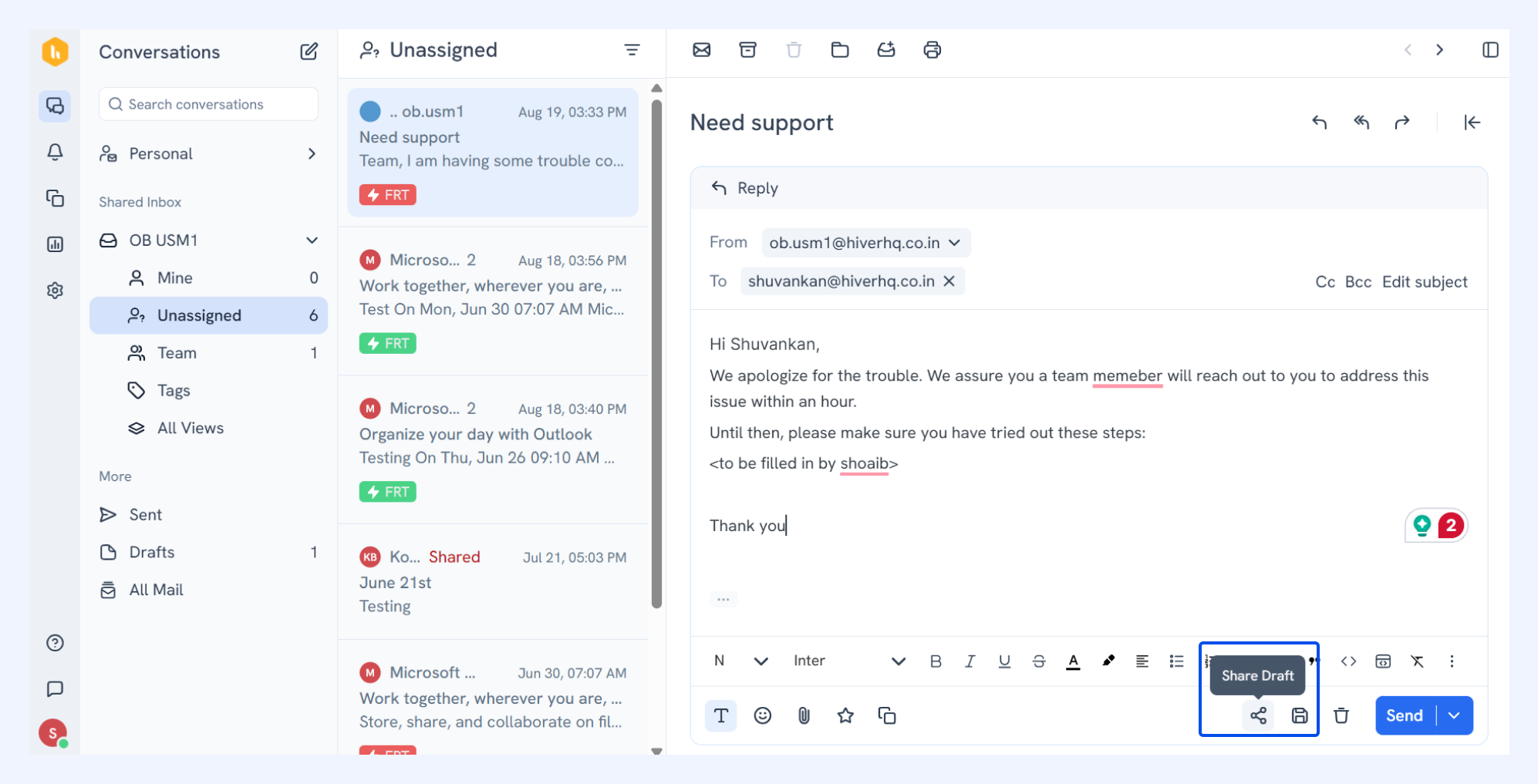
Shared Drafts
Shared Drafts allow multiple teammates to work together on a response before it’s sent to the customer. You and your team can collaborate on the message, suggest edits, and finalize the response together.
This is particularly helpful when a response needs review, approval, or input from multiple people before sending. Learn more about using Shared Drafts.
Collision alerts
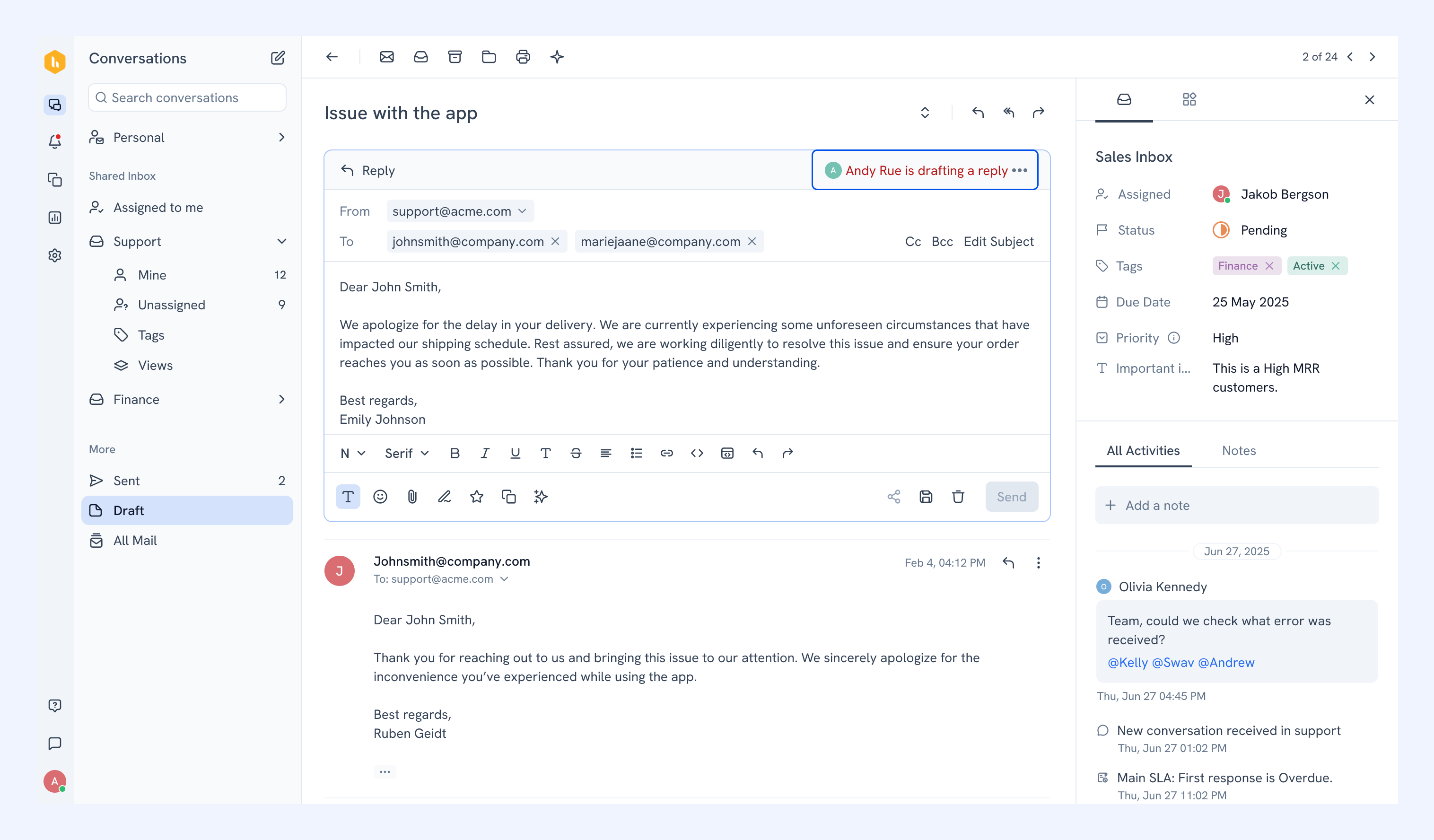
In a Shared Inbox, it's easy for two teammates to start replying to the same conversation without realizing it. Collision alerts helps prevent that by showing a banner whenever someone is already drafting a response.
What you'll see
When a teammate starts typing, you’ll see a banner appear at the top of the conversation.
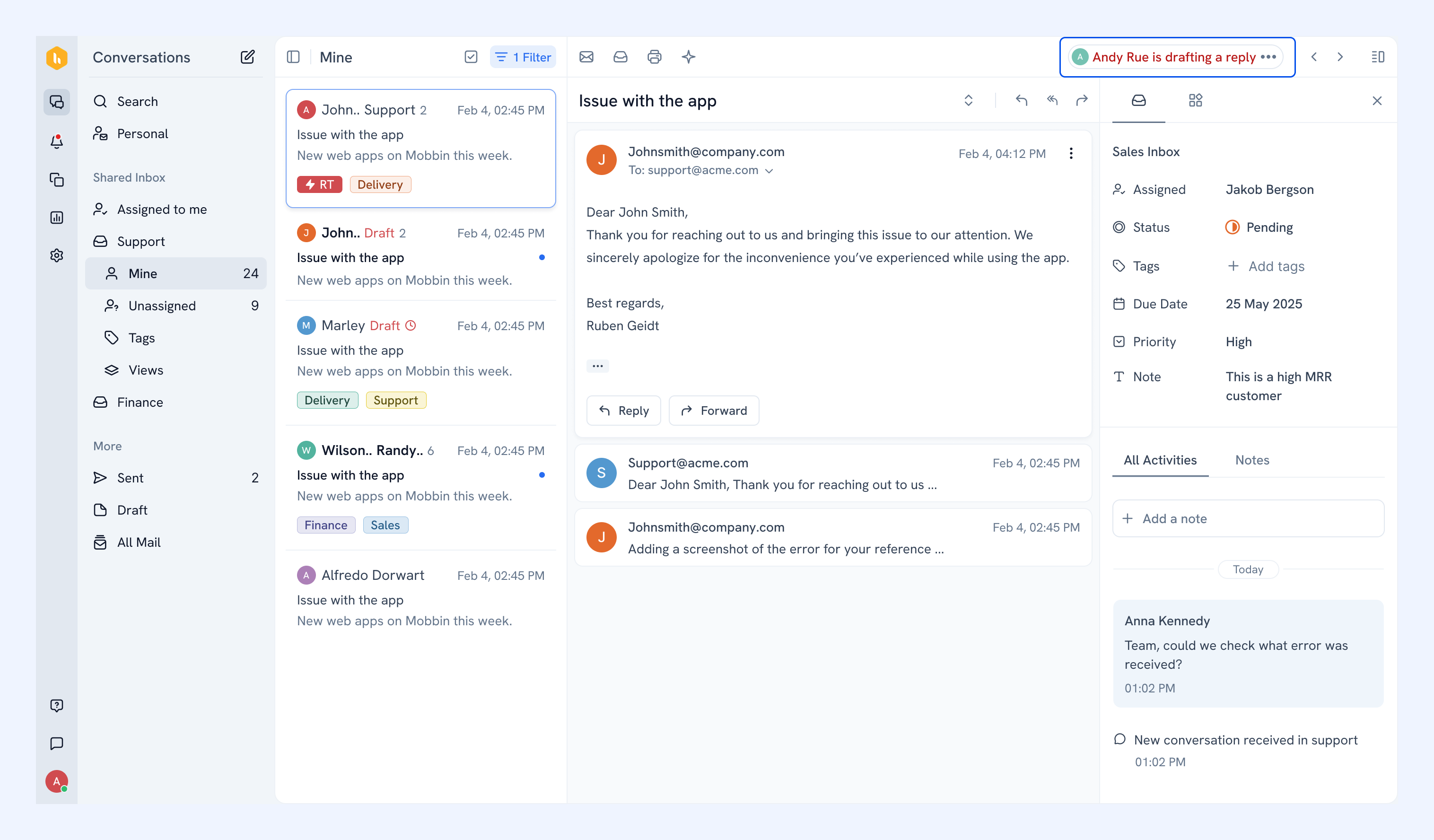
It shows up both inside the conversation and in the conversation list in your email views.
Note
- The alert is scoped to the Shared Inbox you're currently in, it won't show activity from other inboxes.
- If a conversation is shared across multiple inboxes, each inbox tracks its own drafter independently.
- Replies sent from a personal inbox (e.g. via CC) are not included in the alert.
Collaboration on Slack
When a conversation needs input from someone on your product, engineering, or finance team, you can share the issue and collaborate with them in Slack without leaving Hiver.
The Slack discussion stays connected to the customer conversation, so you can collaborate without copying or forwarding the details between tools. Learn more about collaboration on Slack.