Adding Tags in chat
Tags are keywords you assign to chats for easier categorization and retrieval.
Note: Chat Inbox is a legacy feature and is only available to customers who signed up before May 18, 2026.
Creating and assigning Tags
Add Tags to a chat
1. Open the chat.
2. Click Manage Tags in the right panel.
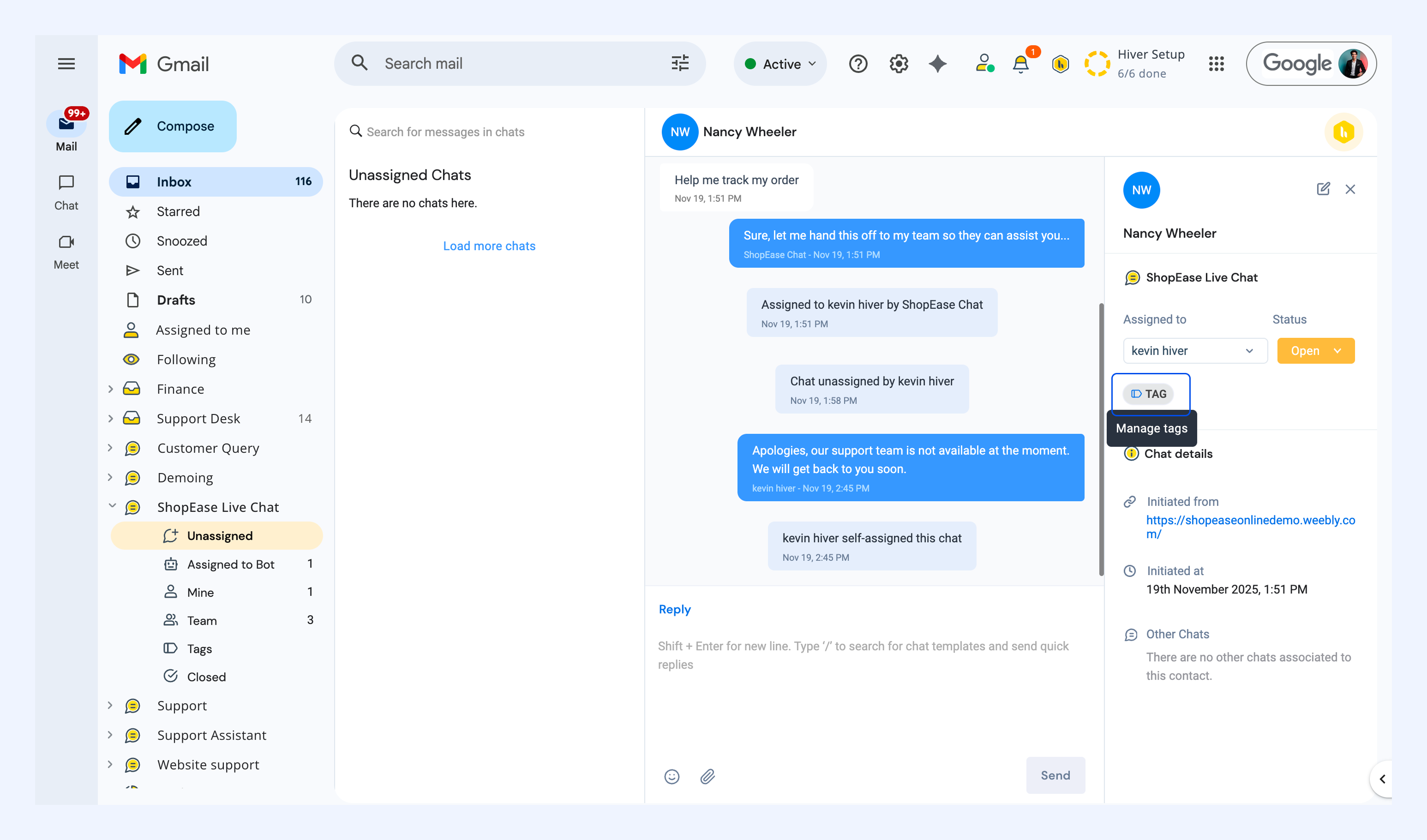
3. Select an existing Tag from the list, or create a new Tag.
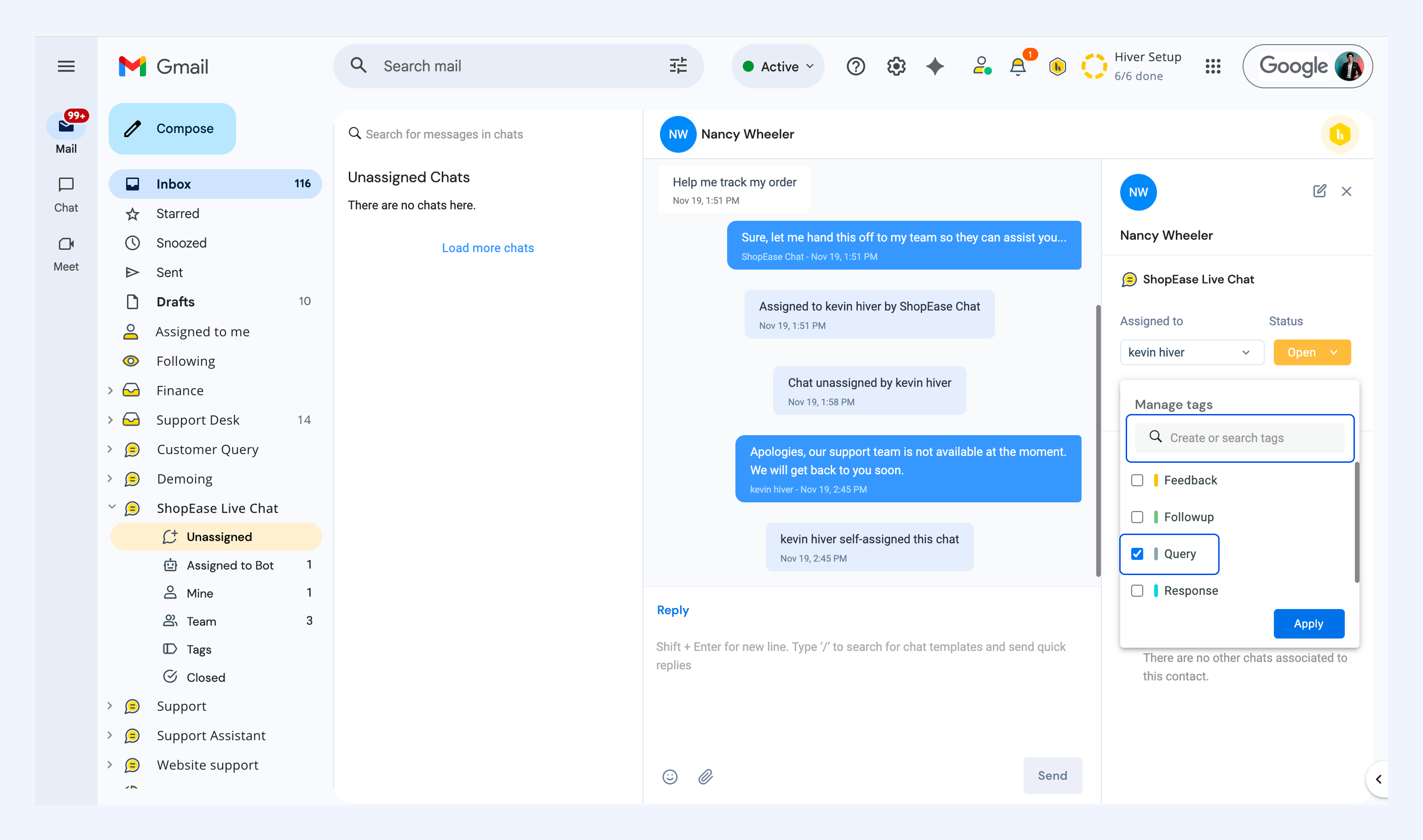
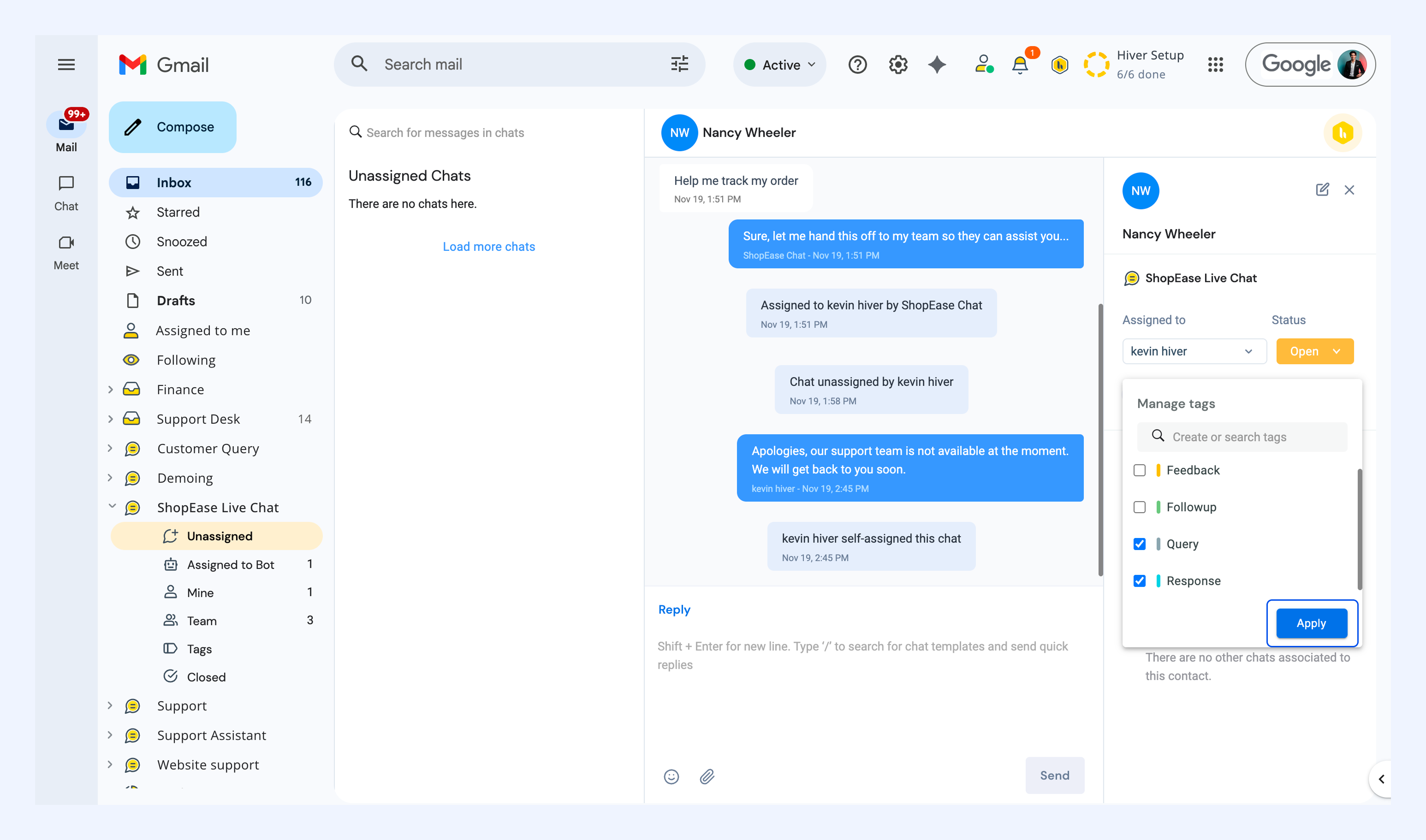
Tip: You can assign multiple Tags to a single chat for better organization.
4. Click Apply.
Finding tagged chats
Filter by Tag
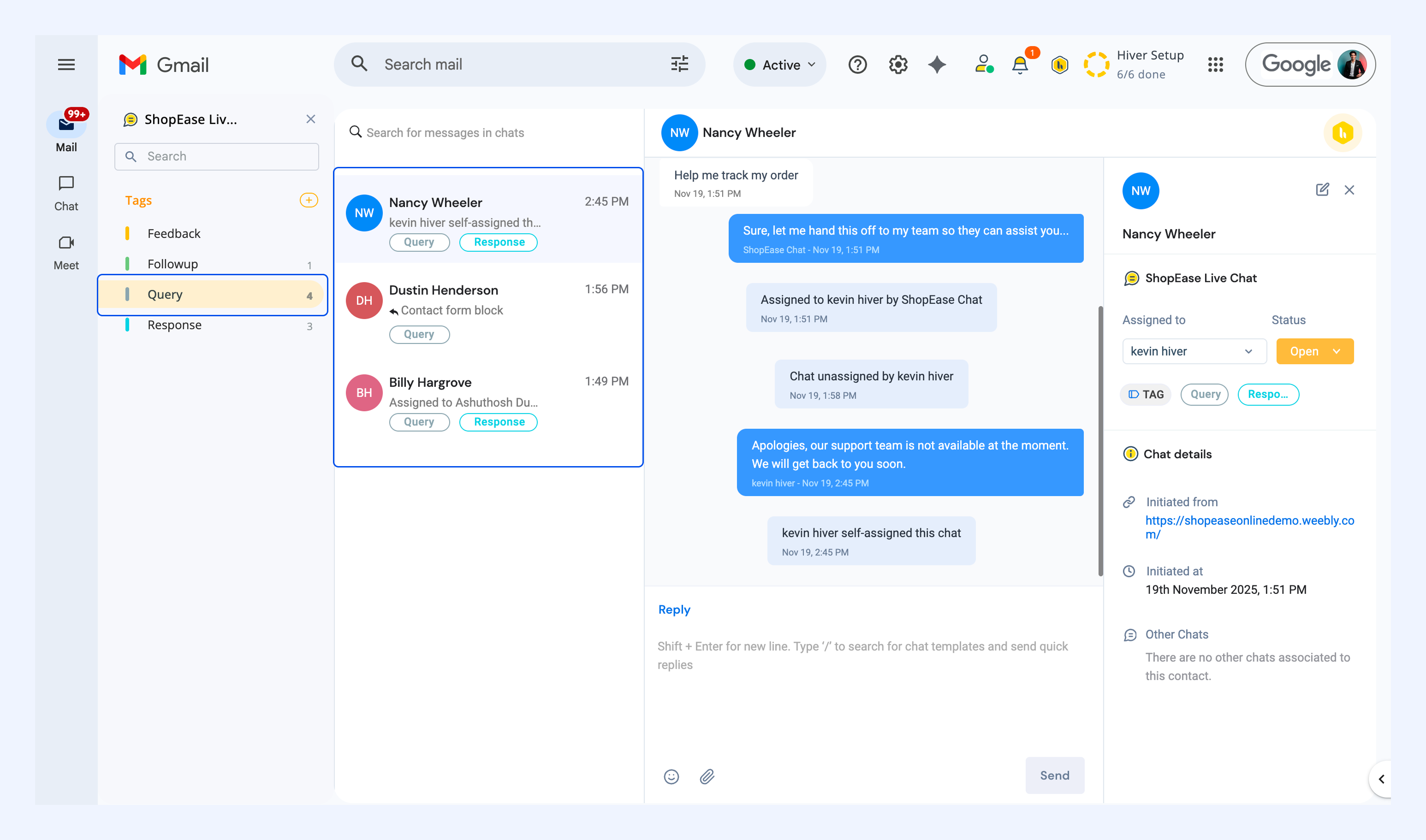
1. Click Tags in the left panel.
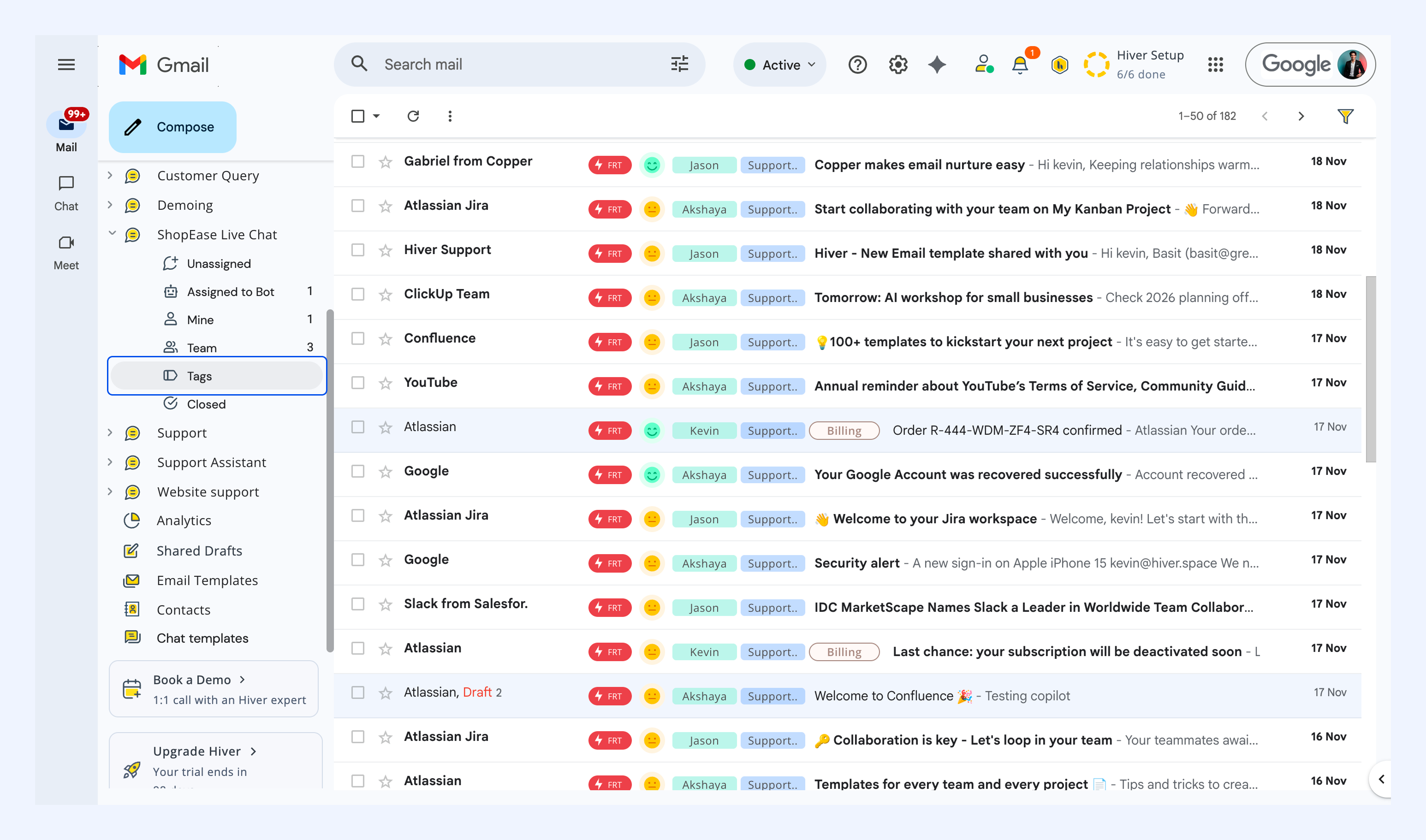
2. Select a Tag from the list.
3. Your chat queue will show only chats with that Tag.
Search for Tags
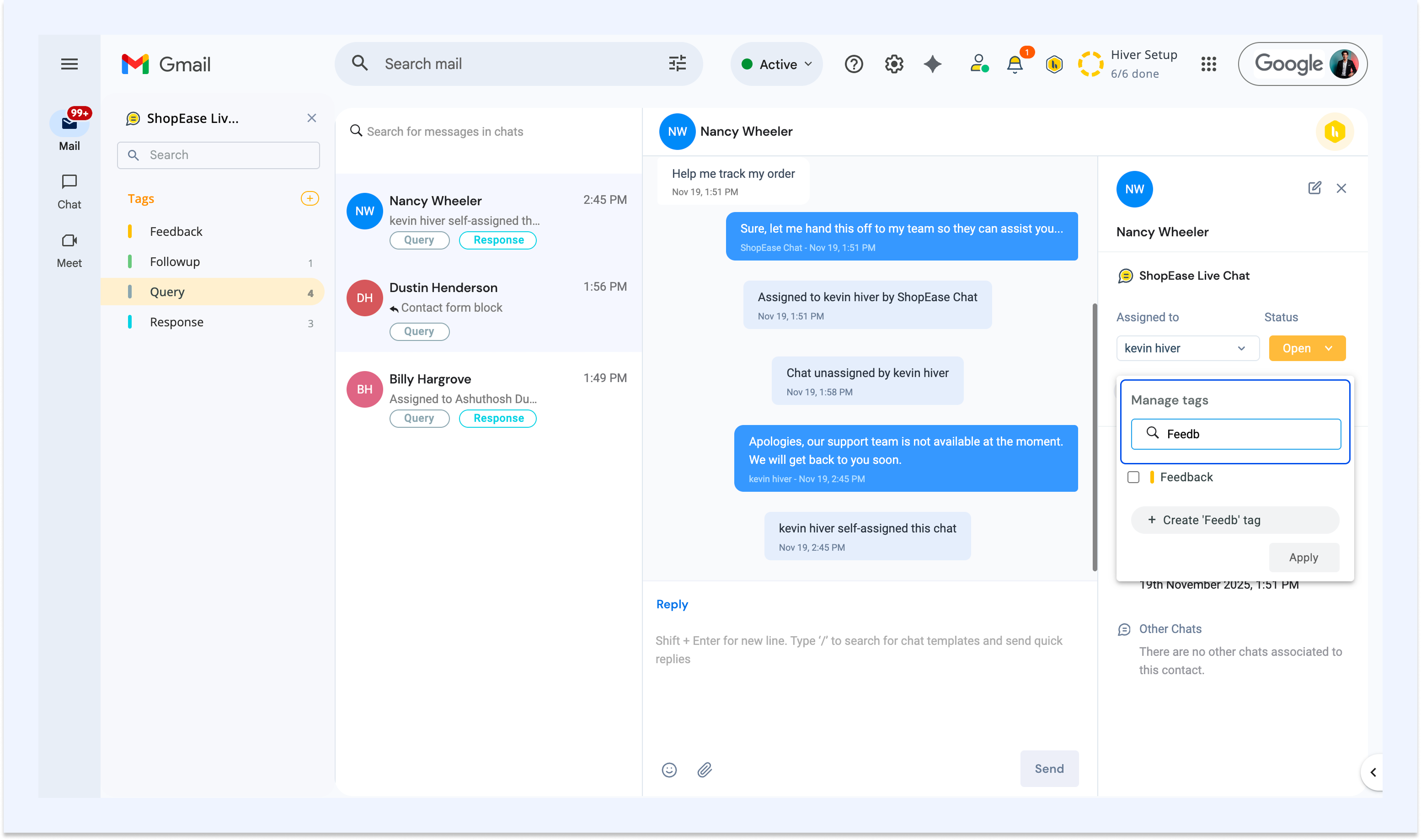
Use the search bar within the Manage Tags dropdown to quickly locate Tags.
Related articles