How SLA timers and breach alerts work (Agent guide)
Once you set up SLA policies in your Shared Inbox, you’ll start seeing SLA details directly on conversations. These indicators help your team stay on top of deadlines, understand which policy applies, and respond to customers within the right time frames.
Availability and prerequisites
- The Due soon status and notifications are available on the Elite plan.
- Your admin must enable the Due soon status when creating SLA policies for it to appear on conversations.
- To remove a policy, you need to be an Admin or a Shared Inbox Admin or have the permissions to remove a policy granted through a custom role.
Viewing SLA information in Hiver in Gmail
Hiver displays SLA information in multiple areas across Hiver in Gmail interface, giving you clear visibility into deadlines and statuses.
In the list view
Whenever an SLA policy applies to a conversation, you’ll see an SLA chip show up on the list view. The chip shows whether the conversation is on track, due soon, or overdue based on the applied SLA policy.
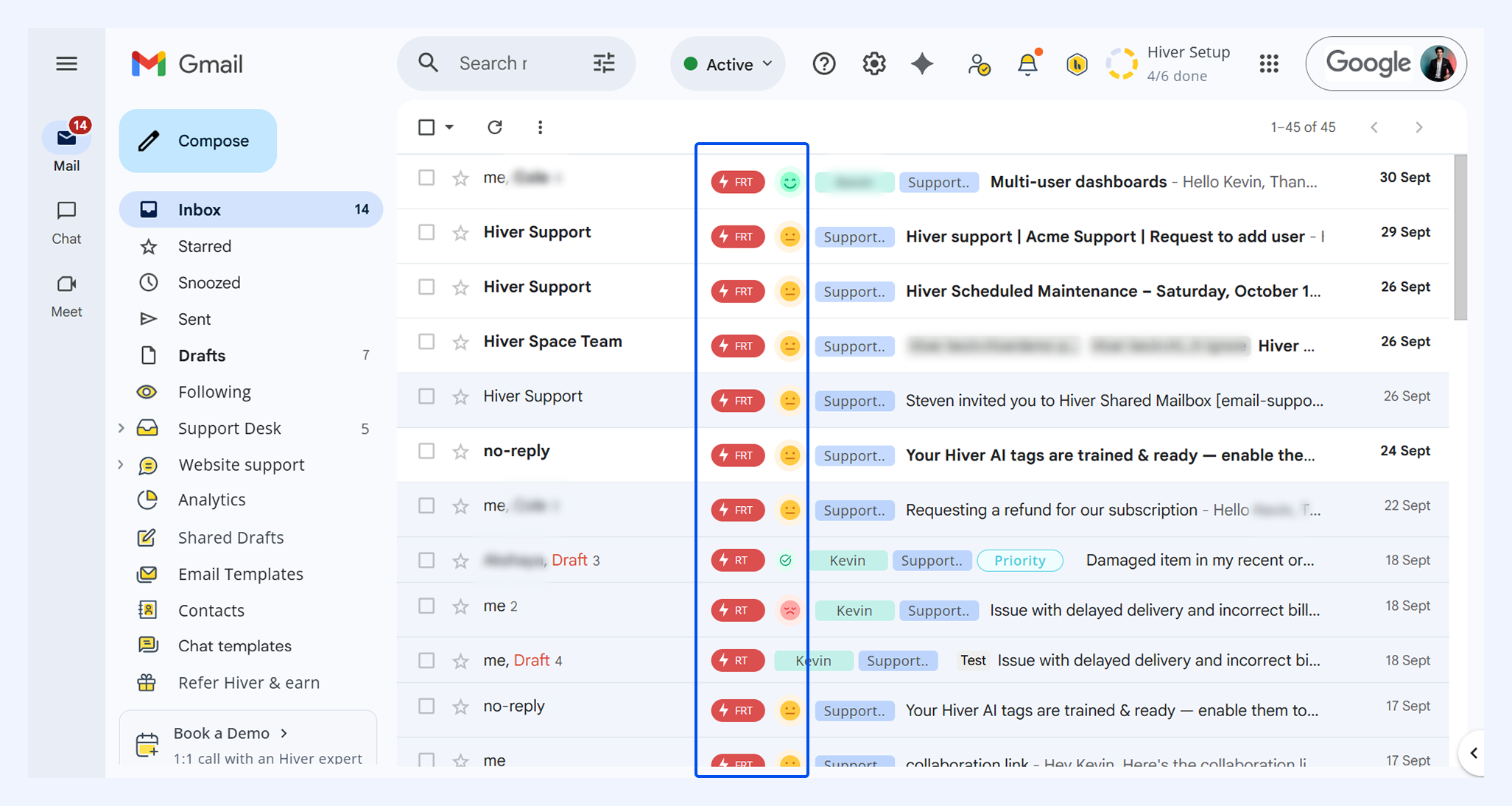
- A chip either shows FRT (First Response Time) or RT (Resolution Time) and uses color to indicate its status:
- Grey: Upcoming
- Orange: Due soon
- Red: Overdue
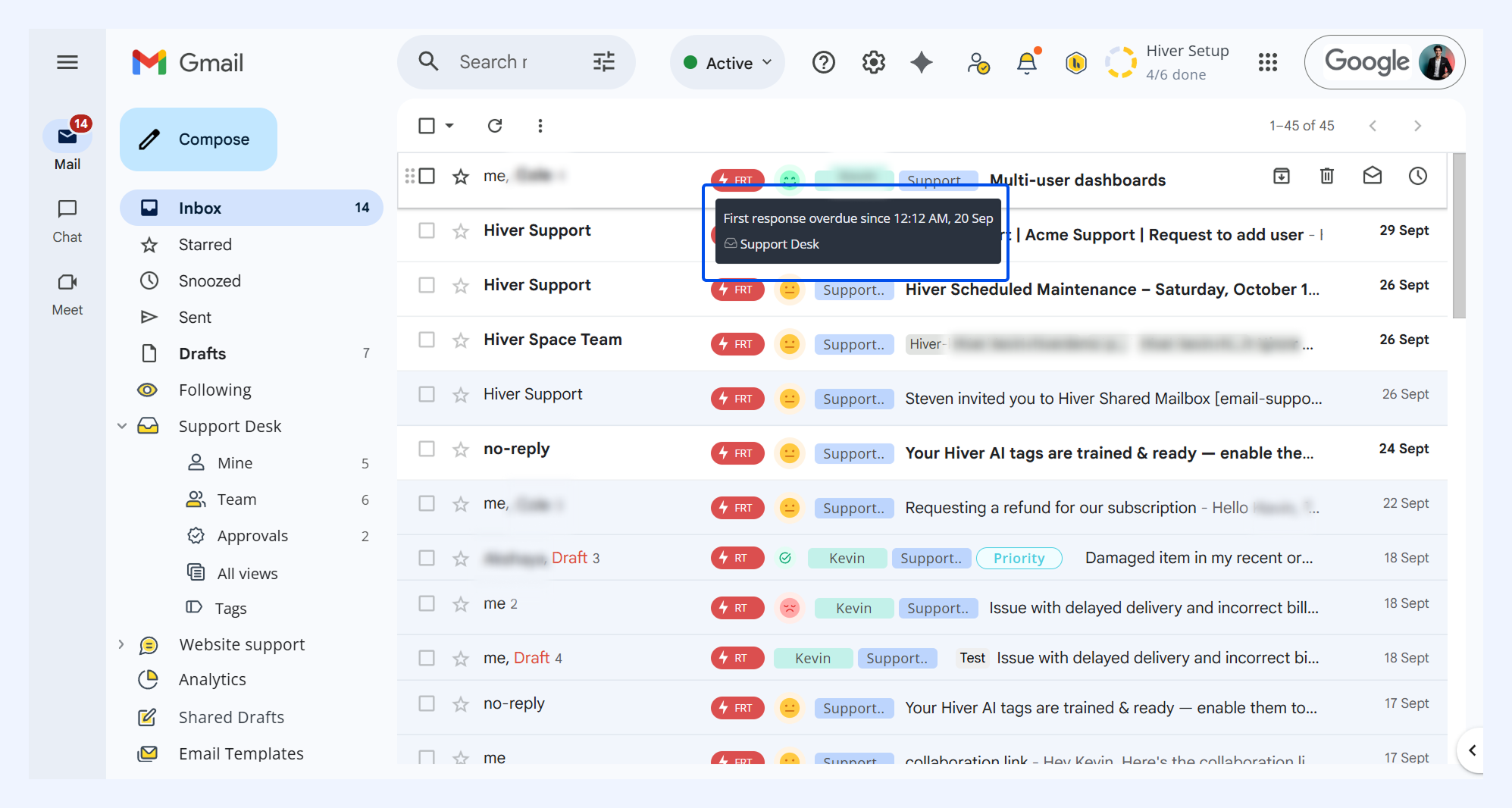
- Hover over the chip to see the exact due time.
- If a conversation belongs to multiple Shared Inboxes with different SLA policies, you’ll see the next action due for each inbox.
Note: You won't see SLA chips in conversations that:
- Aren't mapped to any SLA policy.
- Had SLA manually removed by a user.
- Are currently closed (no action expected).
In the conversation view
When you open a conversation, SLA details appear in two places in the right panel: the SLA widget and the Activity feed.
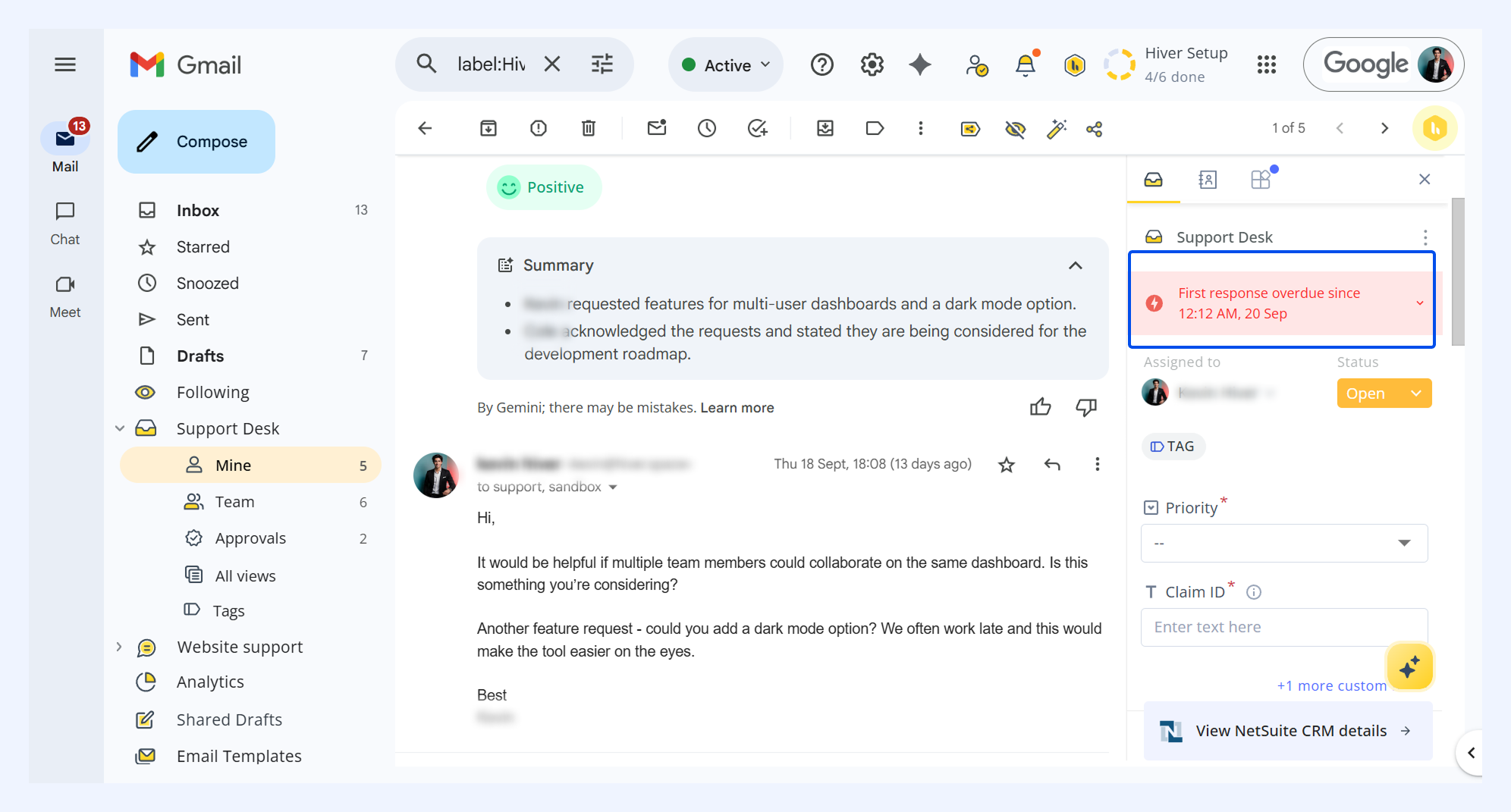
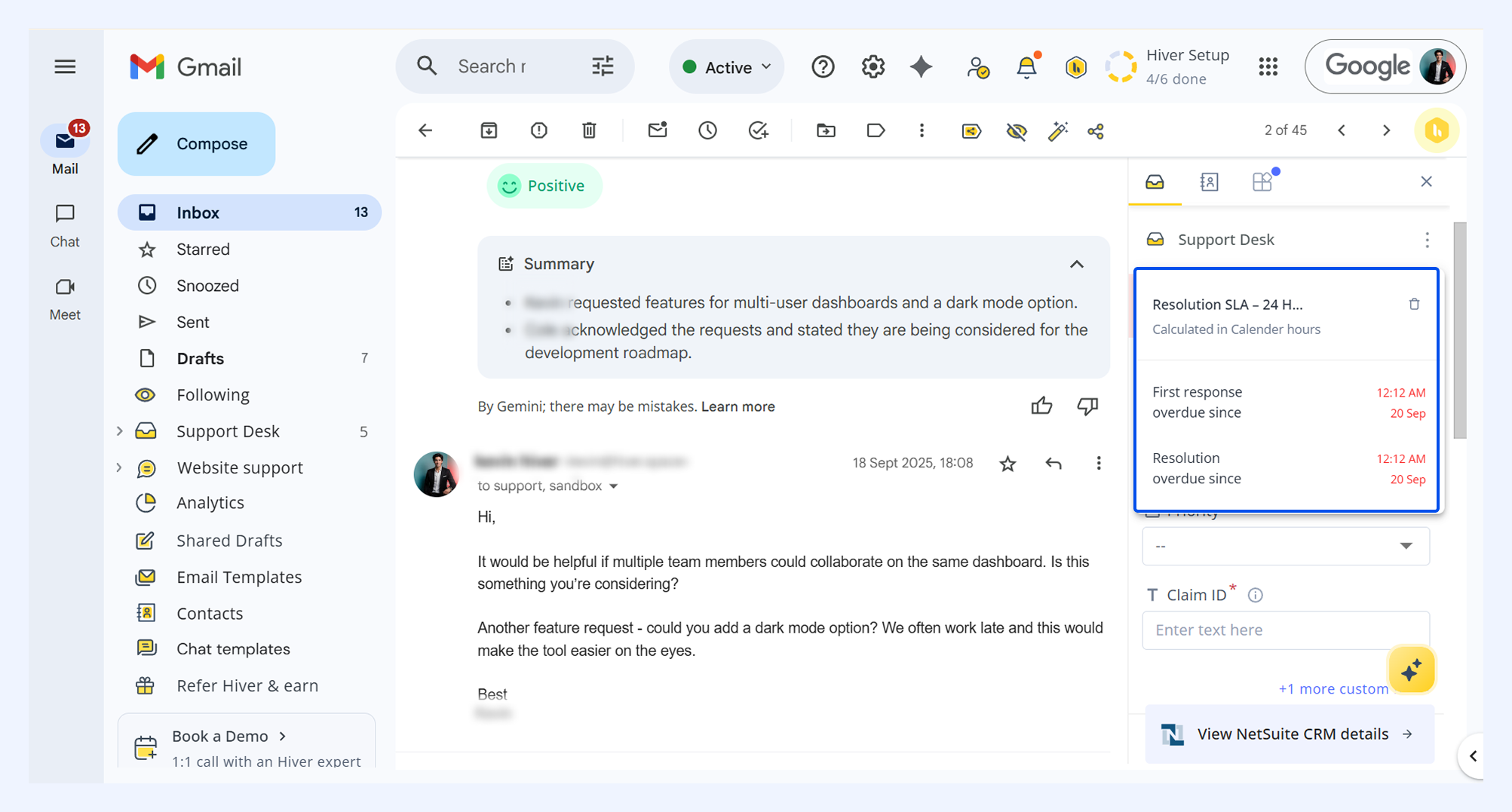
Click the SLA widget to see more details. These include:
- Name of the SLA policy applied
- Whether the policy runs on business or calendar hours
- The due time for each action
- The status color (grey/orange/red)
In the Activity feed
The Activity feed logs all SLA-related events, helping you track changes or troubleshoot exceptions. Activities are added when:
- An SLA policy is mapped to a conversation
- Tag changes update policies (showing both removal and addition)
- The resolution timer restarts when a customer replies to a closed conversation
- A user manually removes an SLA
- First Response or Resolution becomes overdue
Staying on top of SLA deadlines
Once you know where to find SLA details, you can use alerts and dedicated views to stay proactive about deadlines. Hiver helps you do this through notifications and dedicated SLA views, ensuring nothing slips through unnoticed.
SLA notifications
Hiver can send alerts for up to four notification types per policy:
- FRT Overdue: When the First Response Time SLA is breached
- RT Overdue: When the Resolution Time SLA is breached
- FRT Due soon: When the First Response Time is approaching its deadline
- RT Due soon: When Resolution Time is approaching its deadline
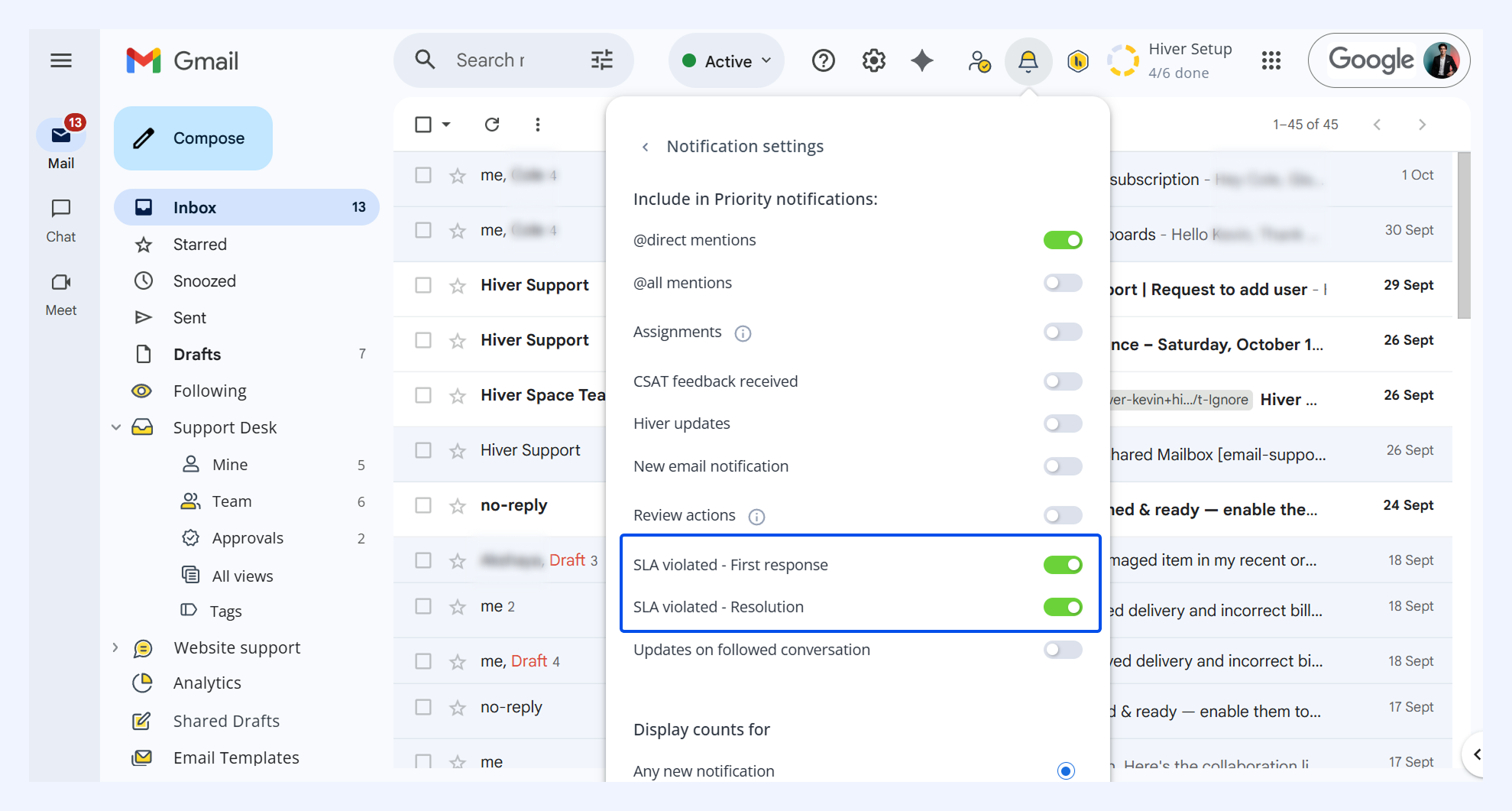
To make SLA alerts visible in your Priority notifications tab:
- Click Hiver notifications (bell icon) and click Settings.
- For the SLA violated notifications, turn the toggle on. Alerts related to SLA breaches will now start appearing in your Priority tab.
Overdue and due soon email views
Hiver also provides default email views for SLA policies, so you can quickly access all conversations that need attention.
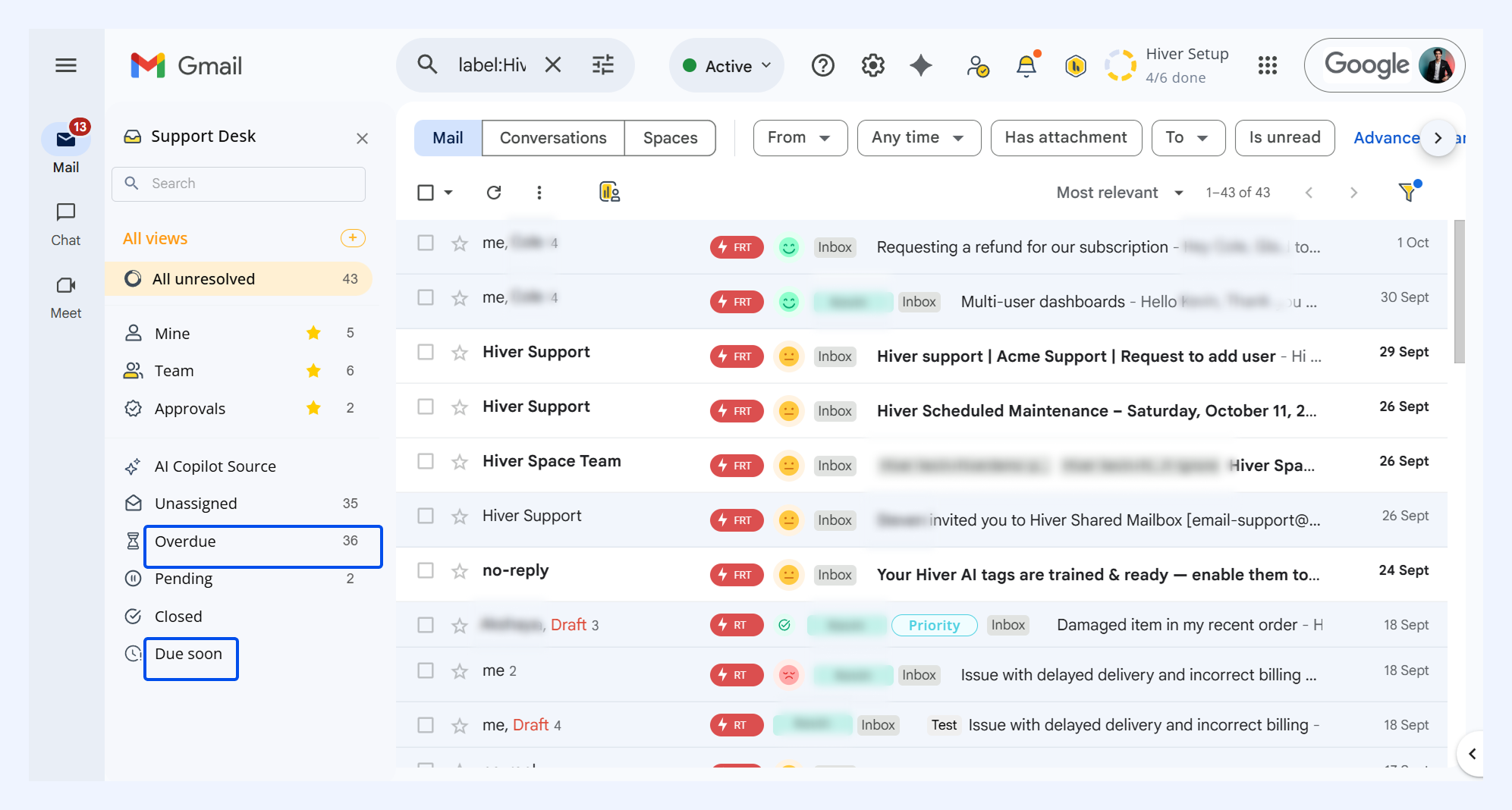
To access these views,
- From your Shared Inbox on Gmail's left panel, go to ‘All views’
- Click Overdue to see conversations with breached deadlines.
- Click Due soon to see conversations approaching deadlines.
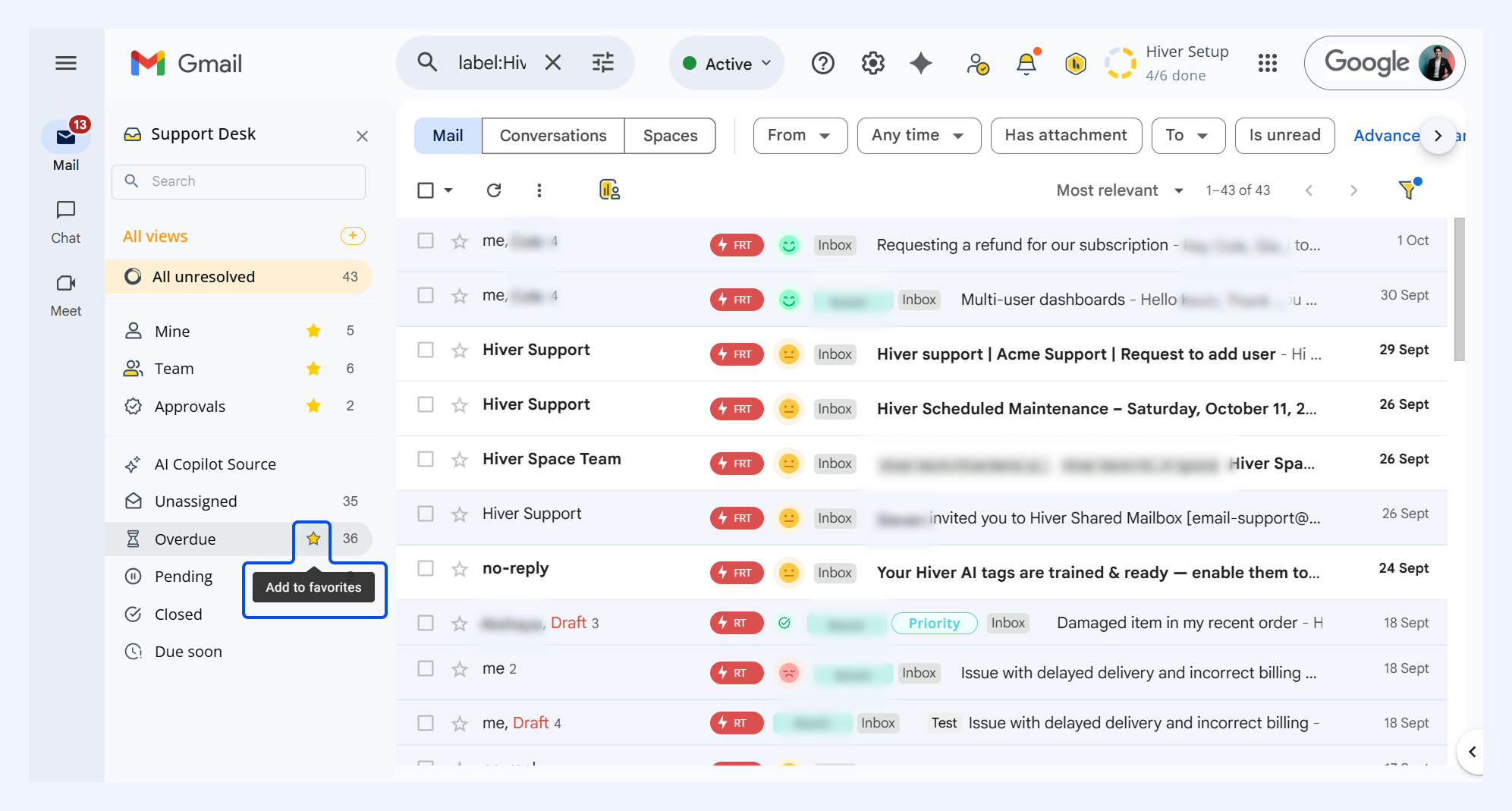
- You can star these views to access them quickly in your top 5 views.
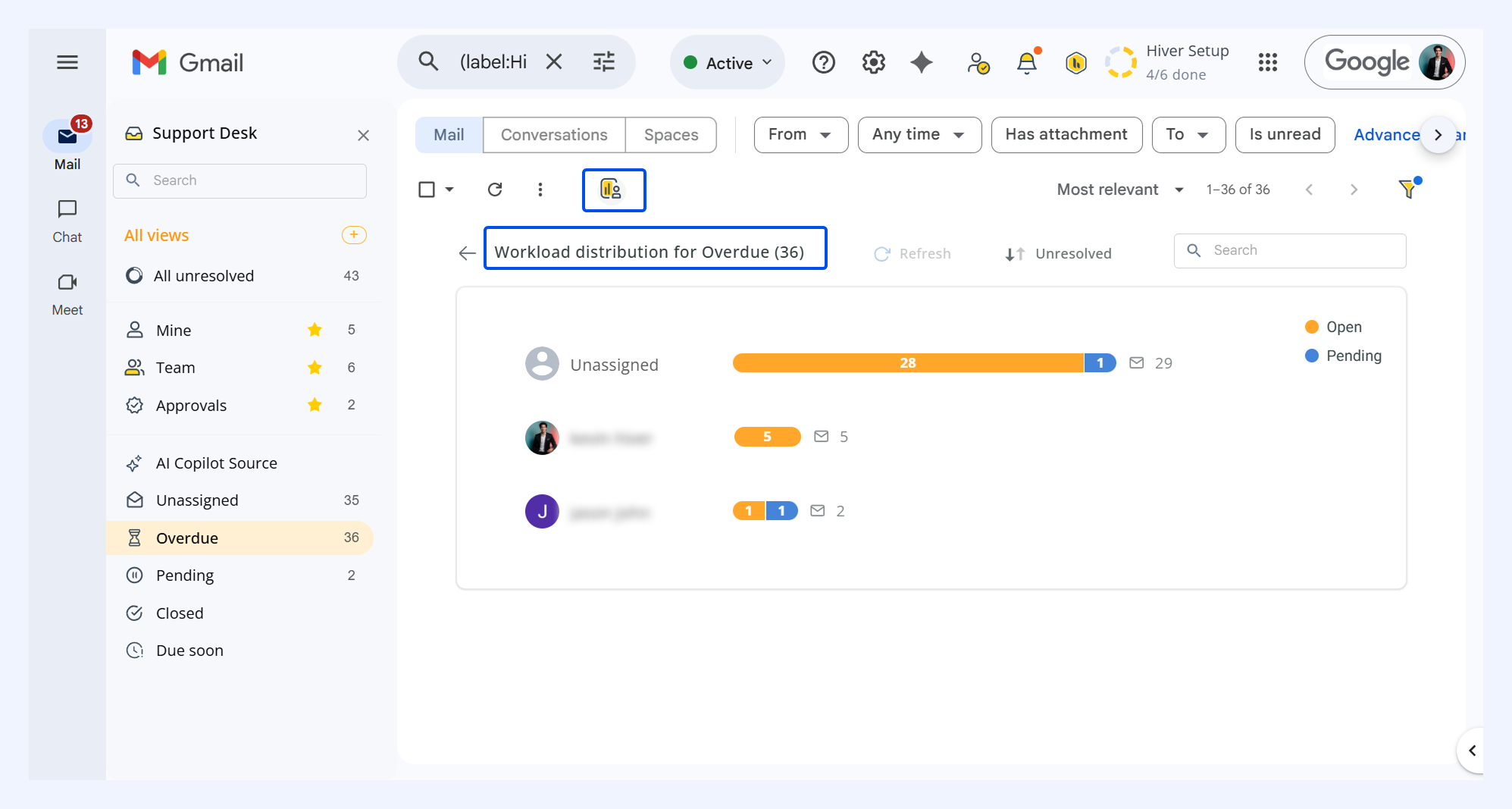
- Use Workload distribution in the Overdue view to see how conversations are distributed across team members.
Some conversations may appear in both views if they have different statuses for First Response and Resolution.
Manually removing SLAs from conversations
If an SLA is incorrectly applied, such as on spam or automated replies, you can manually remove it to prevent skewing your metrics.
To remove SLAs from conversations,
- Select the bin icon beside the SLA.
- Confirm removal.
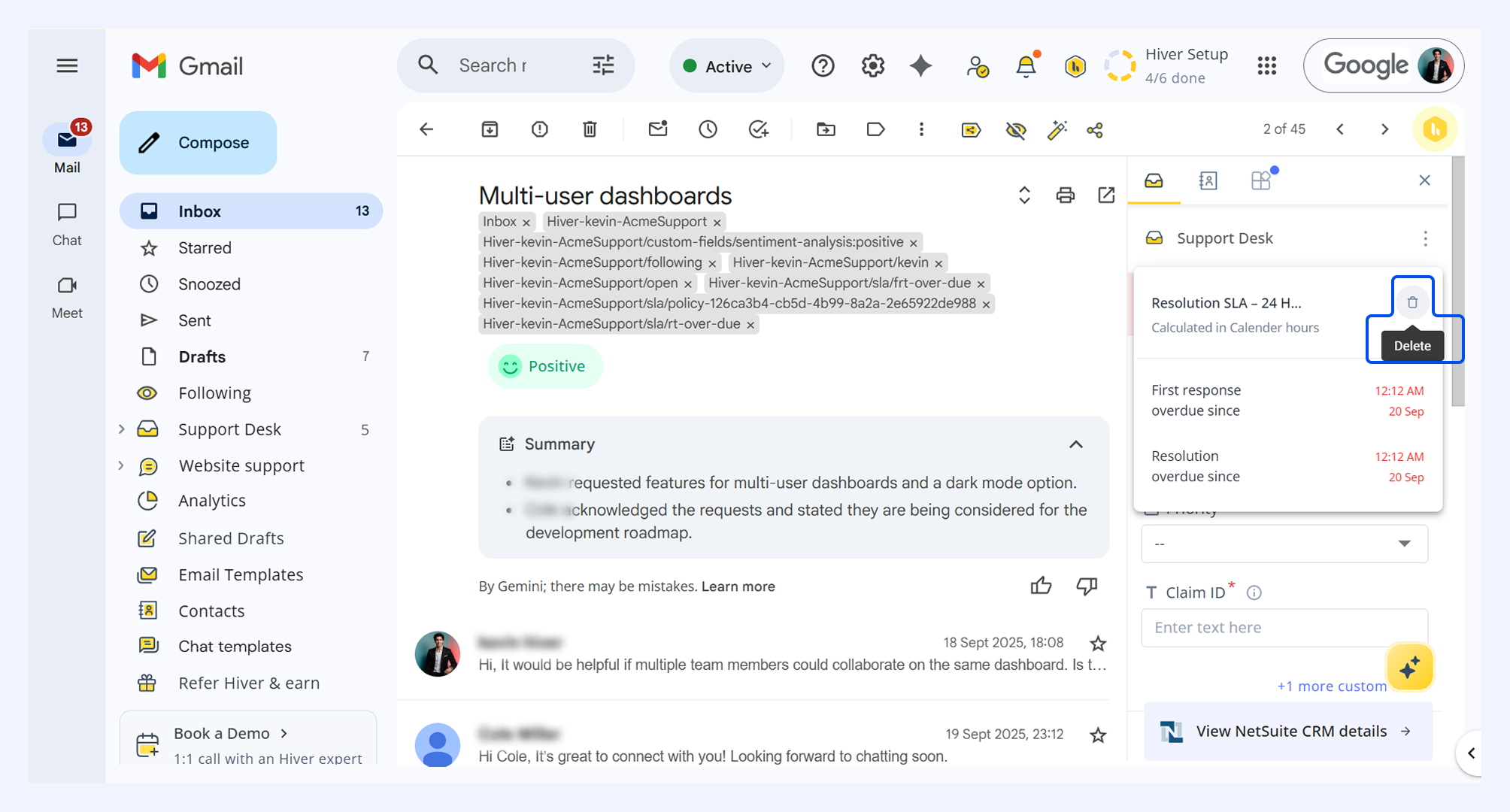
Only users with the necessary permissions can remove SLAs. Once removed, the conversation is no longer evaluated by any SLA policy. An activity is logged to capture who removed it and when.