Setting up My Work
My Work is a personalized view in Hiver Omni that gives you a single place to see all conversations assigned to you across channels. Instead of manually tracking work across different inboxes, you can use My Work to stay on top of conversations that need your attention, prioritize work more effectively, and reduce the risk of missing incoming requests.
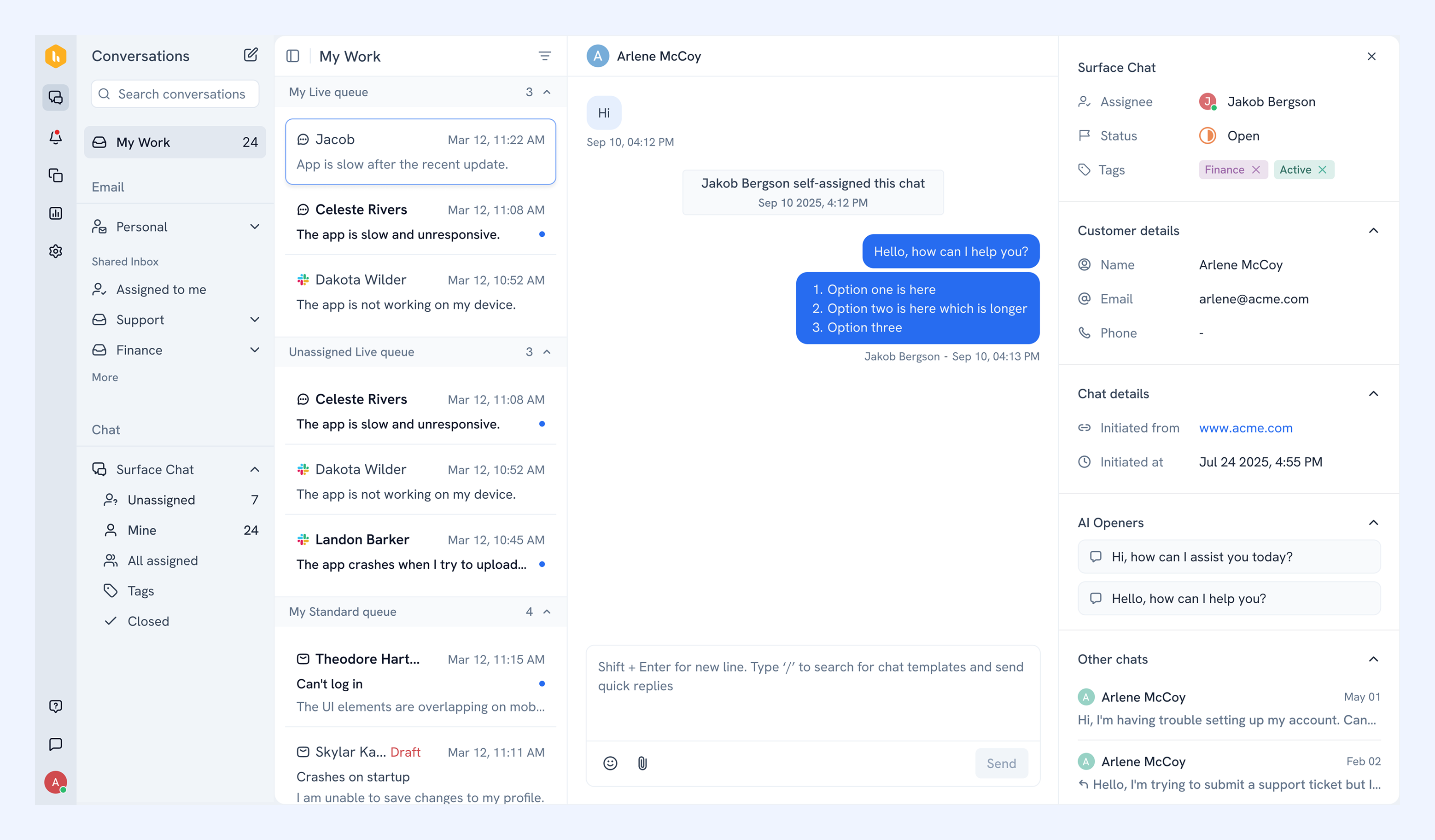
This article walks you through configuring My Work and understanding the different ways you can view and manage your conversations.
Configuring My Work
To customize how conversations appear in your My Work:
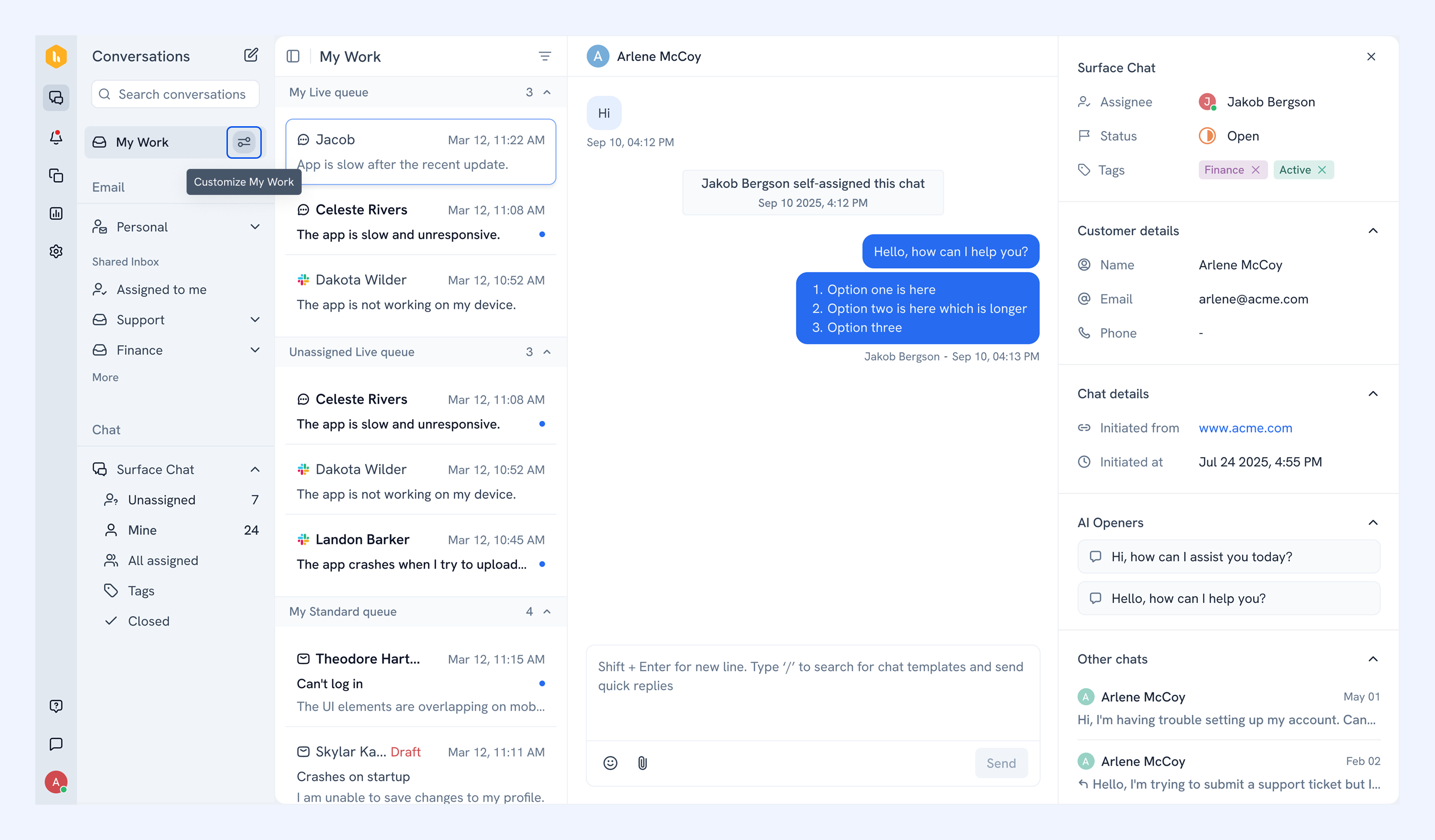
1. Hover over My Work and click the customize icon.
2. Here you can choose how conversations are organized in My Work. Conversations are grouped into two queues:
- Live queue: for time-sensitive live chat conversations that need quick responses
- Standard queue: for email and Slack conversations that can be handled more flexibly
You can choose how these queues appear in My Work:
- Unified List: Shows your Live and Standard queue conversations together in a single list.
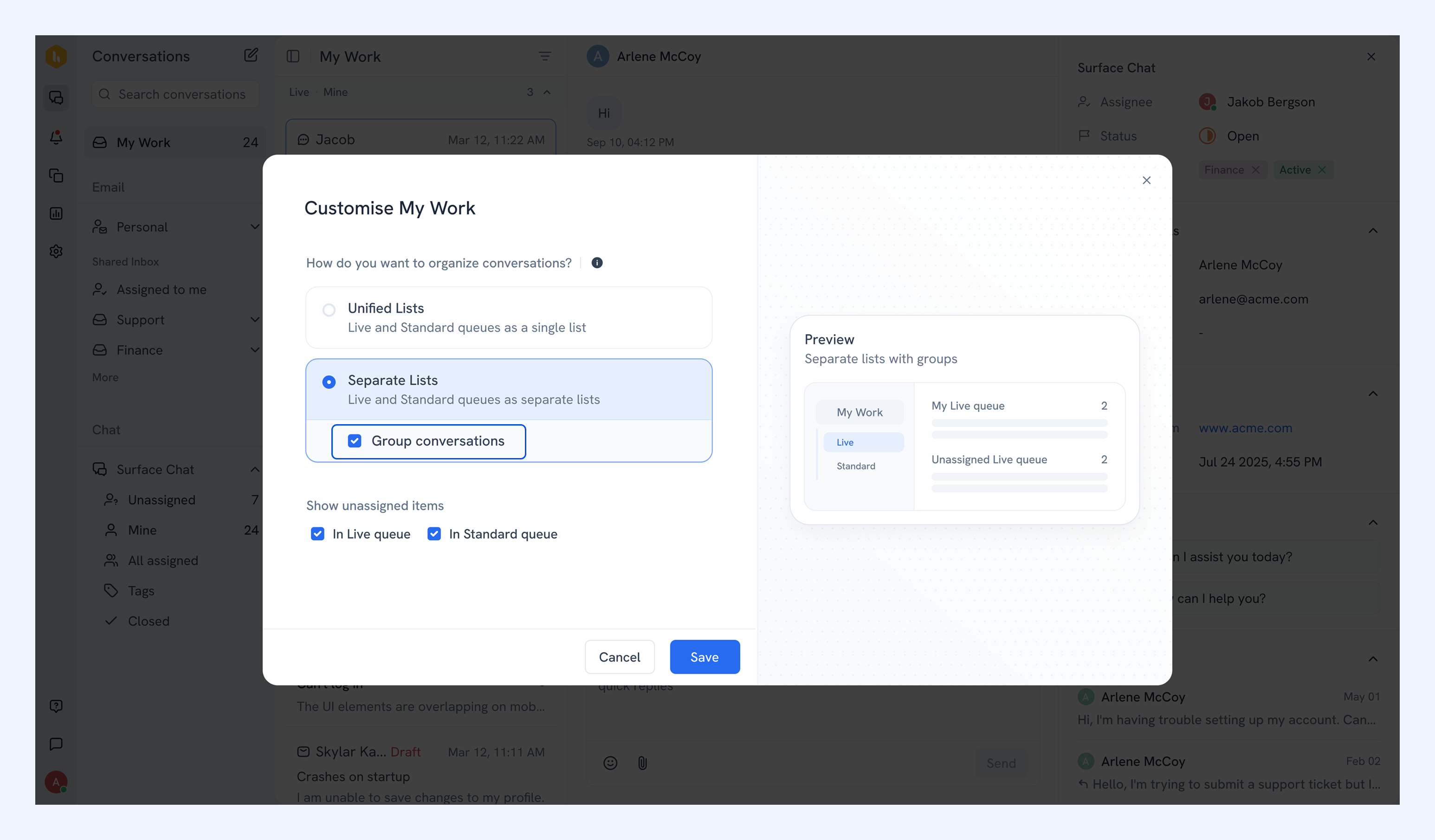
- Separate Lists: Shows your Live and Standard queue conversations in two separate lists.
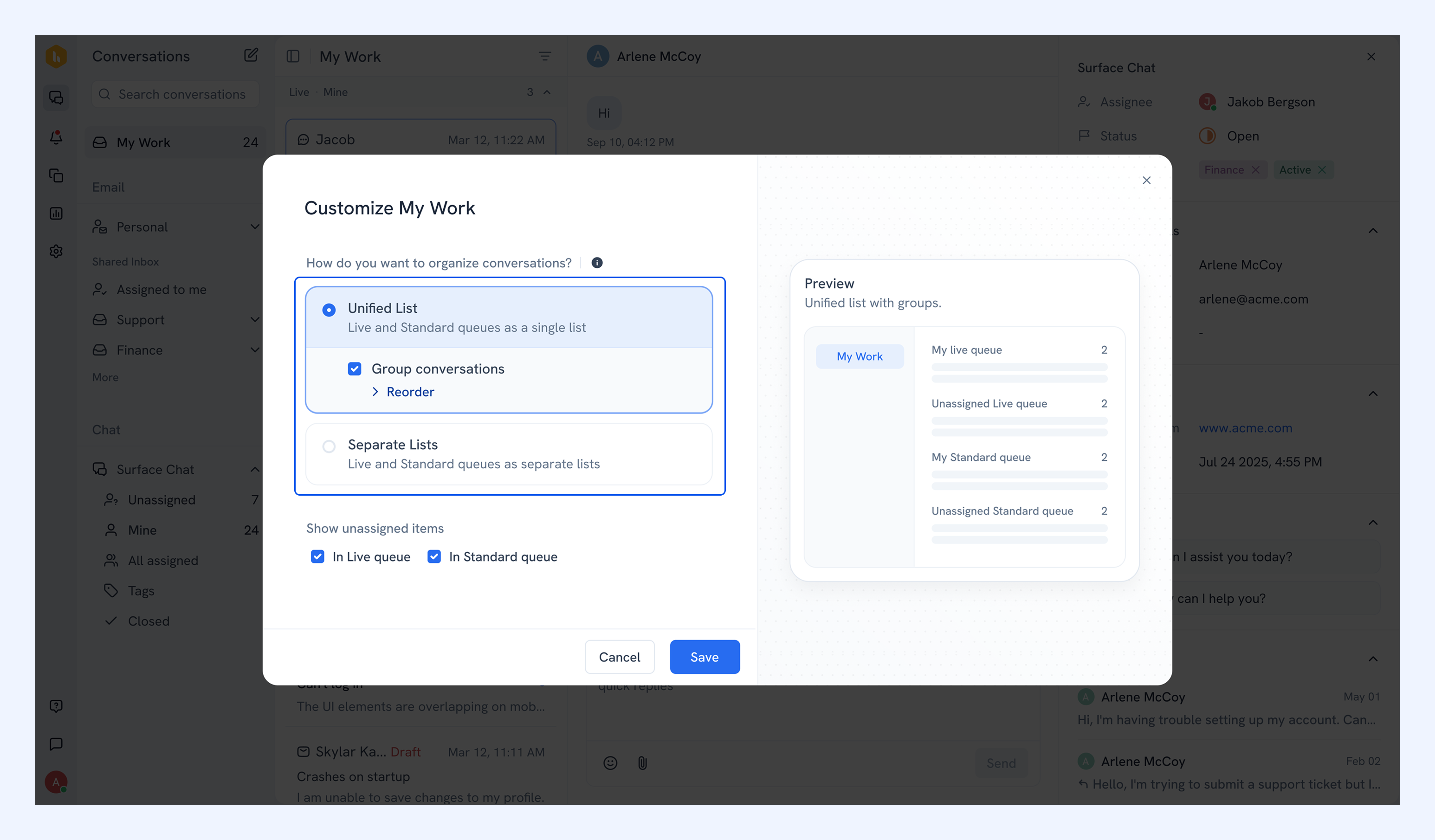
Under Show unassigned items, you can also select whether you want unassigned conversations to appear in your Live and Standard queues.
The preview on the right updates as you make your selections.
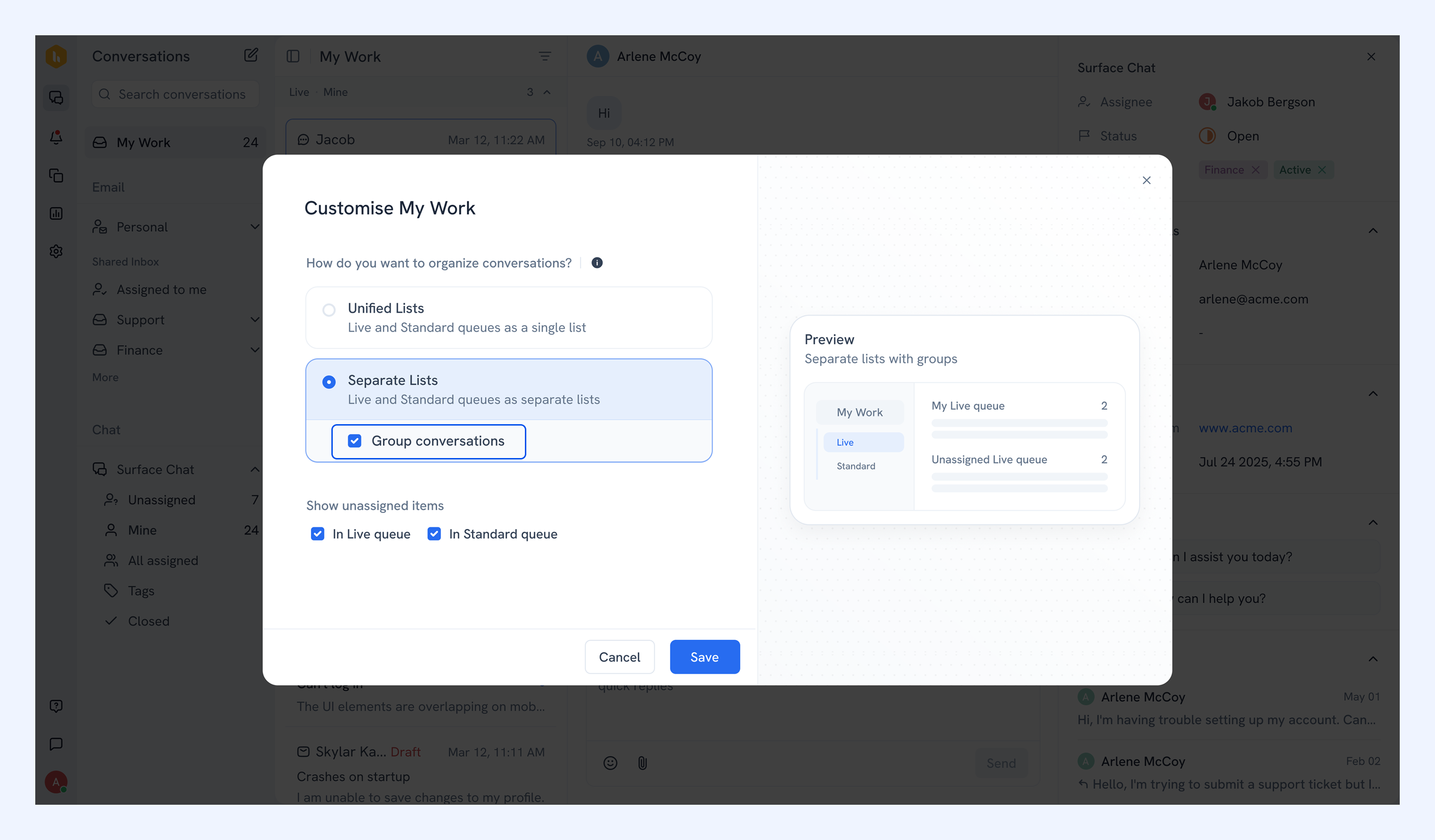
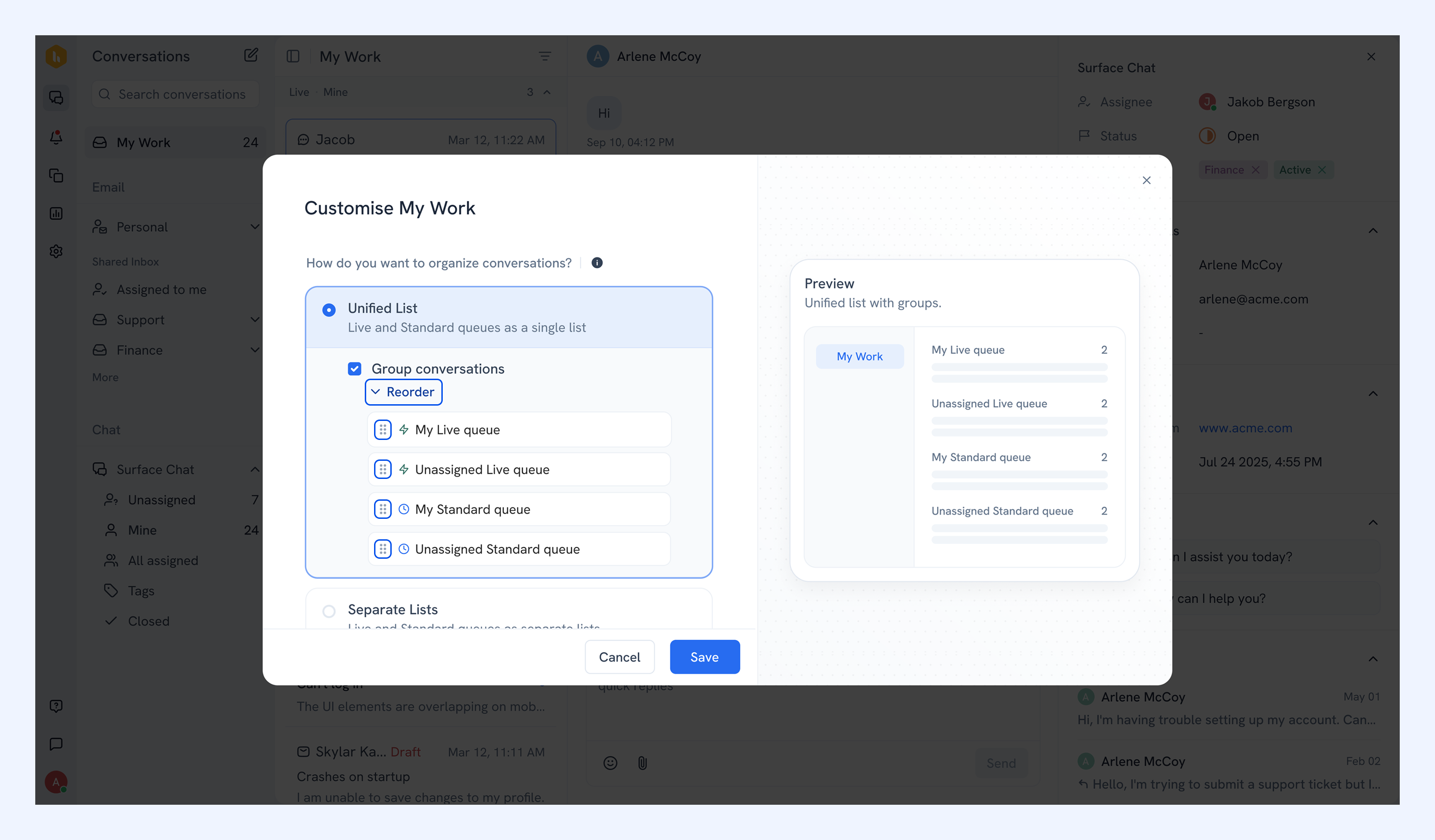
4. If you want conversations organized into sections by queue type, toggle on Group conversations within your selected list option.
- For Unified List: conversations are divided into four sections: My Live queue, Unassigned Live queue, My Standard queue, and Unassigned Standard queue.
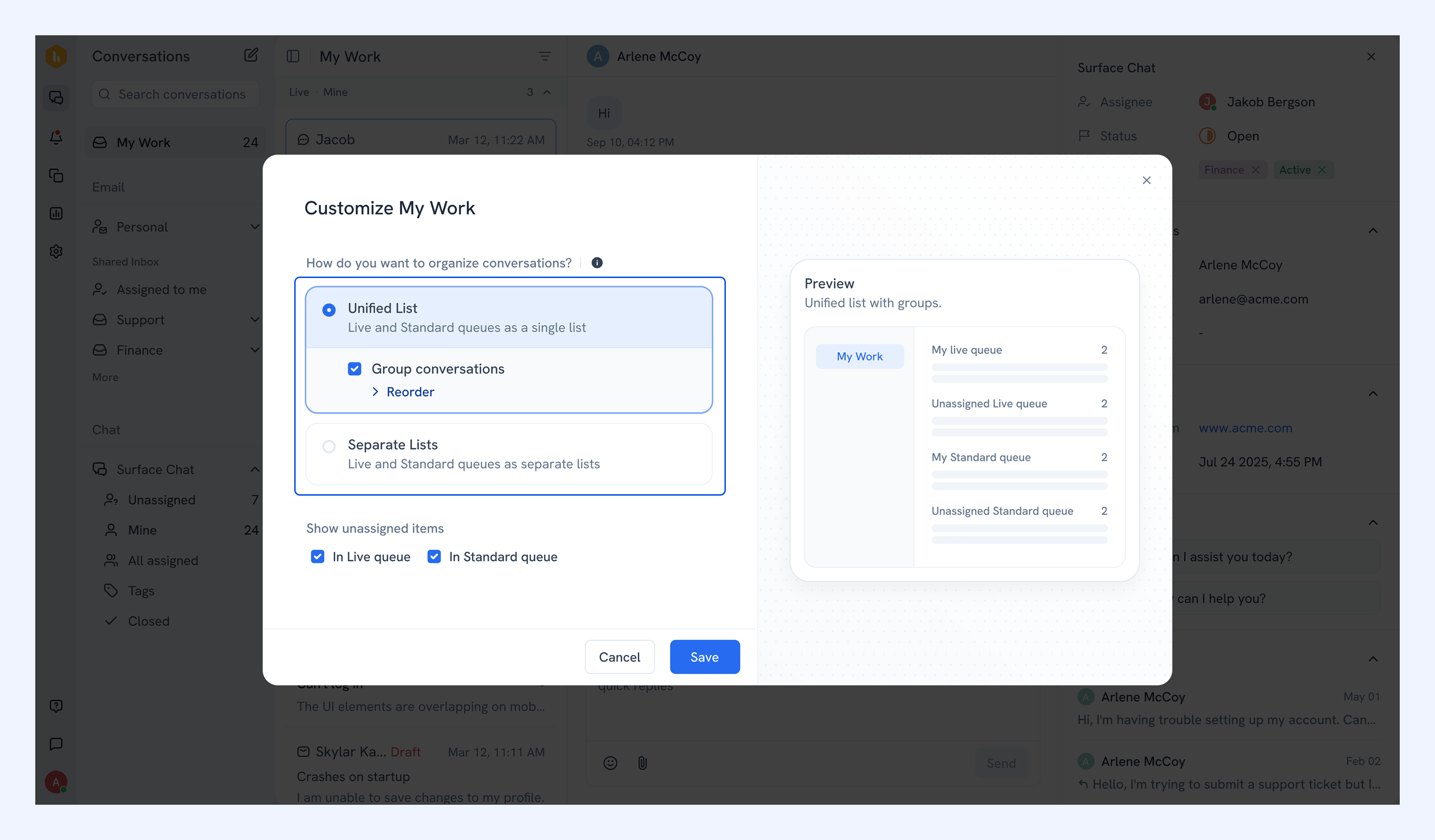
Note: To change the order of these sections, click Reorder and use the drag handle to move them as you like.
- For Separate Lists: Each list is divided into two sections: assigned and unassigned. Turn this off to see a flat list instead.
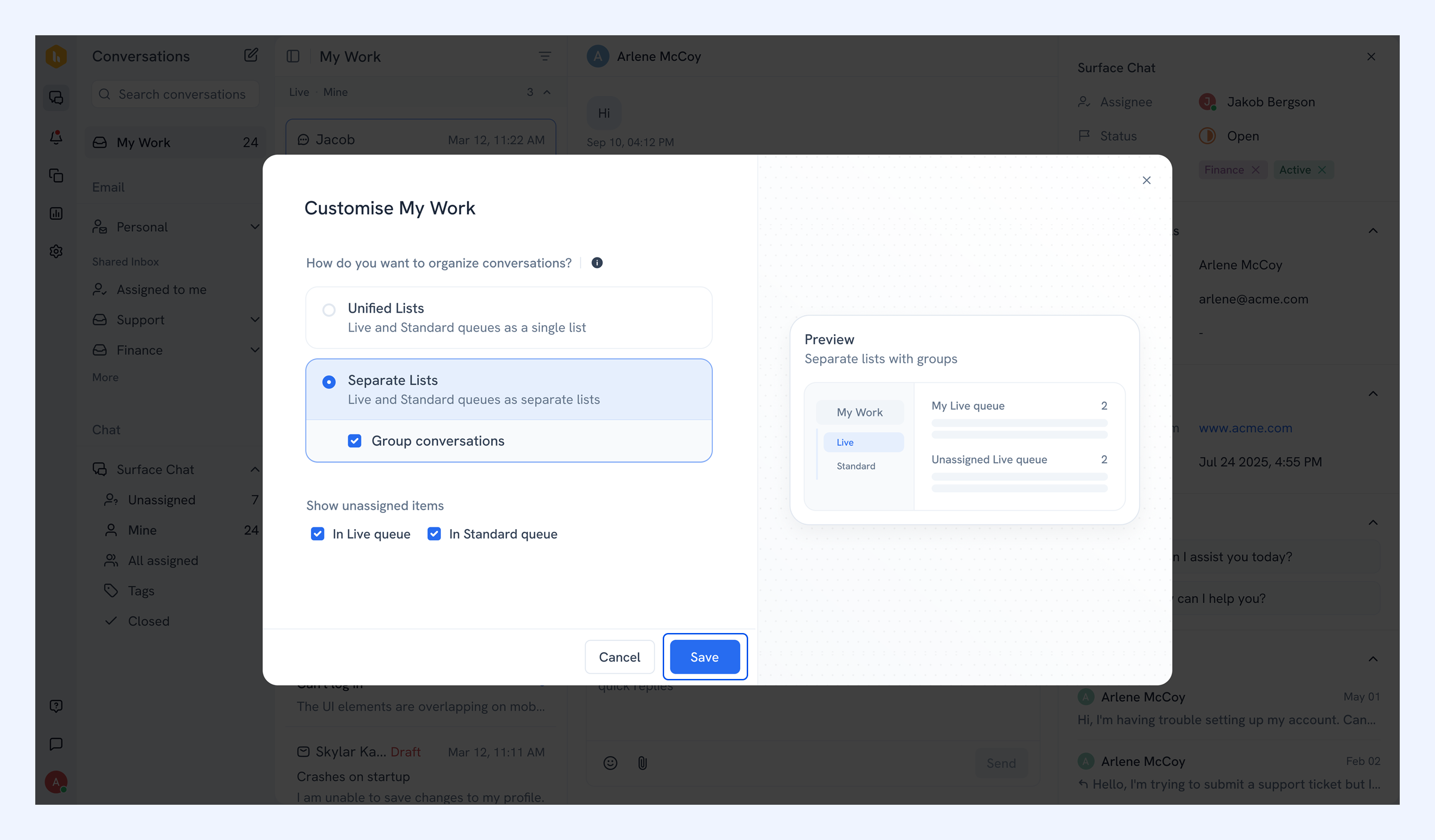
5. Click Save.
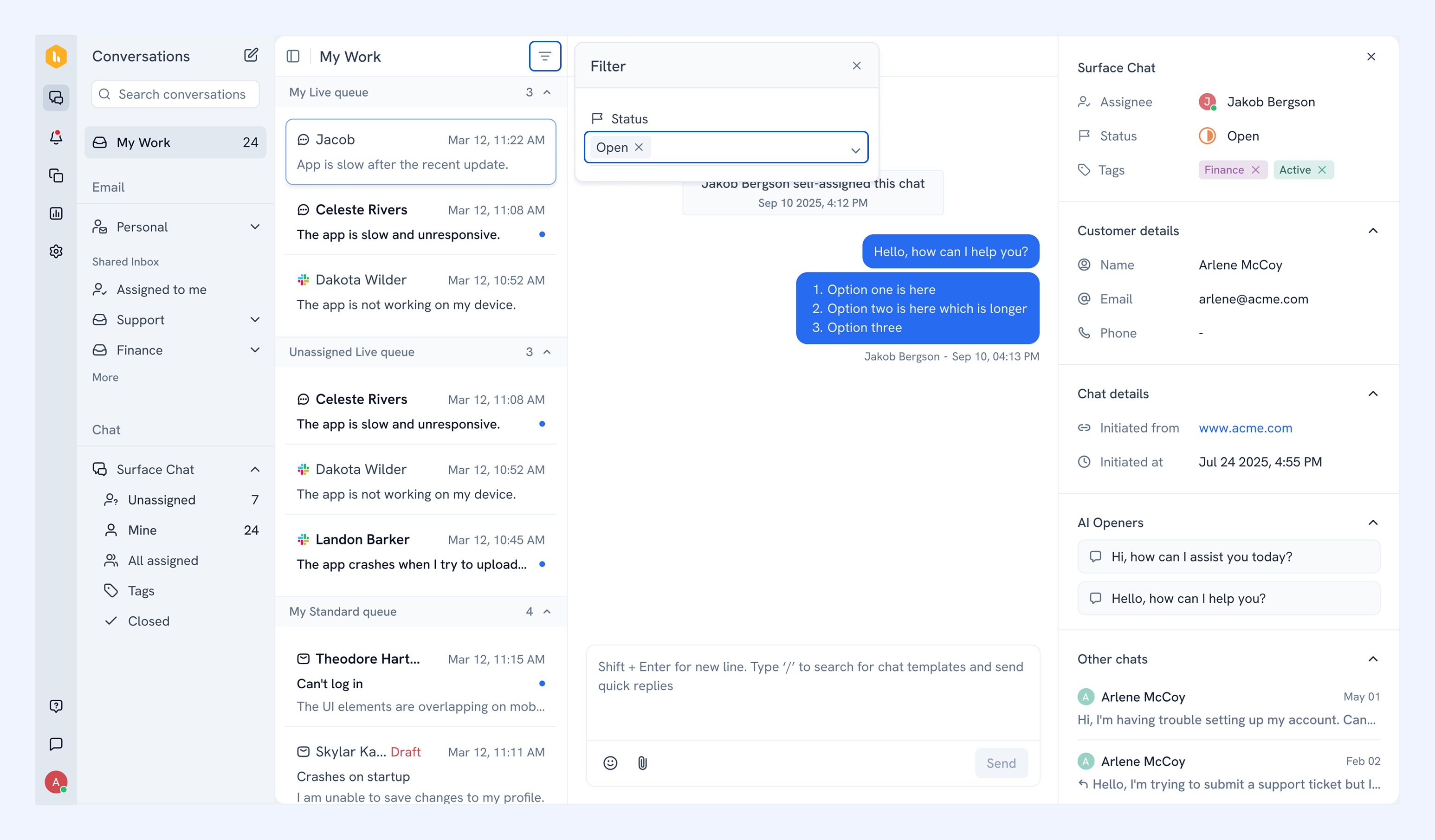
Filtering conversations
Click the filter icon to narrow down conversations by status (Open, Pending, or Closed).
Frequently asked questions
Will my configuration affect other team members?
No. All settings in My Work are saved to your profile only.
What counts as a live channel?
Live Chat is the currently supported live channel.
Why don't I see closed conversations?
My Work filters to Open by default. Use the filter icon to switch to Pending or Closed.
Related articles
Search conversations in Hiver Omni