Adding the Hiver Omni app to a private Slack channel
By default, private channels aren't visible to Hiver Omni. To connect a private channel, you need to add the Hiver Omni app to it in Slack.
1. Open the private channel in Slack.
2. Click the channel name at the top to open channel settings.
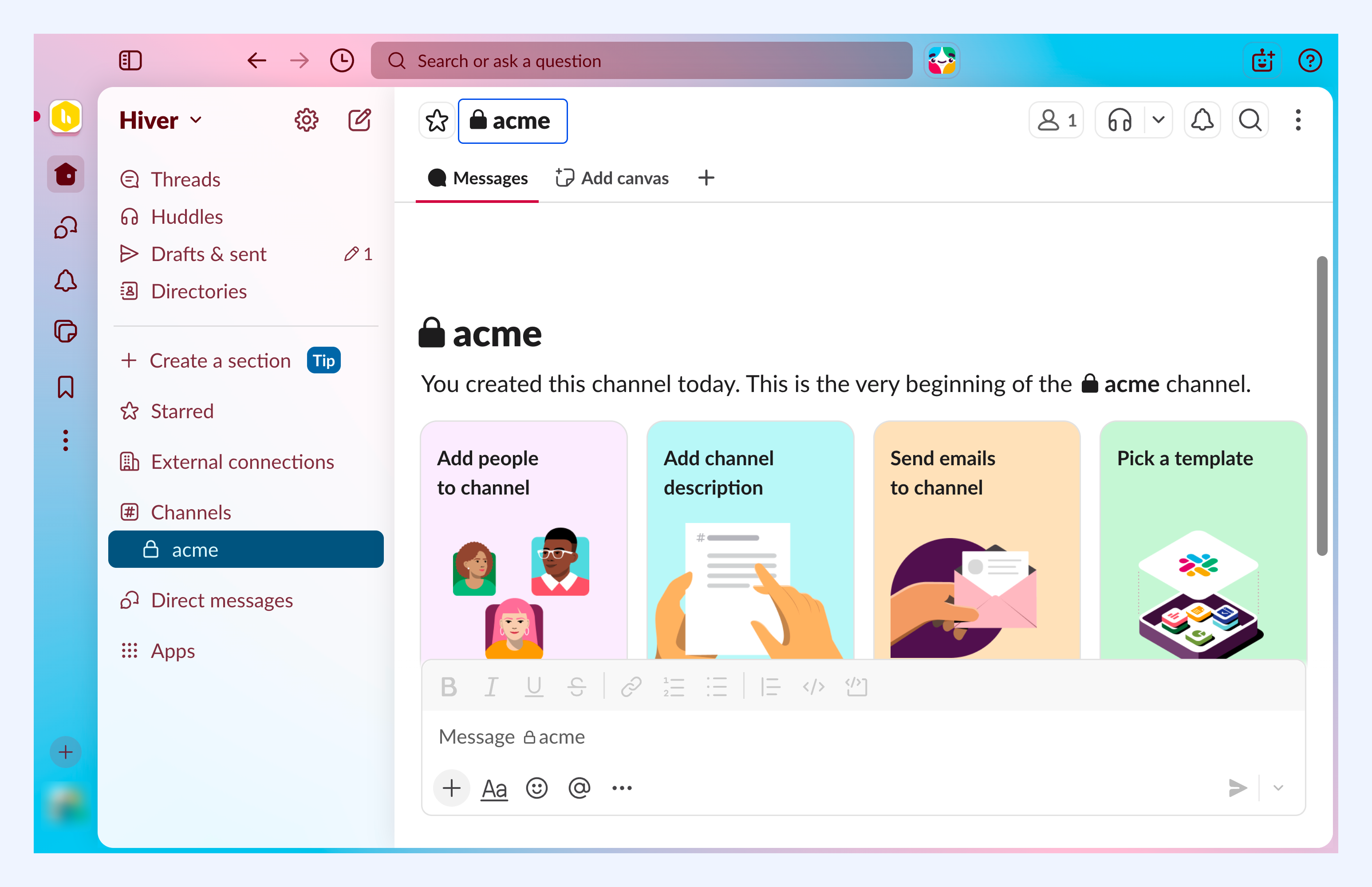
3. Go to Integrations → Add an App.
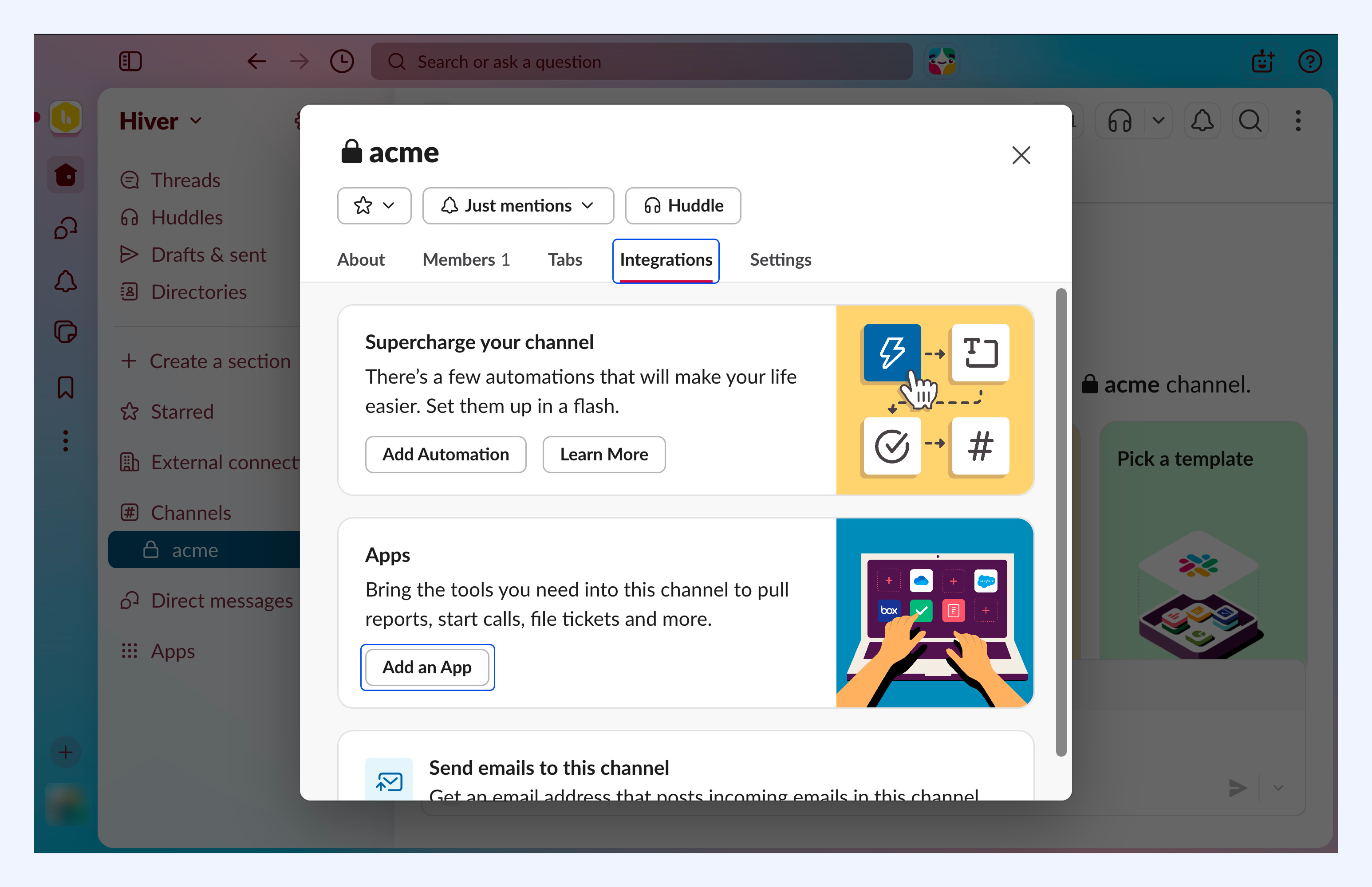
4. Search for Hiver Omni and click Add.

The app is now added to your channel.
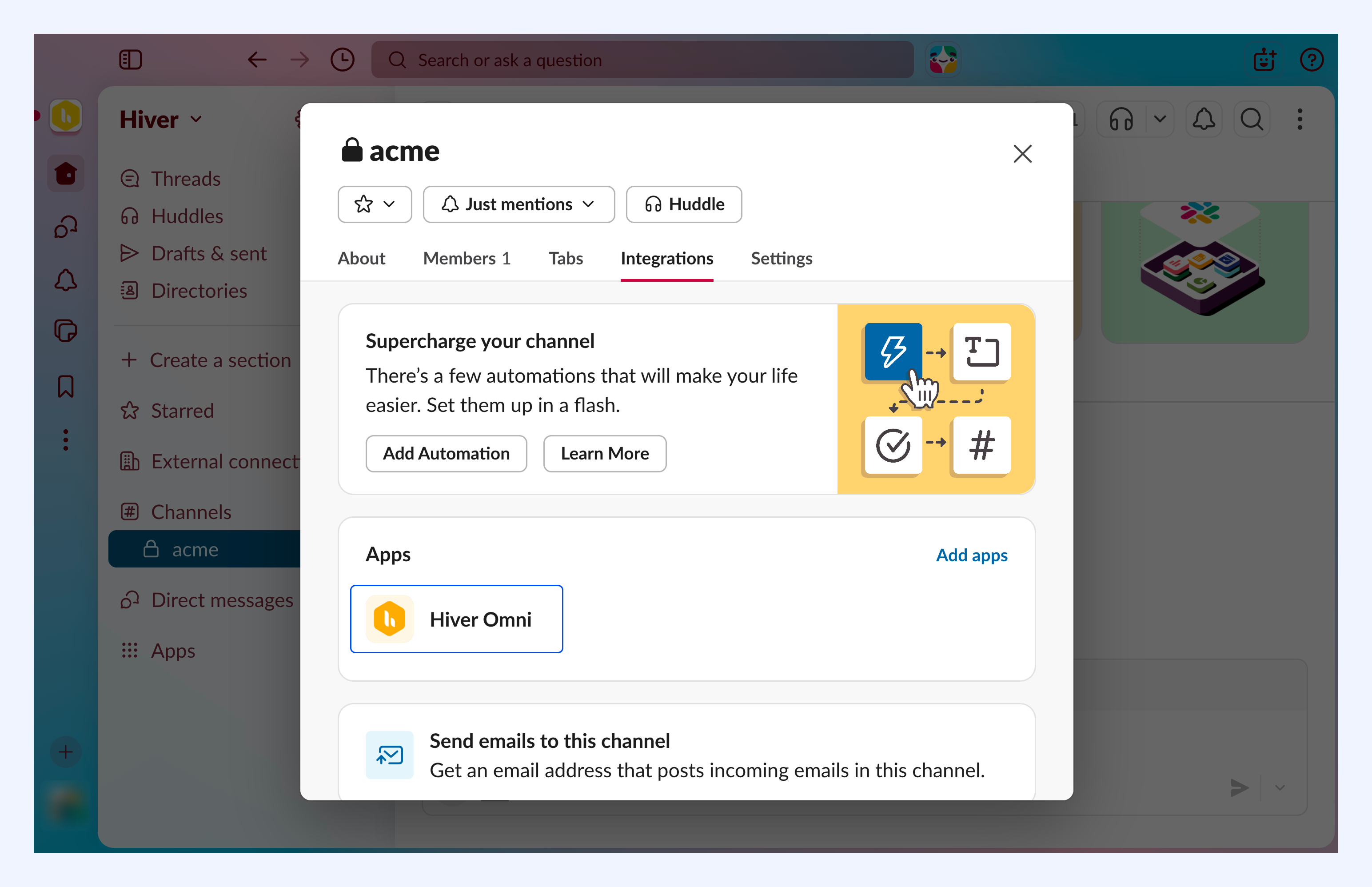
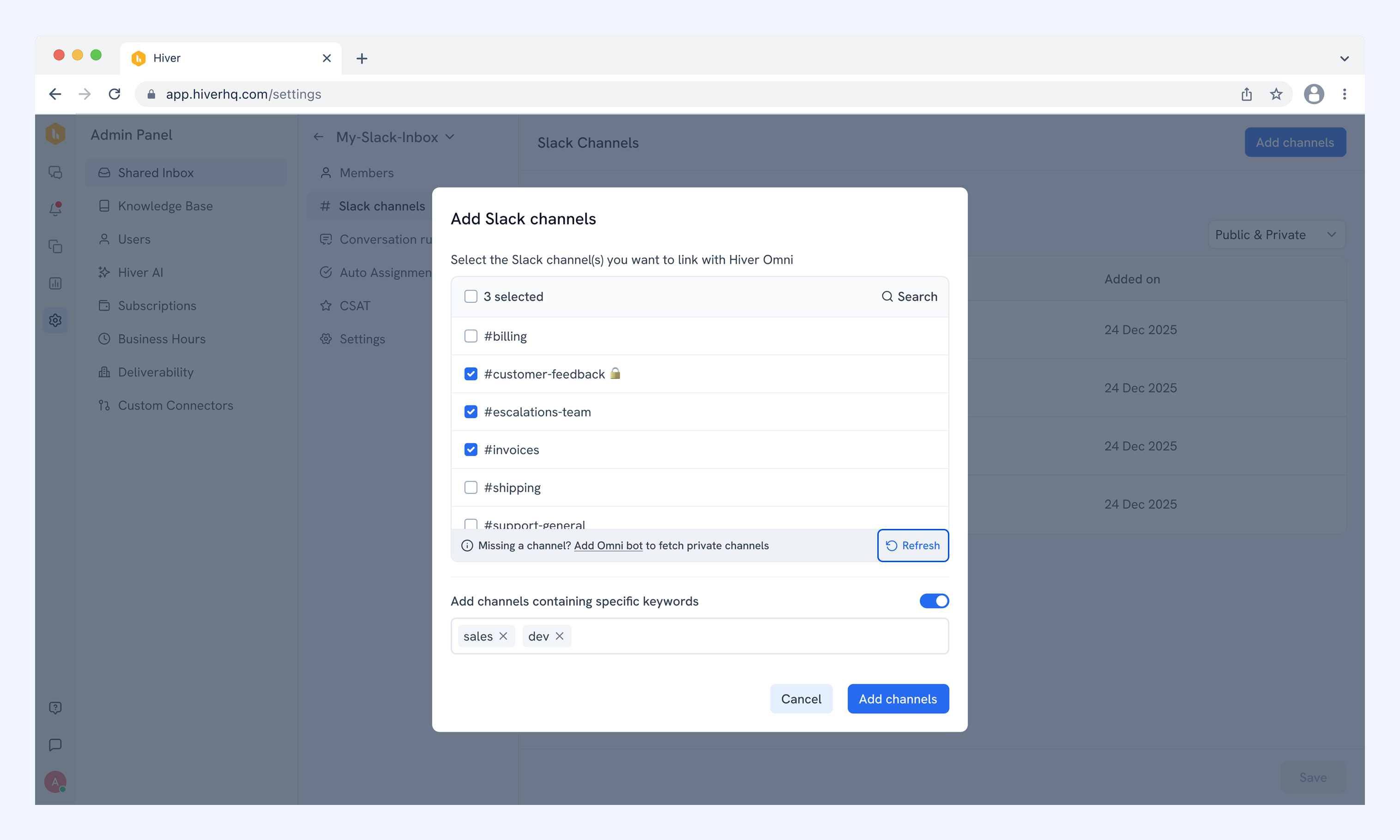
Note: You need to click Refresh to pull in private channels that have the Hiver Omni app added.
Related articles
Setting up your Slack Inbox in Hiver Omni