Generating your Help Center with AI
Hiver AI can generate a Help Center for you using your team's resolved conversations. It finds recurring questions, drafts articles, and organizes them into categories. Once your Help Center is ready, you can connect it to your Hiver AI Agent so it can start resolving customer queries automatically.
Note: Help Centers generated with AI are created as internal help centers that only you and your team can securely access.
Prerequisites
Before you begin, make sure you have:
- Admin access in Hiver.
- A Shared Inbox with at least 50 conversations that are assigned and closed.
Note: Hiver AI can only generate a Help Center if the inbox has enough useful conversations to learn from. Choose a Shared Inbox with a history of resolved customer queries.
How to generate a Help Center with AI
1. Go to Admin Panel → Help Center, and click Generate with AI.
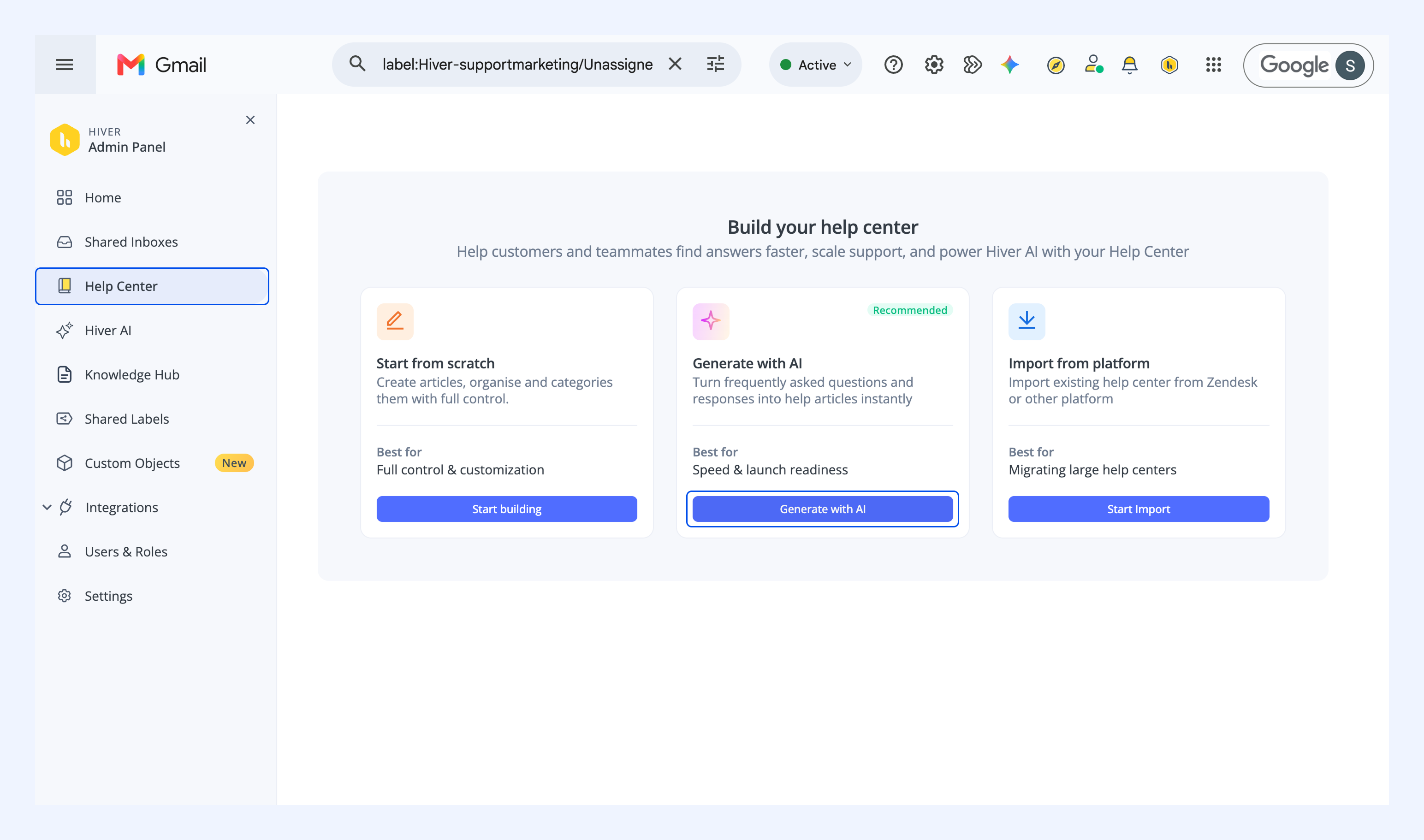
Note: If you have set up a Help Center before, go to Help Center and click Create Help Center → Generate with AI.
2. Select the Shared Inbox you want to use and click Generate Articles.
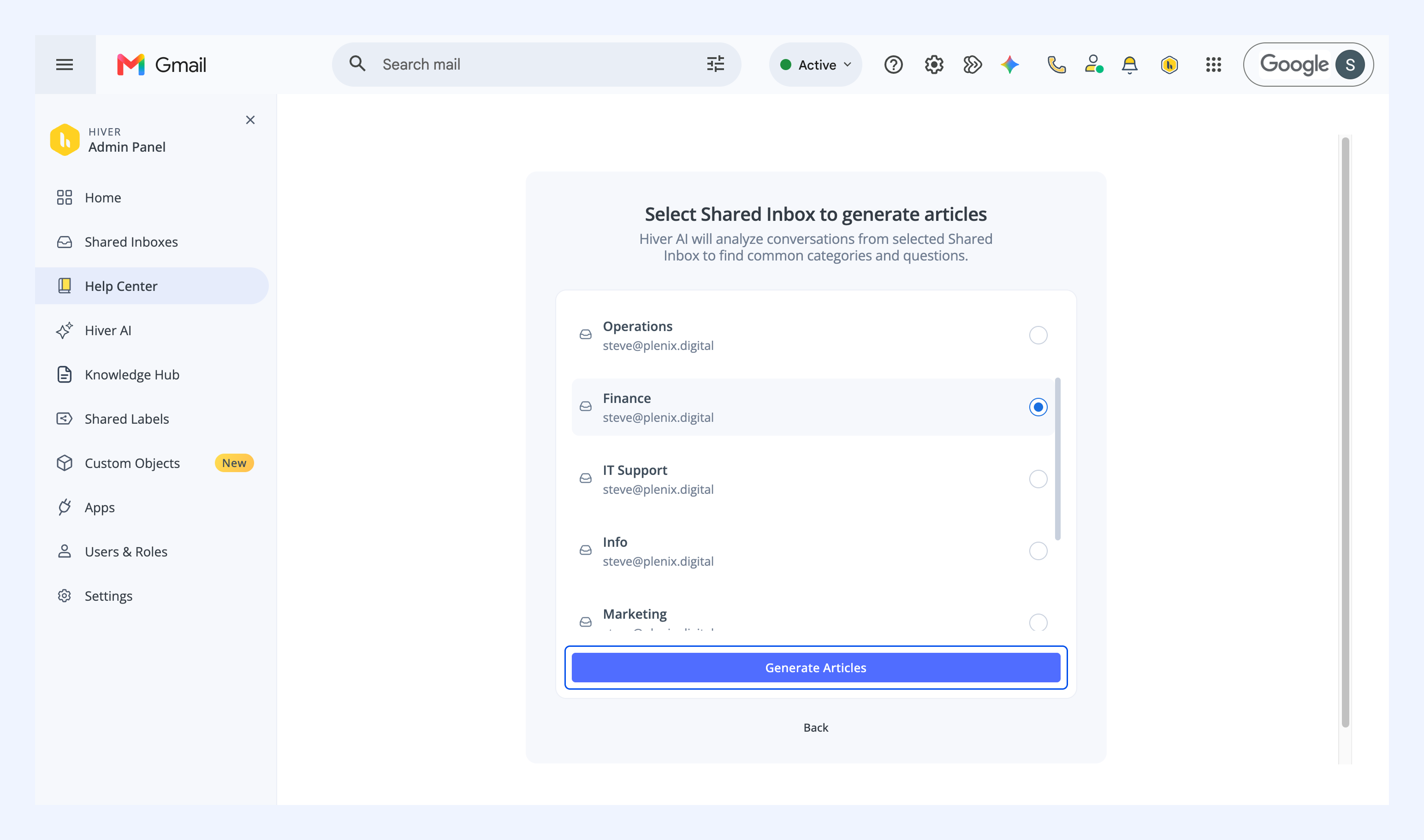
Generating articles can take some time, depending on how many conversations are in the Shared Inbox.
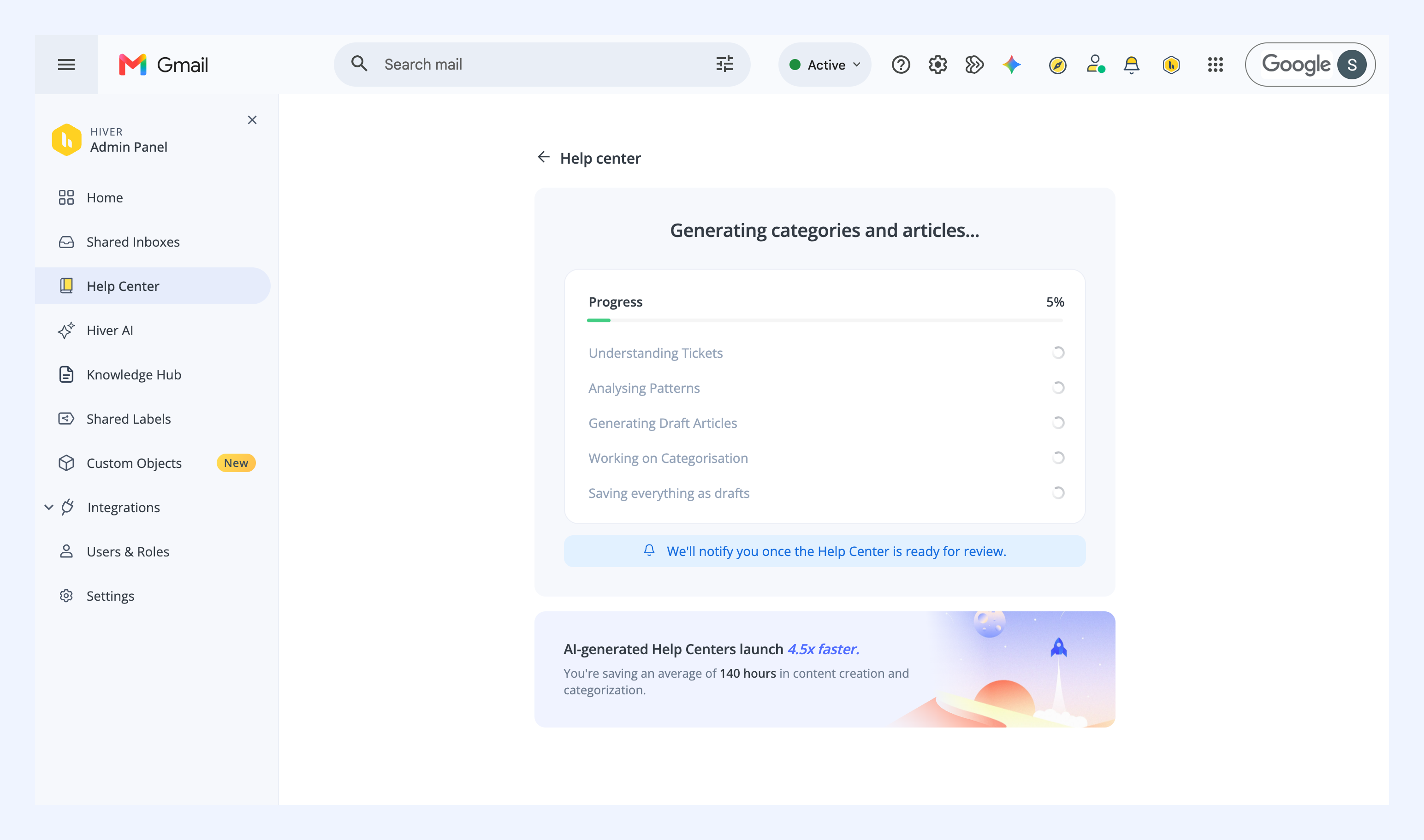
3. Once your Help Center is generated, click Complete setup to configure branding, users, and site settings. Learn more about customizing your Help Center.
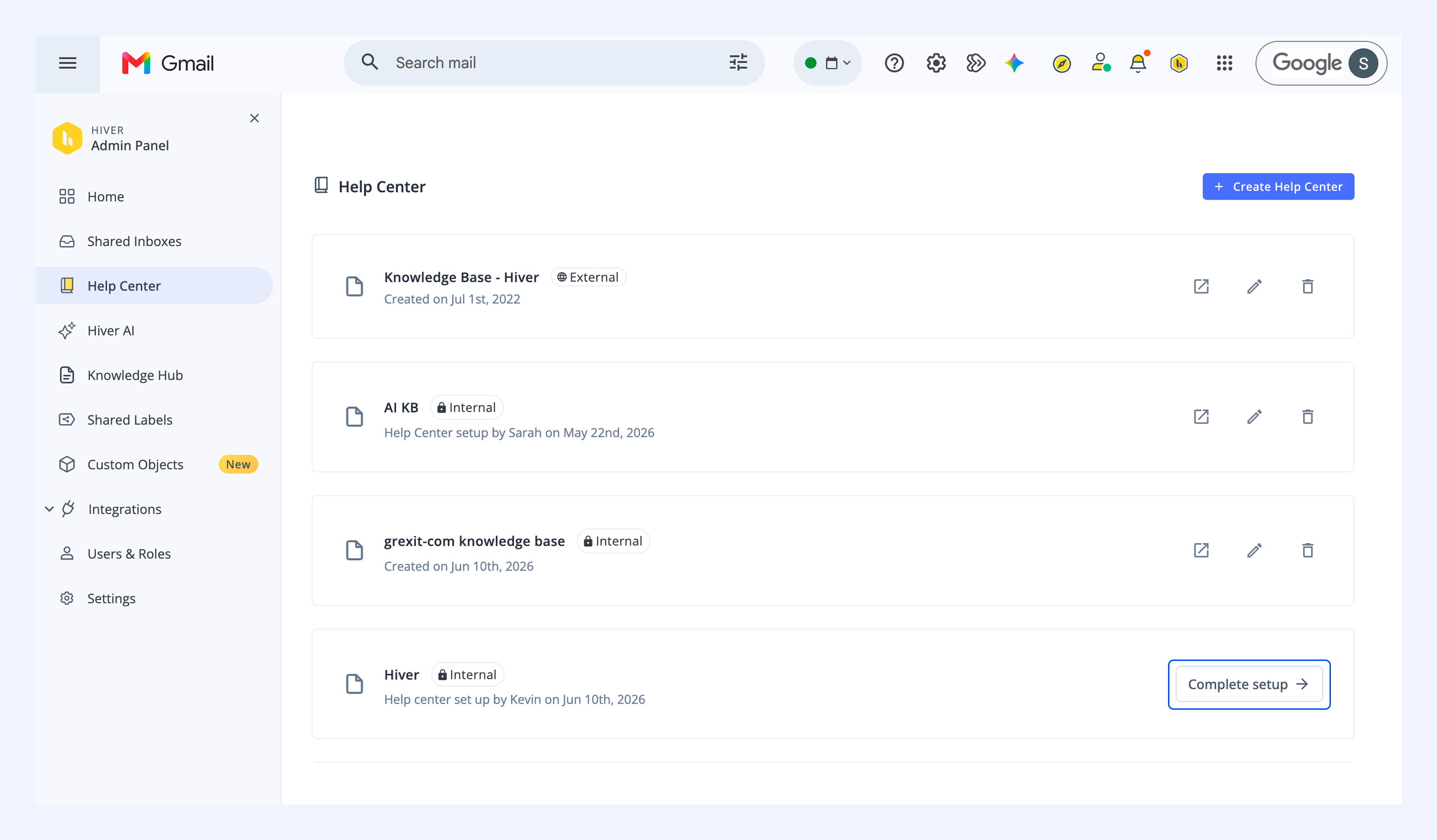
4. After customizing your Help Center settings, you can view all the categories and the articles generated within them. All articles are saved as drafts. You can review, edit, and publish the drafts.
Managing your Help Center
You can access your Help Center from Admin Panel → Help Center.
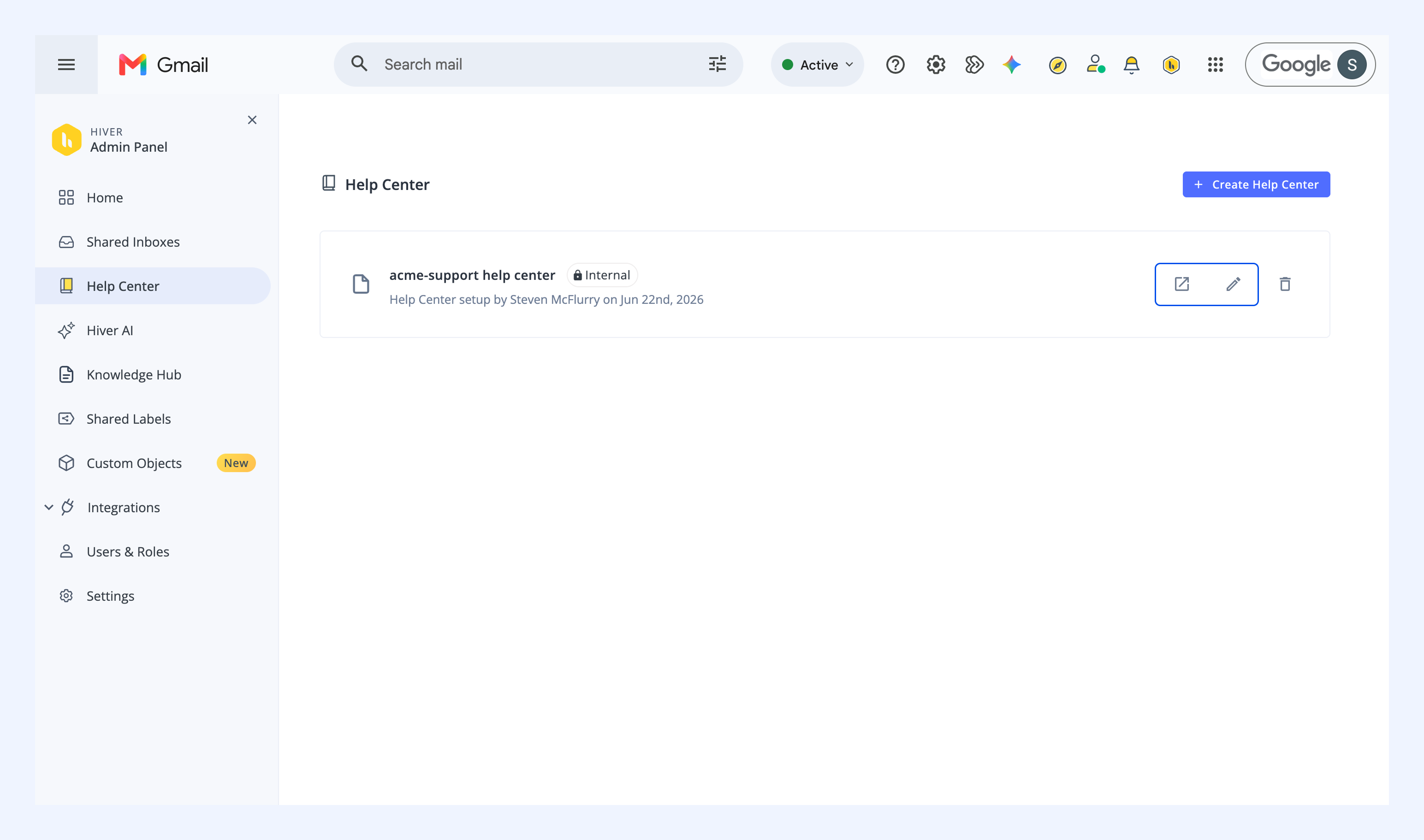
From here you can:
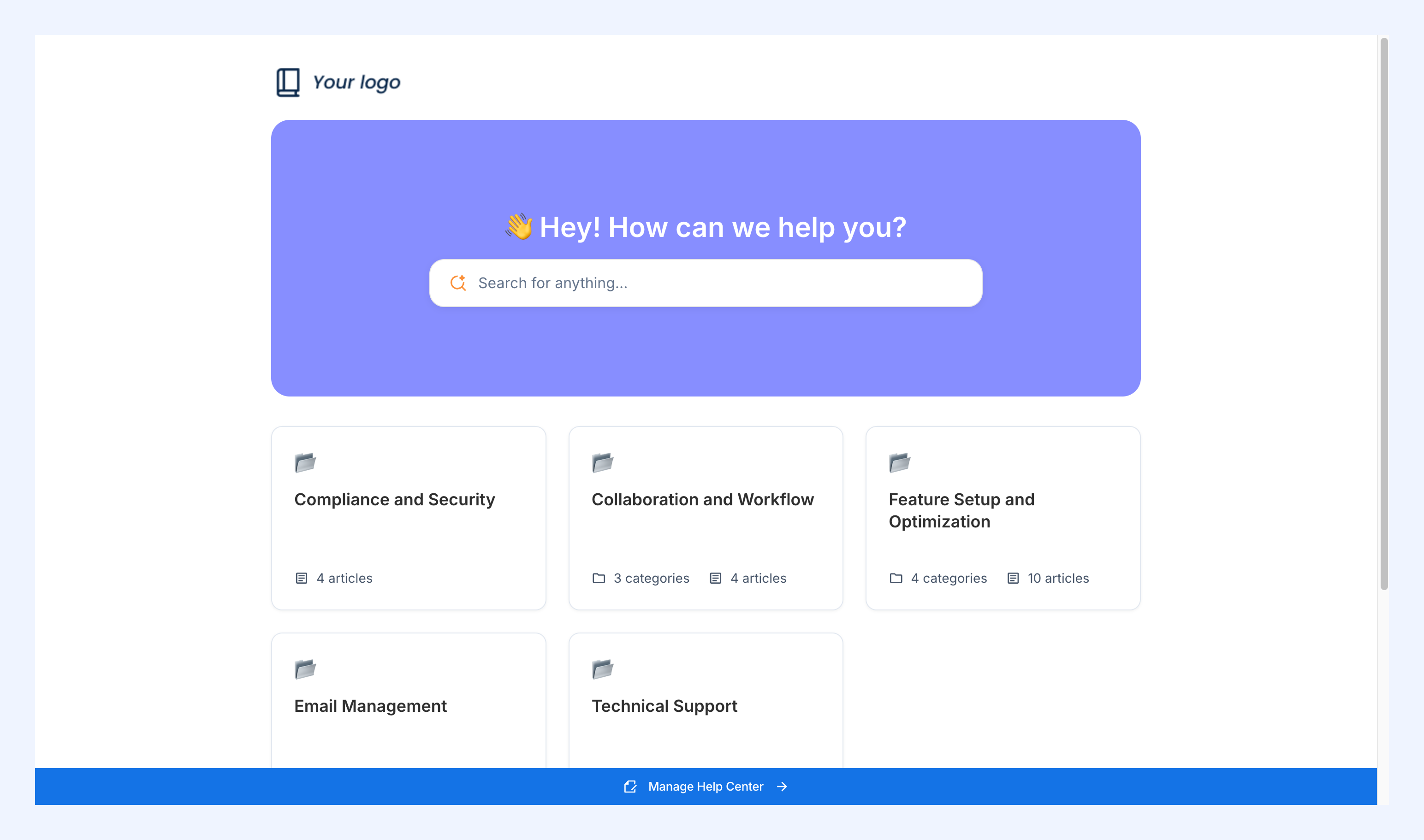
- Open your Help Center: Click the open icon (↗) to see the published categories and articles the way your readers will see them.
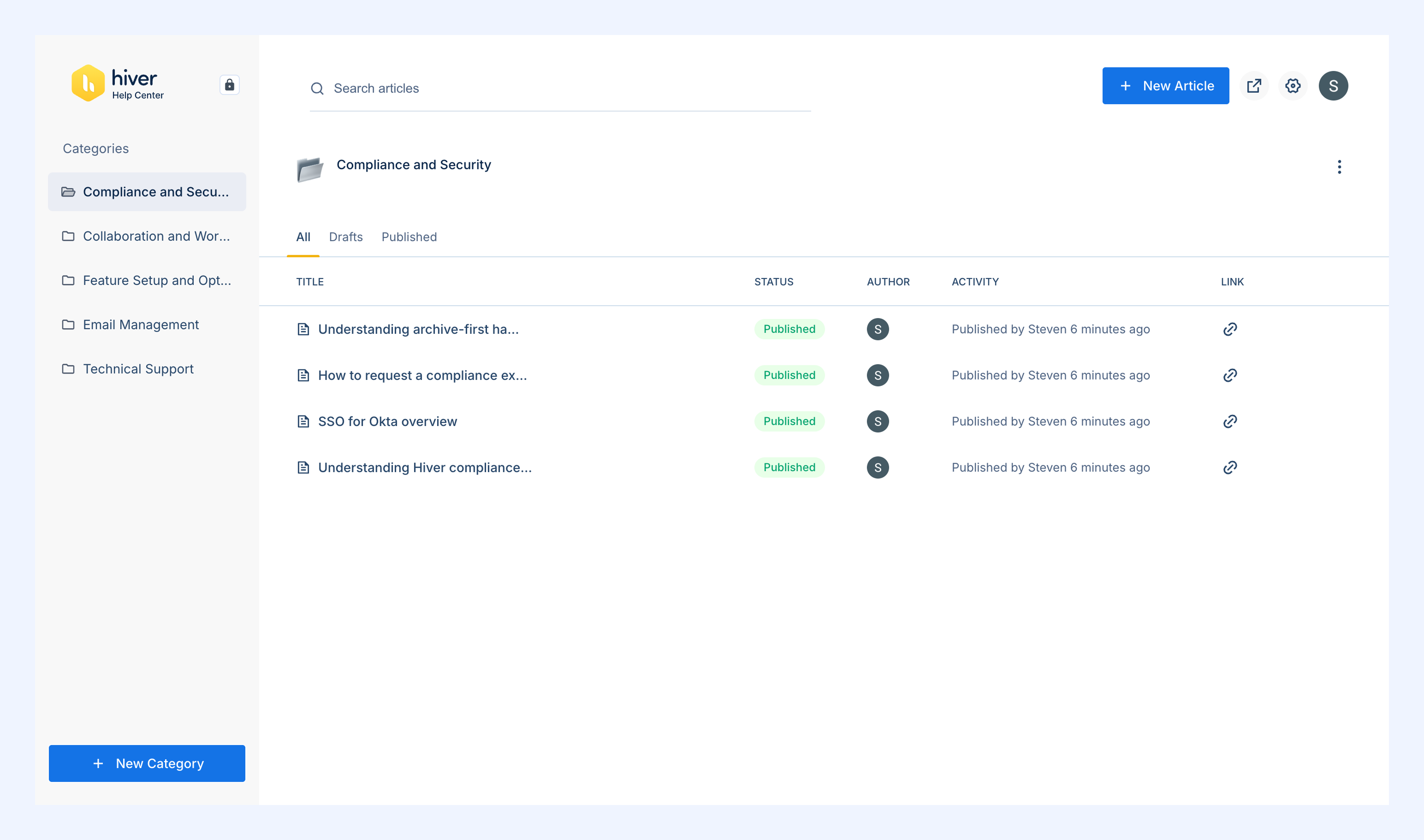
- Edit and publish articles: Click the edit icon (pencil icon) to open the Dashboard, where you can create, update, and publish articles.
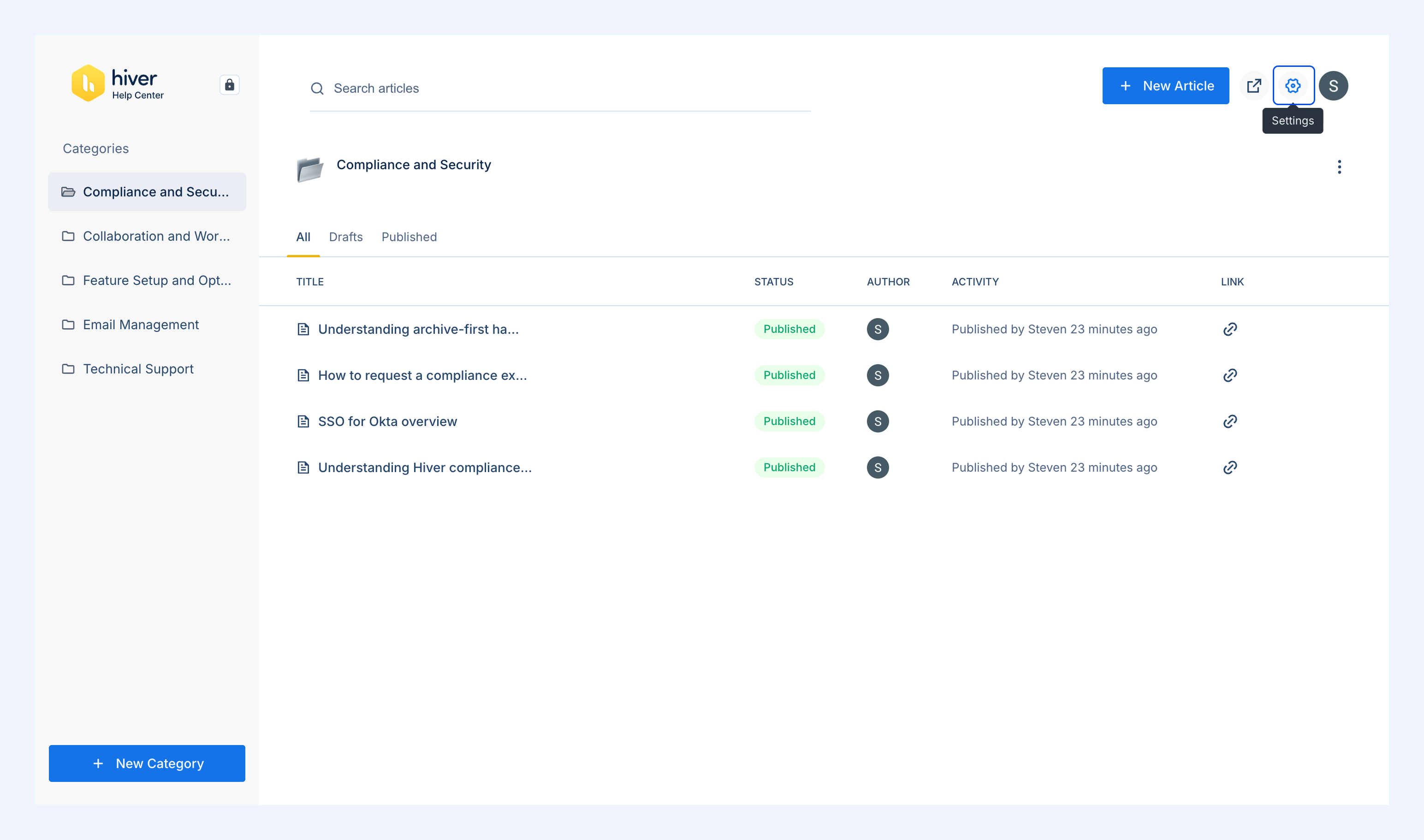
- Customize branding, users, and site settings: In the Dashboard, click the Settings icon to update your Help Center’s settings.
Next steps